Command Palette
Search for a command to run...
Online Tutorial | Achieving Raw Image Editing With 4B Parameters: Microsoft Open-Sources Mage-Flow, Enabling Second-Level Image Inference and Supporting Up to 2048 Resolution

With the continuous breakthroughs of diffusion models in image generation, products such as DALL·E, Midjourney, and FLUX are constantly pushing the limits of visual quality. However, high-quality raw images are usually accompanied by huge model sizes—often 20B or 30B parameters, resulting in slow inference speeds and high memory consumption, posing a significant challenge for individual developers to run locally.
**Microsoft recently open-sourced Mage-Flow in an attempt to change this situation.**This is a compact generative model with only 4B parameters. Through the collaborative design of the Tokenizer-Backbone-System, it excels in both image generation and instruction editing tasks.**It achieves performance comparable to or even surpasses that of large models such as Qwen-Image 20B and FLUX.2 32B, while also offering faster inference and lower VRAM consumption.**A single 1024×1024 image can be rendered in just 0.59 seconds on an NVIDIA A100 GPU, and it can also run smoothly on an NVIDIA RTX 5090.
Specifically, the core technological highlights of Mage-Flow include:
**Mage-VAE:**A lightweight, high-fidelity latent tokenizer reconstructs FLUX.2-VAE with high quality alignment, but the encoding and decoding computation costs are only ~1/12 and ~1/22 of the latter, respectively.
**NR-MMDiT:**Native-Resolution Multimodal Diffusion Transformer supports resolutions from 512 to 2048 and arbitrary aspect ratios (including the limit of 4:1).
**System-level optimization:**With native resolution packaging, FlashAttention varlen, and CUDA kernel integration, inference on a single 1024² image on an A100 takes only 0.59 seconds.
Functionally, Mage-Flow supports generating images from Chinese and English text (including text rendering), instruction-based image editing (appearance, content, scene, and repair), and interactive creation via Grado WebUI.
Mage-Flow is now available on HyperAI (hyper.ai), helping developers experience high-quality image generation and editing at a lower cost. Interested users can explore it with a single click!
Run online:https://go.hyper.ai/EJKSG
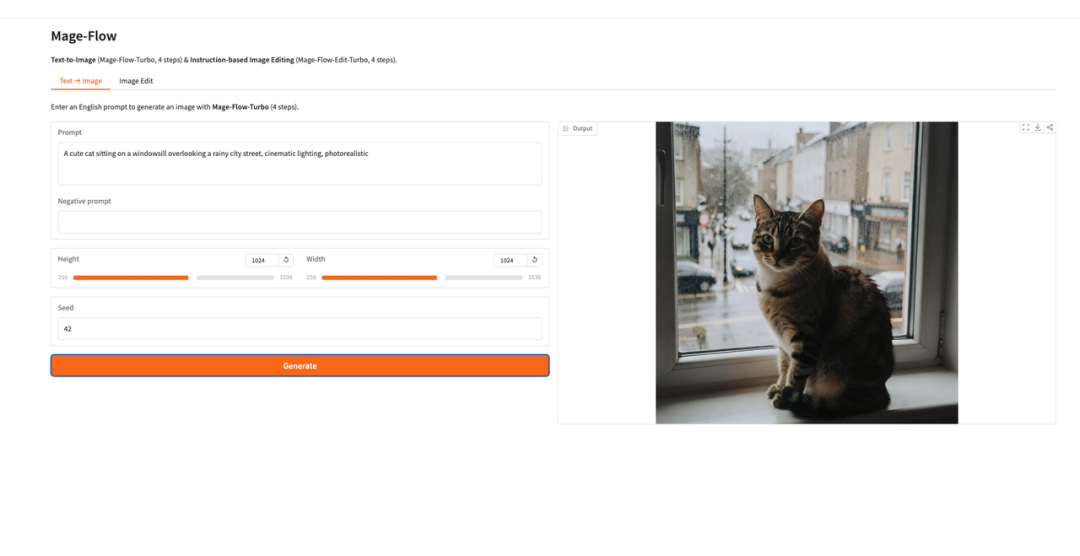
Mage-Flow Demo interface:
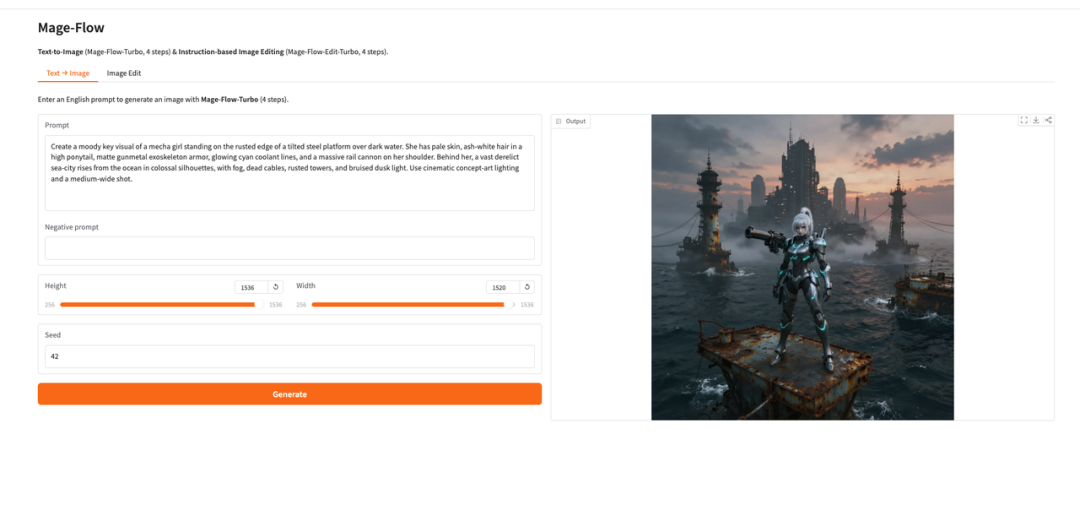 Text to Image effect diagram:
 Image Edit preview:


Demo Run
1. After entering the hyper.ai homepage, select the "Tutorials" page, or click "View More Tutorials", select "Mage-Flow: A Basic Model for Efficient Native Resolution Image Generation and Editing", and click "Run this tutorial".


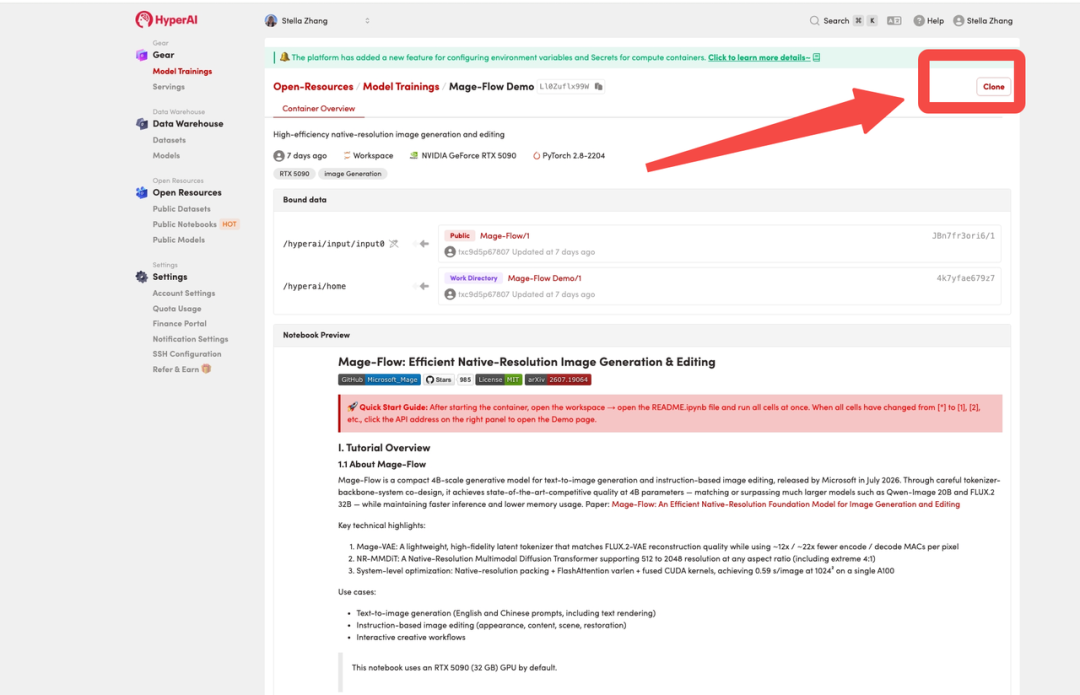
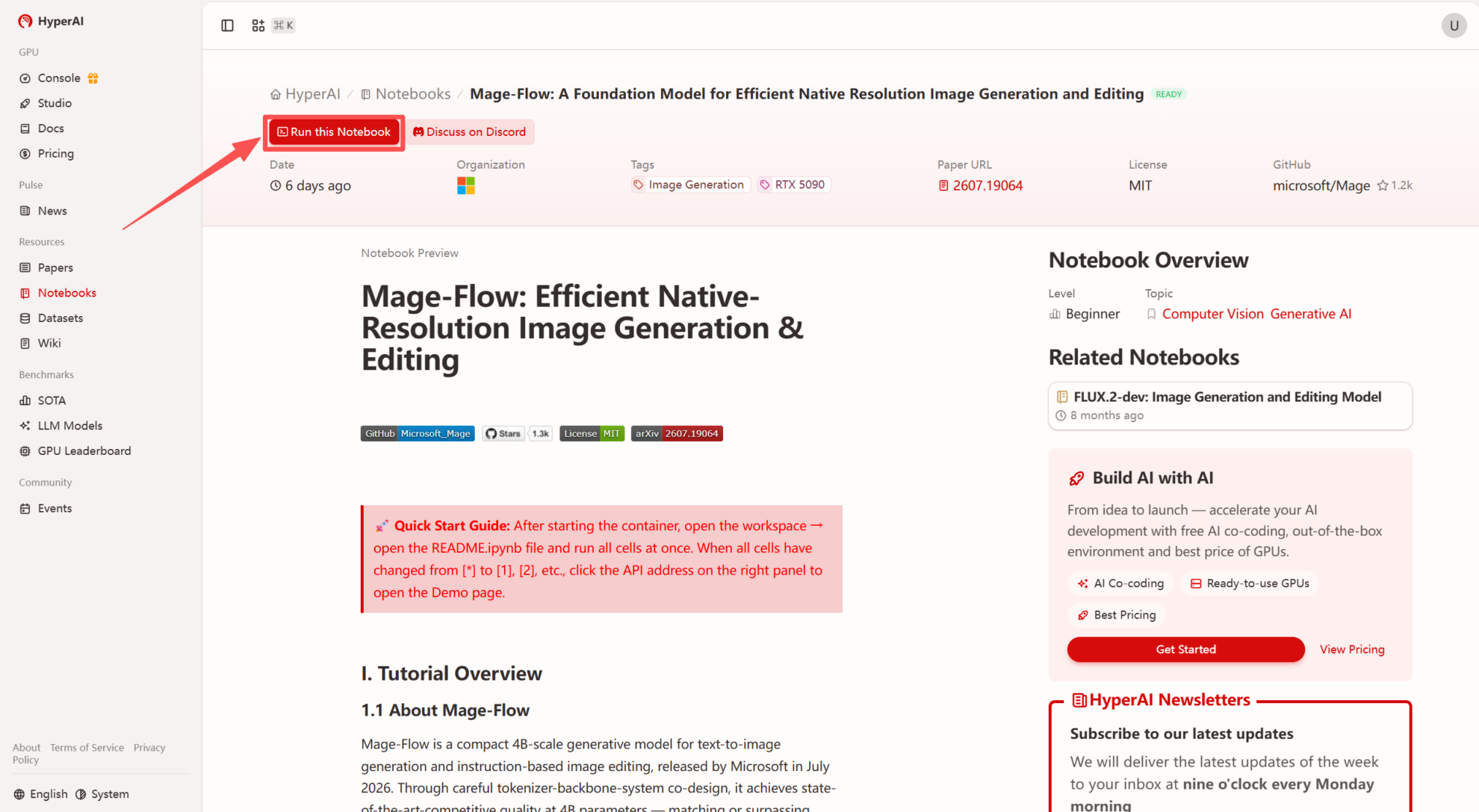 2. After the page redirects, click "Clone" in the upper right corner to clone the tutorial into your own container.
Note: You can switch languages in the upper right corner of the page. Currently, Chinese and English are available. This tutorial will show the steps in English.
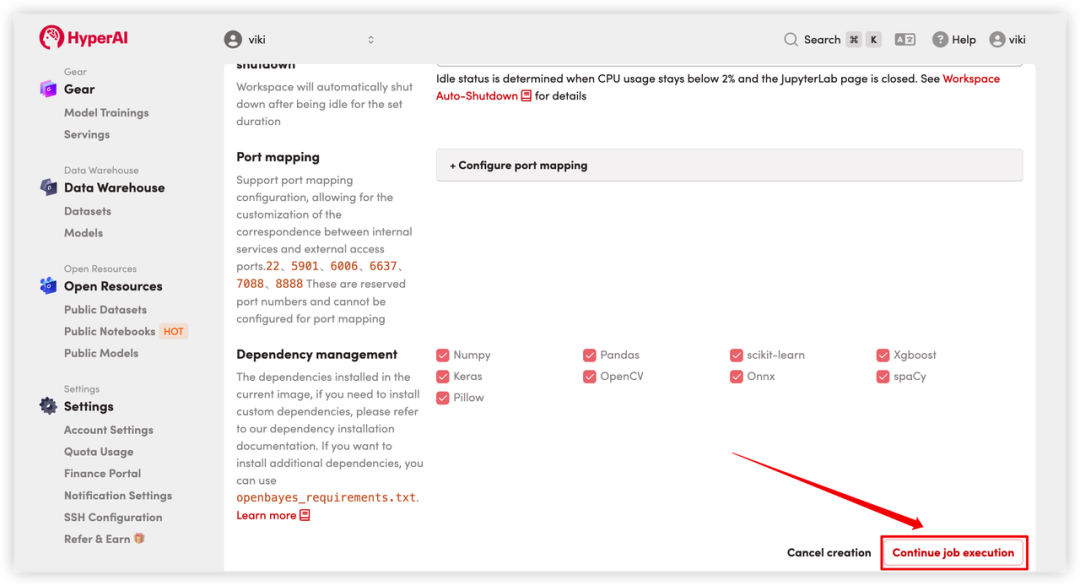
 3. Select the "NVIDIA RTX 5090" and "PyTorch" images, and click "Continue job execution".

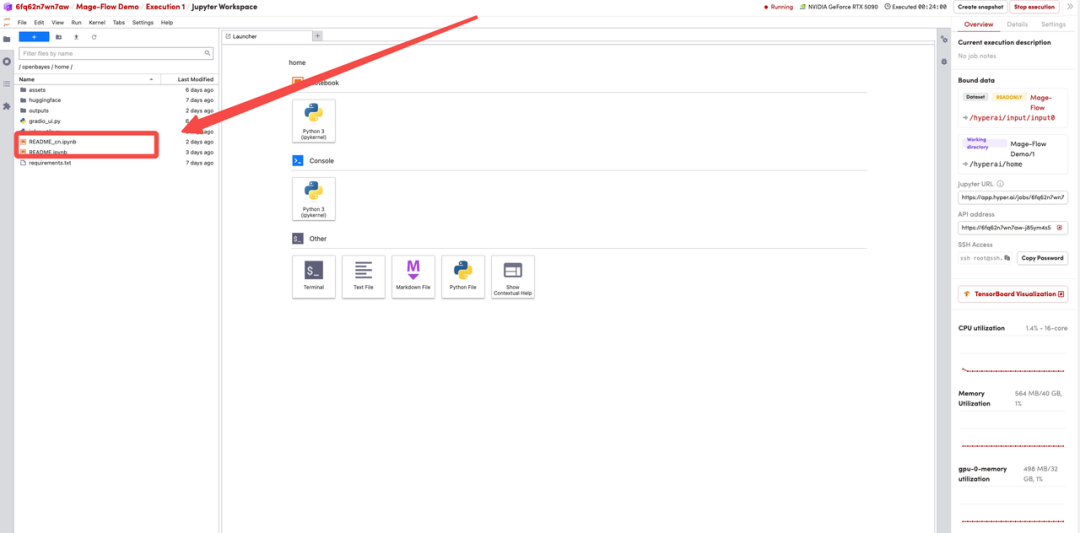
 4. Wait for resources to be allocated. Once the status changes to "Running", click "Open Workspace" to enter the Jupyter Workspace.

Effect display
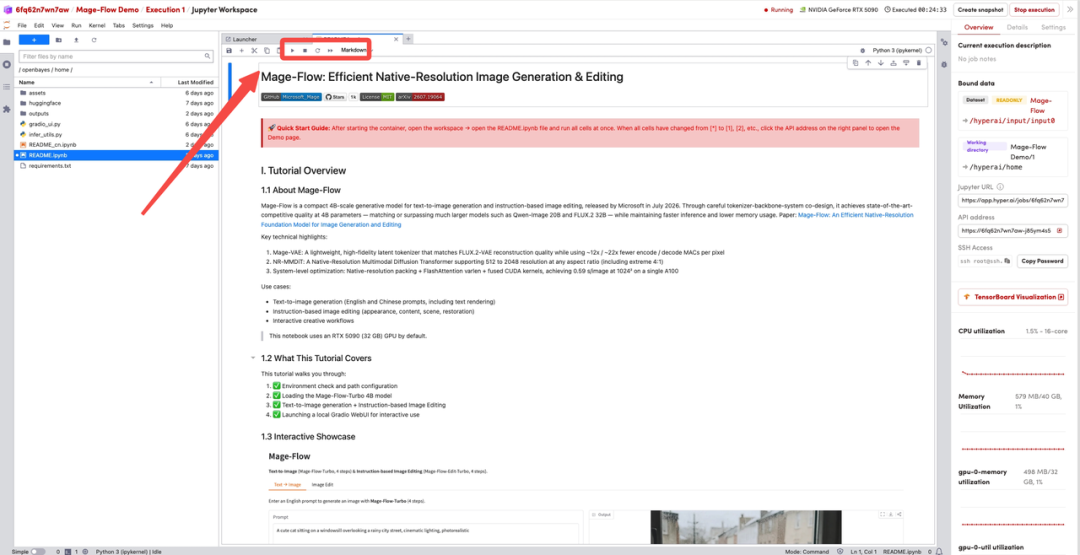
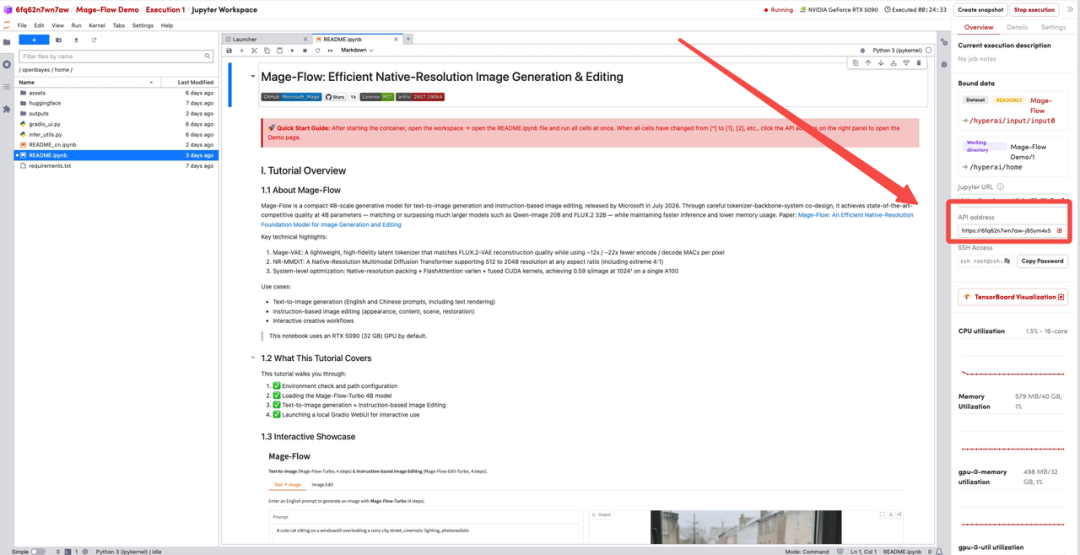
1. After the page redirects, click the README file on the left, then click Run at the top to execute all cells in sequence.
 2. Launch WebUI
Once all cells have finished running (the [*] on the left will change to a number), the Grado WebUI will launch automatically. Click the API address in the right panel to go to the Demo page and experience text-to-image and image editing online.
 3. **Preview of generated result:**Enter any English prompt, and the model will output a 1024×1024 high-resolution image in 4 steps of inference; upload a reference image and editing instructions, and the model will modify the image content according to the instructions (such as replacing the background, adjusting the appearance, etc.).