Command Palette
Search for a command to run...
Online Tutorial | Run Agents Without Billions of Parameters! Boss Zhipin's Nanbeige Lab Open Sources Nanbeige 4.2-3B, Giving Small Models a "Brain"

As large language models evolve towards intelligent agents, capabilities such as tool invocation, task planning, and multi-step execution become essential. However, these capabilities typically rely on a larger parameter scale, leading to increased memory usage and deployment costs, making it difficult to run high-performance intelligent agents locally.
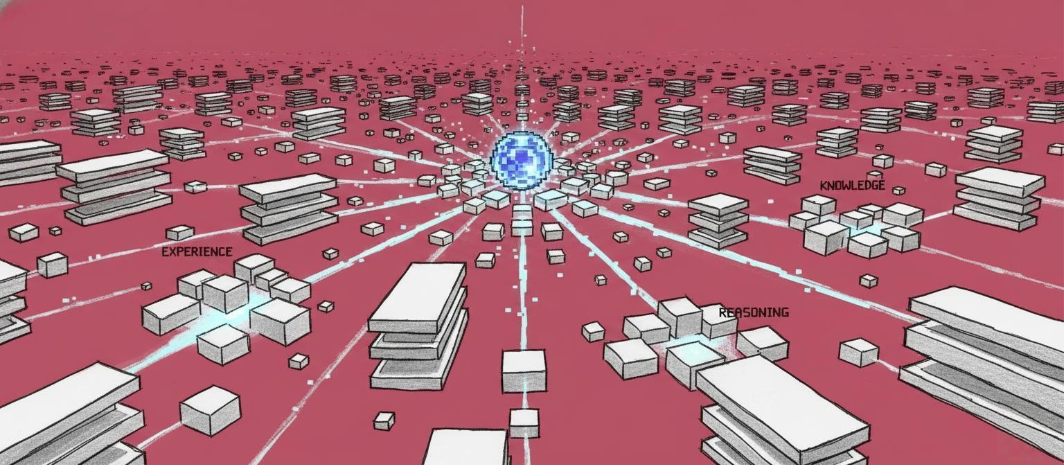
**Boss Zhipin's Nanbeige Labs' Nanbeige 4.2-3B is an attempt to break this constraint.**This model is built on Nanbeige4.2-3B-Base and adopts a Looped Transformer architecture. It improves model capacity by reusing Transformer layers—enhancing performance without increasing the number of parameters.The model contains only 3 billion non-embedded parameters (out of a total of approximately 4 billion parameters), yet it outperforms larger-scale competitors in multiple agent benchmark tests, including Qwen3.5-9B and Gemma4-12B.
Specifically, Nanbeige4.2-3B achieved a score of 63.6 on the SWE-Bench Verified task for code-based intelligent agents and 87.4 on the GPQA-Diamond scientific reasoning benchmark. In addition to agent capabilities, the model is specifically optimized for reasoning scenarios: it supports Thinking Mode, maintaining competitiveness in mathematical, code-based, and scientific reasoning tasks. The context window supports up to 262K tokens, covering long documents, multi-turn dialogues, and complex workflows.
"Nanbeige 4.2-3B: Compact Intelligent Agent Model" is now available on HyperAI (hyper.ai), helping developers explore native intelligent agent applications at a lower cost. Interested users can explore it with a single click! ⬇️
Run online:https://go.hyper.ai/HAMqL
Demo Run
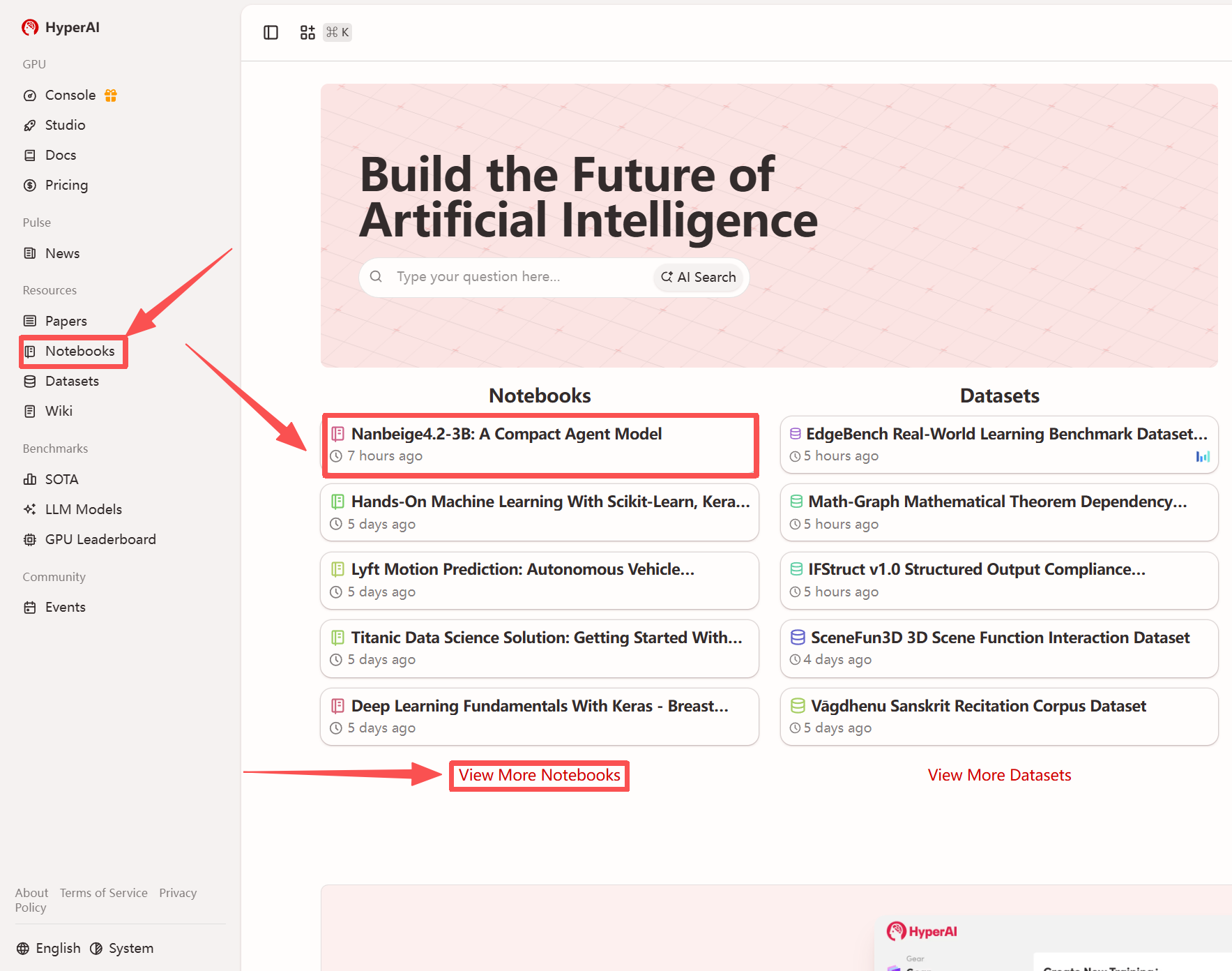
1. After entering the hyper.ai homepage, select the "Tutorials" page, or click "View More Tutorials", select "Nanbeige4.2-3B: Compact Agent Model", and click "Run this tutorial".
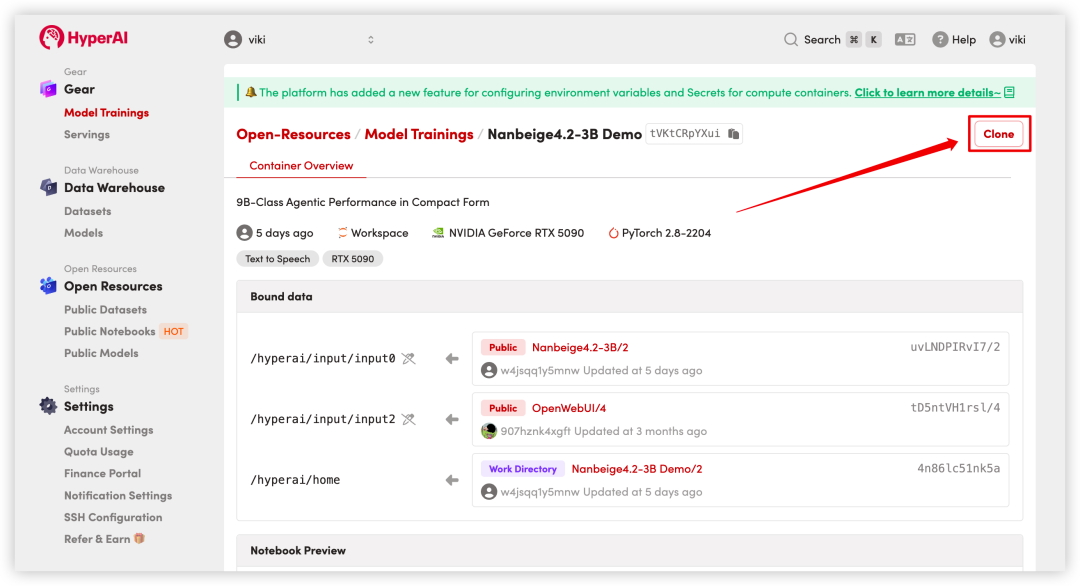
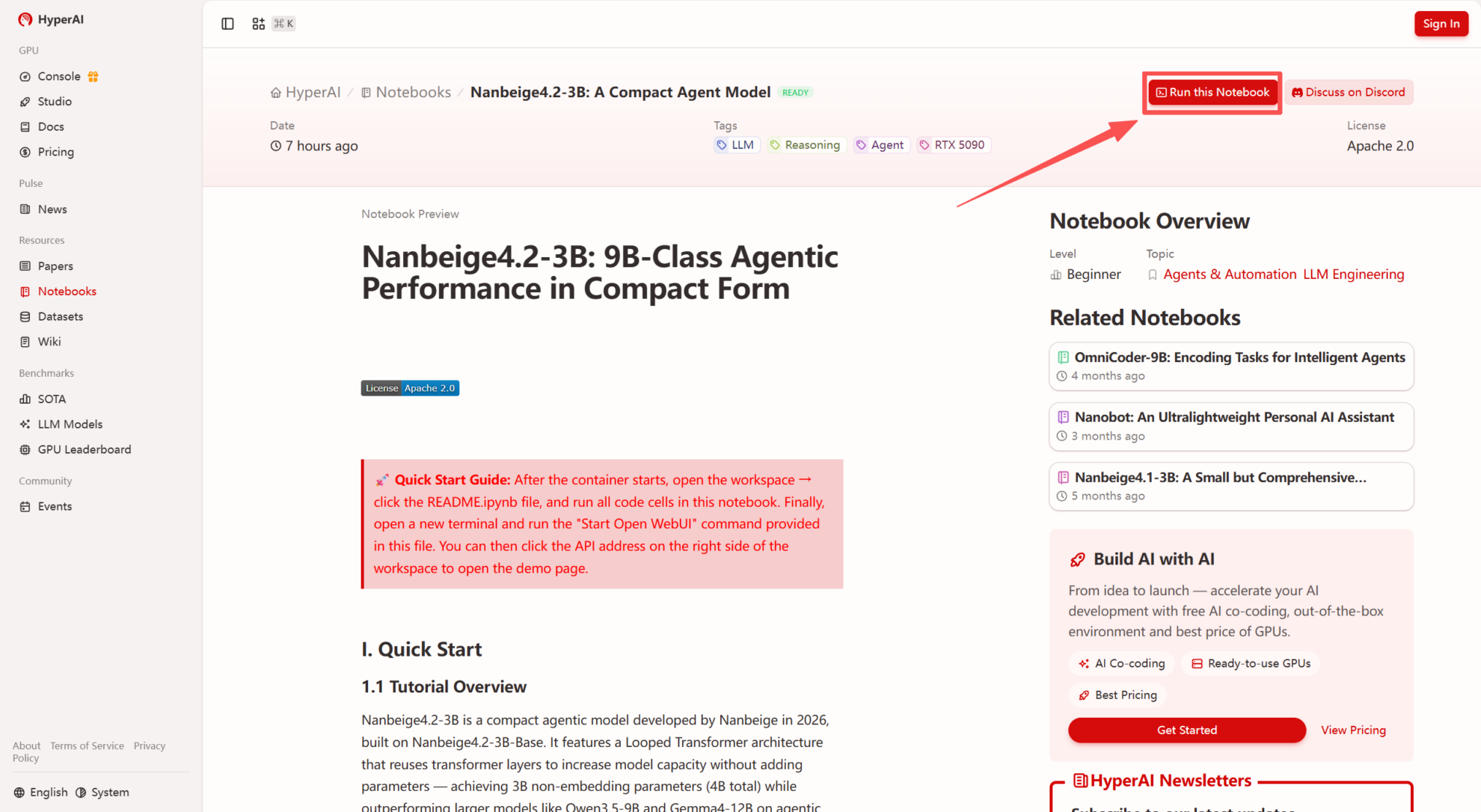 2. After the page redirects, click "Clone" in the upper right corner to clone the tutorial into your own container.
Note: You can switch languages in the upper right corner of the page. Currently, Chinese and English are available. This tutorial will show the steps in English.
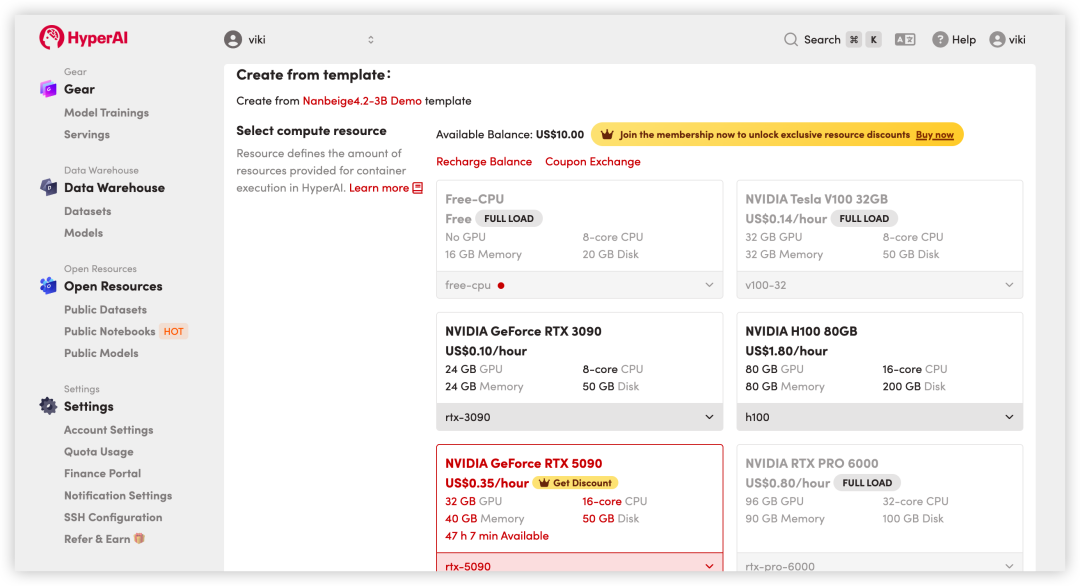
 3. Select the "NVIDIA RTX 5090" and "PyTorch" images, and click "Continue job execution".
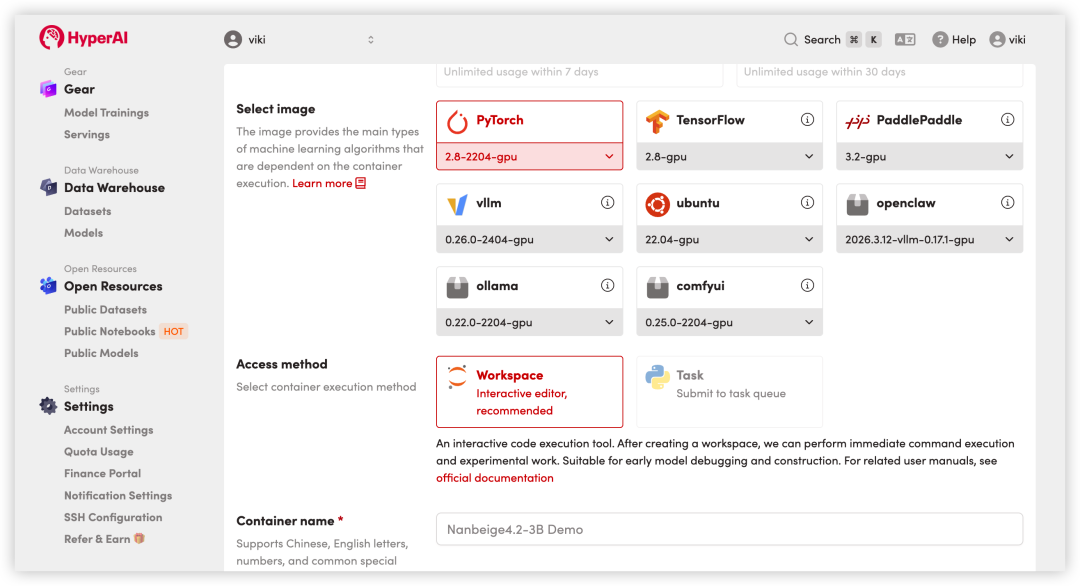
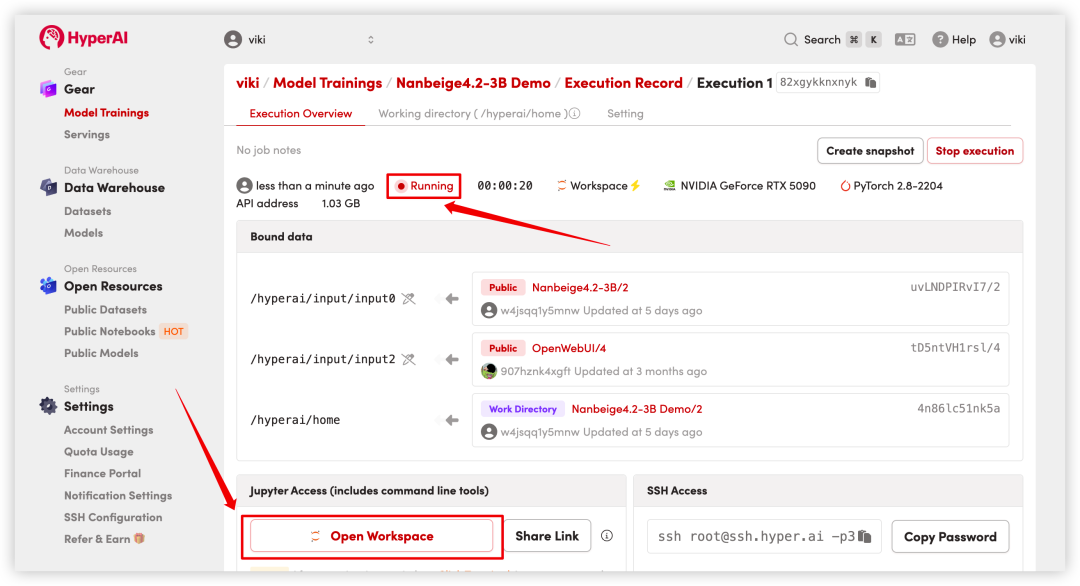
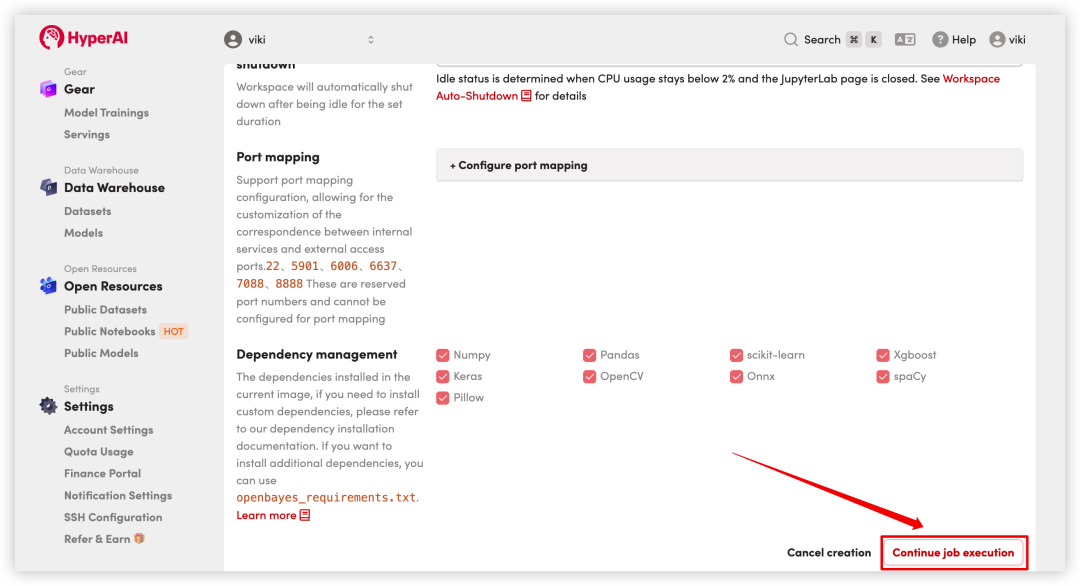 4. Wait for resources to be allocated. Once the status changes to "Running", click "Open Workspace" to enter the Jupyter Workspace.
Effect display
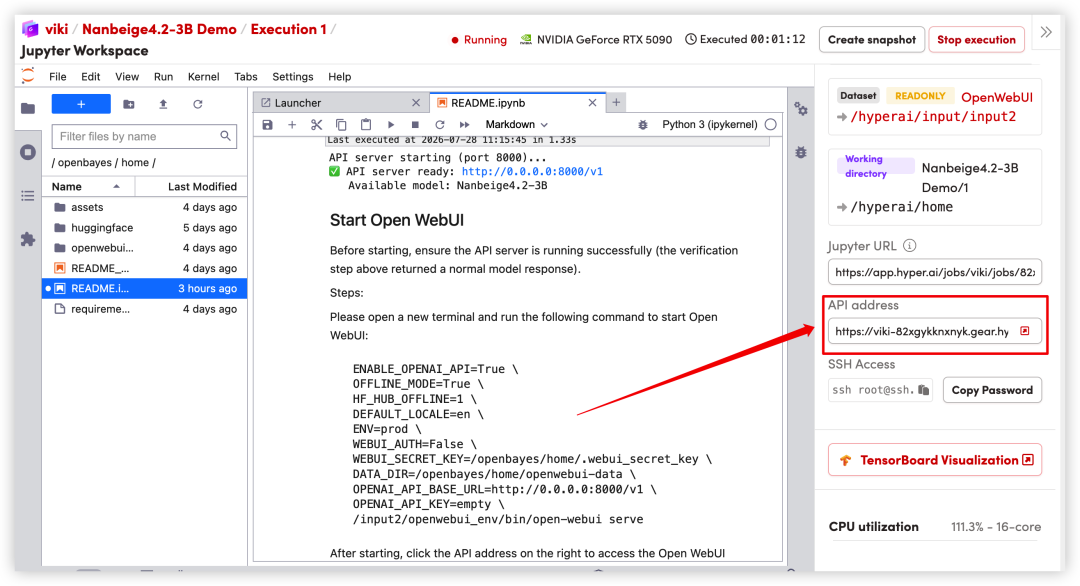
1. After the page redirects, click on the README file on the left, and then click on Run at the top.
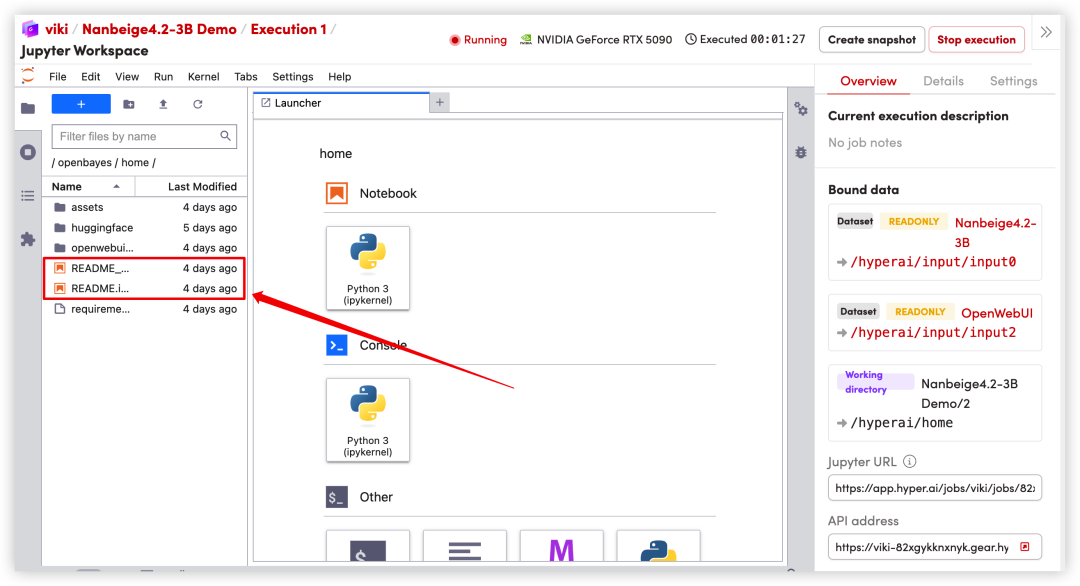
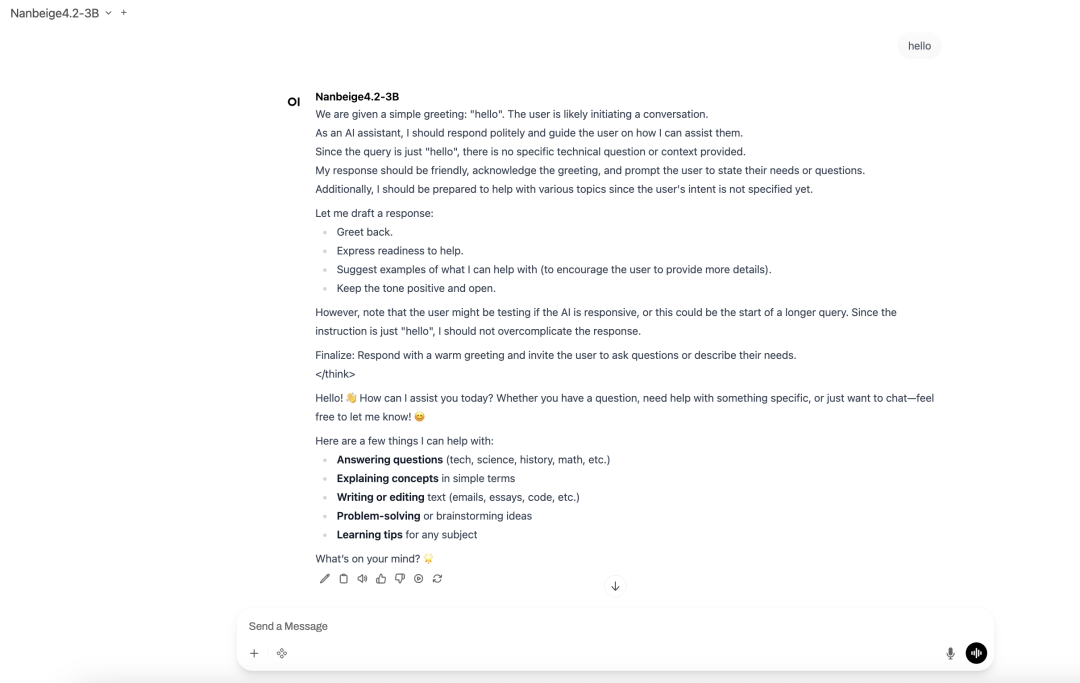
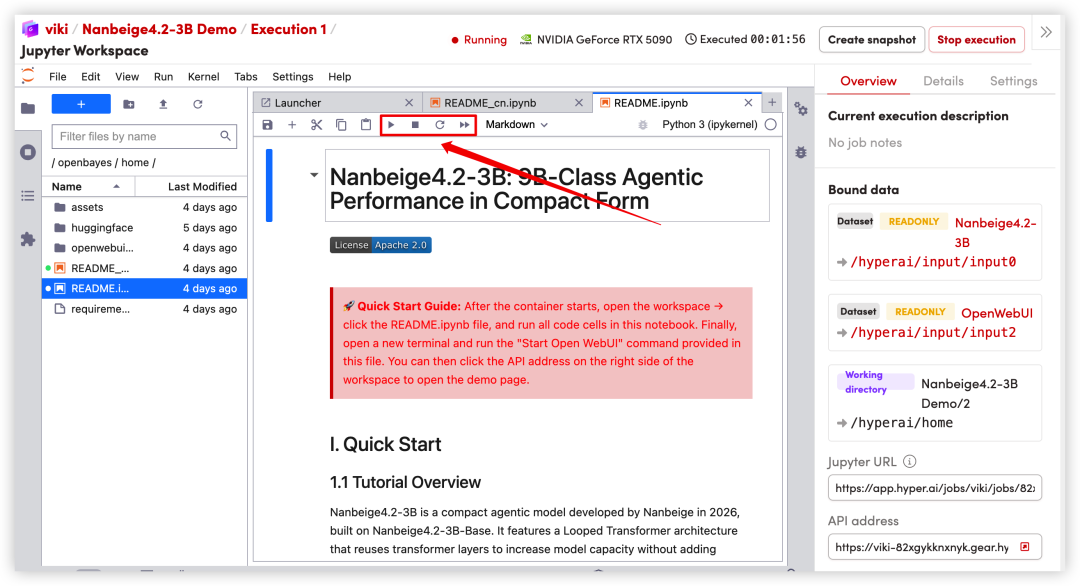 2. Once the process is complete, follow the instructions in the README to enter the code in the terminal to start Open WebUI. Then, click the API address on the right to jump to the demo page.