Command Palette
Search for a command to run...
Online Tutorial | Compress a 27B Large Model to 7.2GB! Ternary-Bonsai Uses "ternary Magic" to Make Large Models Run on Personal computers.

As the capabilities of Large Language Models (LLMs) continue to evolve, the scale of these models is also expanding, with hundreds of billions of parameters becoming the norm. However, greater capabilities often mean higher deployment barriers: tens of gigabytes of GPU memory and computational resource requirements keep most developers confined to the cloud.
**The Prism ML team has launched Ternary-Bonsai-27B—a large-scale language model of the 27B level with efficient reasoning at its core.**This model targets this pain point. Based on the Qwen3.6-27B architecture, it uses end-to-end ternary quantization technology to compress model weights into three states: {-1, 0, +1}. Combined with the FP16 batch scaling mechanism, it significantly reduces the model size while preserving the original model's capabilities as much as possible.
The compression effect is quite direct:**The original 27B model, which was approximately 54GB, has been compressed to 7.2GB, reducing its size by about 9.4 times, while retaining approximately 95% of FP16 performance.**Large models that previously required high-performance servers to run can now be deployed with a single GPU or even a laptop.
Besides model compression**The Ternary-Bonsai-27B has also been optimized for long contexts and inference efficiency.**The model employs a hybrid attention architecture, offloading approximately 75% of computation to more efficient linear attention while retaining some full attention mechanisms to handle complex semantics, supporting contexts of up to 262K tokens. When processing long texts of 100K tokens, peak memory usage is only about 14.7GB. The accompanying DSpark decoding engine improves generation speed by approximately 1.34 times and is compatible with various runtime environments including CUDA, Metal, and CPU.
Ternary-Bonsai-27B is now available on HyperAI (hyper.ai), supporting one-click deployment and quick invocation, helping developers lower the barrier to entry for using large models and quickly get started with AI application development. ⬇️
Run online:https://go.hyper.ai/V4fXi
Demo Run
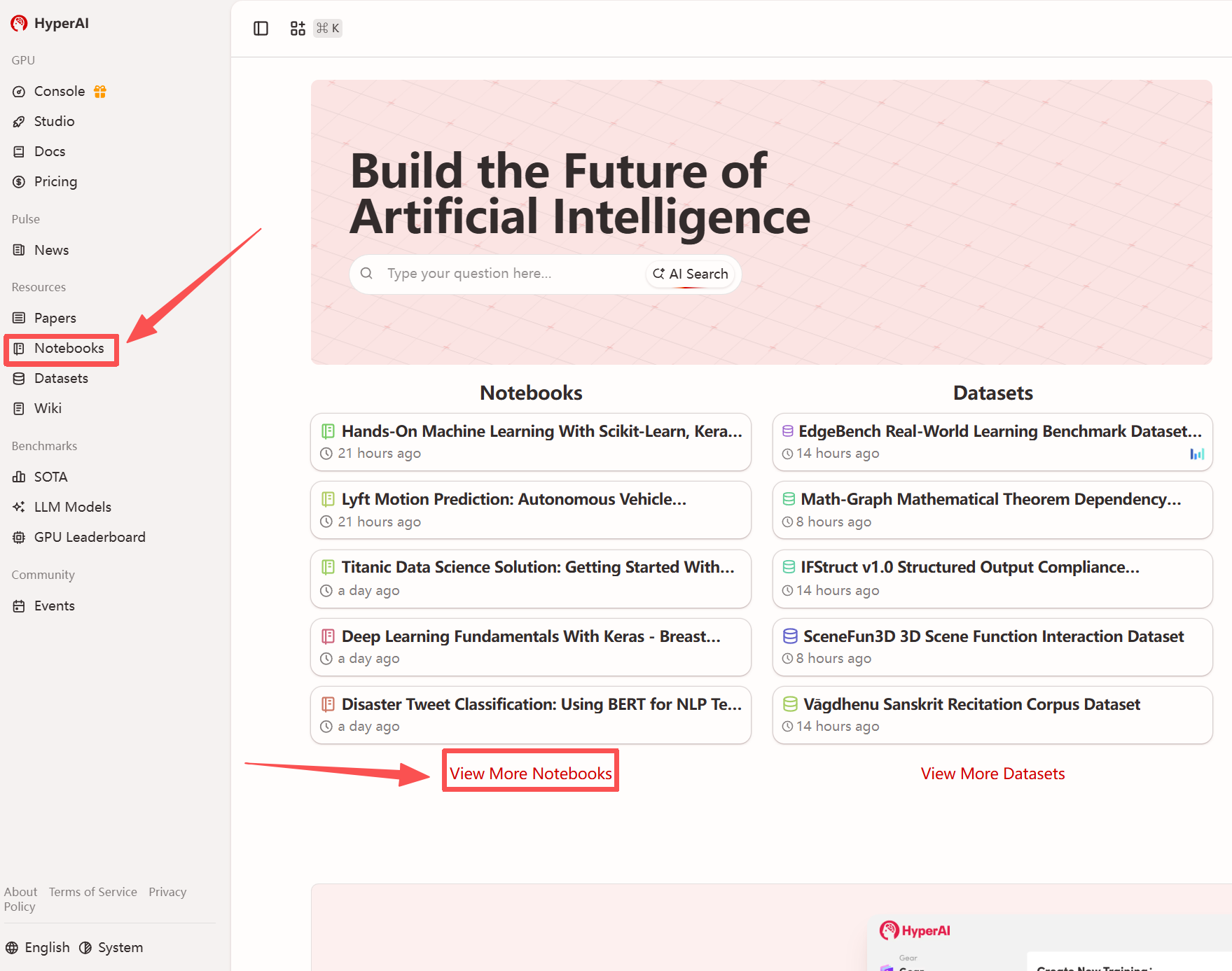
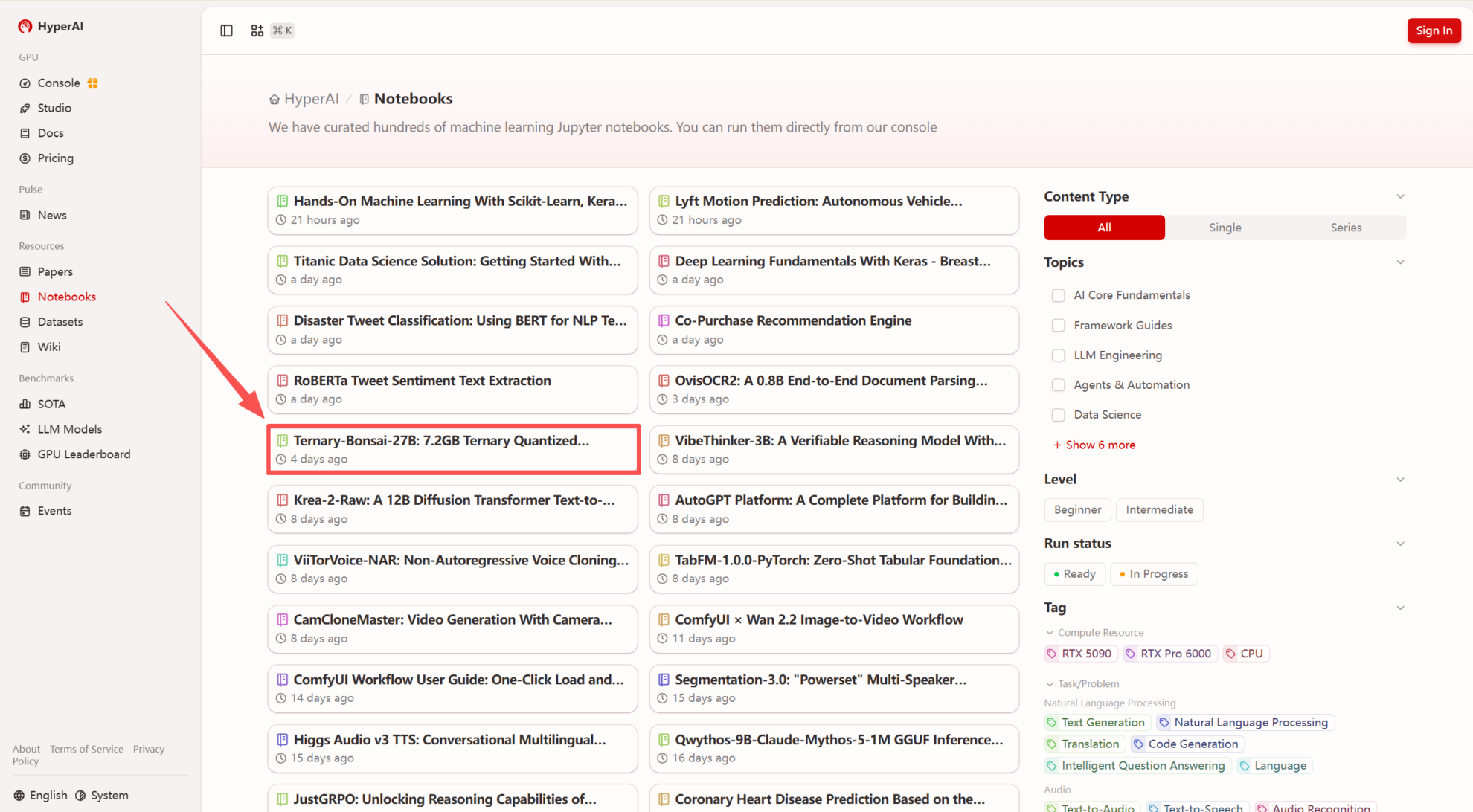
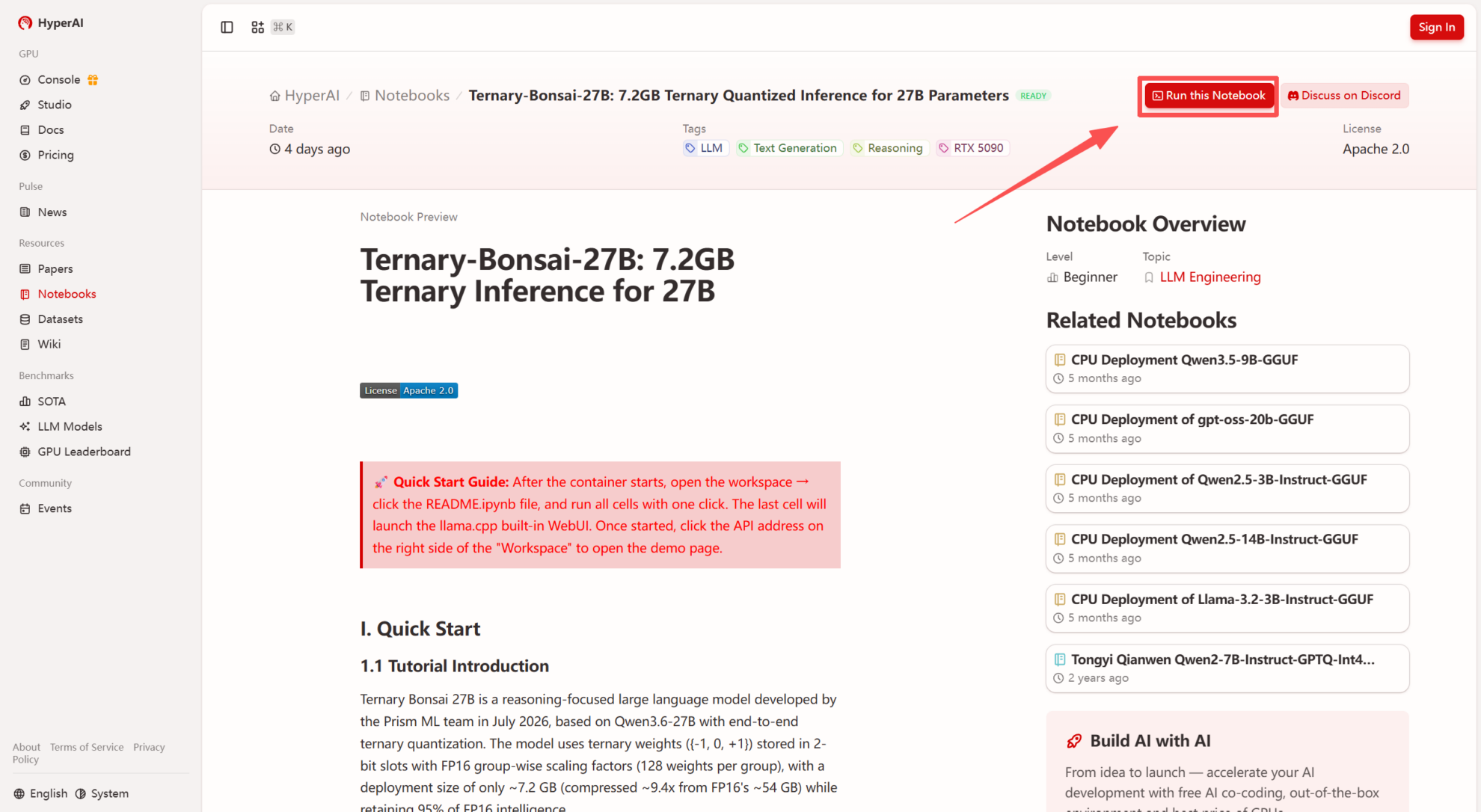
1. After entering the hyper.ai homepage, select the "Tutorials" page, or click "View more tutorials", select "Ternary-Bonsai-27B: 7.2GB Ternary Quantization Inference 27B", and click "Run this tutorial".
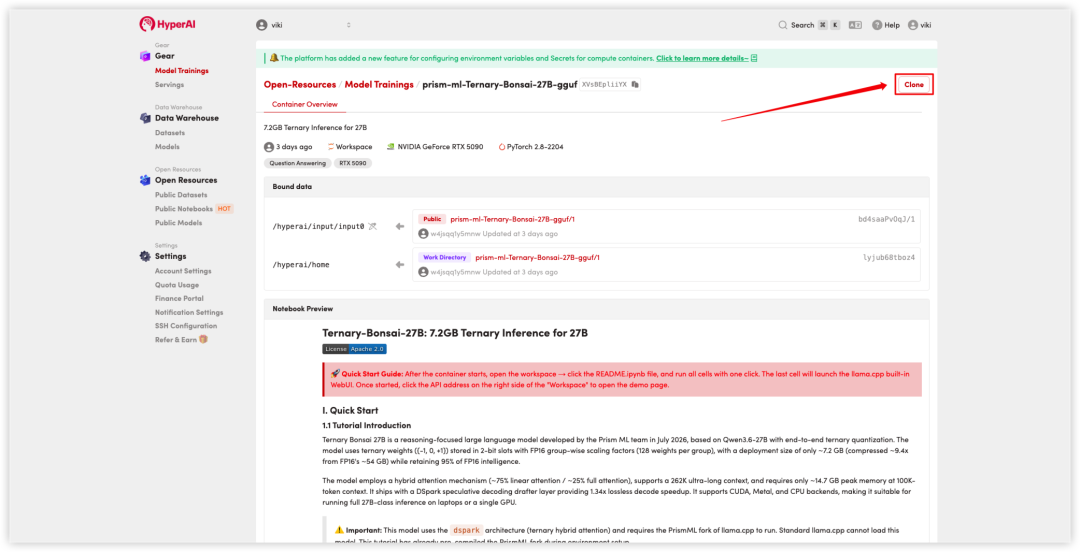
 2. After the page redirects, click "Clone" in the upper right corner to clone the tutorial into your own container.
Note: You can switch languages in the upper right corner of the page. Currently, Chinese and English are available. This tutorial will show the steps in English.
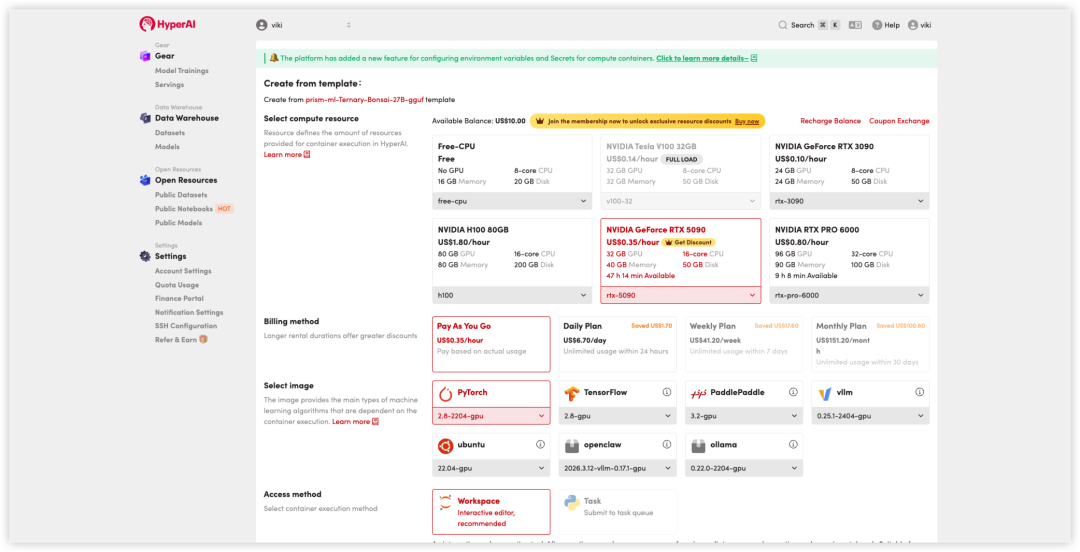
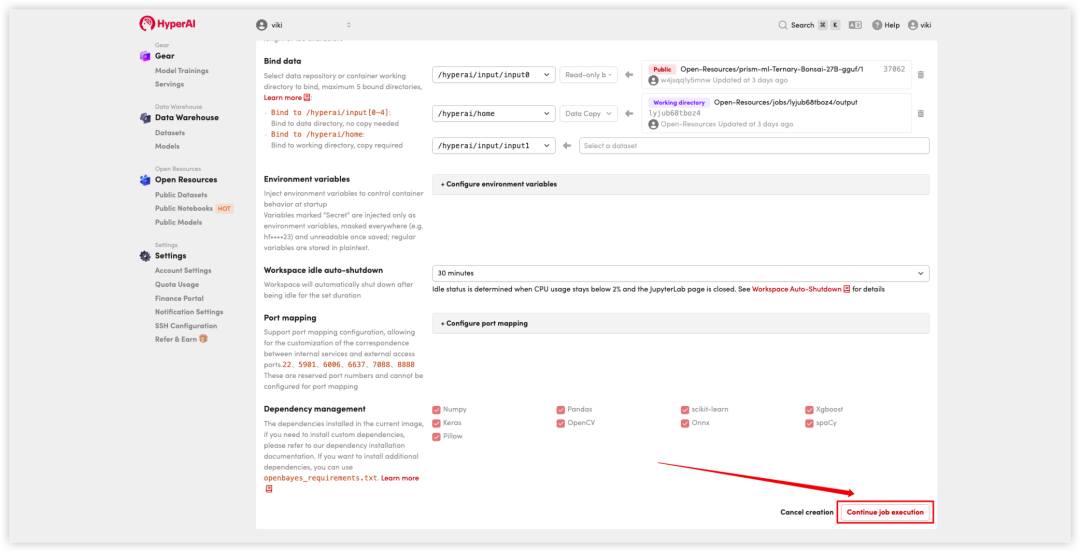
 3. Select the "NVIDIA RTX 5090" and "PyTorch" images, and click "Continue job execution".
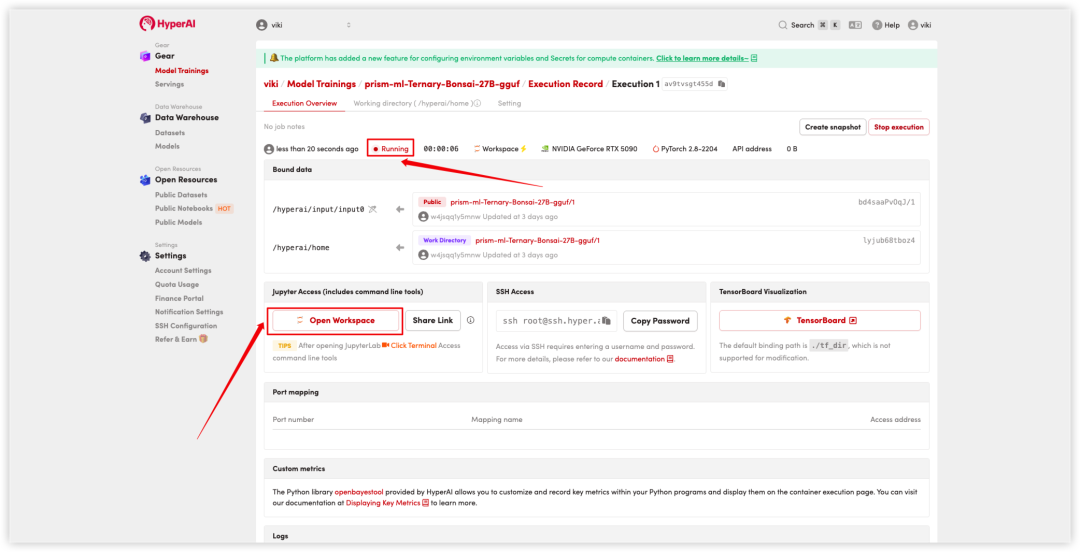
 4. Wait for resources to be allocated. Once the status changes to "Running", click "Open Workspace" to enter the Jupyter Workspace.
Effect display
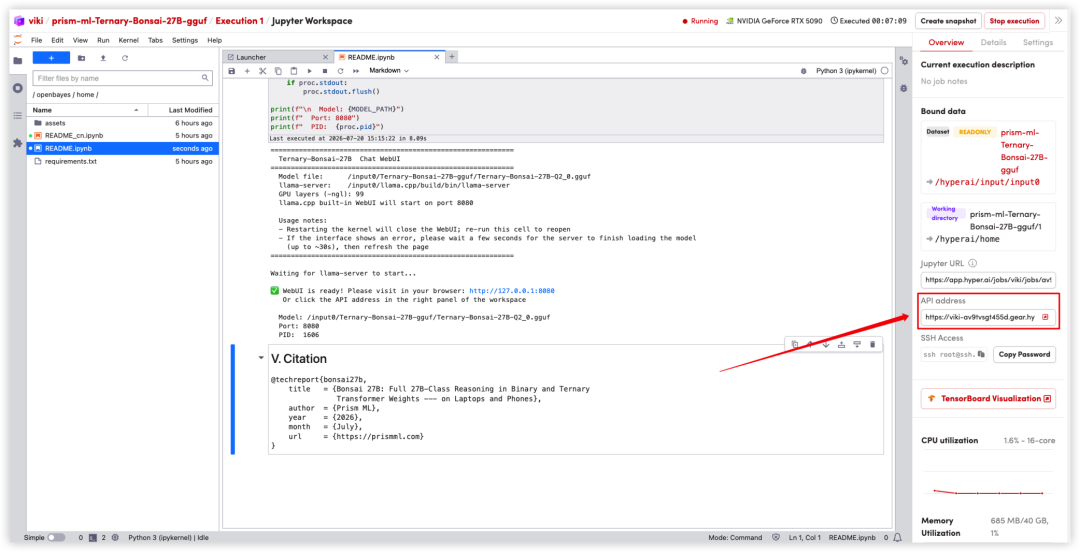
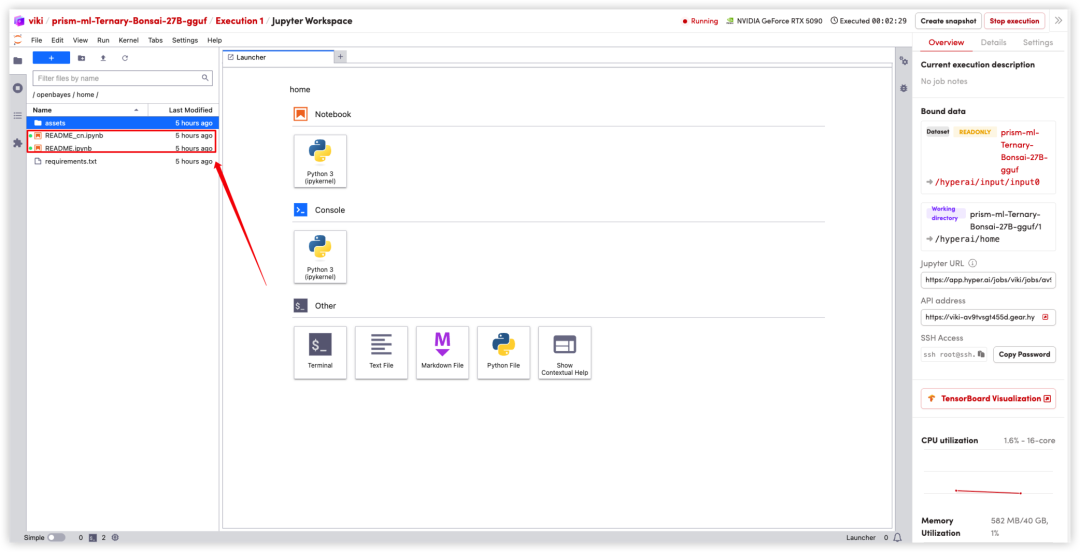
1. After the page redirects, click on the README file on the left, and then click on Run at the top.
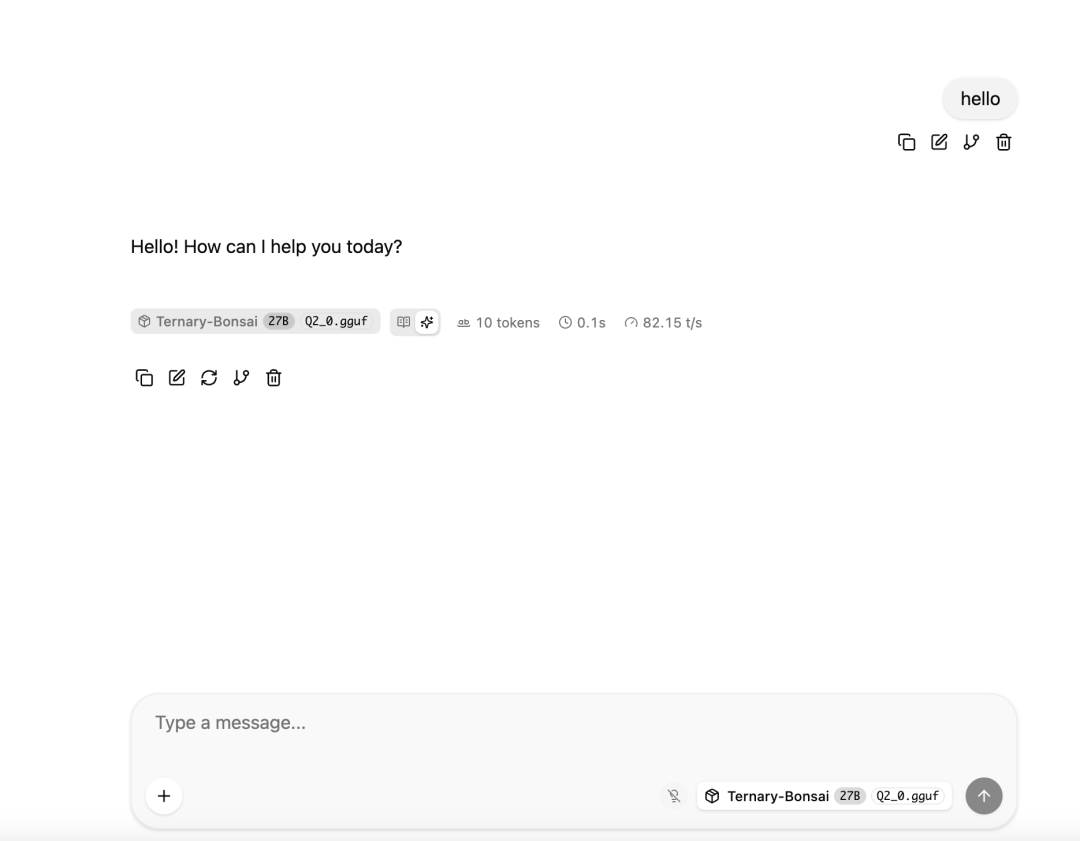
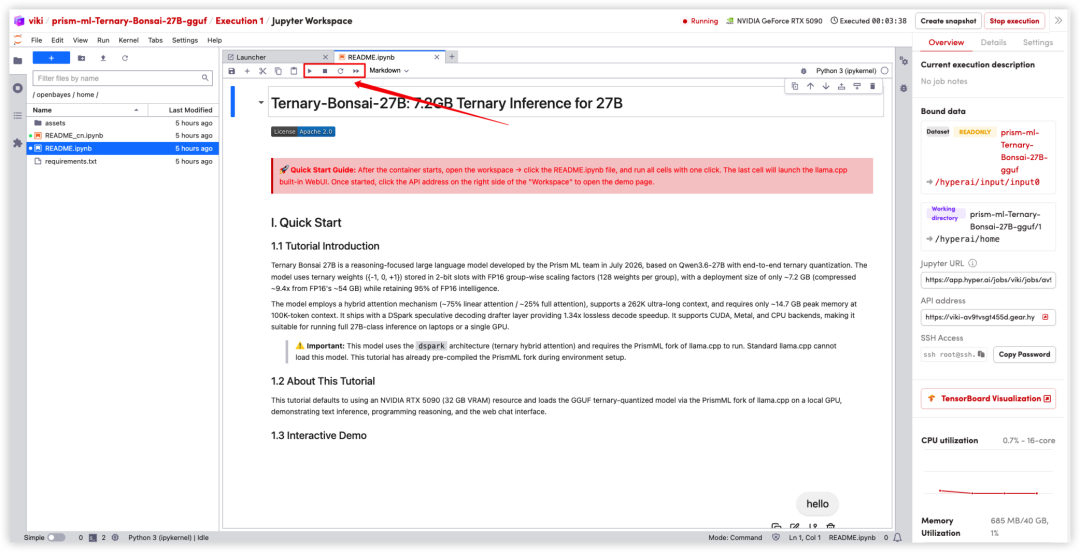 2. After the process is complete, click the API address on the right to open the Demo interface.