Command Palette
Search for a command to run...
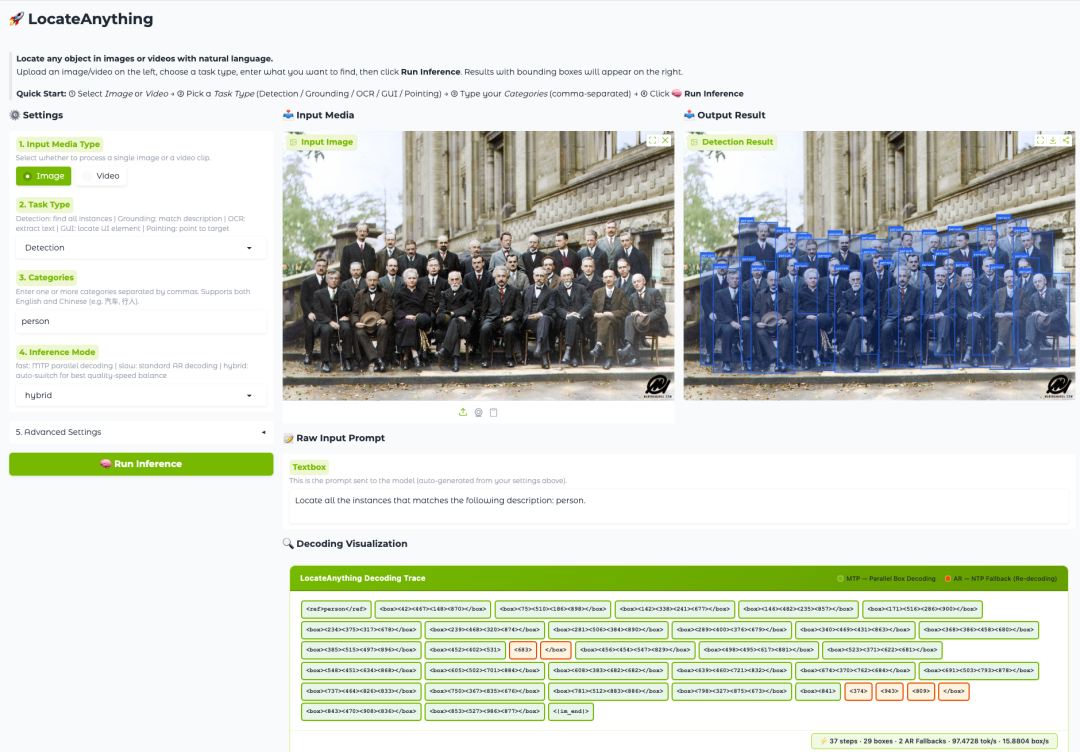
Online Tutorial | NVIDIA Open Source LocateAnything, a 3B Model That Enables Image and Video Target Pointing, Open Vocabulary Object Detection, Target Localization, OCR Text Localization, and Other functions.
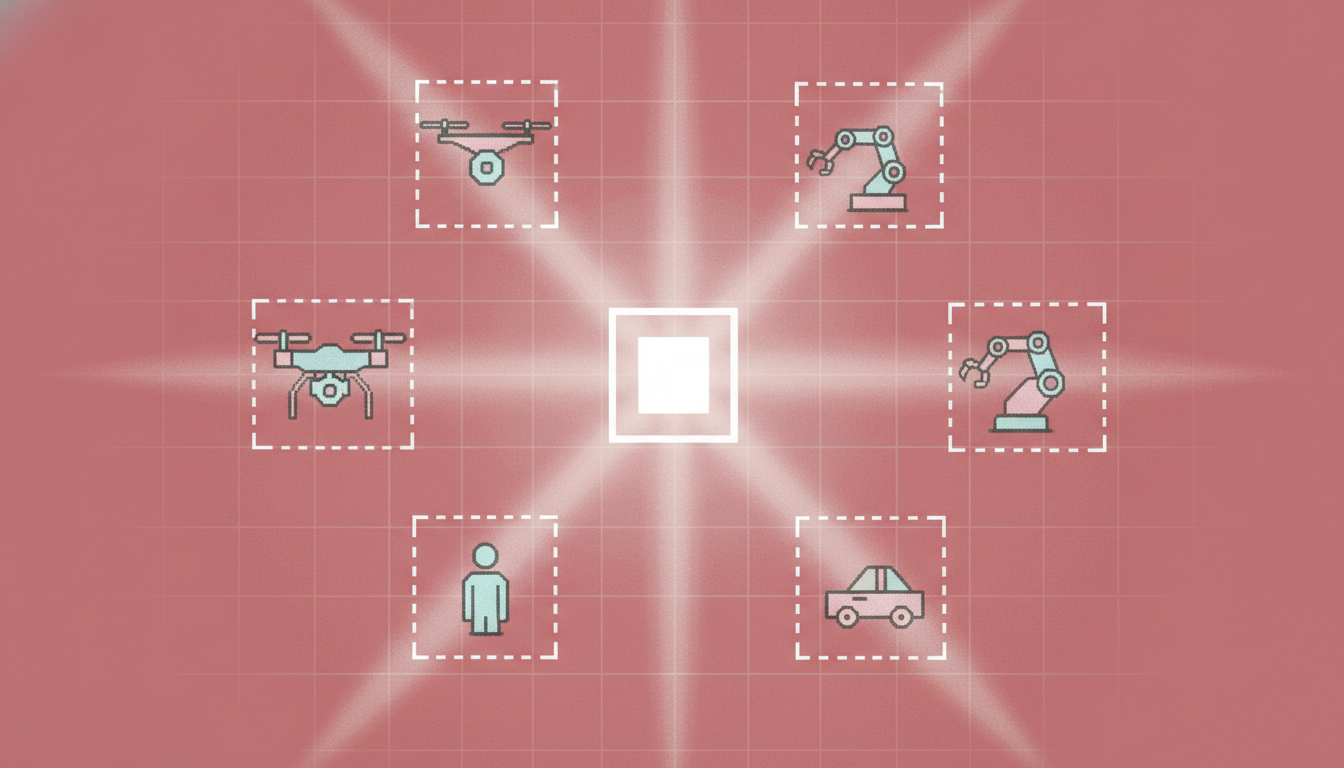
As Visual Language Models (VLMs) continue to evolve towards agents, multimodal interaction, and real-world tasks, "understanding images" is no longer the end goal; more importantly, it's about "accurately locating the target." This applies to open-vocabulary object detection, GUI agent interface operation, document understanding, and environmental perception in robotics and autonomous driving systems.All of these factors place increasingly higher demands on visual grounding capabilities.
However, current mainstream visual language models generally adopt a "coordinate token generation" scheme when handling localization tasks, which involves splitting a two-dimensional bounding box into multiple one-dimensional coordinate tokens, and then generating and decoding them one by one. This approach not only struggles to maintain the consistency of the internal geometry of the bounding box, but also...**Furthermore, the strict sequential generation mechanism limits the reasoning speed.**When a model needs to process a large number of targets simultaneously, it is often difficult to balance localization efficiency and accuracy.
In response to this long-standing bottleneck,**NVIDIA recently open-sourced a new member of the Eagle VLM series – LocateAnything-3B.**This is a visual language localization model with 3 billion parameters, supporting various tasks such as open vocabulary object detection, pointer expression localization, OCR text localization, GUI element localization, and target pointing in images and videos, aiming to build a unified visual localization and detection framework.
LocateAnything-3B's core innovation comes from a new mechanism called Parallel Box Decoding (PBD). Unlike traditional methods that generate coordinate tokens one by one,**PBD can predict geometric elements such as bounding boxes and keypoints as a complete structure in a single, parallel process.**This design not only preserves the geometric consistency within the bounding box, but also significantly improves decoding throughput, enabling the model to achieve faster inference speed while maintaining high-precision localization capabilities.
Beyond architectural innovation, NVIDIA also built a large-scale training system around this model. The research team developed a scalable data engine and launched the LocateAnything-Data dataset, which contains over 138 million training samples, covering multiple fields such as natural scenes, robotics, autonomous driving, GUI interaction, document understanding, and OCR, significantly improving the model's generalization ability in complex scenarios.
Experimental results show that LocateAnything achieves both higher localization quality and faster decoding speed in multiple visual localization benchmarks, pushing unified visual localization models beyond the traditional trade-off between speed and accuracy. For rapidly developing GUI agents, automatic annotation systems, and next-generation multimodal agents, this efficient and accurate spatial understanding capability is becoming a critical infrastructure-level capability.
Currently, the tutorial section of HyperAI's official website (hyper.ai) has launched "LocateAnything-3B: A Fast and High-Quality Visual Language Localization Model," which lowers the deployment threshold in the form of a notebook.
Run online:https://go.hyper.ai/4l9jB
Welcome to visit our official website for more information:
Demo Run
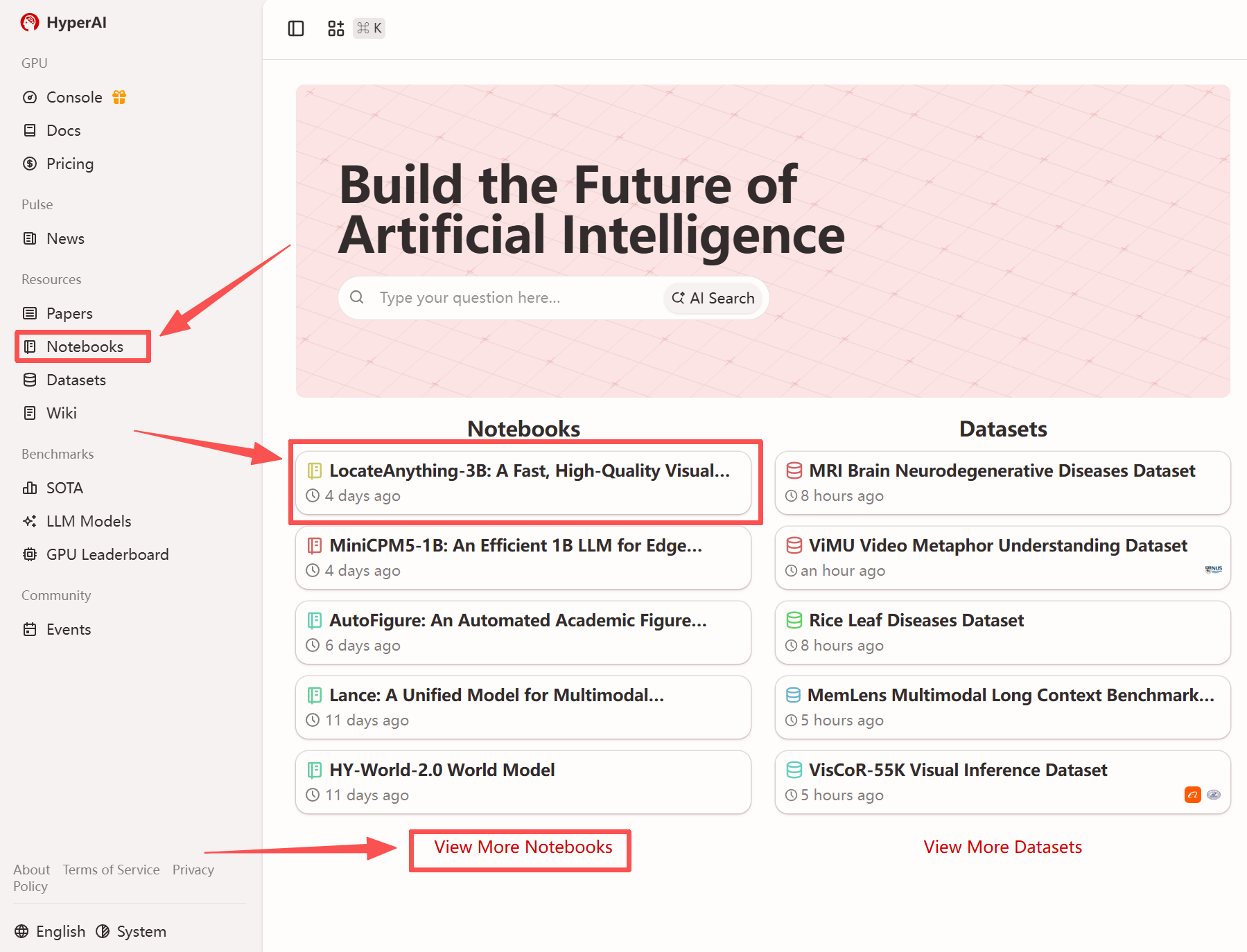
1. After entering the hyper.ai homepage, select the "Tutorials" page, or click "View More Tutorials", select "LocateAnything-3B: Fast and High-Quality Visual Language Localization Model", and click "Run this tutorial".
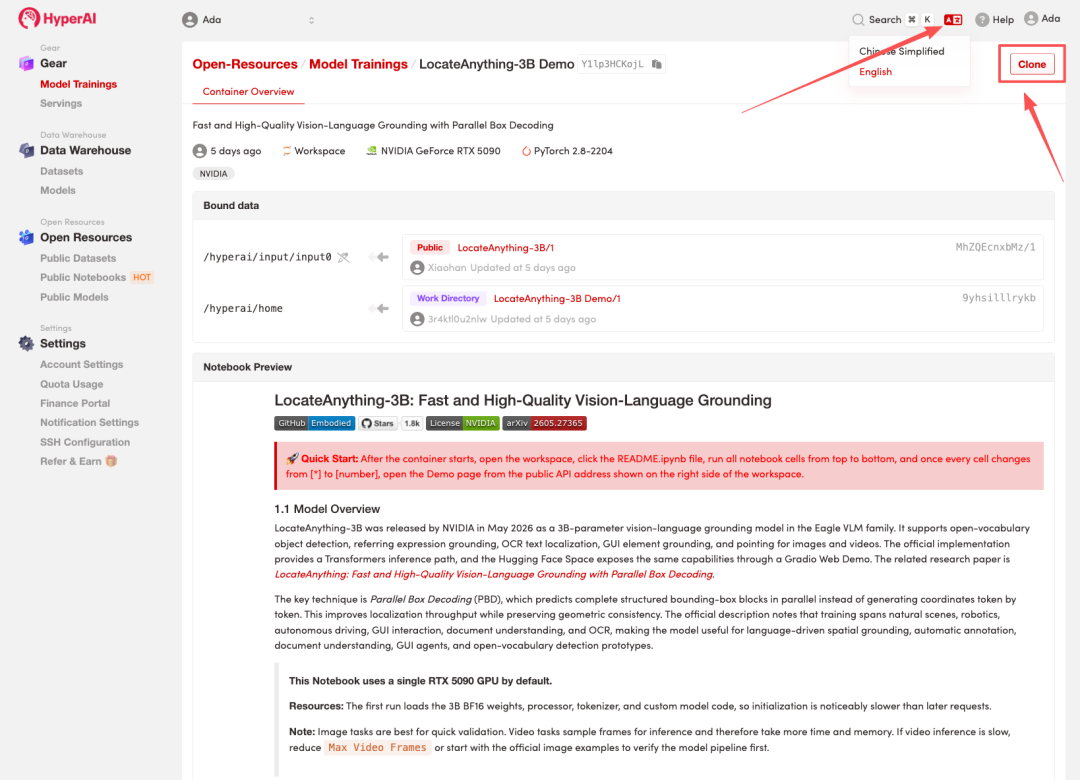
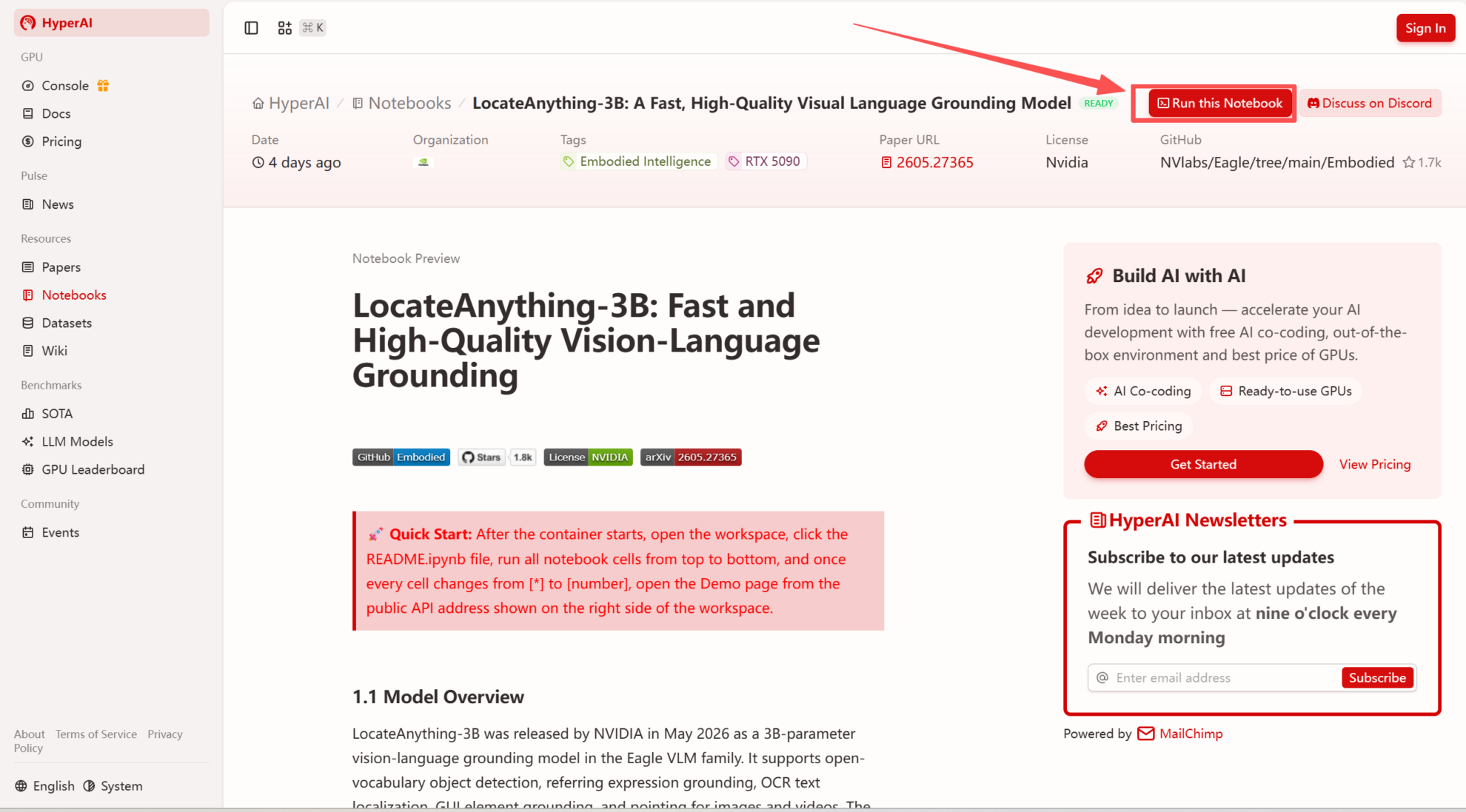 2. After the page redirects, click "Clone" in the upper right corner to clone the tutorial into your own container.
Note: You can switch languages in the upper right corner of the page. Currently, Chinese and English are available. This tutorial will show the steps in English.
 3. Select the "NVIDIA RTX 5090" and "PyTorch" images, and click "Continue job execution".
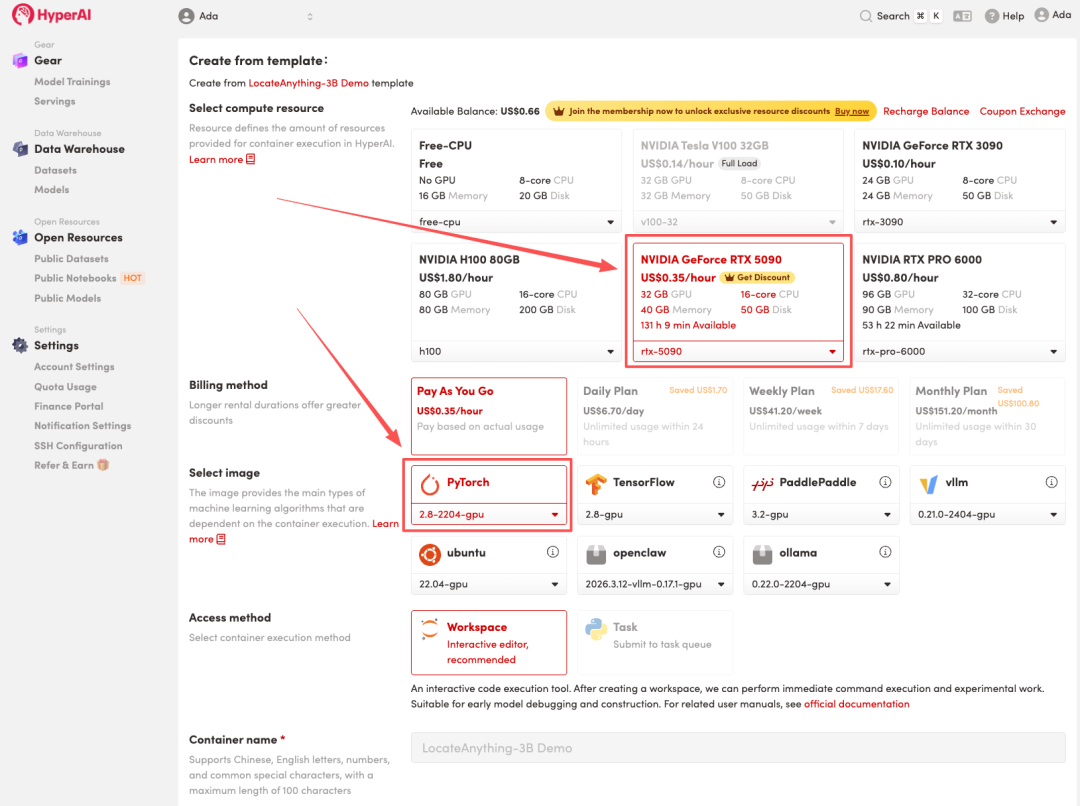
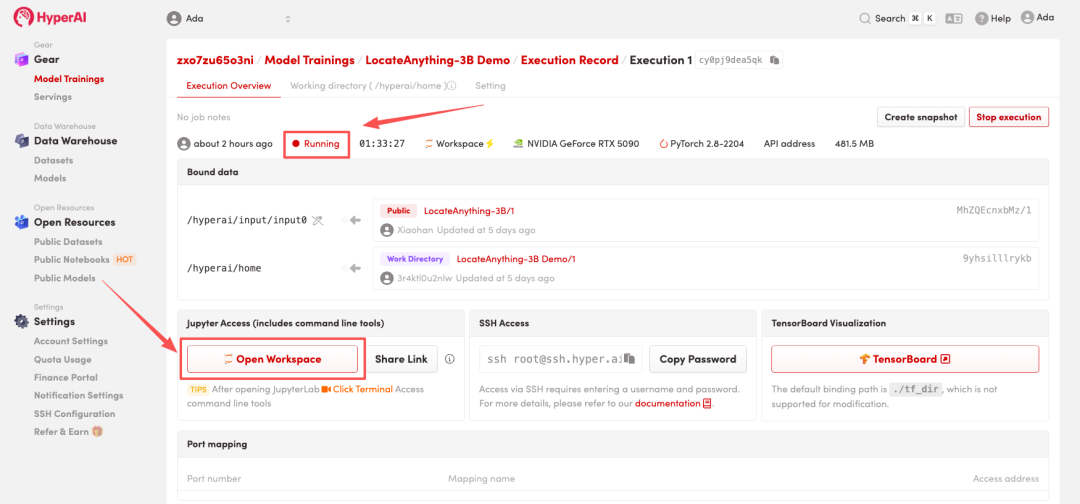
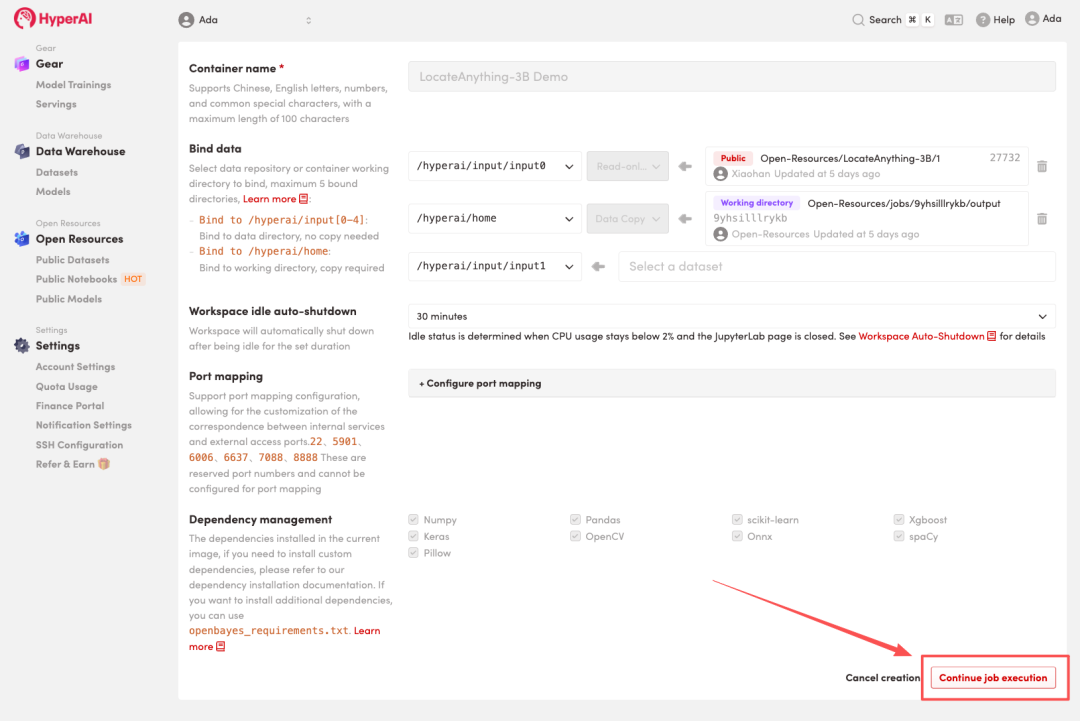 4. Wait for resources to be allocated. Once the status changes to "Running", click "Open Workspace" to enter the Jupyter Workspace.
Effect display
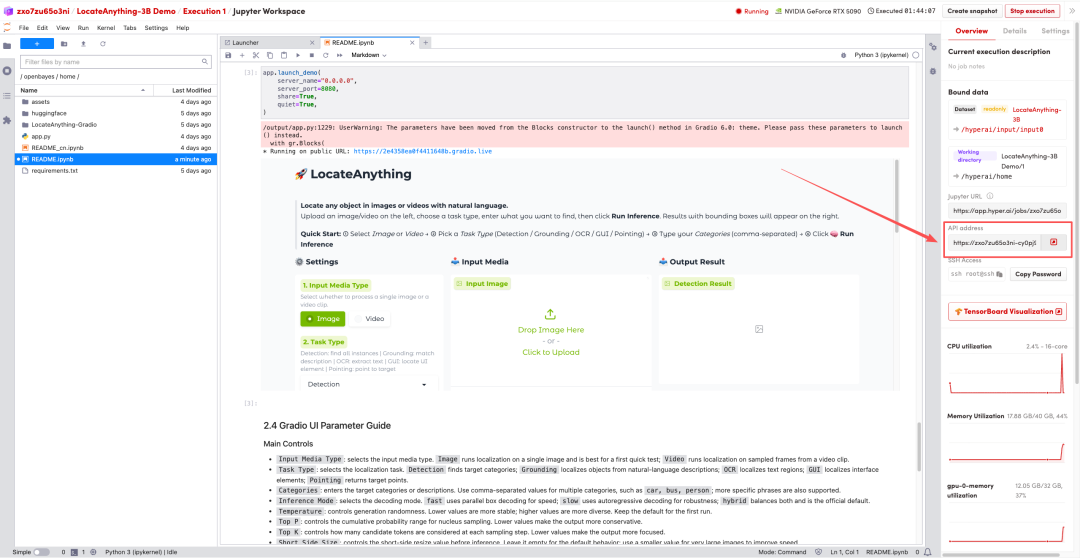
1. After the page redirects, click on the README file on the left, and then click on Run at the top.
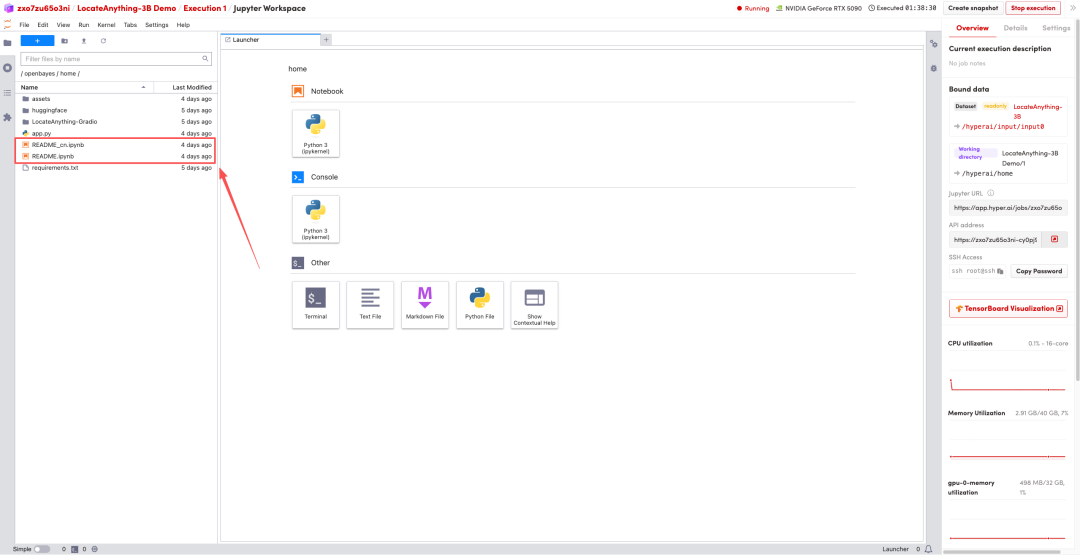
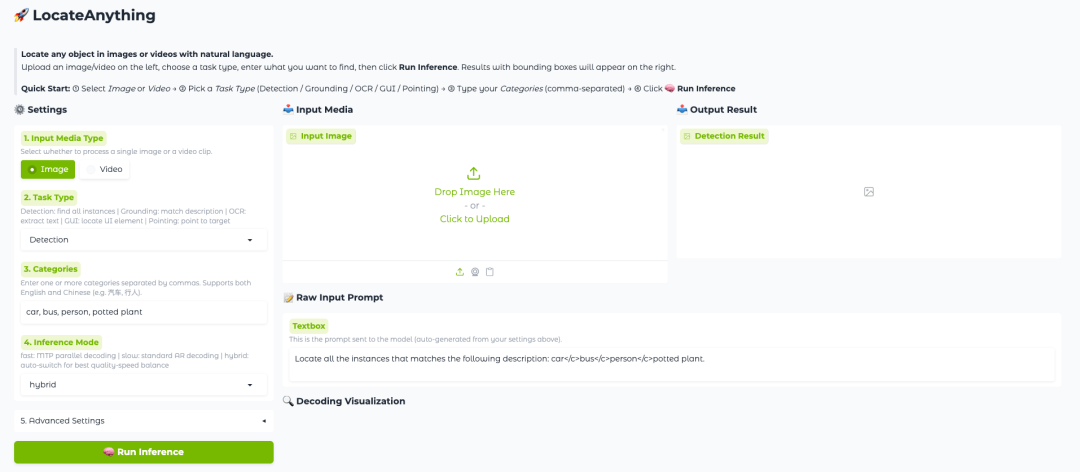
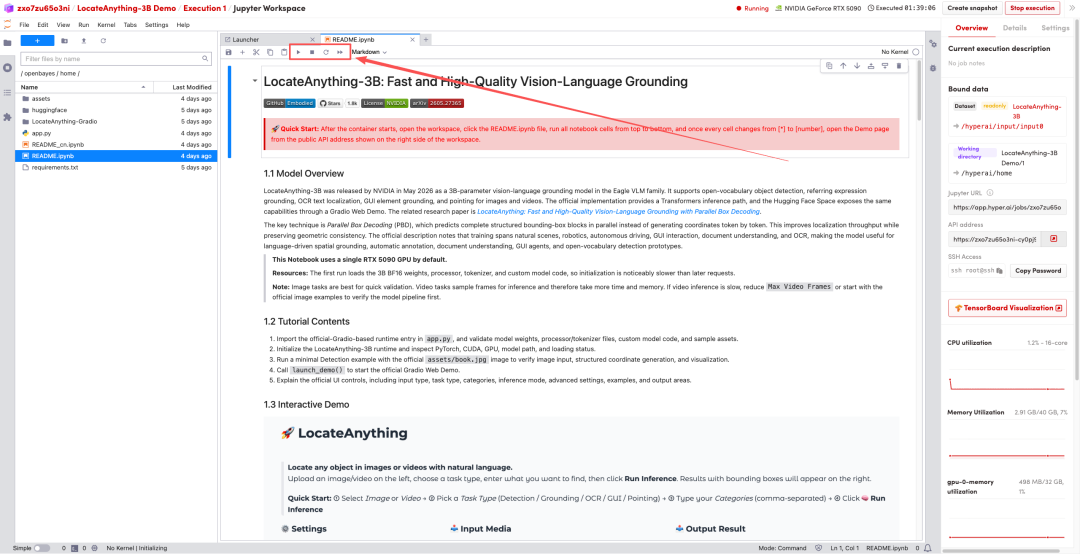 2. Once the process is complete, click the API address on the right to jump to the demo page.