Command Palette
Search for a command to run...
Online Tutorial | 35k Stars Achieved: HKU Team Open-Sources DeepTutor, a Single Agent Connecting Knowledge Q&A, Interactive Learning, Practice Generation, and Deep Research

As large-scale models continue to permeate education and learning scenarios, AI learning tools are evolving from simple question-and-answer and assistance functions into complete learning systems that cover knowledge acquisition, understanding, practice, and research.**The Hong Kong University Data Intelligence Laboratory (HKUDS) has open-sourced DeepTutor, a personal learning assistant.**This unifies various learning modes such as Chat, Quiz, Research, Visualize, Solve, and Mastery Path into a single Agent workspace, enabling learners to complete the entire learning loop from knowledge acquisition to mastery and research within the same environment.
Related papers:
https://hyper.ai/papers/2604.26962
**DeepTutor's core concept is "one runtime for every mode".**Unlike traditional tools that separate different functions from each other,**DeepTutor allows different learning modes to share the same agent system.**Users don't need to constantly switch tools; knowledge bases, books, notes, question banks, and learning materials can be continuously used across different tasks. Whether it's understanding a complex concept, solving a difficult problem, planning a learning path, or conducting topical research, it can all be done directly through natural language.
On the technical level, DeepTutor integrates multi-engine RAG, real-time web search, academic paper databases, Python code execution, and on-demand invoked sub-agents, enabling it to automatically complete intent parsing, knowledge retrieval, task decomposition, and content generation based on user needs. Its core capabilities mainly include:
- **Document Knowledge Q&A:**Upload textbooks, papers, technical documents, and other materials to build a personal knowledge base, and conduct document-based question-and-answer and problem-solving.
- **Interactive learning visualization:**Transform complex knowledge into intuitive visualizations and enable interactive learning in context.
- **Knowledge reinforcement and exercise generation:**Personalized quizzes and practice questions are generated based on the learning content and the student's understanding to help reinforce knowledge.
- **In-depth research and content generation:**By combining RAG, web pages, and academic paper searches, we can conduct topic exploration, knowledge discovery, and research content generation.
Compared to AI tools that simply provide answers,**DeepTutor emphasizes the continuity of the learning process: from acquiring knowledge and understanding concepts, to practicing and consolidating knowledge, and then to conducting in-depth research.**Different stages can share the same learning context, gradually forming a complete personal learning workflow.
DeepTutor has recently been continuously enhancing its Agent, RAG, and development tool capabilities. From v1.5.0 to the latest v1.5.11, projects have been gradually added.****PageIndex, GraphRAG, Gemini Embedding 2, Traceable RAG References, and Reasoning Effort Configuration by ModelIt also enhances capabilities and further expands support for OpenAI, Anthropic, and other models, as well as different LLM providers.
At the same time, DeepTutor's Agent tool ecosystem is also expanding further: supporting...Log in to Codex using the ChatGPT scheme via OpenAI Codex OAuthIt also includes account-level independent Codex and MCP Services, as well as a large number of CLI Apps that Tutor can call; Coding CLIs such as Gemini, Kimi, opencode, and MiMo have also been integrated into My Agents, allowing DeepTutor to go beyond knowledge Q&A and content generation and further call external tools to complete more complex tasks.
In terms of knowledge base and user experience, recent versions have also added...**Gemini Embedding 2 native interface, PageIndex Agentic Retrieval, GraphRAG indexing, multimodal image parsing, and improved knowledge base state and referencing capabilities.**Meanwhile, continuous optimizations have been made to aspects such as memory usage, index caching, asynchronous upload, LightRAG indexing, and long response generation, further improving the stability of complex knowledge bases and long-running agent tasks.
To make it easier for everyone to quickly experience DeepTutor, the HyperAI (hyper.ai) tutorial section has launched the "DeepTutor Personal Learning Assistant" tutorial, which has been adapted to the latest DeepTutor version update. The relevant environment has been configured, and interested developers can start using it directly.
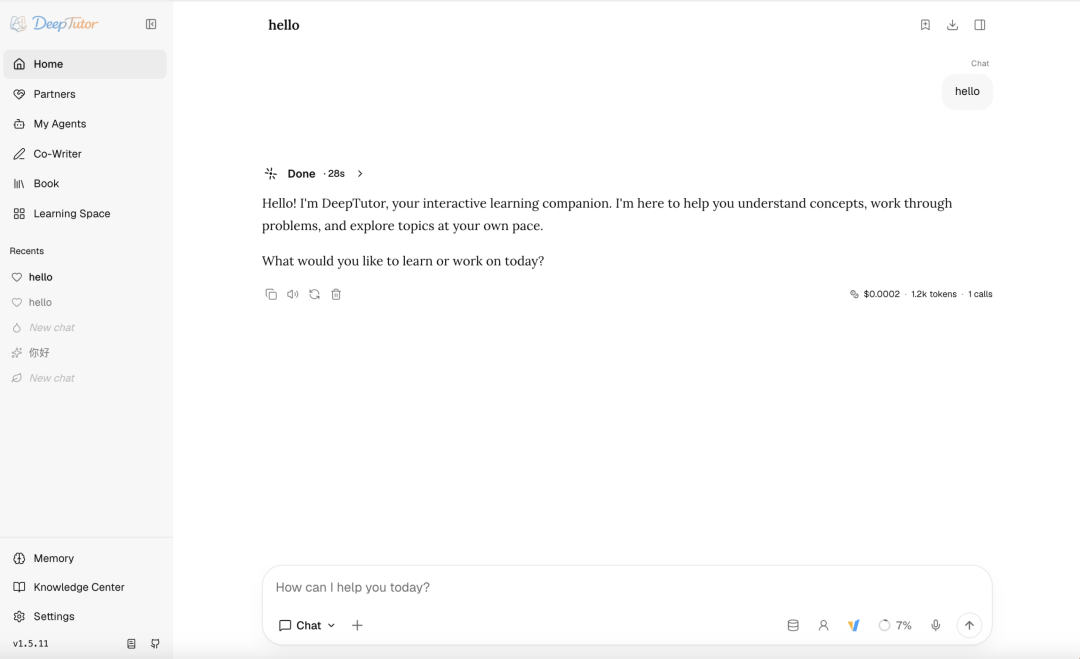 Run online:https://go.hyper.ai/lhlEp
More online tutorials:
Demo Run
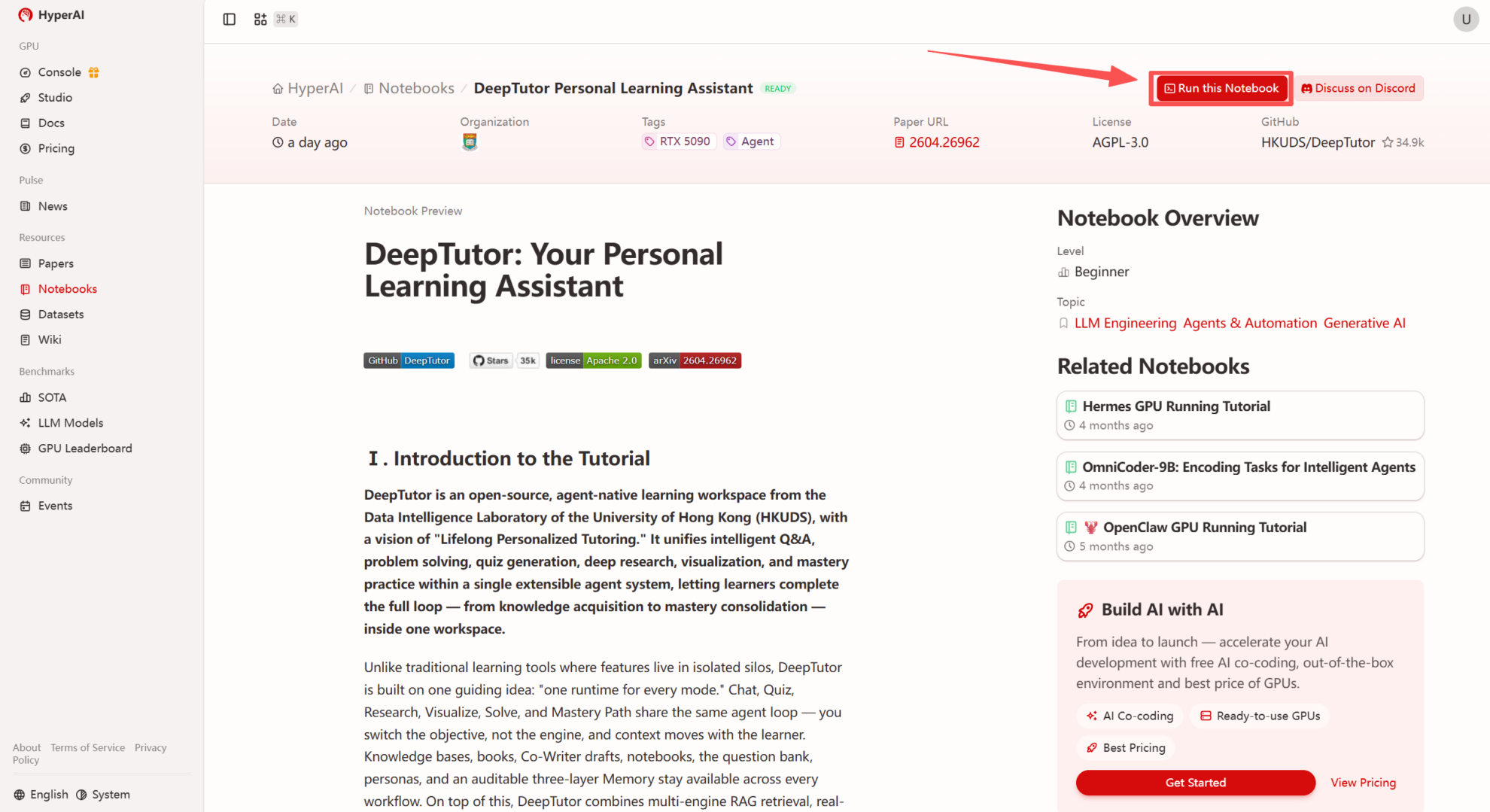
1. After entering the hyper.ai homepage, select the "Tutorials" page, or click "View More Tutorials", select "DeepTutor Personal Learning Assistant", and click "Run this tutorial".
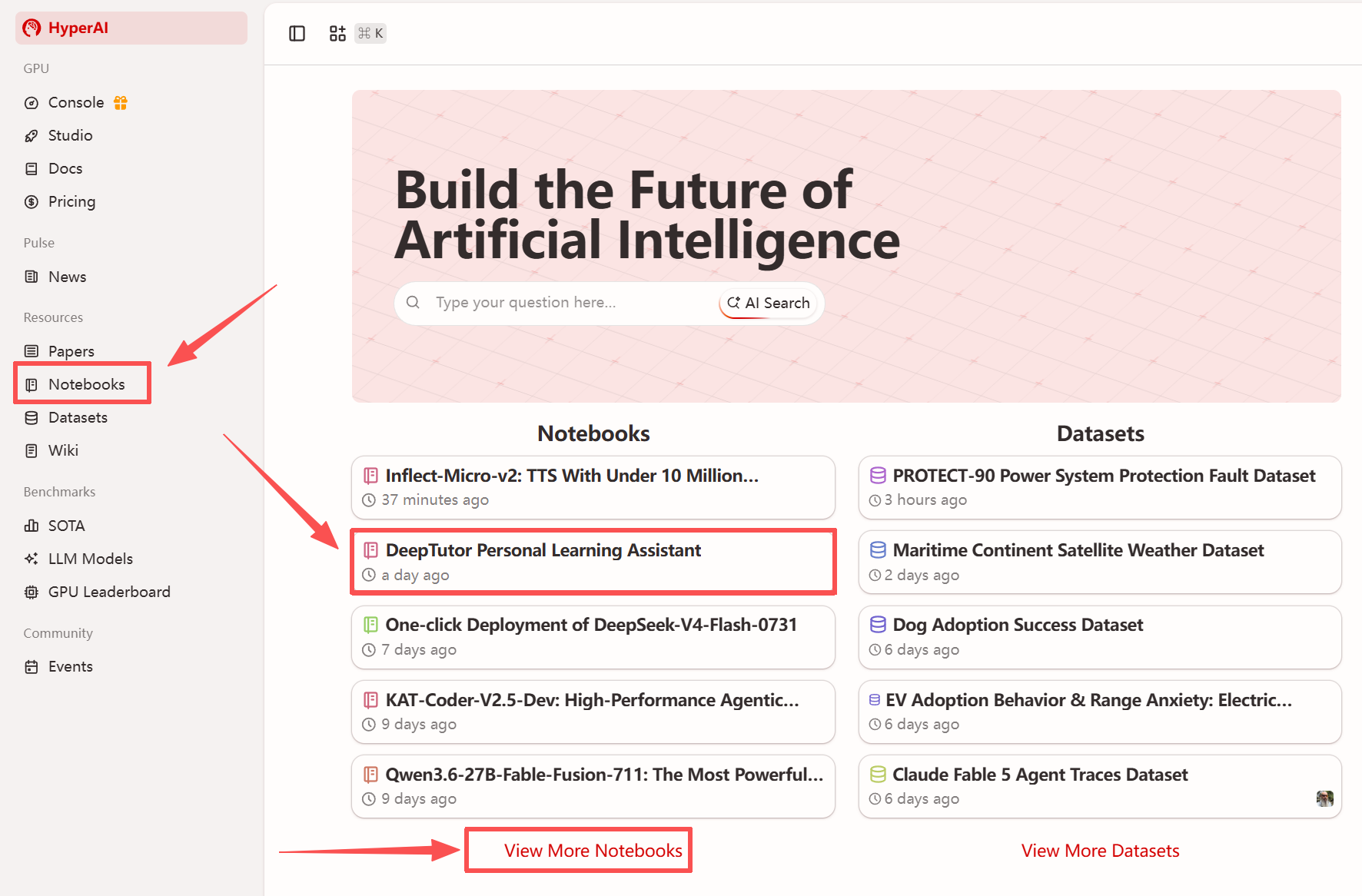
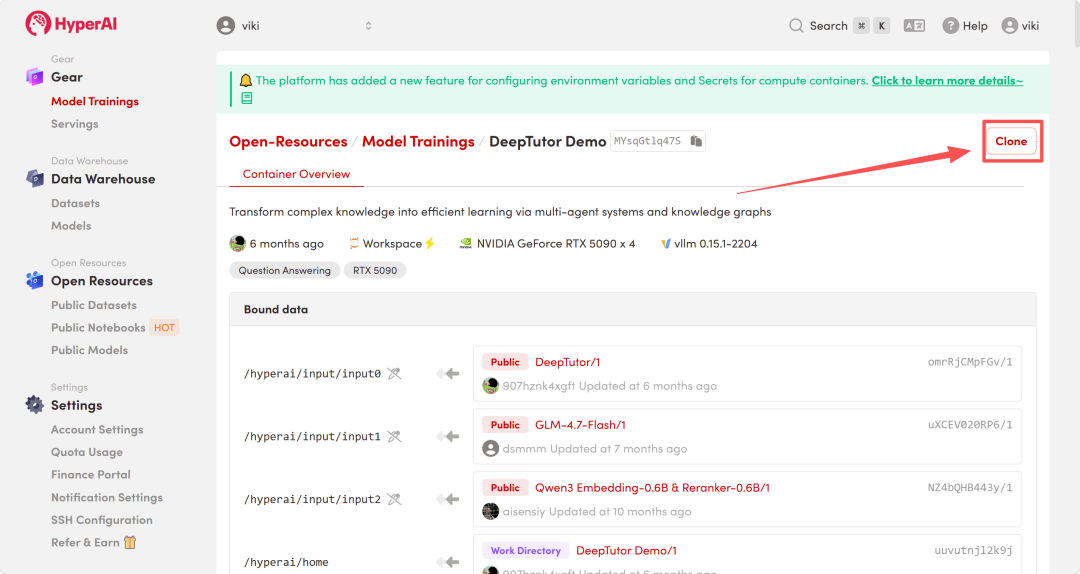
 2. After the page redirects, click "Clone" in the upper right corner to clone the tutorial into your own container.
Note: You can switch languages in the upper right corner of the page. Currently, Chinese and English are available. This tutorial will show the steps in English.
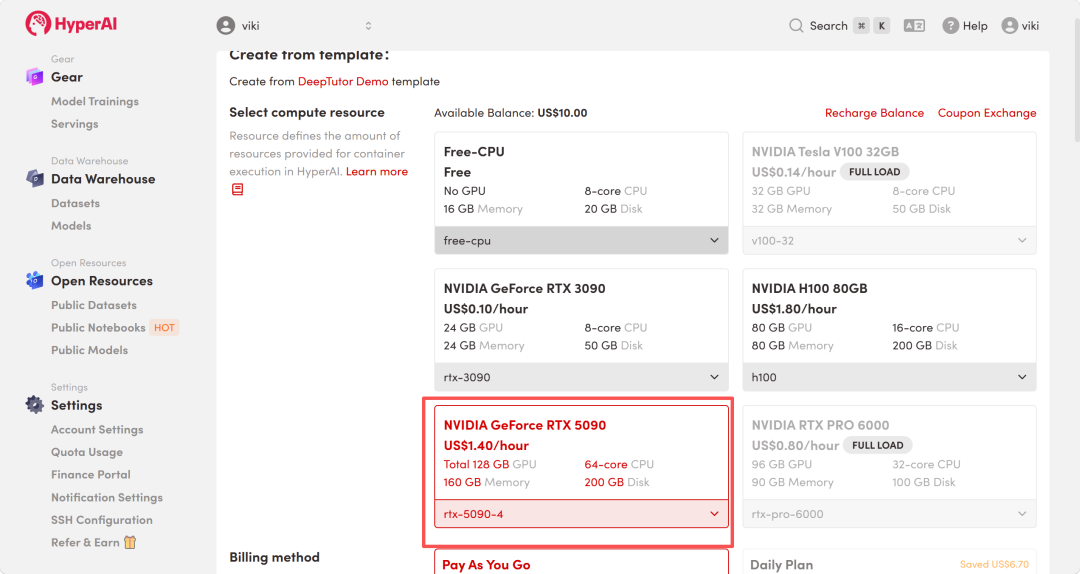
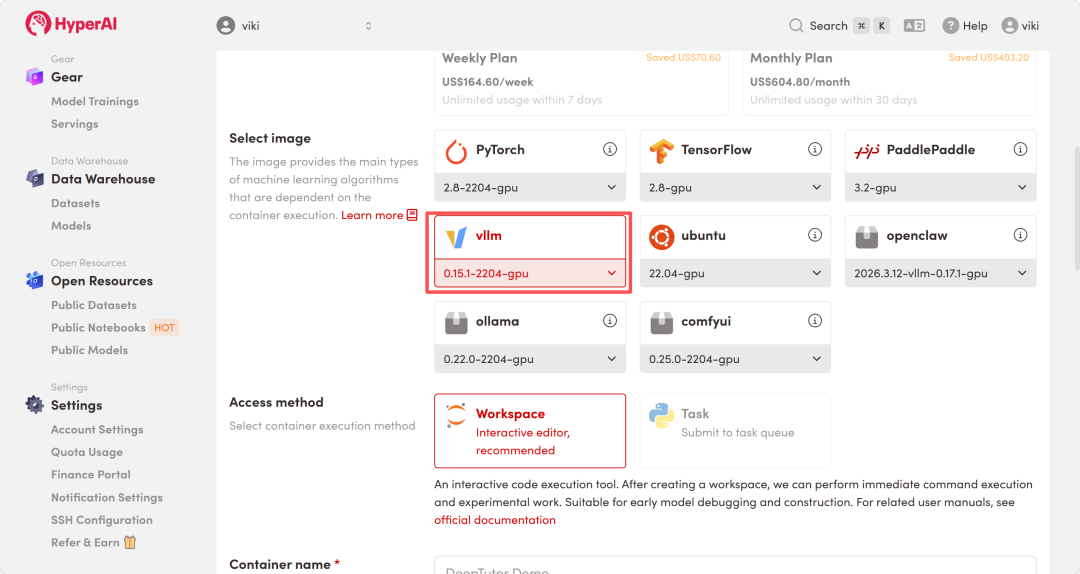
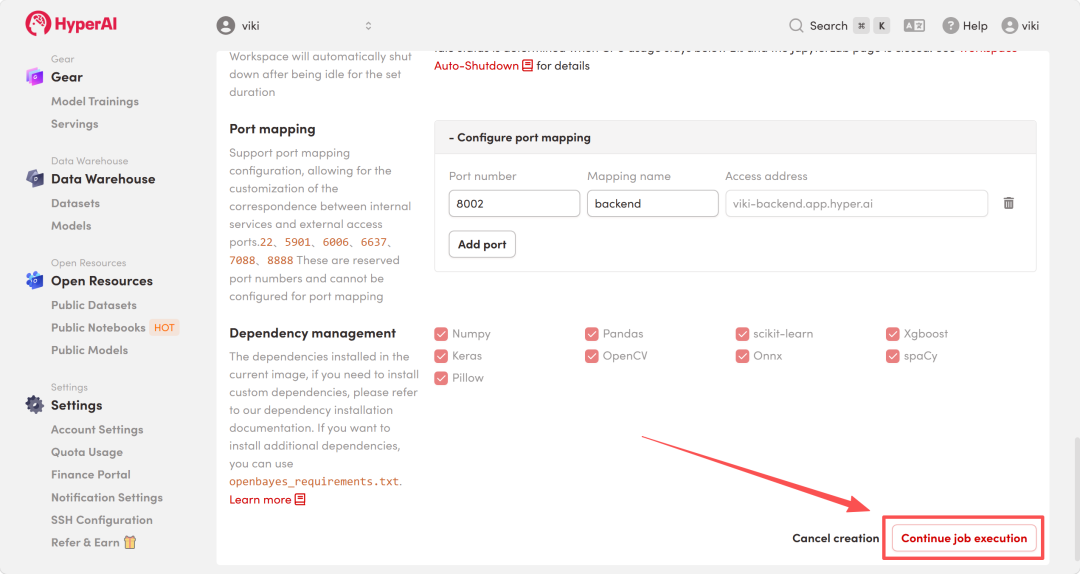
 3. Select the "NVIDIA RTX 5090-4" and "vllm" images, and click "Continue job execution".
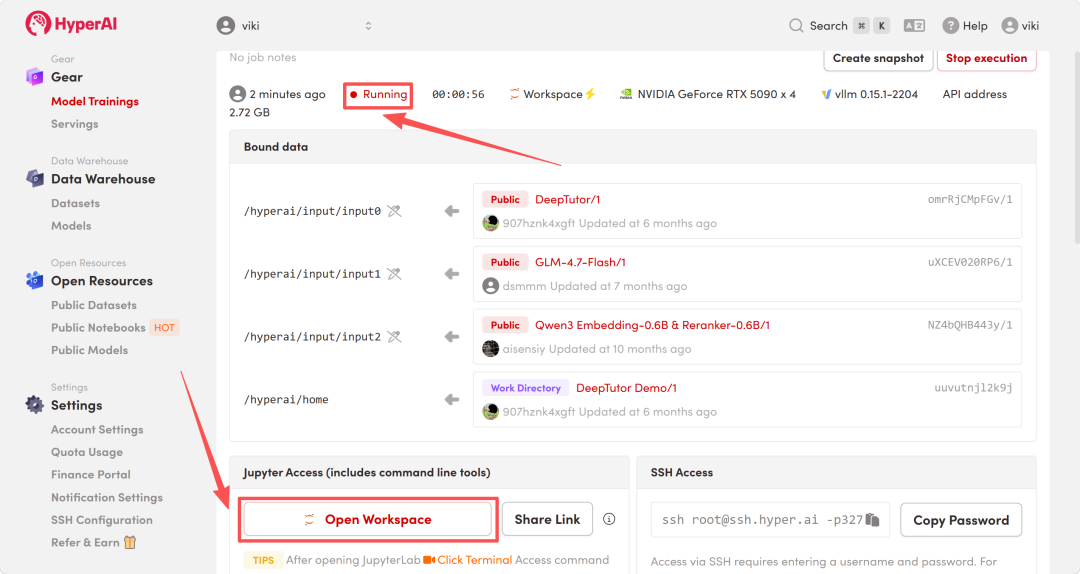
 4. Wait for resources to be allocated. Once the status changes to "Running", click "Open Workspace" to enter the Jupyter Workspace.
Effect display
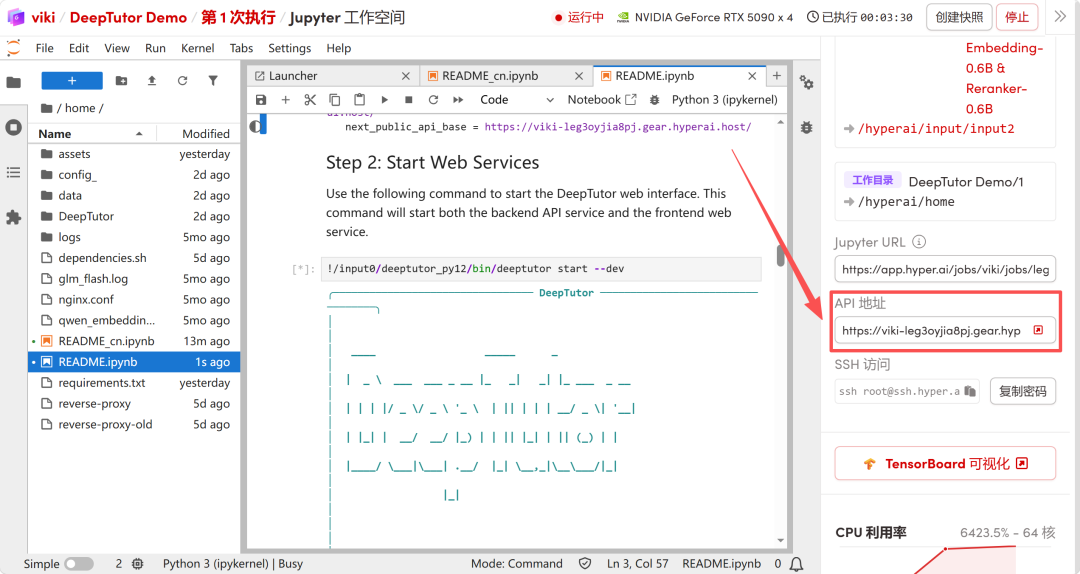
1. After the page redirects, click on the README file on the left. Once inside, modify the external API address in the system.json configuration file. Specifically, you need to replace YOUR_API_BASE with the actual API address provided on the right in the section your_api = “YOUR_API_BASE” in the code below, and then run the code.
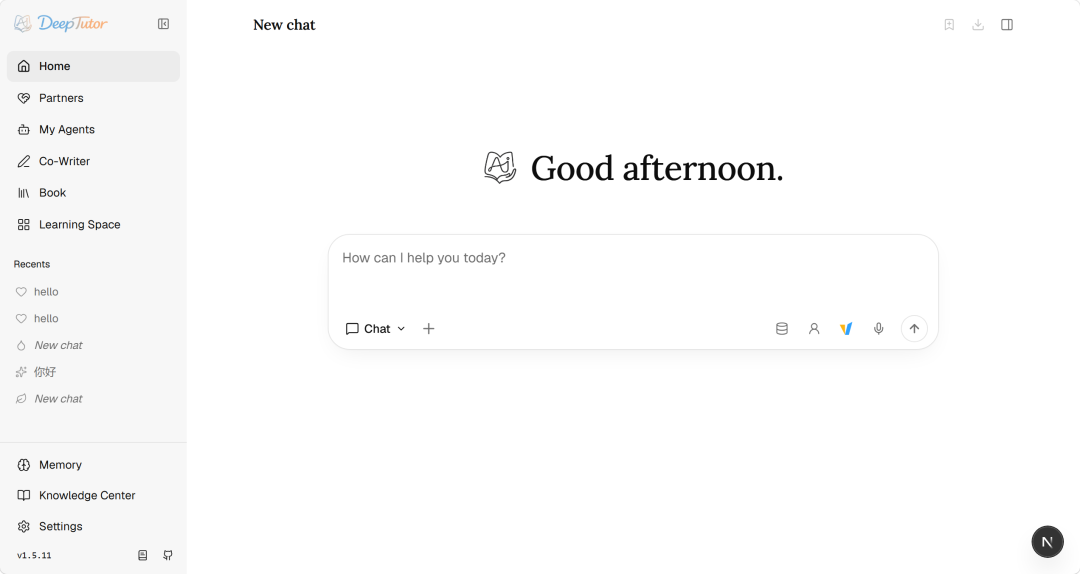
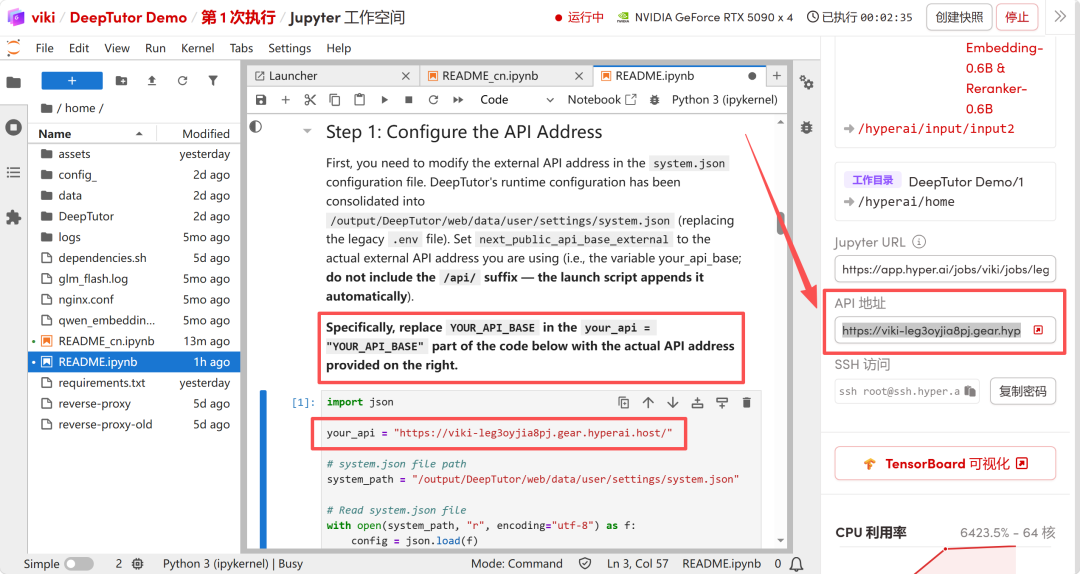 2. Run the code in step two to start the WebUI. After starting the Web service, click the API address on the right to open the Demo interface.