Command Palette
Search for a command to run...
Online Tutorial | DeepSeek-OCR 2 Formula/Table Parsing Improvements Achieve a Performance Leap of Nearly 4% With Low Visual Token Cost

In the development of Visual Language Models (VLMs), document OCR has consistently faced core challenges such as complex layout parsing and semantic logic alignment. Traditional models mostly employ a fixed "top-left to bottom-right" raster scanning order to process visual tokens. This rigid process contradicts the semantic-driven scanning pattern followed by the human visual system, especially when processing documents containing complex formulas and tables, easily leading to parsing errors due to neglecting semantic relationships. How to enable models to "understand" visual logic like humans has become a key breakthrough in improving document comprehension capabilities.
Recently, DeepSeek-AI released DeepSeek-OCR 2, which provides the latest answers.**Its core is the adoption of the brand-new DeepEncoder V2 architecture:**The model abandons the traditional CLIP visual encoder and introduces an LLM-style visual encoding paradigm. By fusing bidirectional attention and causal attention, it achieves semantic-driven rearrangement of visual tokens, thus constructing a new path of "two-stage 1D causal reasoning" for 2D image understanding.
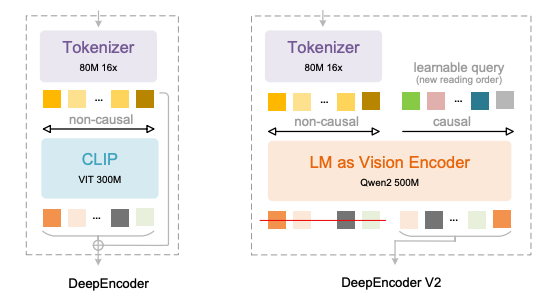 DeepEncoder V2's key innovations are reflected in four aspects:
* Replace CLIP with Qwen2-0.5B compact LLM to enable visual encoding causal reasoning capabilities at a scale of approximately 500 million parameters;
* Introducing "Causal Flow Query" with the same length as the number of visual tokens, which uses a custom attention mask to keep visual tokens globally aware while allowing query tokens to semantically reorganize the visual order;
* Supports multiple pruning strategies for 256–1,120 visual tokens, aligning with the token budget of mainstream large models while maintaining efficiency;
* By using a concatenated structure of "visual token + causal query", semantic reordering and autoregressive generation are decoupled, naturally adapting to the unidirectional attention mechanism of LLM.
This design effectively eliminates the spatial order bias of traditional models, enabling the model to dynamically organize text, formulas, and tables based on semantic relationships, just like human reading, rather than mechanically following pixel positions.
It has been verified that in the OmniDocBench v1.5 benchmark test,**DeepSeek-OCR 2 achieved an overall accuracy of 91.091 TP3T with a visual token limit of 1,120.**Compared to the previous model, the performance improved by 3.731 TP3T, while reducing the reading order edit distance (ED) from 0.085 to 0.057, demonstrating a significant enhancement in visual logic comprehension. In specific tasks, the accuracy of formula parsing improved by 6.171 TP3T, table comprehension performance improved by 2.51-3.051 TP3T, and the text edit distance decreased by 0.025, achieving significant progress in all core metrics.
Meanwhile, its engineering practicality is also outstanding: while maintaining a visual token compression rate of 16 times, the repetition rate of online services has been reduced from 6.25% to 4.17%, and the repetition rate of PDF batch processing has been reduced from 3.69% to 2.88%, taking into account both academic innovation and industrial application needs.**Compared to similar models, DeepSeek-OCR 2 achieves results close to or even surpassing those of high-parameter models with lower visual token costs.**It provides a more cost-effective solution for high-precision document OCR in resource-constrained scenarios.
Currently, "DeepSeek-OCR 2: Visual Causal Flow" is available on the HyperAI website's "Tutorials" section. Click the link below to experience the one-click deployment tutorial ⬇️
Tutorial Link:https://go.hyper.ai/2ma8d
View related papers:https://go.hyper.ai/hE1wW
Effect demonstration:
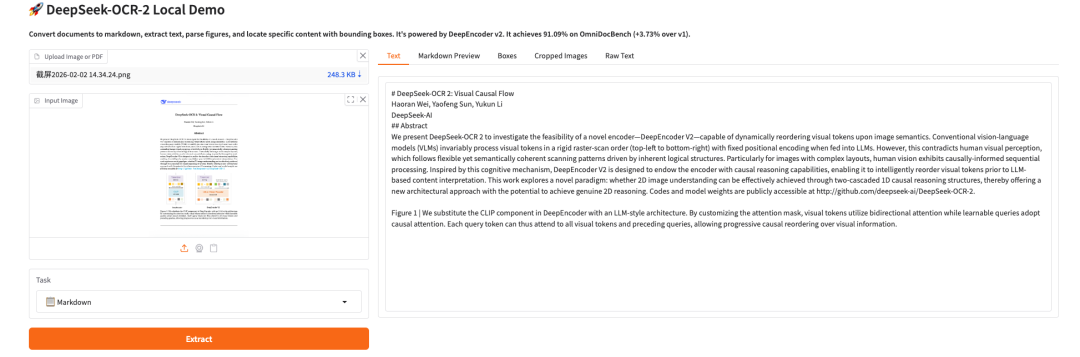
Demo Run
1. After entering the hyper.ai homepage, select the "Tutorials" page, or click "View More Tutorials", select "DeepSeek-OCR 2 Visual Causal Flow", and click "Run this tutorial online".

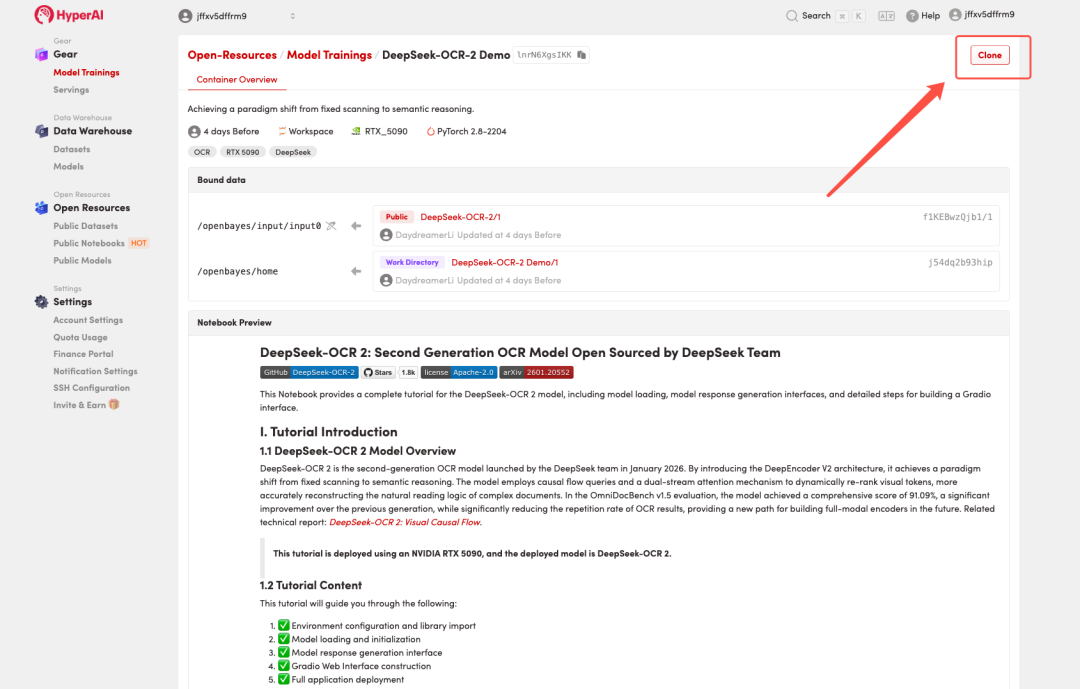
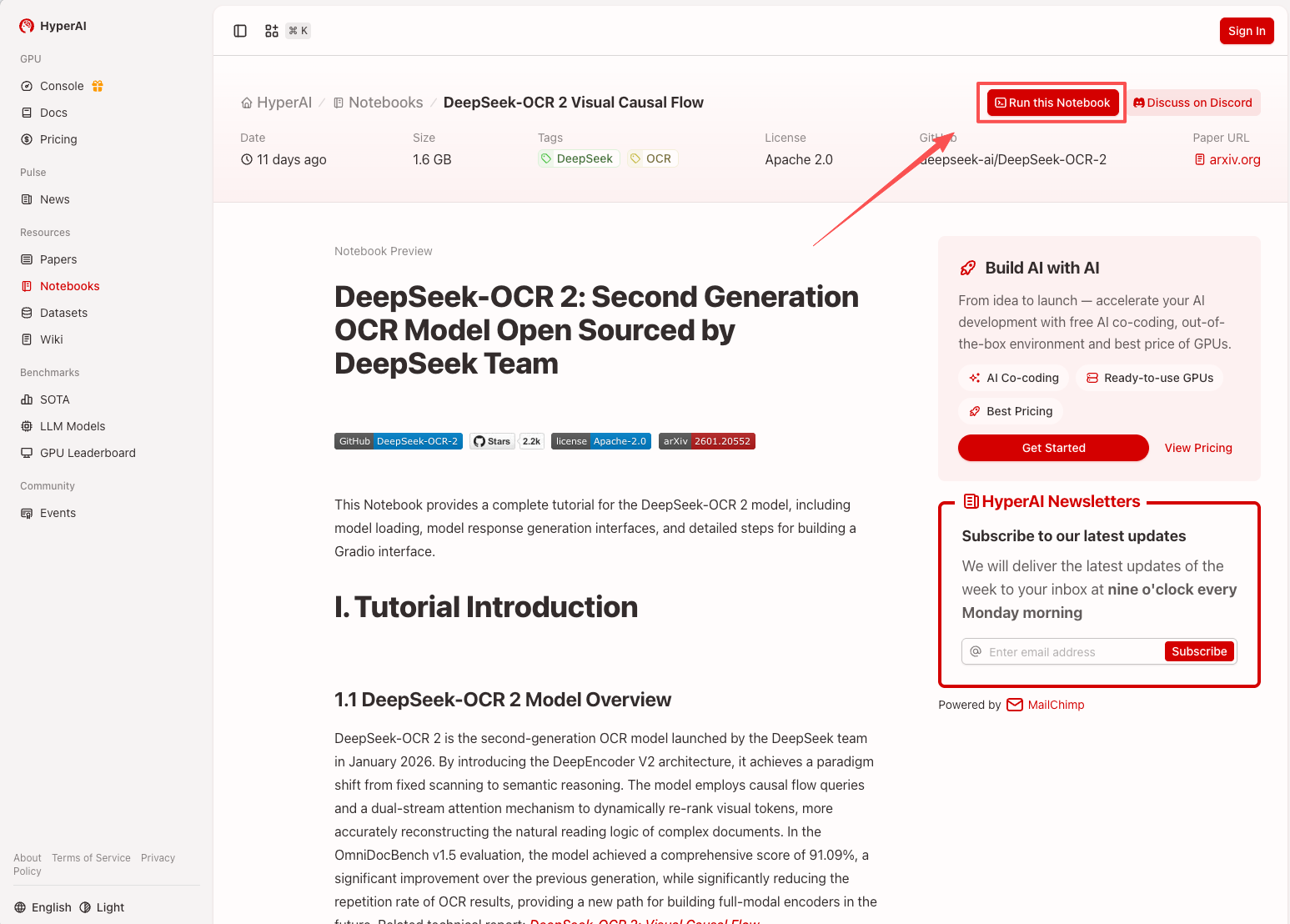 2. After the page redirects, click "Clone" in the upper right corner to clone the tutorial into your own container.
Note: You can switch languages in the upper right corner of the page. Currently, Chinese and English are available. This tutorial will show the steps in English.
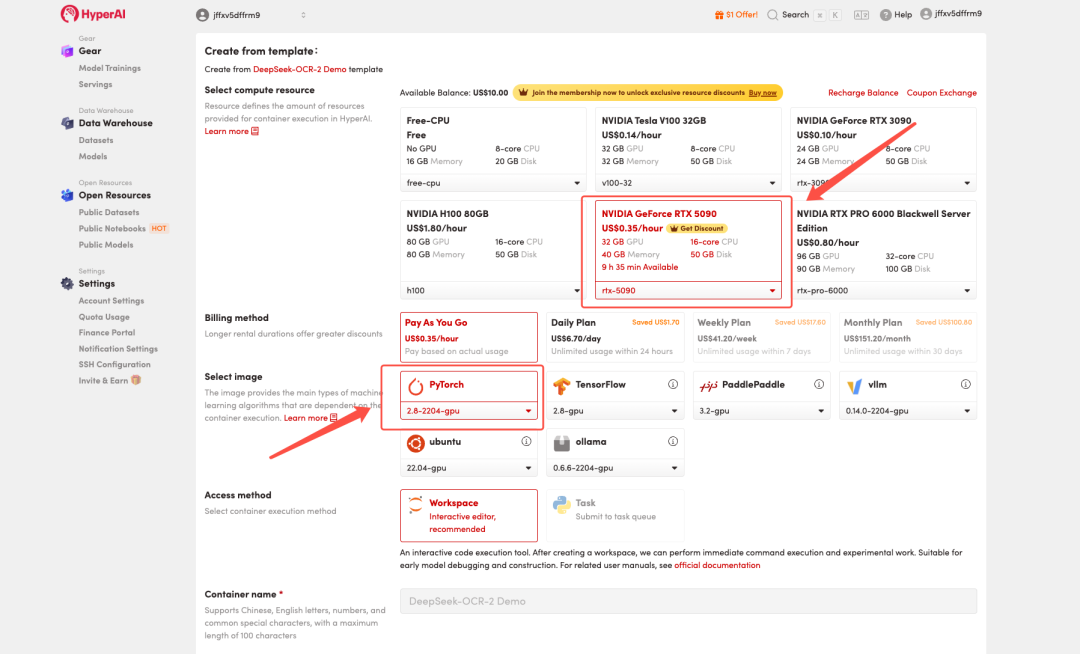
 3. Select the "NVIDIA GeForce RTX 5090" and "PyTorch" images, and choose "Pay As You Go" or "Daily Plan/Weekly Plan/Monthly Plan" as needed, then click "Continue job execution".
HyperAI is offering registration benefits for new users.**Get an RTX 5090 for just 1 TP4T1.Hashrate(Original price $7)**The resource is permanently valid.
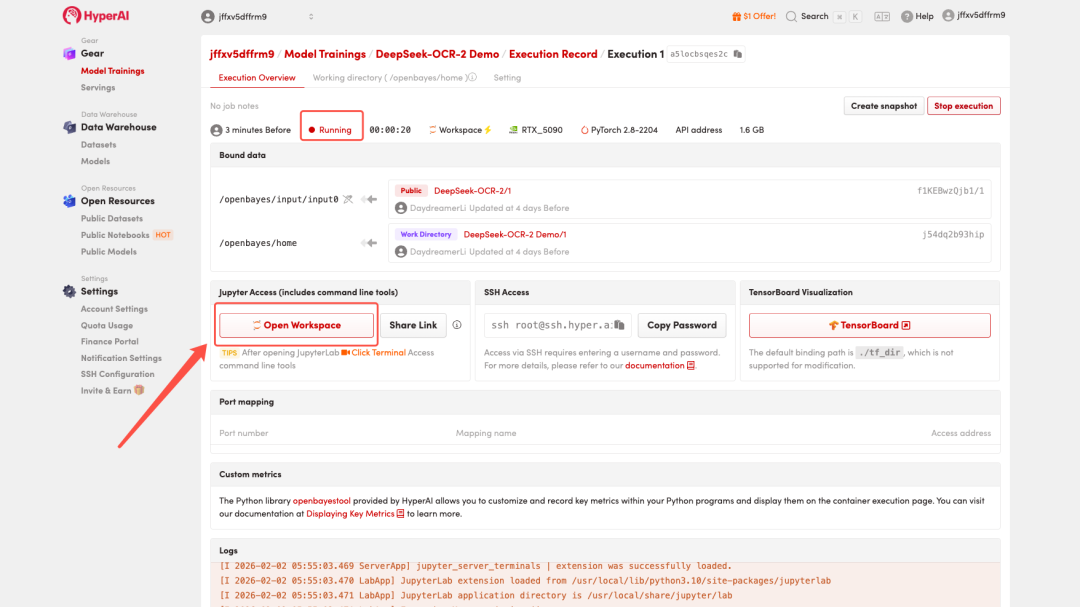
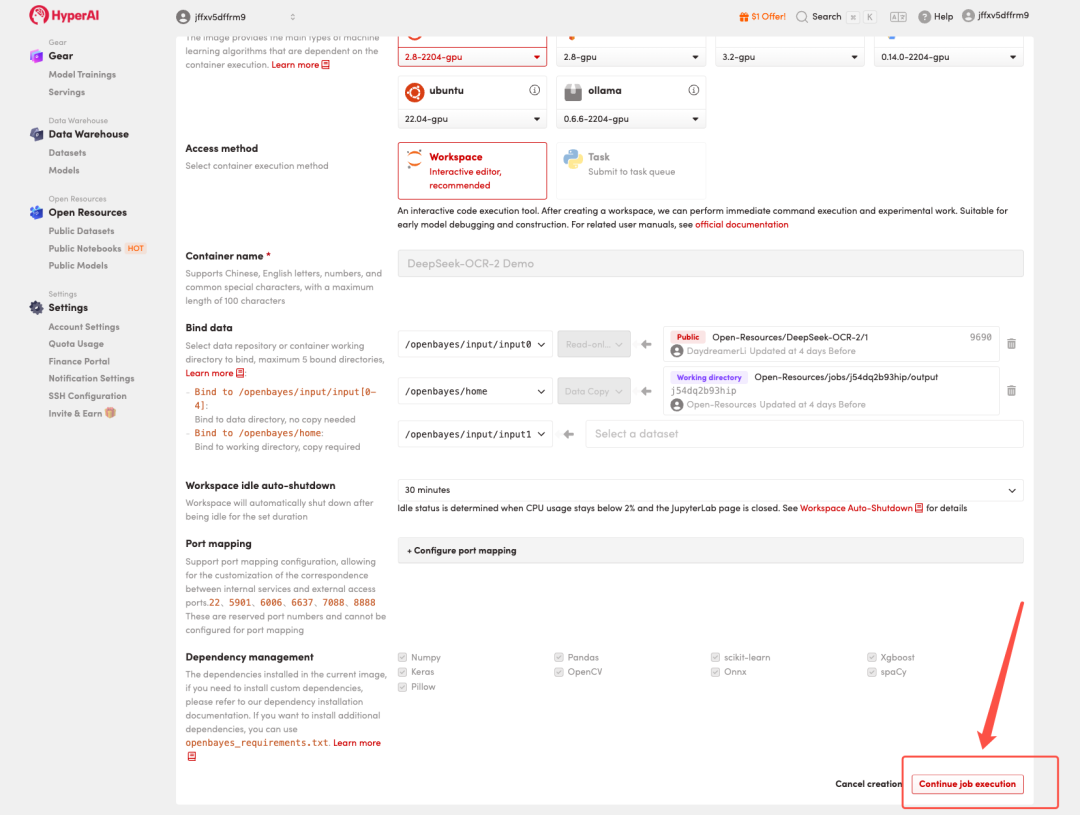 4. Wait for resources to be allocated. Once the status changes to "Running", click "Open Workspace" to enter the Jupyter Workspace.
Effect Demonstration
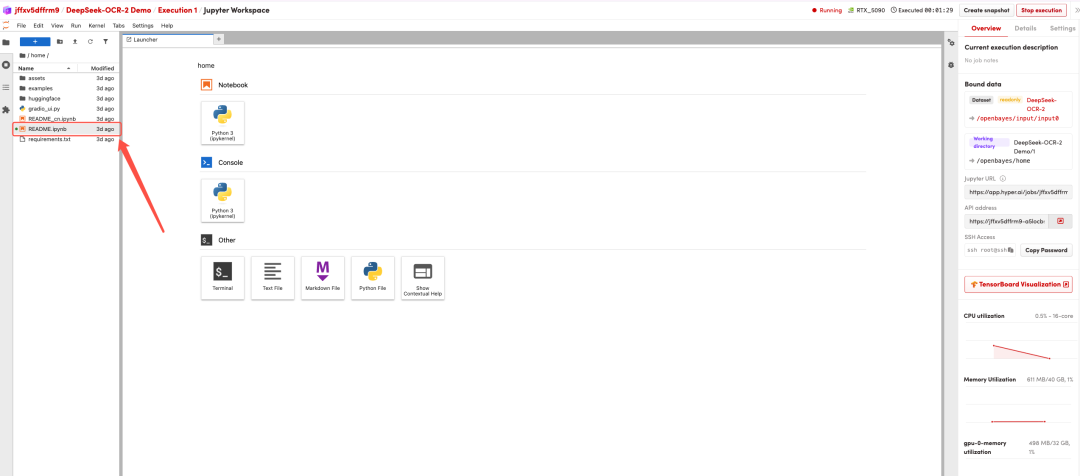
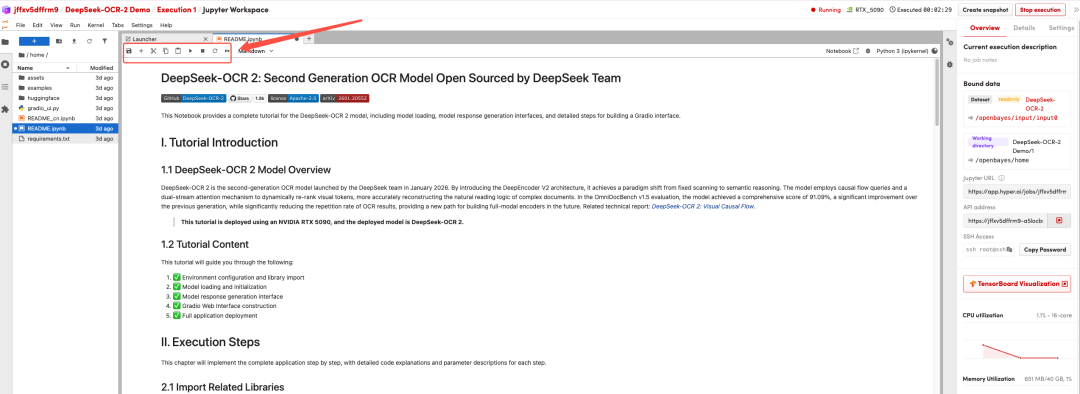
After the page redirects, click on the README page on the left, and then click Run at the top.
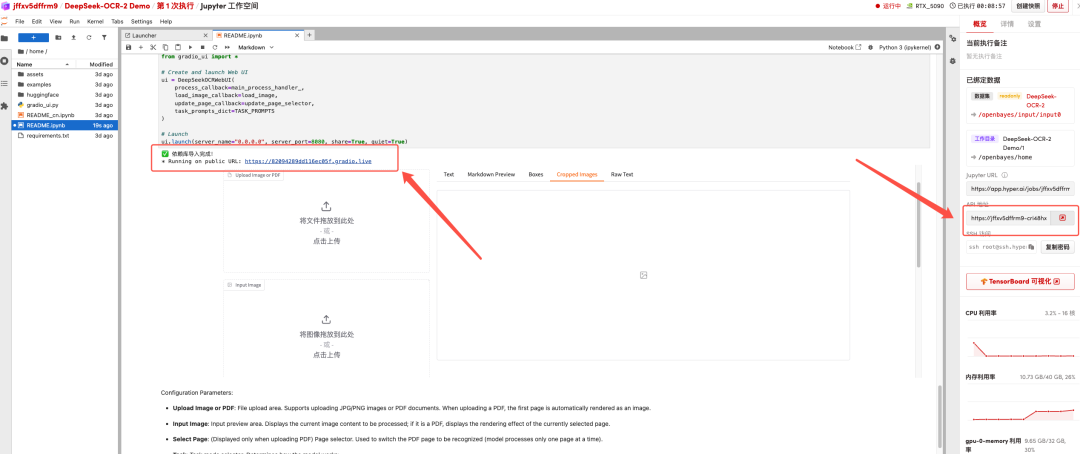
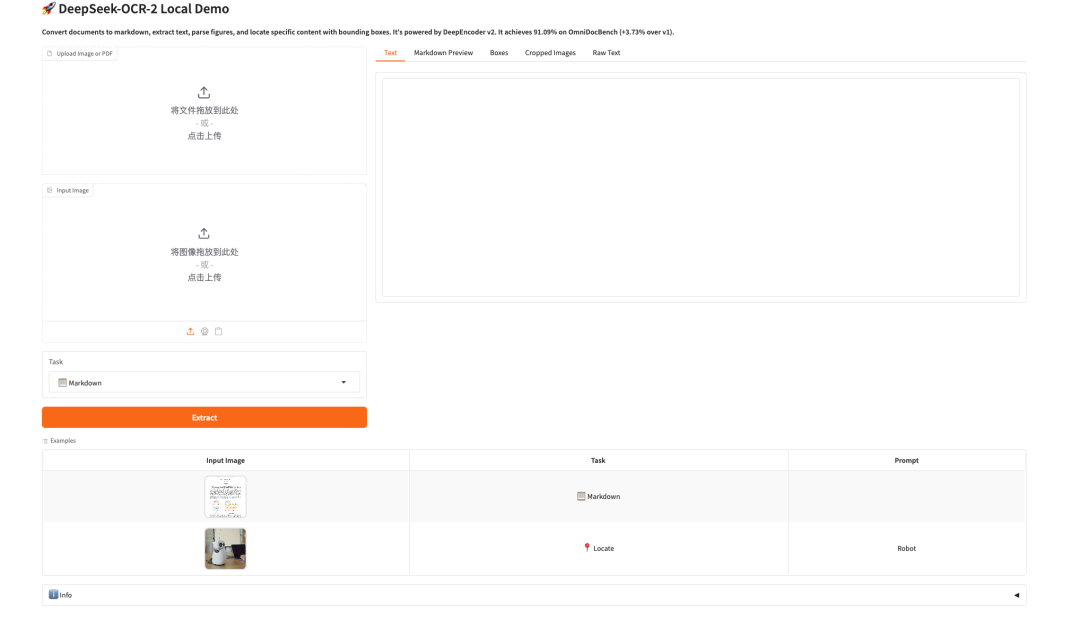
 Once the process is complete, click the API address on the right to go to the demo page.
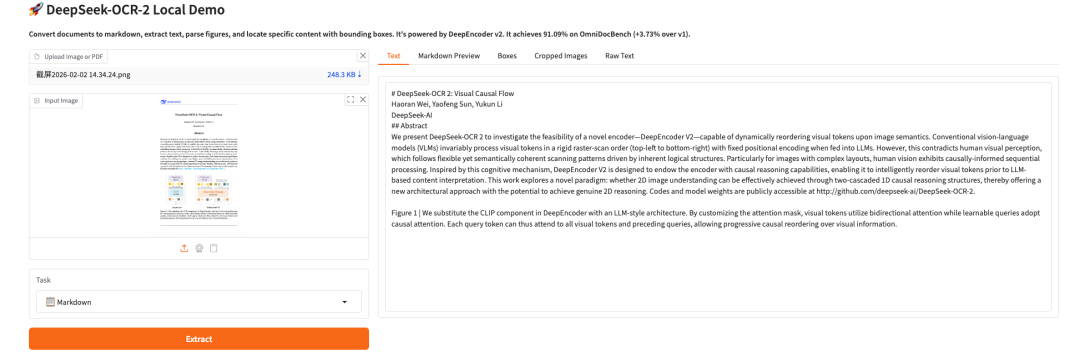 The above is the tutorial recommended by HyperAI this time. Everyone is welcome to come and experience it!
Tutorial Link:https://go.hyper.ai/2ma8d