Command Palette
Search for a command to run...
Online Tutorial | Microsoft Open Sources VibeVoice, Enabling 90 Minutes of Natural Dialogue Between 4 Roles

In recent years, text-to-speech (TTS) synthesis technology has made significant progress, enabling the synthesis of high-fidelity, naturally-sounding short utterances for a single speaker. However, significant challenges remain in the scalable synthesis of long-format, multi-speaker dialogue audio, limiting its application in scenarios such as podcasts and multi-role audiobooks.
Traditional methods, even when generating such audio by concatenating independently synthesized utterances, still fall short in achieving natural dialogue turn-taking and content-aware generation. With the increasing demands of industry applications, research on multi-speaker long conversation speech generation has emerged in various sectors.However, most of the results have not yet been open-sourced, or there are still unresolved issues regarding the generation length and stability.
In this context,Microsoft has open-sourced VibeVoice, aiming to enable scalable long-format, multi-speaker speech synthesis. VibeVoice employs a next-token diffusion approach to synthesize long multi-speaker speech, a unified method that uses diffusion autoregression to generate latent vectors to model continuous data.
To this end, the research team pioneered a novel continuous speech segmenter that, compared with the currently popular Encoder model, achieves an 80-fold data compression improvement while maintaining comparable performance, resulting in a compression rate of up to 3200× (corresponding to a 7.5 Hz frame rate). This significantly improves the computational efficiency of long sequence processing while ensuring audio fidelity.
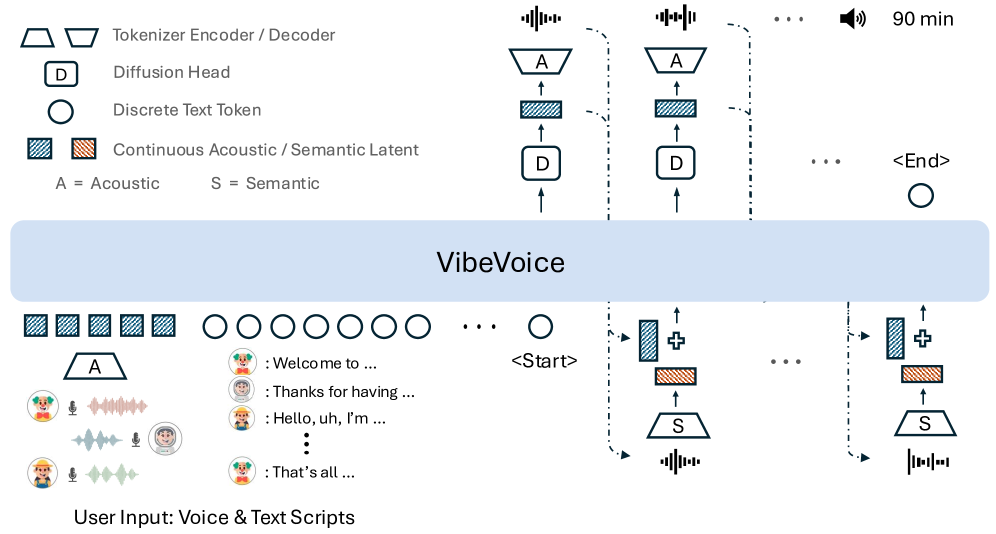
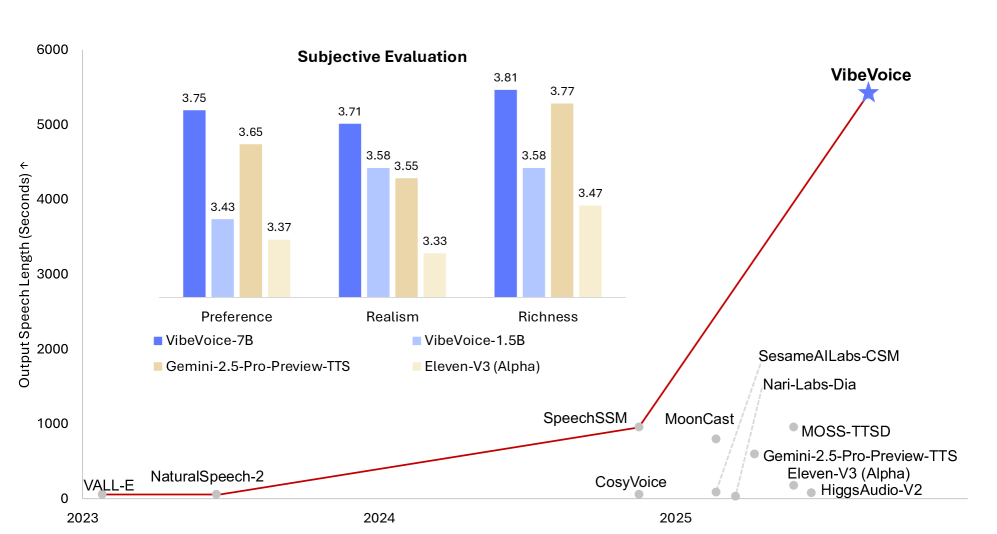 As the year draws to a close, this article uses VibeVoice to generate a 1:20 long audio clip of New Year's greetings. The generated quality is significantly improved, moving away from the monotonous "mechanical sound" and presenting a full and layered timbre with emotional tension, making it sound warm and vivid.
"VibeVoice-Realtime TTS: Real-time Speech Synthesis Service" is now available on the tutorial section of the HyperAI website (hyper.ai). You can deploy and experience it with just one click!
Tutorial Link:
Demo Run
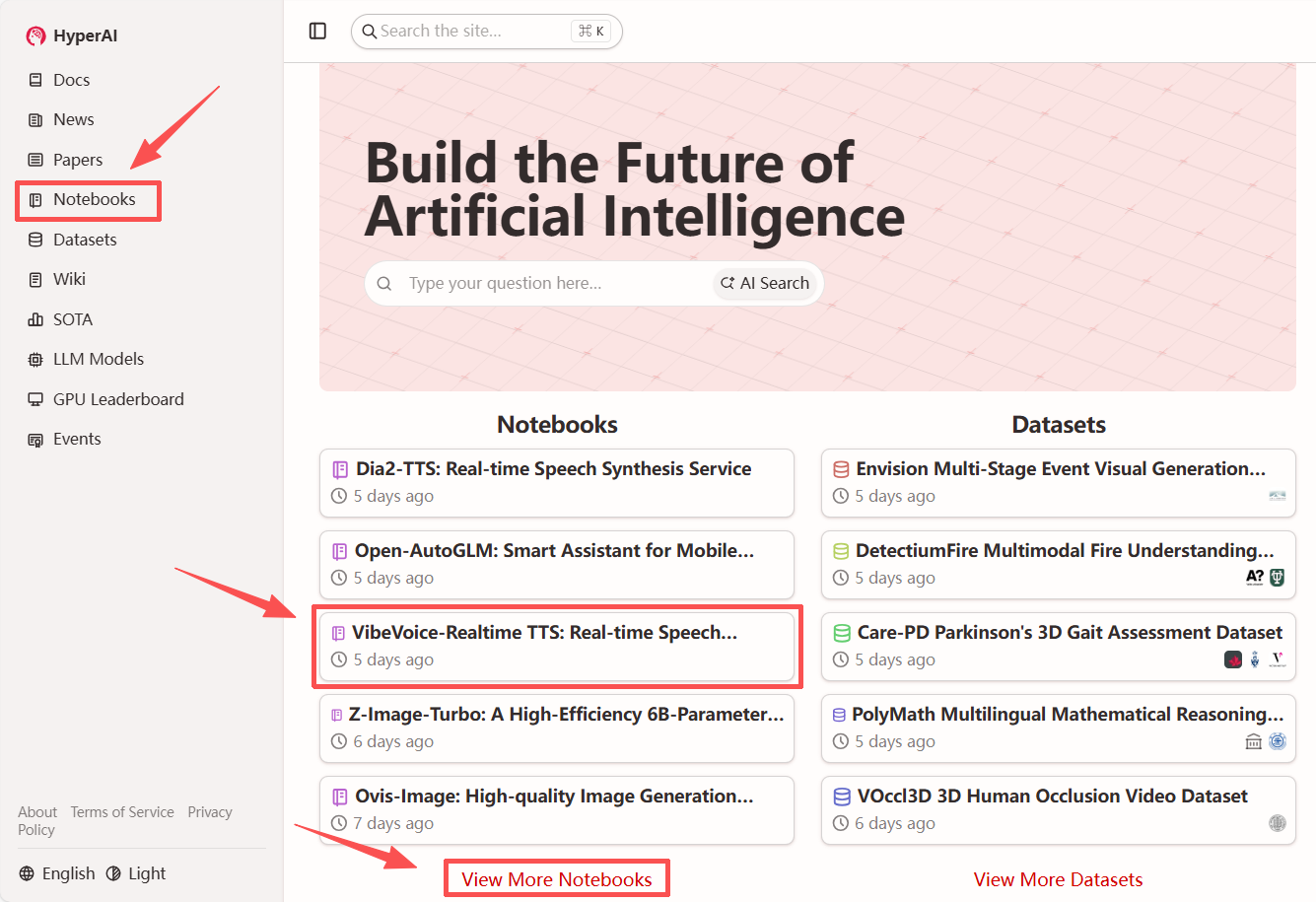
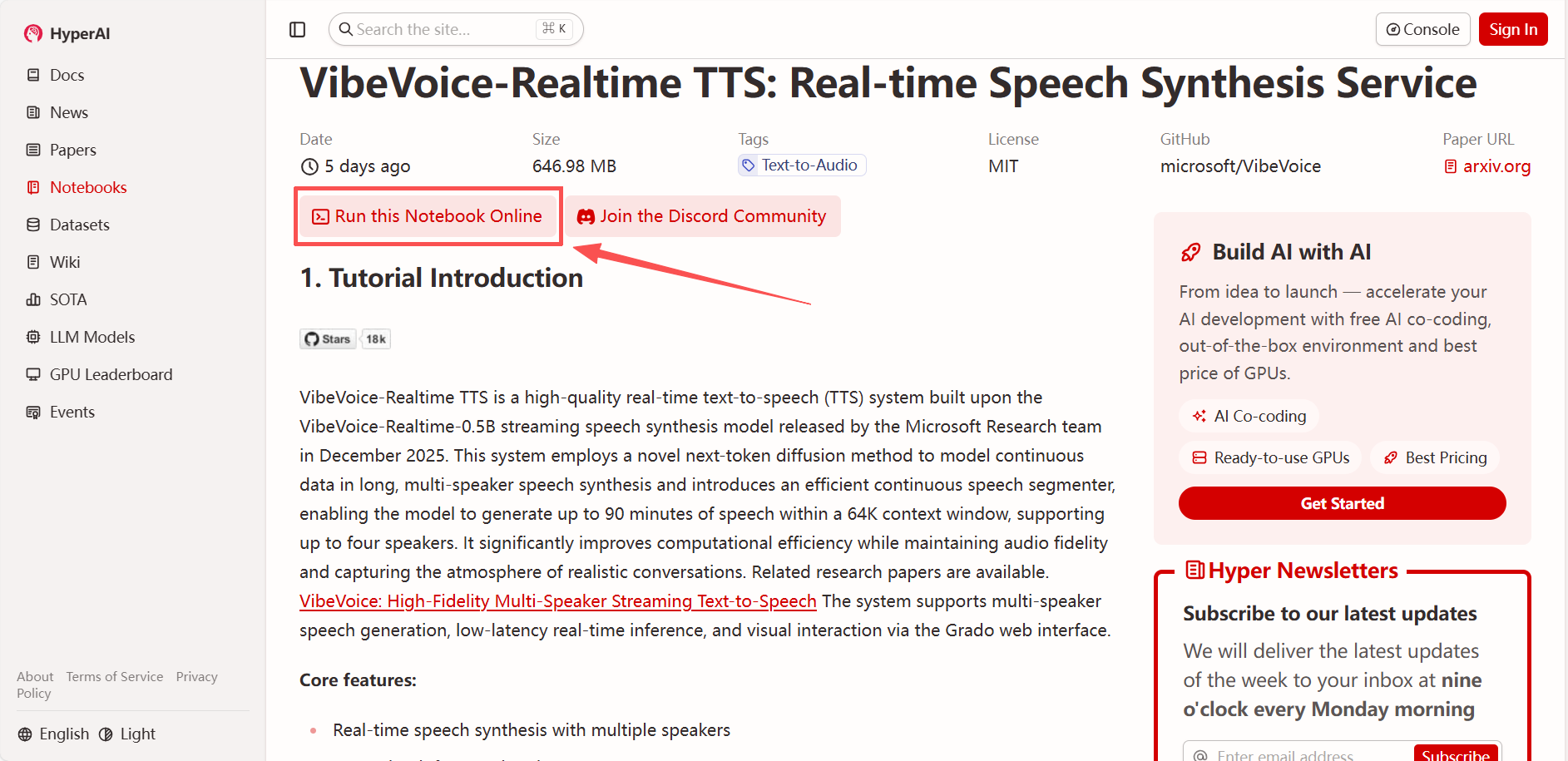
1. After entering the hyper.ai homepage, select "VibeVoice-Realtime TTS: Real-time Speech Synthesis Service", or select it from the "Tutorials" page. Then click "Run this tutorial online".
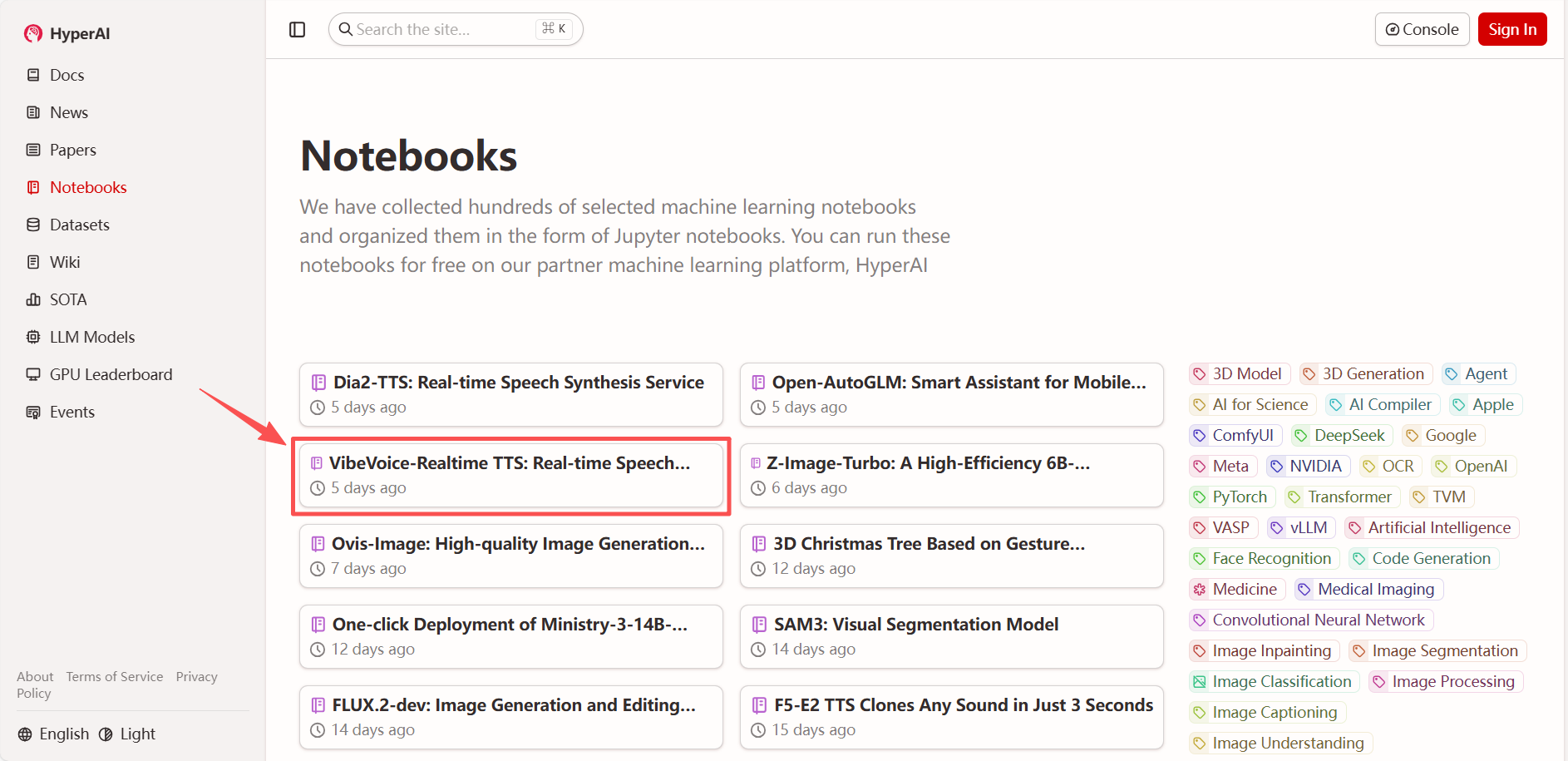
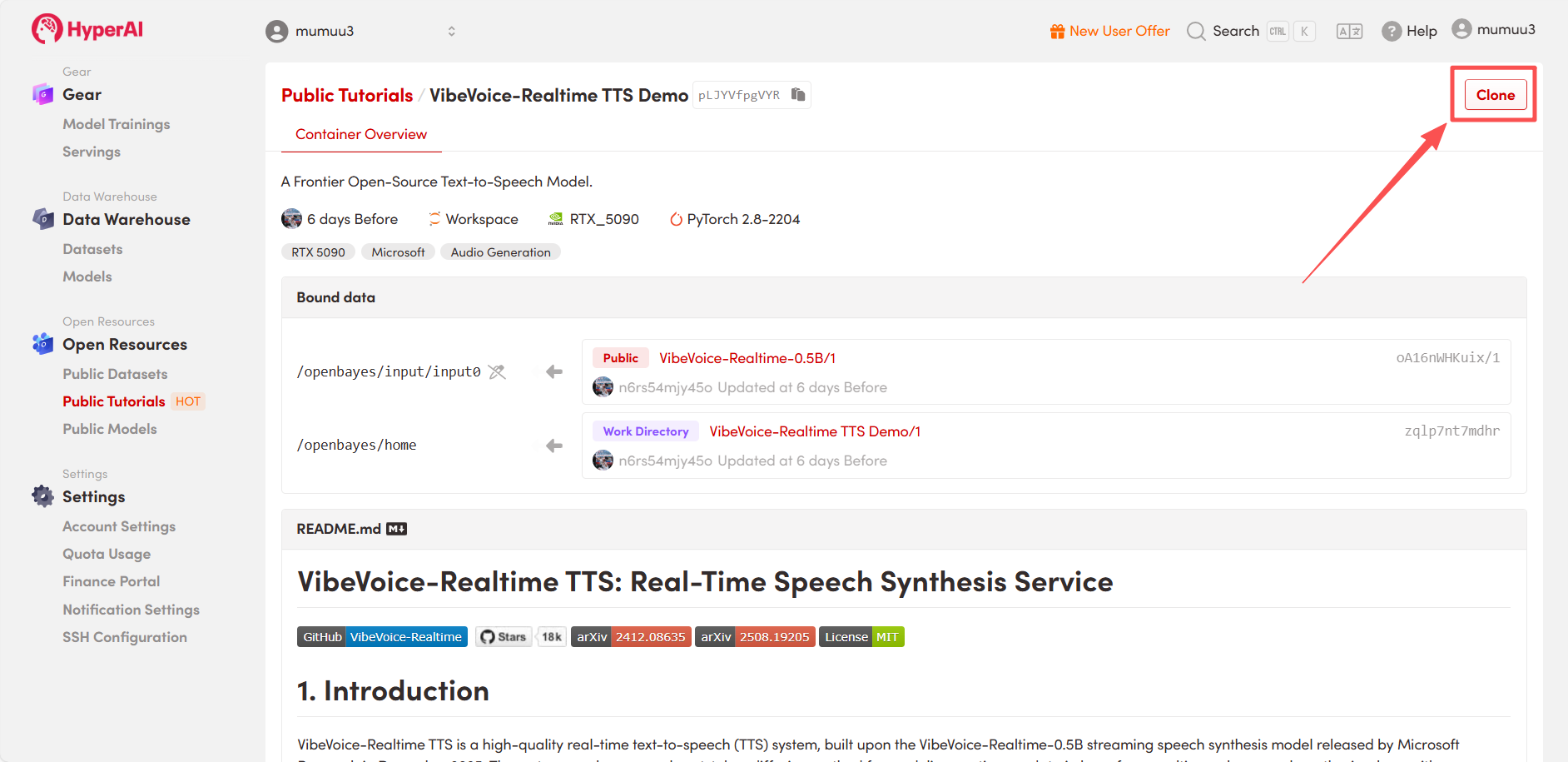
 2. After the page redirects, click "Clone" in the upper right corner to clone the tutorial into your own container.
Note: You can switch languages in the upper right corner of the page. Currently, Chinese and English are available. This tutorial will show the steps in English.
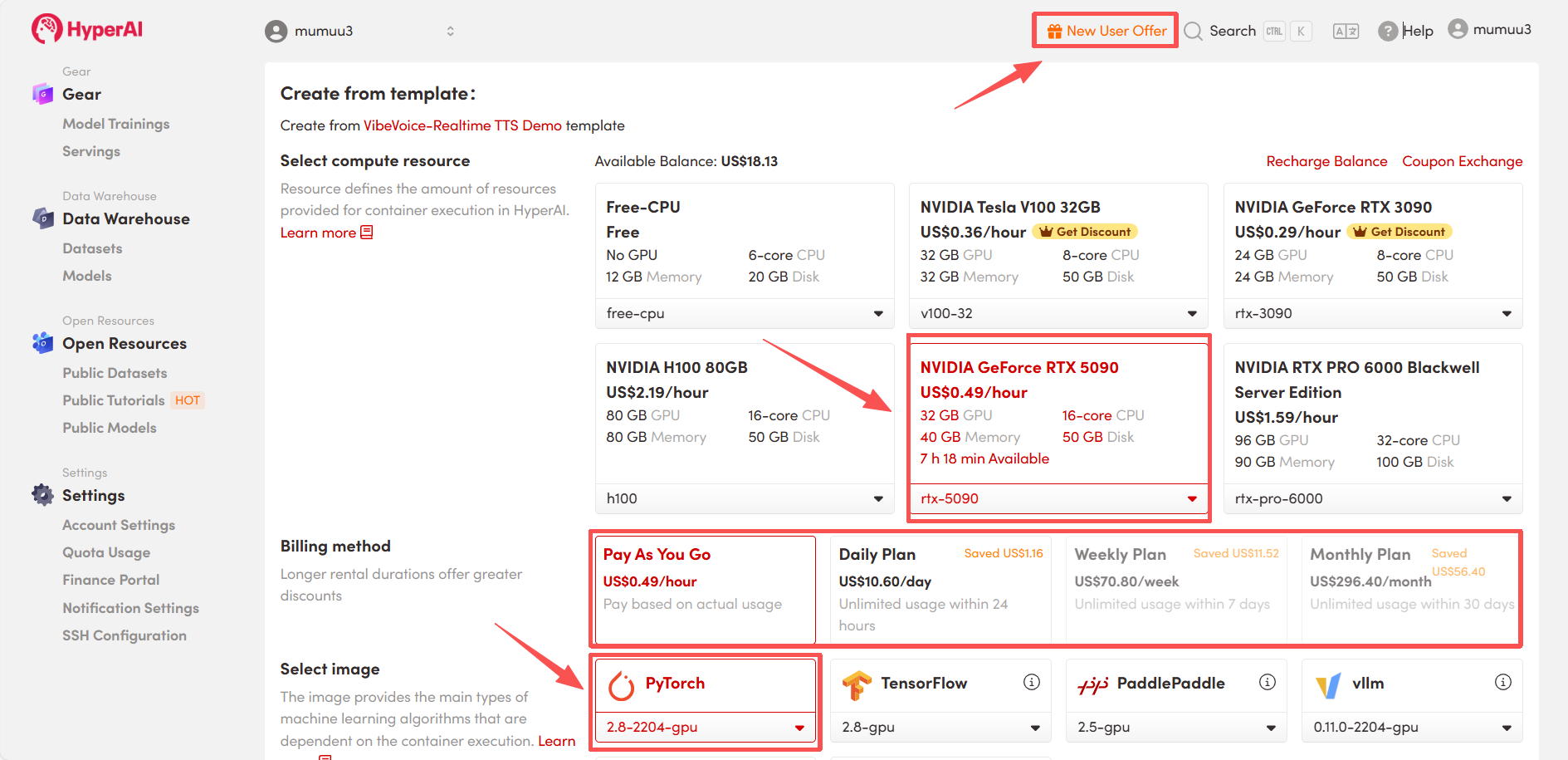
 3. Select the "NVIDIA GeForce RTX 5090" and "PyTorch" images, and choose "Pay As You Go" or "Daily Plan/Weekly Plan/Monthly Plan" as needed, then click "Continue job execution".
HyperAI is offering a registration bonus for new users: for just 1,youcanget5hoursofRTX5090computingpower(originallypricedat2.45), and the resources are valid indefinitely.
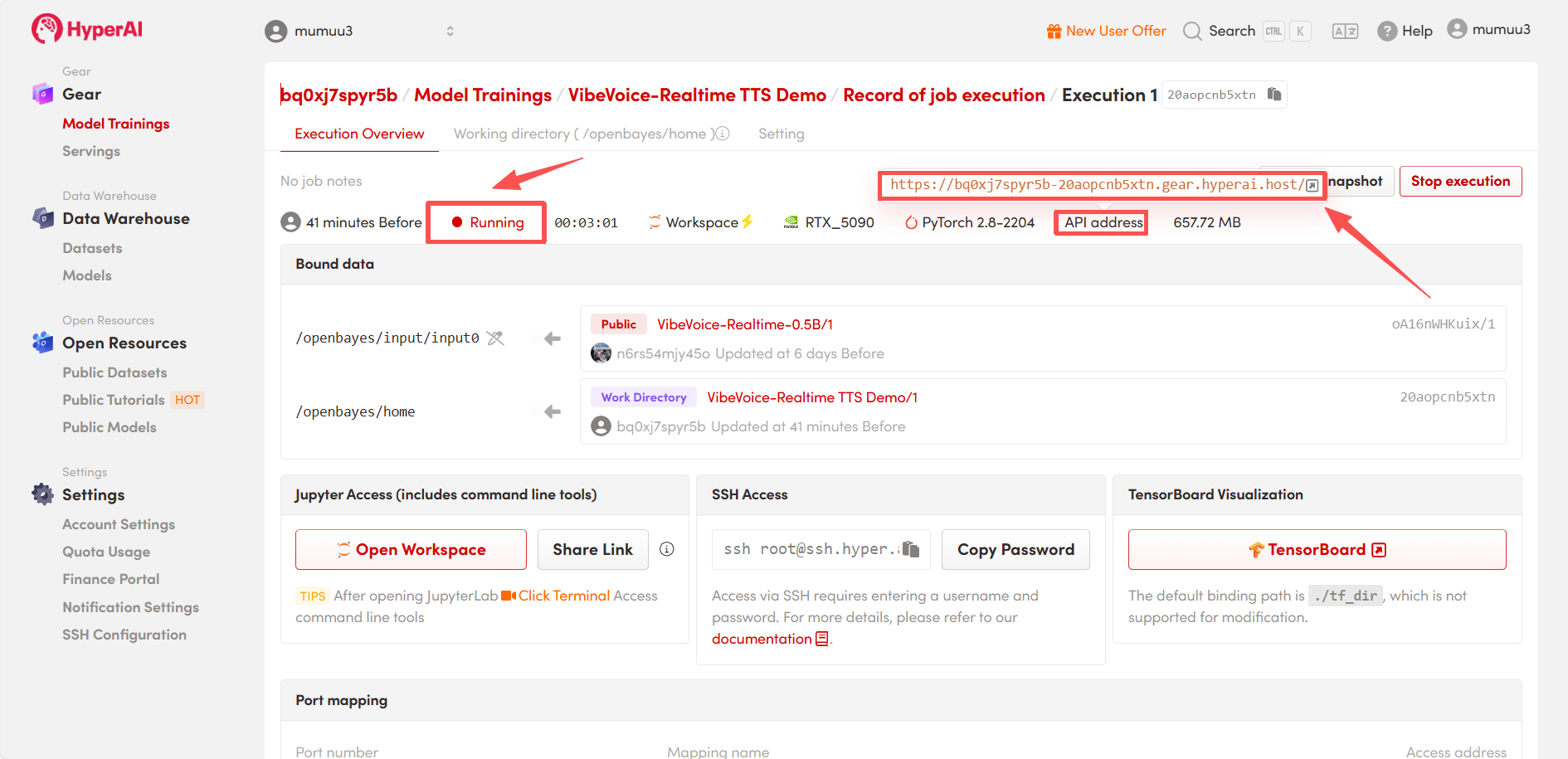
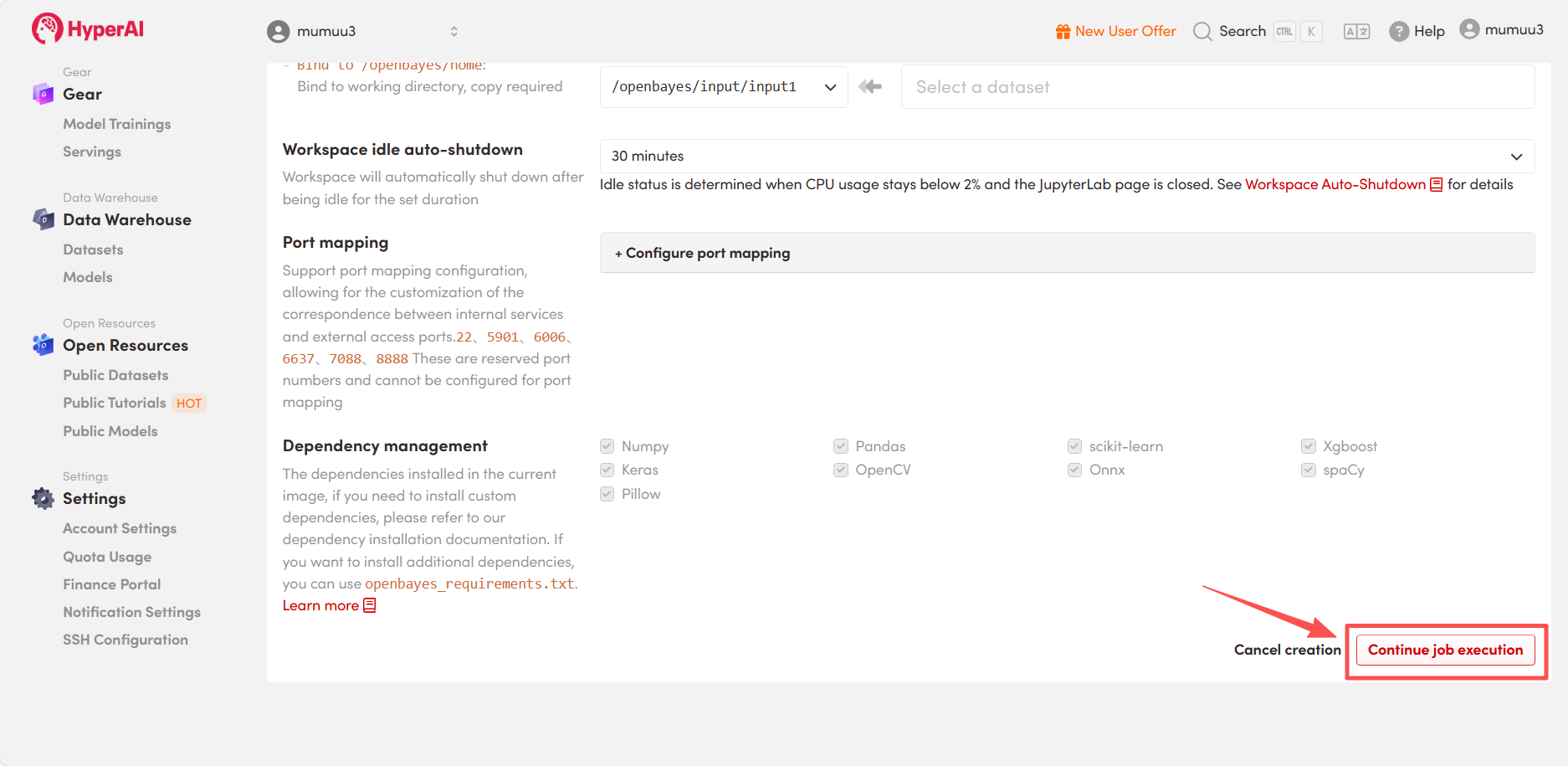 4. Wait for resource allocation. The first clone will take approximately 3 minutes. Once the status changes to "Running", click the jump arrow next to "API address" to go to the Demo page.
Effect Demonstration
After entering the Demo running page, upload your test video, enter text in the "Text to Convert" field, and choose from 7 selectable voice timbres in the "Speaker Voice" option. Adjusting the "CFG Scale" controls the intensity of the speech style; a higher value indicates stronger emotion. Finally, click "Generate Speech," and wait a moment for the audio to be generated.
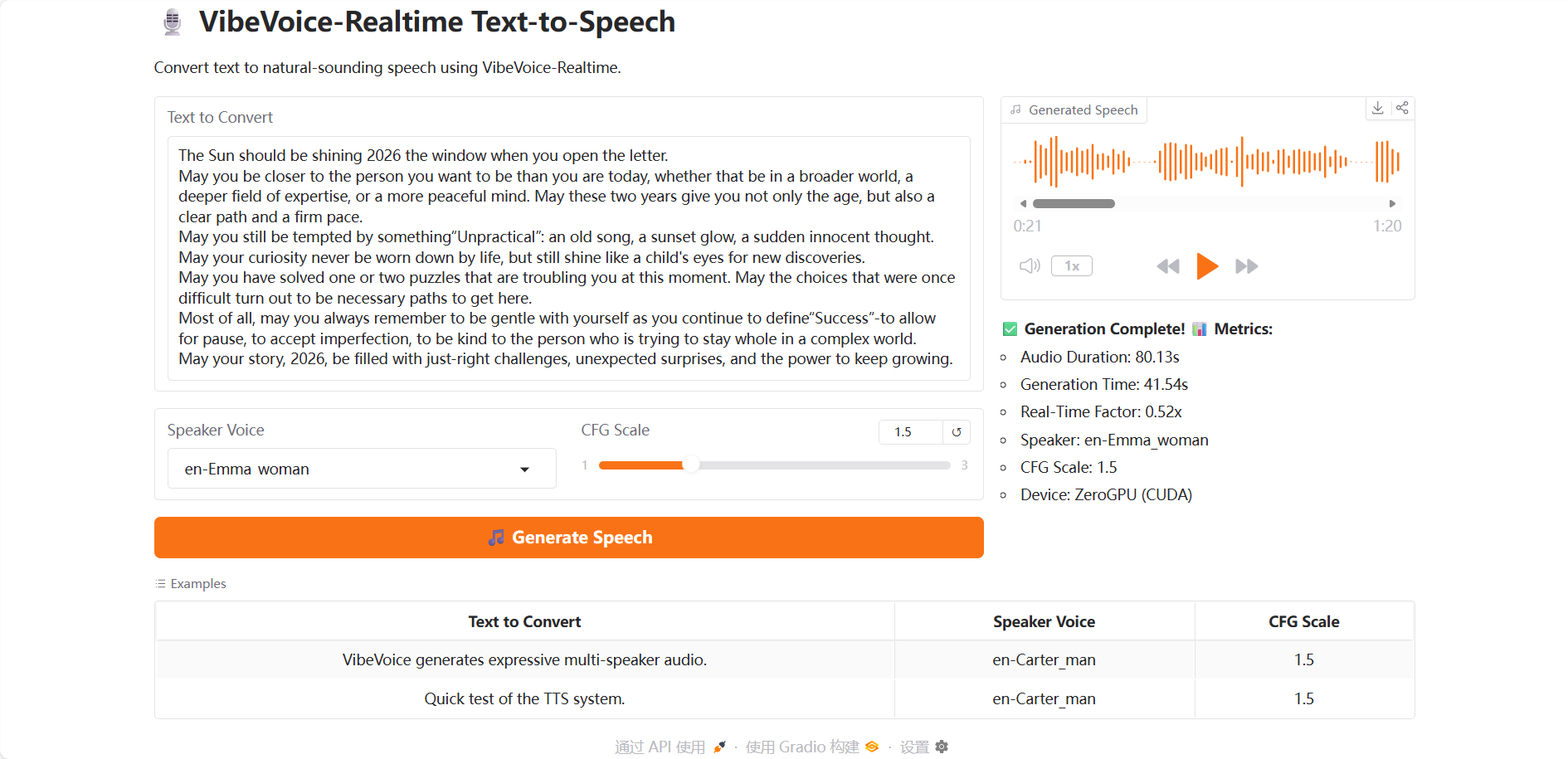 As the year draws to a close, click to play VibeVoice's New Year's greetings for you!
The above is the tutorial recommended by HyperAI this time. Everyone is welcome to come and experience it!
Tutorial Link: