Command Palette
Search for a command to run...
Online Tutorials | Small Size, Big Code Power: Qwen3.6-27B Achieves Flagship-Level Programming Capabilities

On April 22, following the open-sourcing of Qwen3.6-35B-A3B, the Qwen team released Qwen3.6-27B, a version of the model series that has received even greater community demand. This dense multimodal model, with 27 billion parameters, supports multimodal thinking and non-thinking modes, achieving "flagship" performance in agent programming.
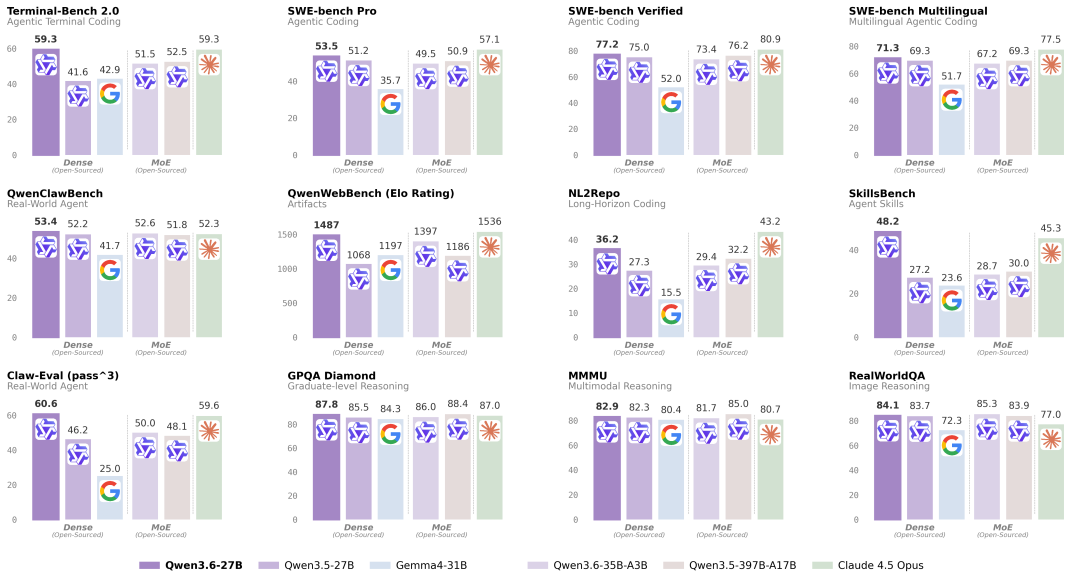
Specifically, Qwen3.6-27B comprehensively outperformed its predecessor, the open-source flagship Qwen3.5-397B-A17B, in major programming benchmarks such as WE-bench Verified (77.2 vs. 76.2), SWE-bench Pro (53.5 vs. 50.9), Terminal-Bench 2.0 (59.3 vs. 52.5), and SkillsBench (48.2 vs. 30.0). It also significantly outperformed dense models of similar size. In inference tasks, Qwen3.6-27B achieved a score of 87.8 on GPQA Diamond, comparable to models several times larger.
 Furthermore, Qwen 3.6-27B natively supports multimodal processing, enabling both visual-language thinking and non-thinking modes—the same as Qwen 3.6-35B-A3B. It can handle multimodal understanding of images, videos, and text, supporting tasks such as visual reasoning, document understanding, and visual question answering.
Currently, the tutorial section of HyperAI's official website (hyper.ai) has launched "One-click deployment of Qwen3.6-27B" to complete the environment configuration and help quickly validate popular open-source models!
Run online:https://go.hyper.ai/pYbes
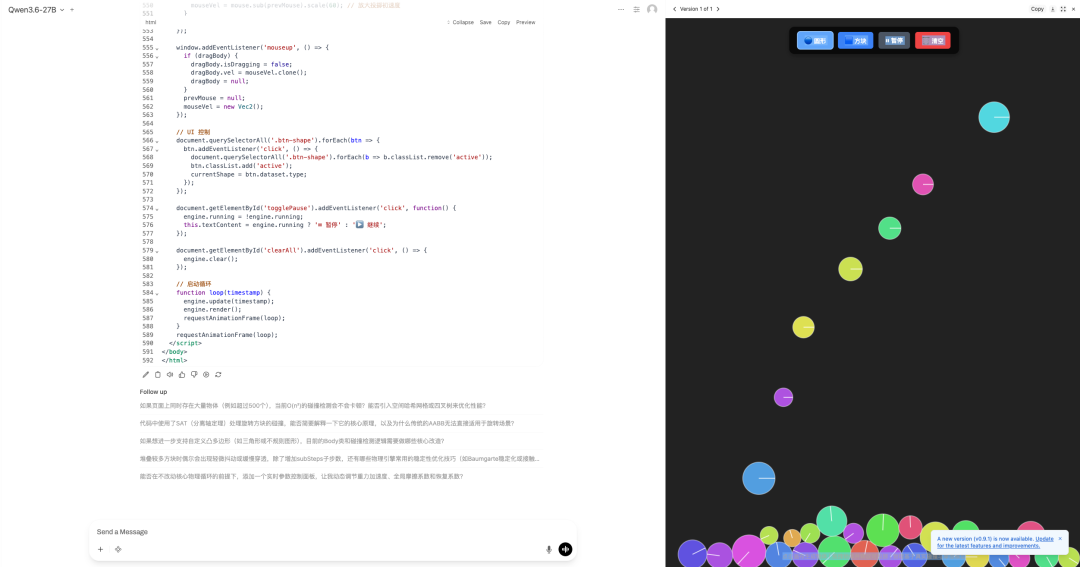
Welcome to visit our official website for more information:
Demo Run
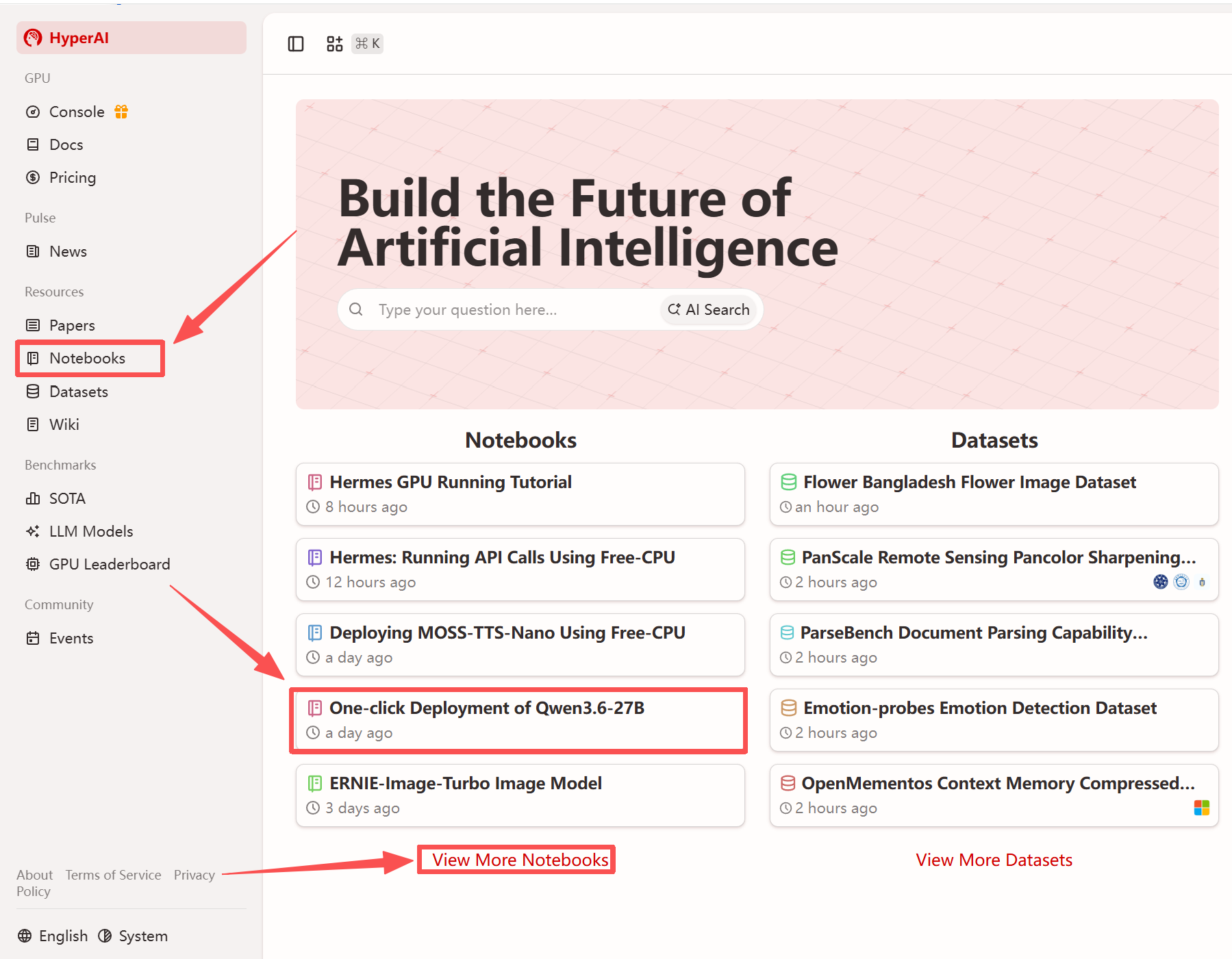
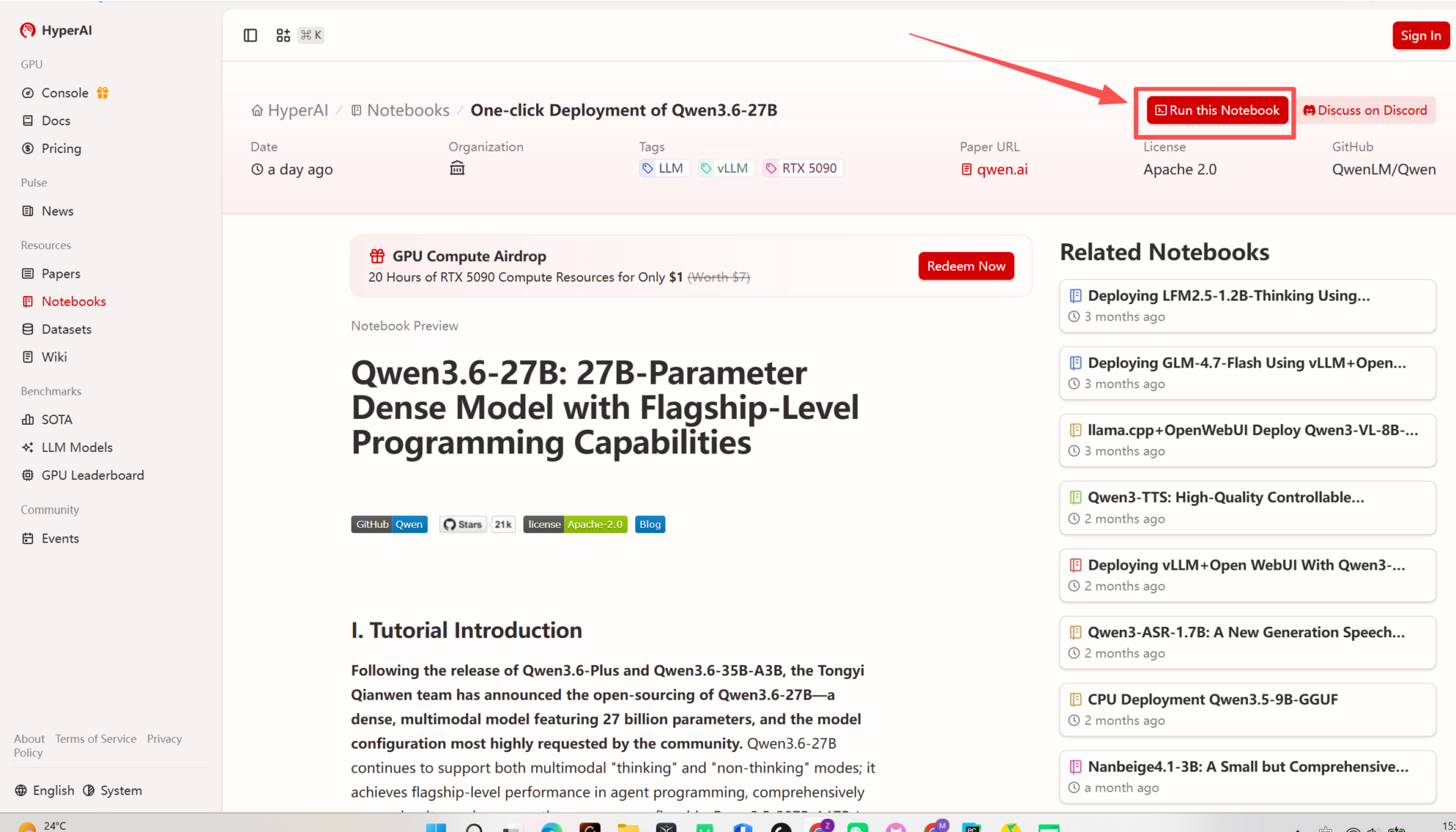
1. After entering the hyper.ai homepage, select the "Tutorials" page, or click "View More Tutorials", select "One-Click Deployment of Qwen3.6-27B", and click "Run this tutorial".
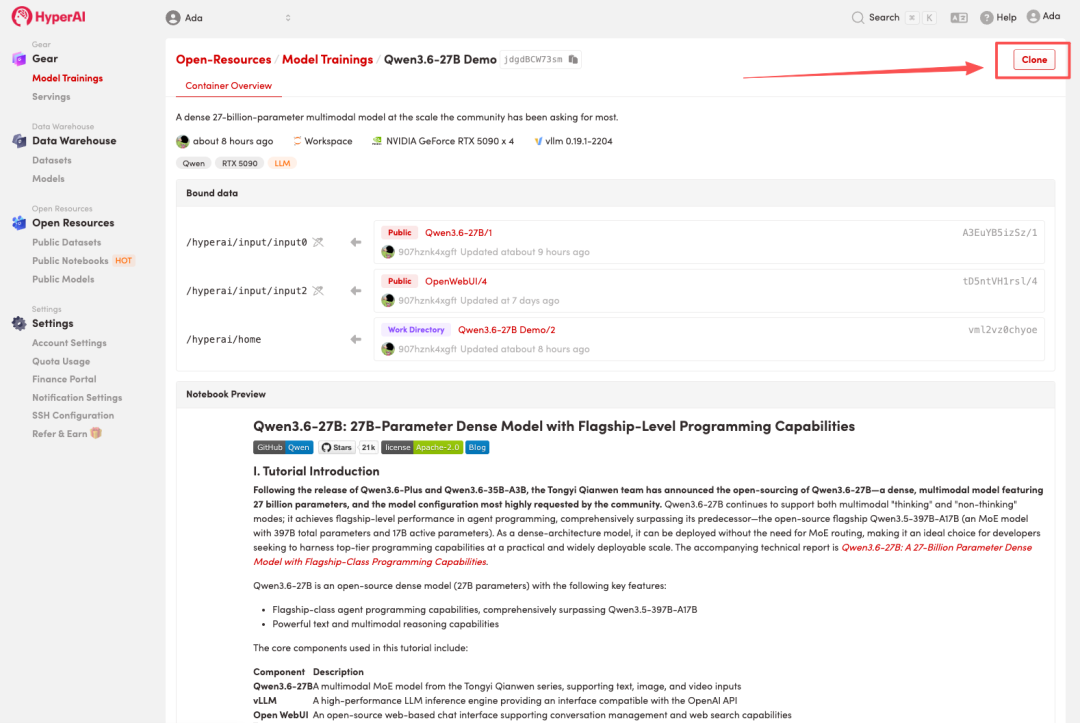
 2. After the page redirects, click "Clone" in the upper right corner to clone the tutorial into your own container.
Note: You can switch languages in the upper right corner of the page. Currently, Chinese and English are available. This tutorial will show the steps in English.
 3. Select the "NVIDIA RTX 5090 -4" and "vLLM" images, and click "Continue job execution".
HyperAI is offering a registration bonus for new users: for just 1,youcanget20hoursofRTX5090computingpower(originallypricedat7), and the resources are valid indefinitely.
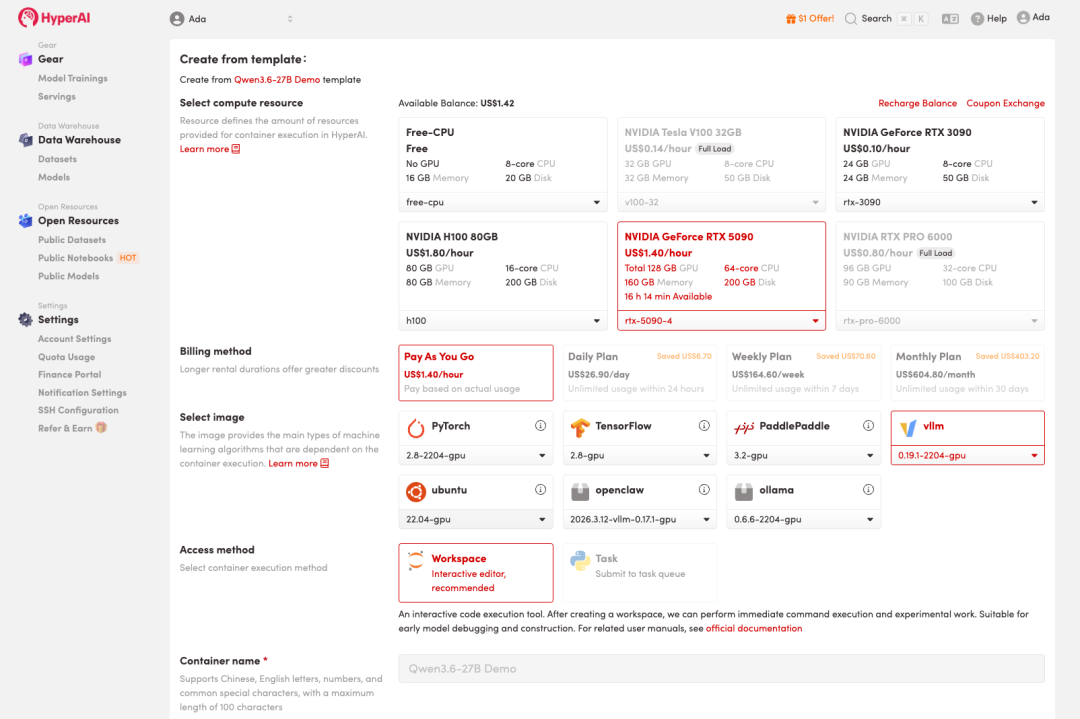
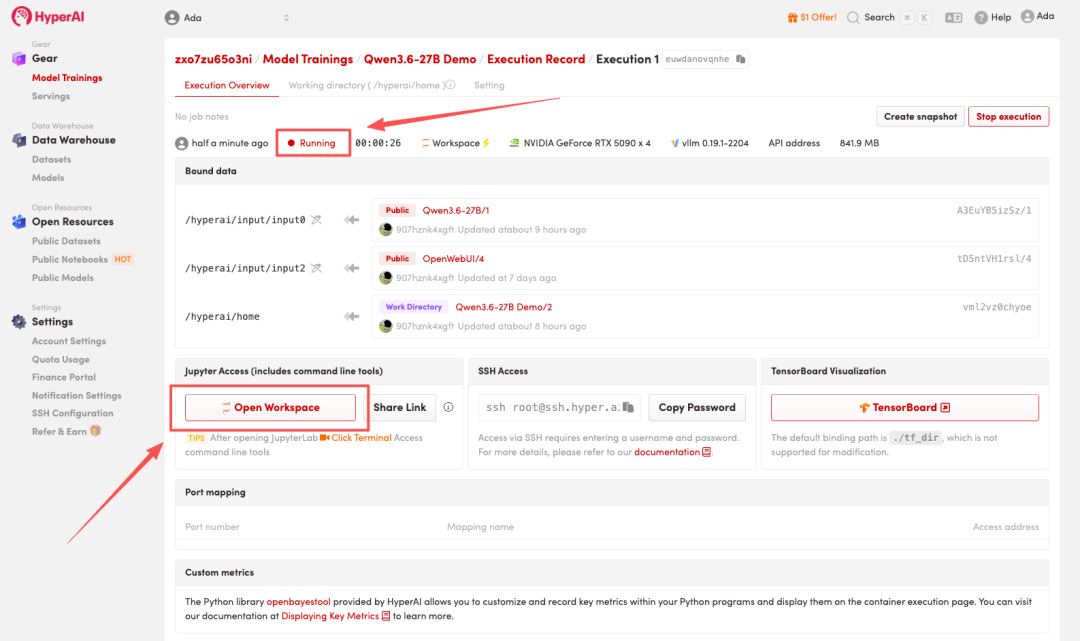
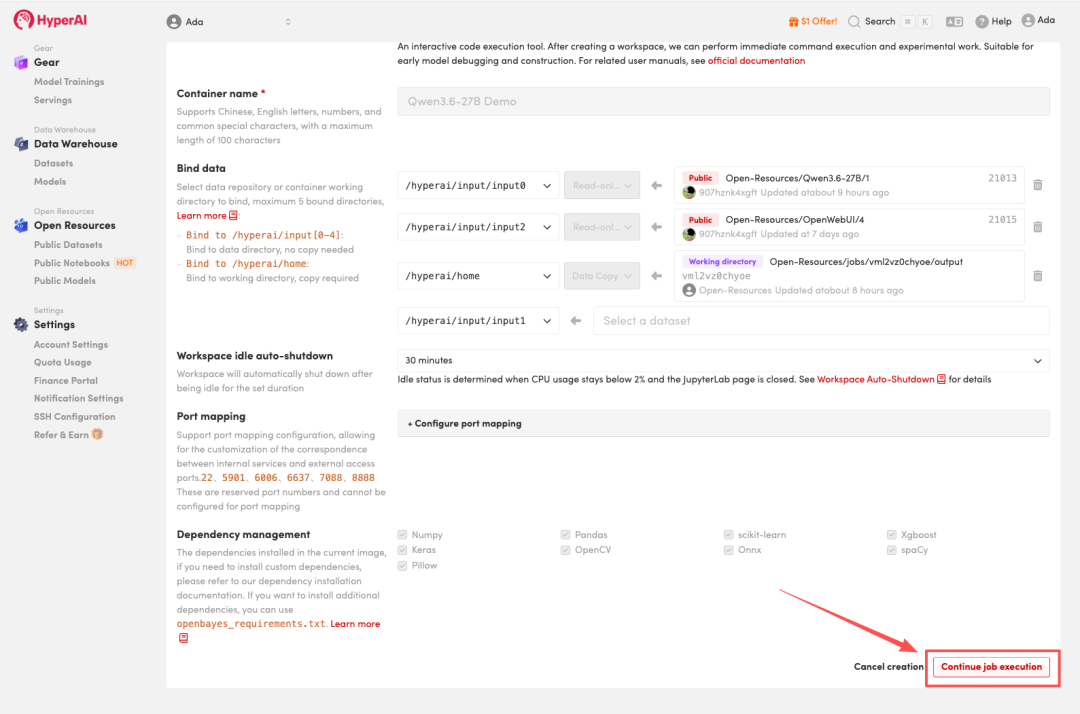 4. Wait for resources to be allocated. Once the status changes to "Running", click "Open Workspace" to enter the Jupyter Workspace.
Effect display
1. After the page redirects, click on the README file on the left, and then click on Run at the top.
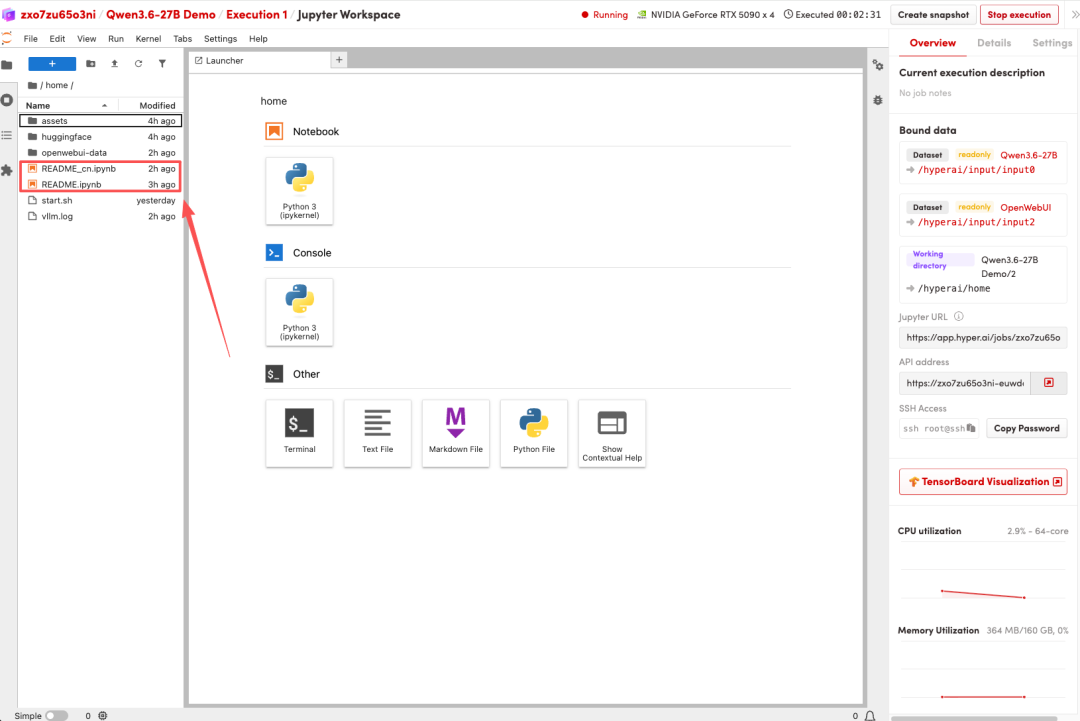
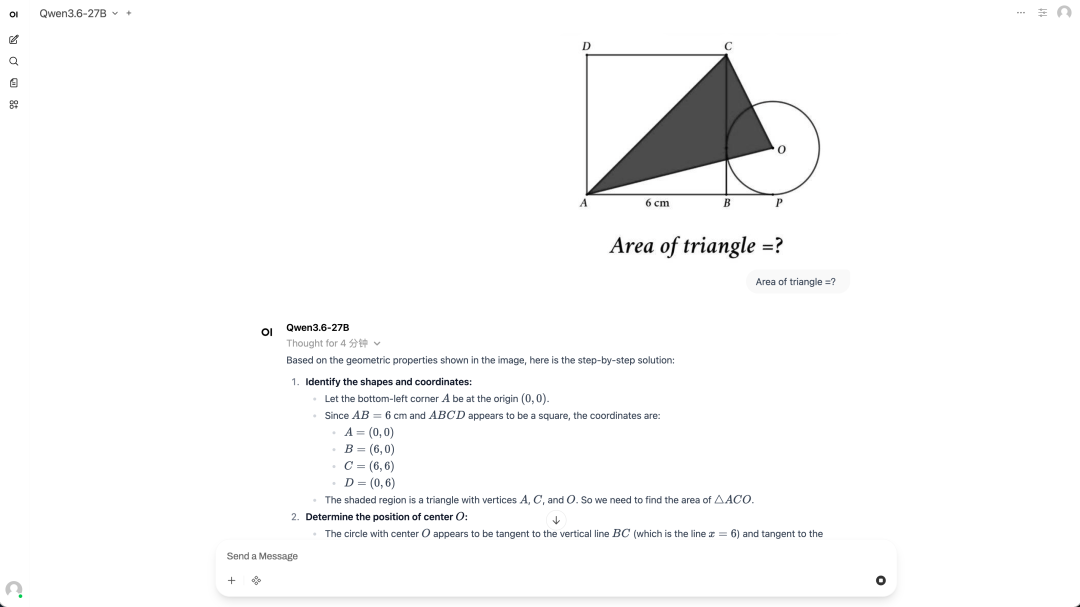
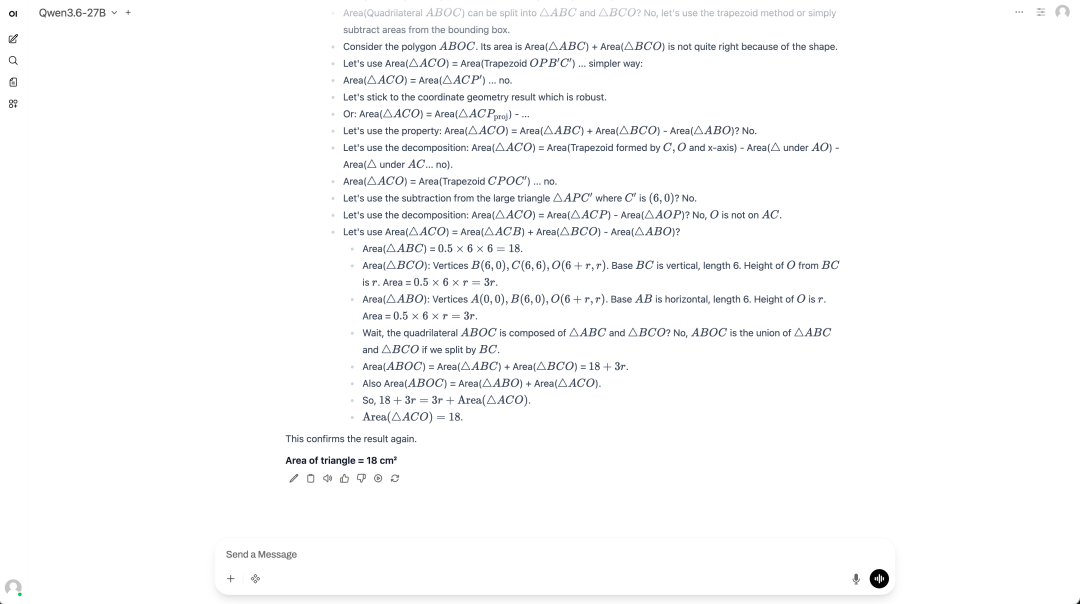
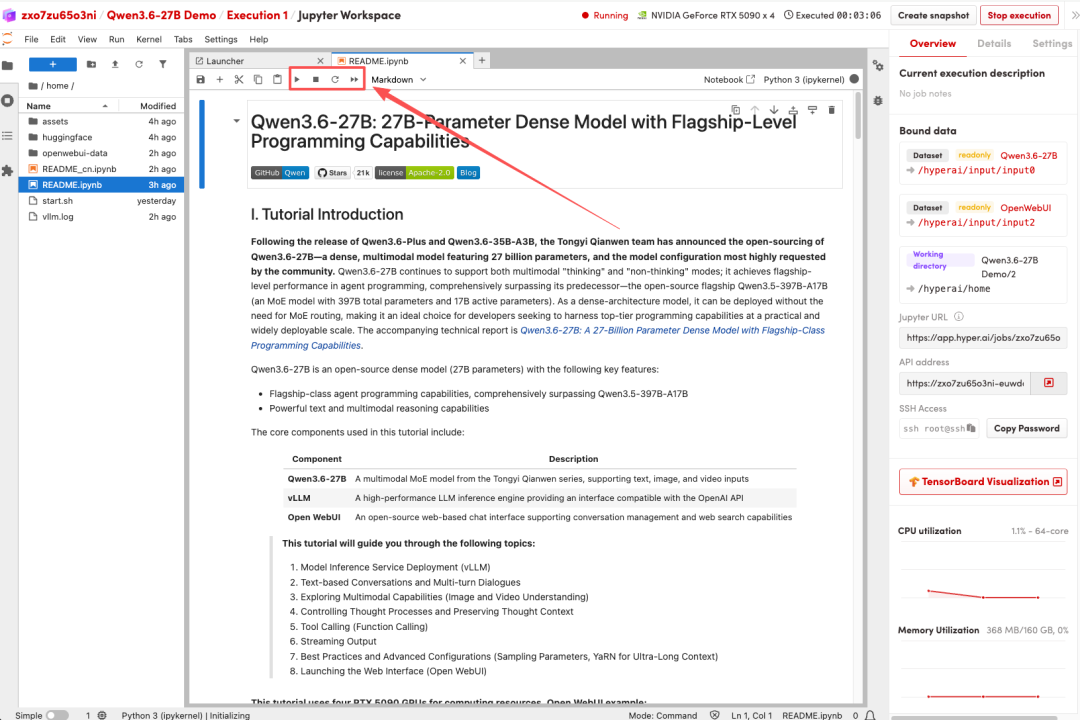 2. Once the process is complete, follow the instructions in the README to launch Open WebUI, then click the API address on the right to jump to the demo page.