Command Palette
Search for a command to run...
Online Tutorial | Microsoft Open Sources TRELLIS.2 3D Generative Model: Generate High-Resolution Full-Texture Assets in 3 Seconds
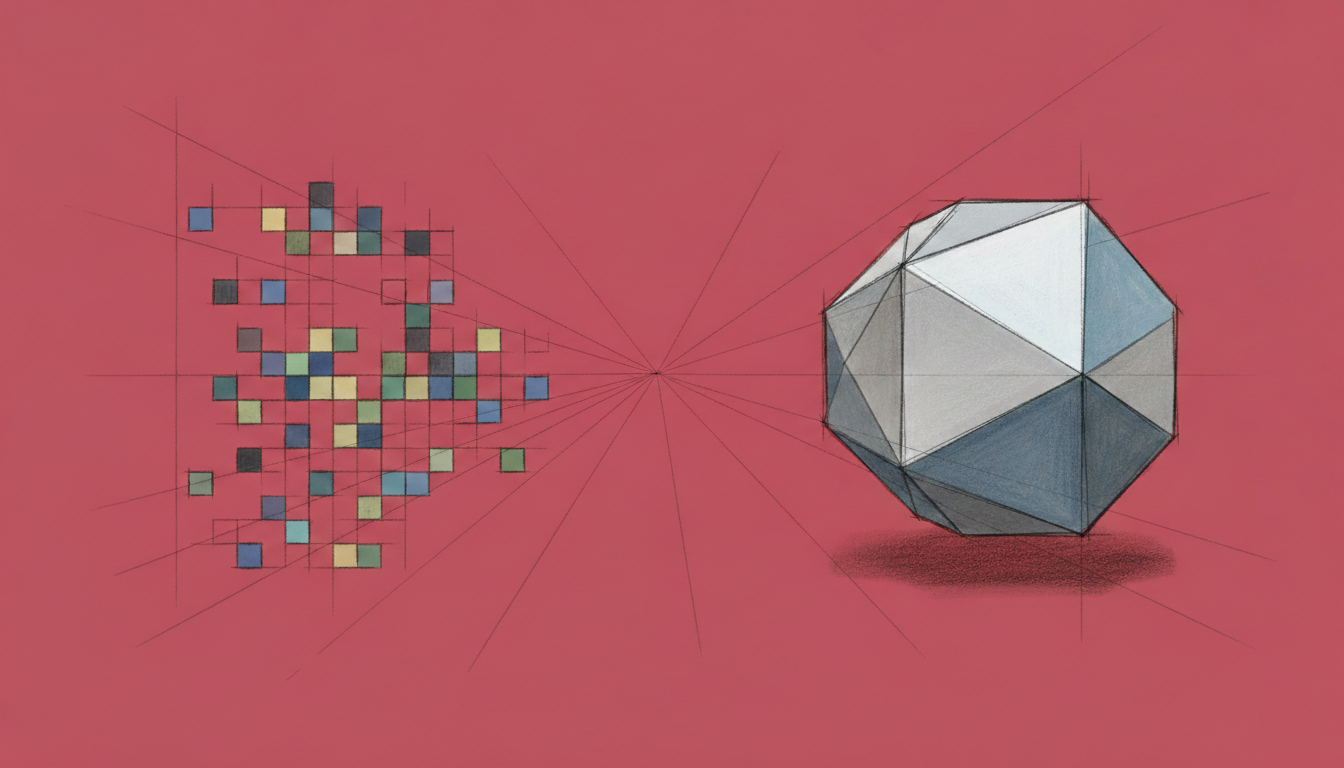
In recent years, generative AI has been widely applied to 2D content—images, videos, and text—but 3D generation has remained a seemingly within-reach but elusive challenge, because it involves more than just an increase in dimensionality.It is also a comprehensive test of the representation method, learning objectives, and engineering usability.
The core challenge facing 3D generative models has never been simply "whether it's possible to generate a result that looks like an object."**Rather, it is about "how to maintain geometric consistency, semantic stability, and structural usability simultaneously in a high-dimensional space".**A model may appear plausible from a single viewpoint but quickly collapse when the viewpoint changes; it may also be visually highly realistic but unable to export editable and reusable standard 3D assets. These issues directly limit the application of 3D generation technology to real-world production scenarios.
In recent years, the industry has been constantly experimenting with and oscillating between different technological approaches. For example,**NeRF-based methods demonstrate outstanding performance in visual continuity.**However, it is naturally biased towards rendering rather than modeling, making it difficult to meet the downstream demand for mesh, topology and physical properties;**The generation methods based on voxels or explicit meshes have a clear structure.**However, it has long been limited in terms of resolution, detail representation, and generalization ability;**Single-view or multi-view 3D generation methods have achieved breakthroughs in efficiency.**However, they generally face problems such as insufficient consistency across multiple perspectives and unstable geometric structures.
The repeated evolution of these approaches does not reveal the inadequacy of a single model or training technique, but rather a deeper fact: the problem of 3D generation is essentially a systematic mismatch between representation, generation path and training objective.When the optimization objective of a model primarily serves to make it "seem reasonable" rather than "structurally sound," it becomes difficult for the generated results to bridge the gap between demonstration and application.
In view of this,**Microsoft Research Asia recently released TRELLIS.2, which can not only generate 3D objects with rich materials such as metal, plastic, glass, wood, and water ripples, but also fully construct the internal geometry of the objects.**Unlike traditional field-based 3D generation methods, TRELLIS.2 innovatively proposes a new field-free representation—the sparse voxel structure O-Voxel. This representation method can generate high-resolution 3D assets with arbitrary topological structures and rich material properties, and significantly reduces the burden on developers in the preprocessing stage.
At the same time, TRELLIS.2 also achieves 16x space compression, enabling large generative models with 4 billion parameters to complete training and inference efficiently.In terms of actual performance, generating a full-texture asset at 512³ resolution takes only about 3 seconds.
The "TRELLIS.2 3D Generation Demo" is now available on the HyperAI website (hyper.ai) in the "Tutorials" section. Come and experience the efficient 3D model generation!
Run online:https://go.hyper.ai/1nofM
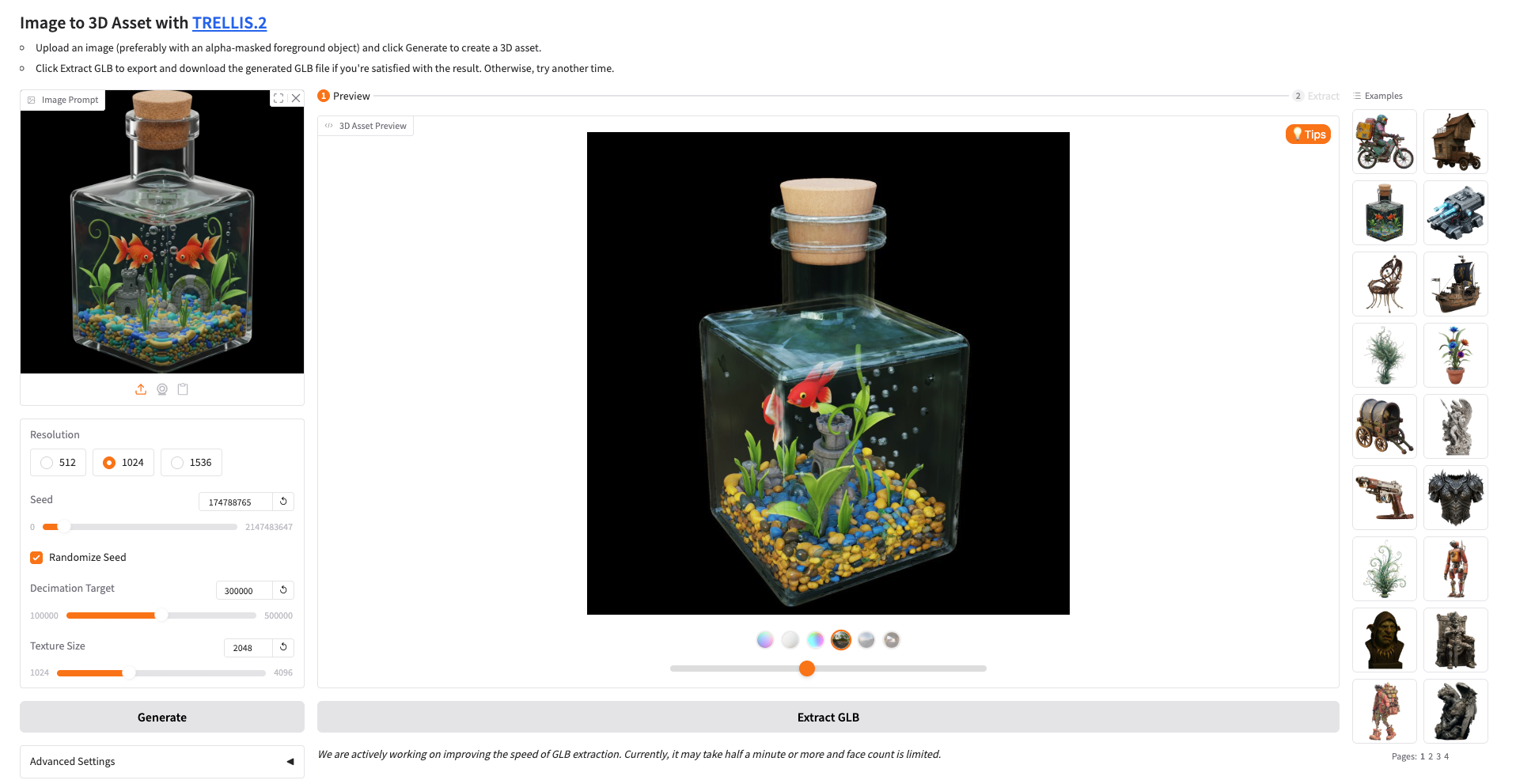
Effect demonstration:
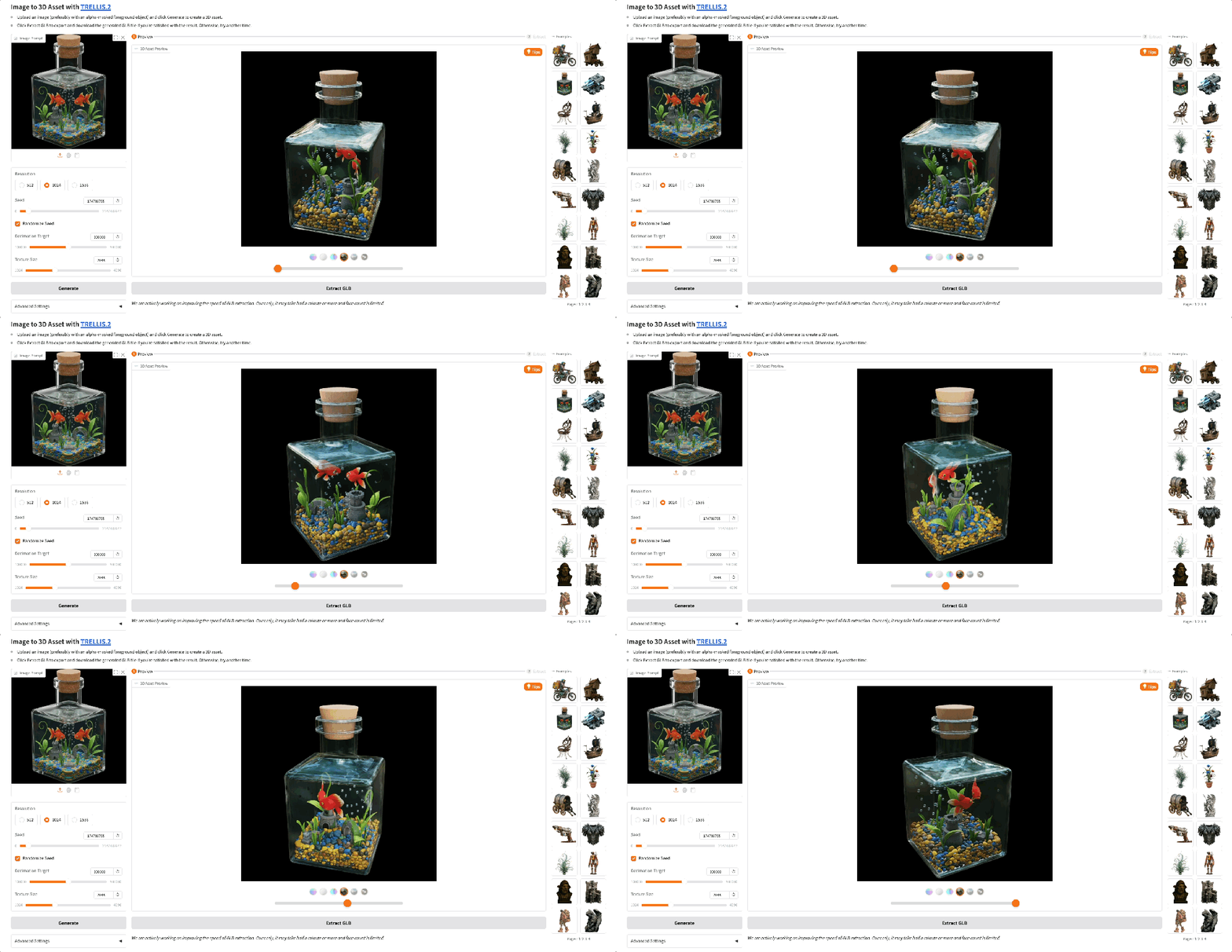 Demo Run
1. After entering the hyper.ai homepage, select "TRELLIS.2 3D Demo Generation" or go to the "Tutorials" page to select it. After the page redirects, click "Run this tutorial online".
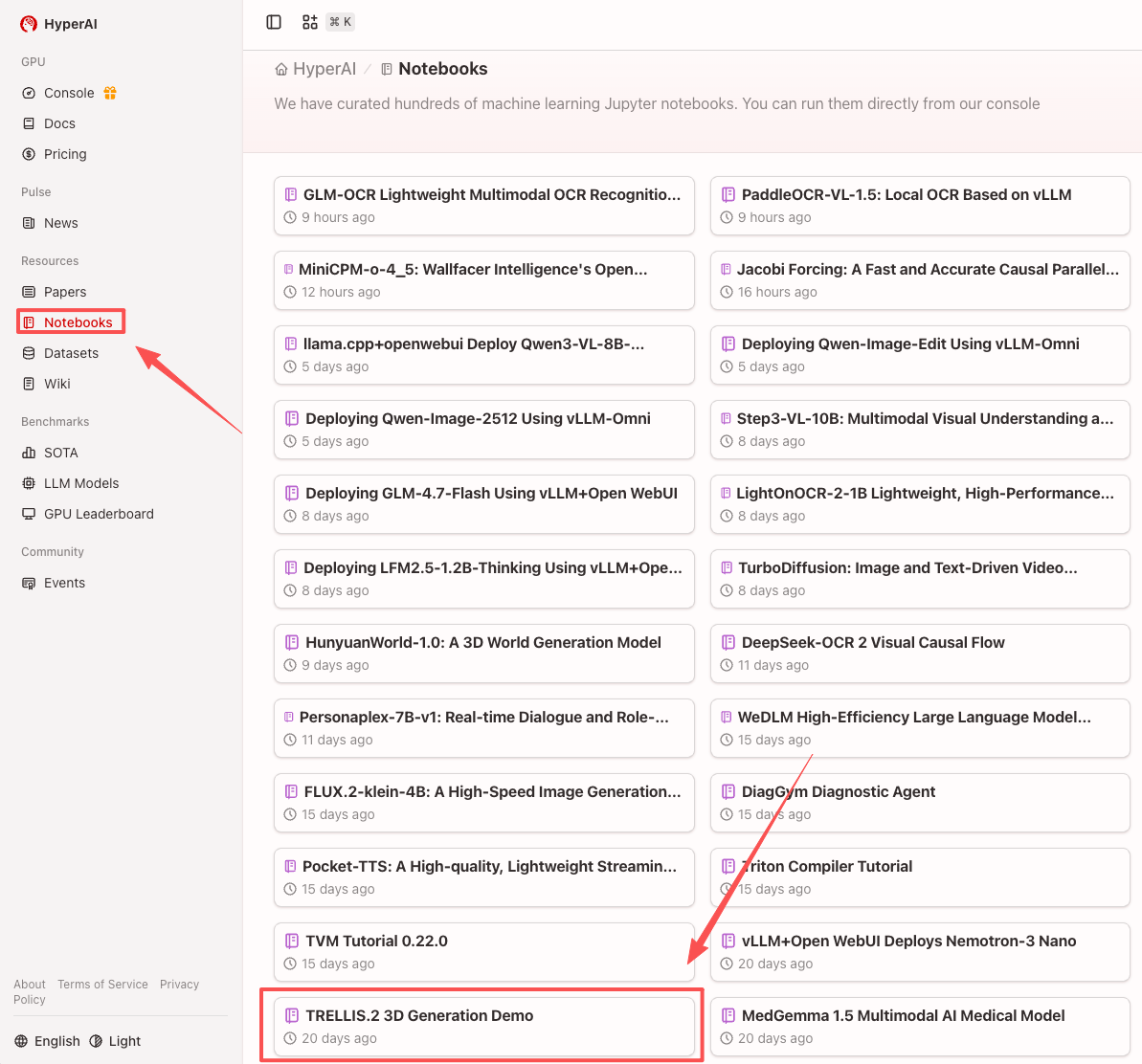
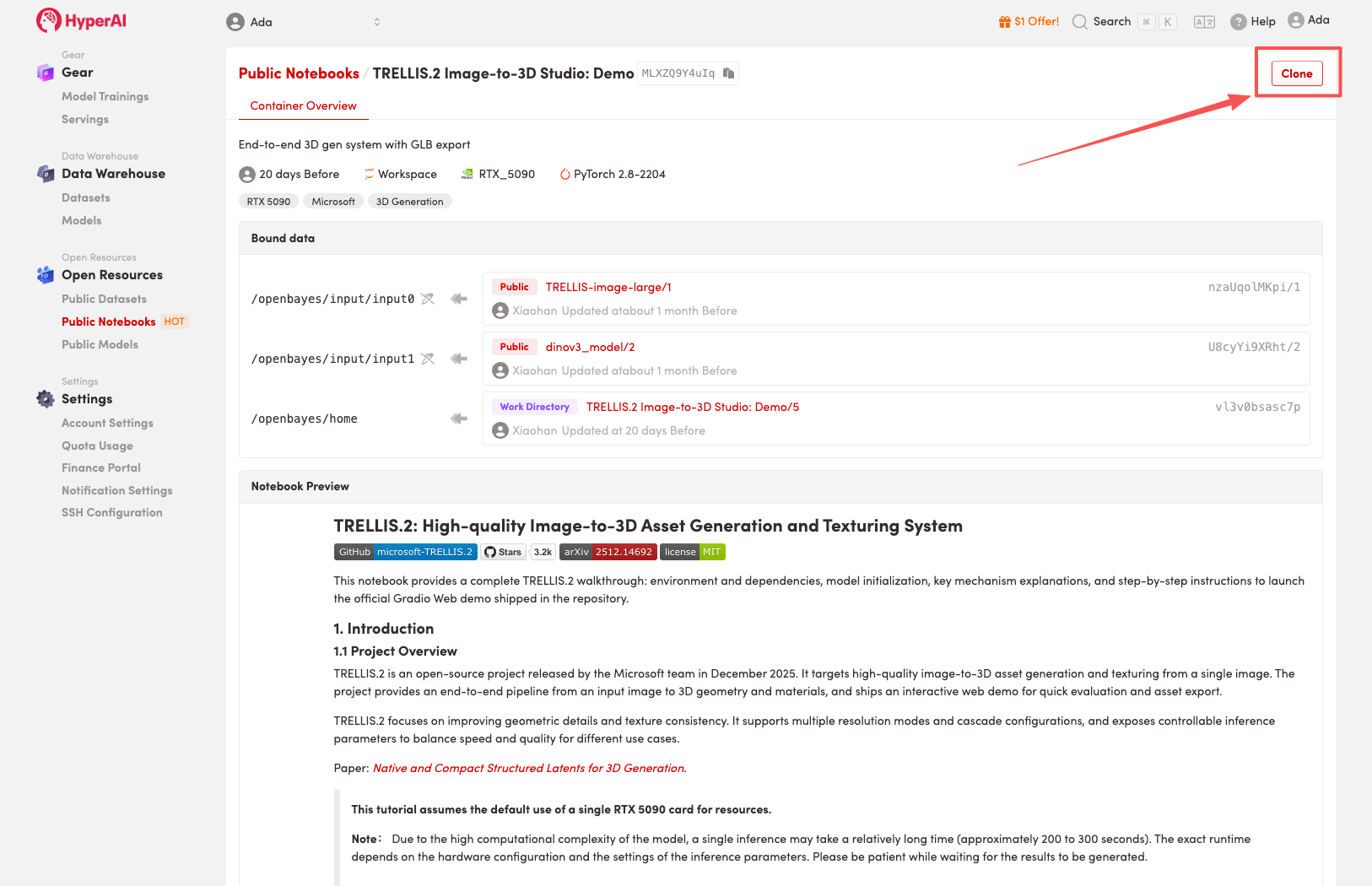
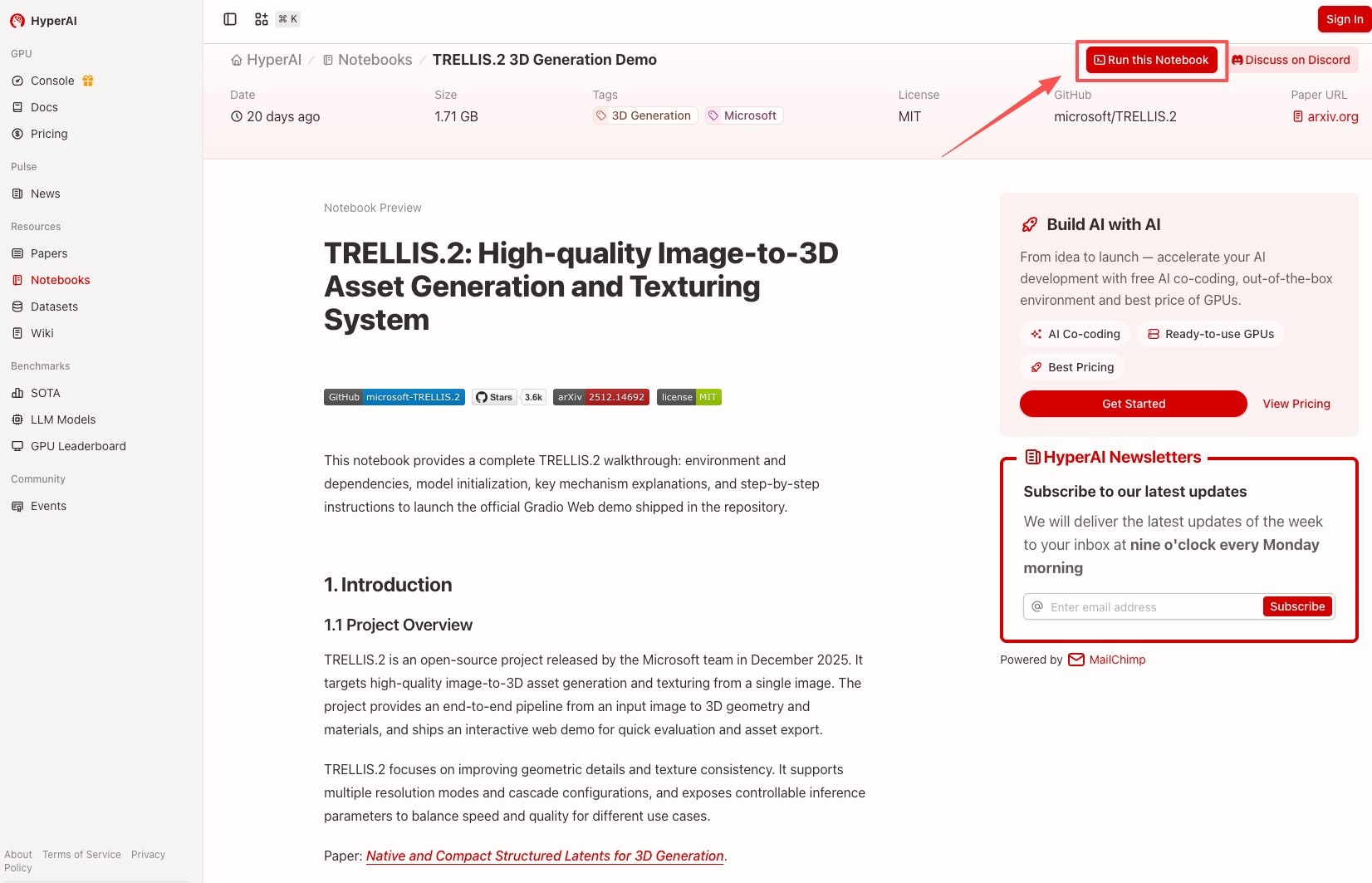 2. After the page jumps, click "Clone" in the upper right corner to clone the tutorial into your own container.
Note: You can switch languages in the upper right corner of the page. Currently, Chinese and English are available. This tutorial will show the steps in English.
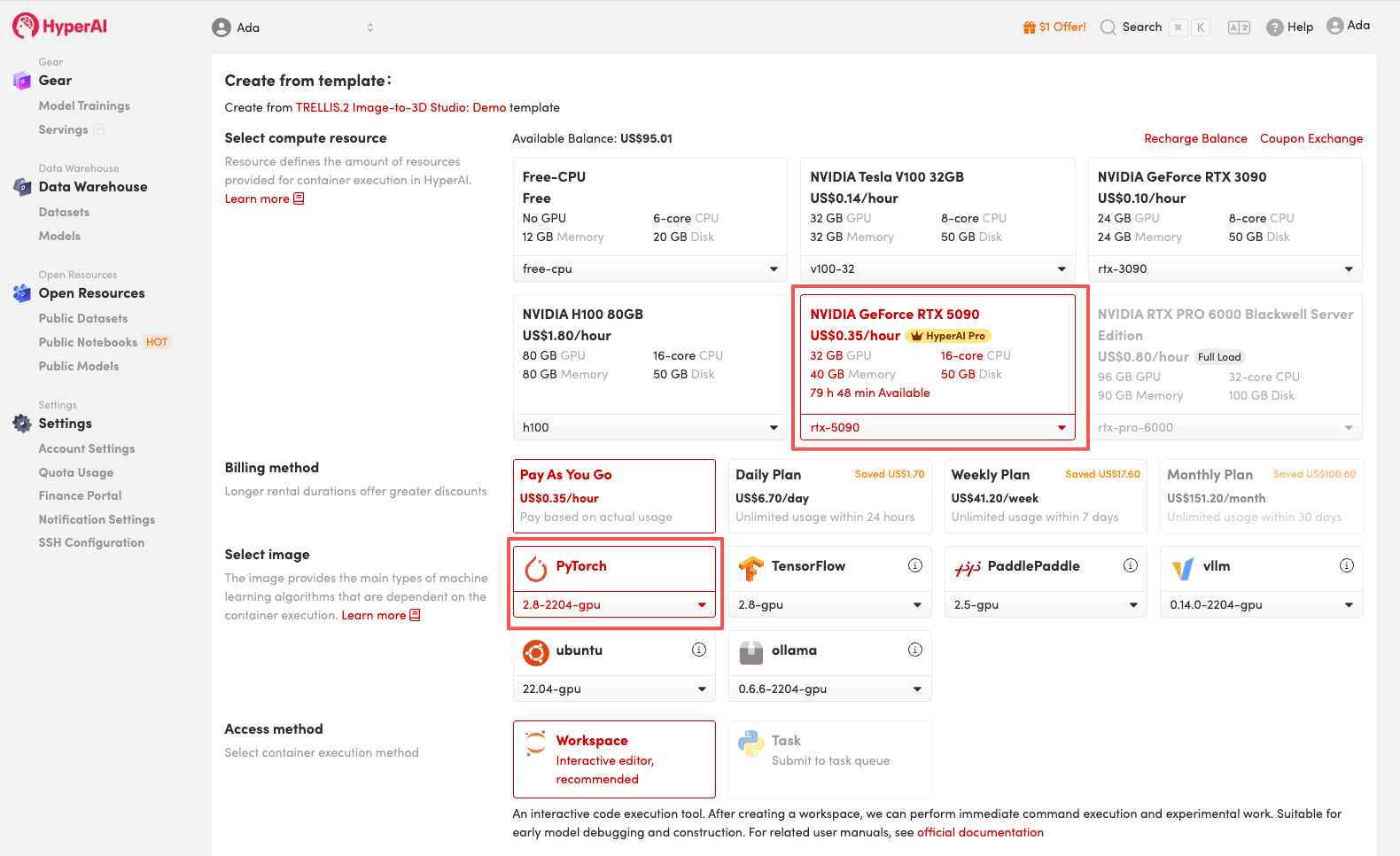
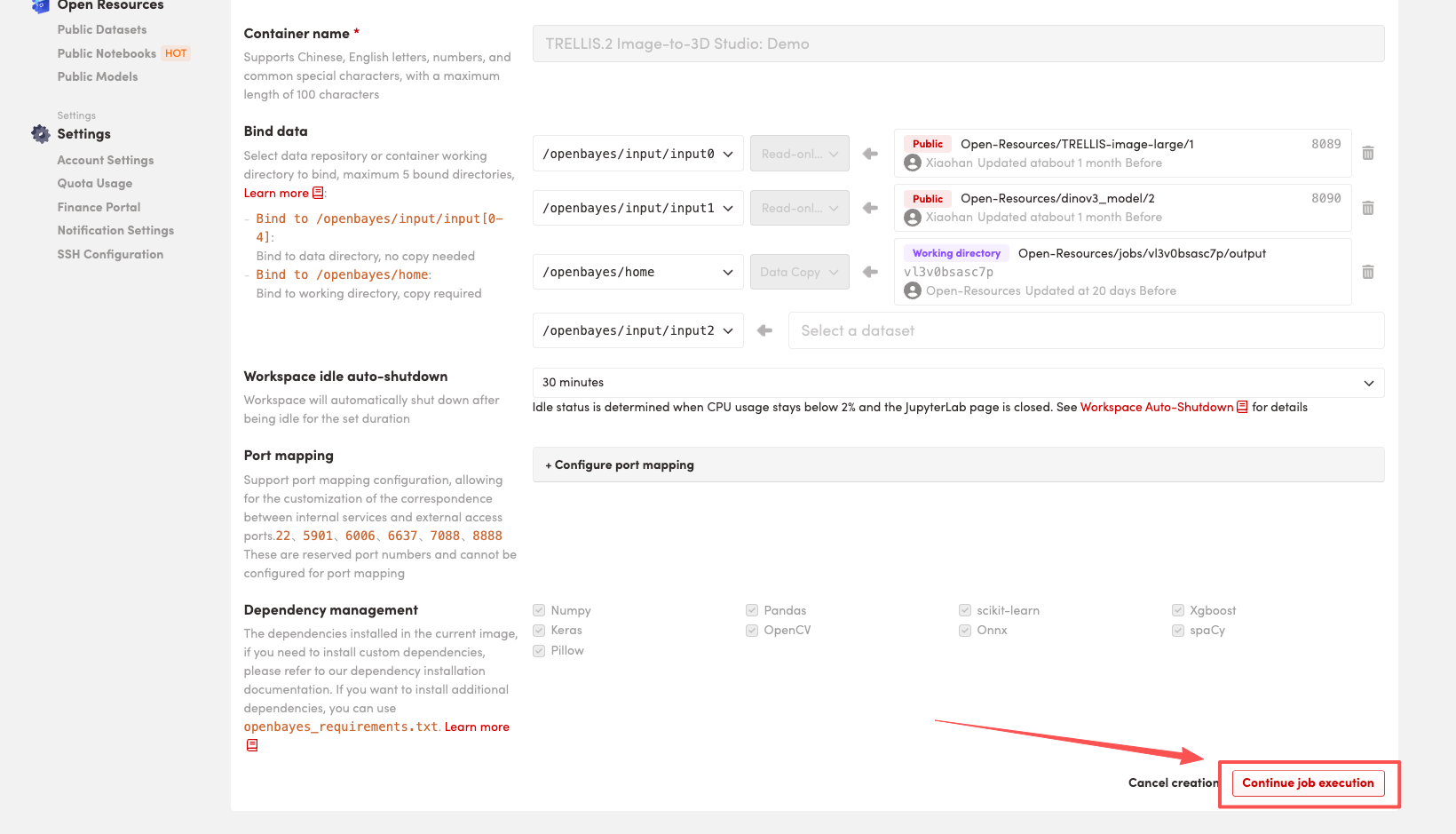
 3. Select the "NVIDIA RTX 5090" and "PyTorch" images, and choose "Pay As You Go" or "Daily Plan/Weekly Plan/Monthly Plan" as needed, then click "Continue job execution".
HyperAI is offering registration benefits for new users.**For just 1,youcanget20hoursofRTX5090computingpower(originalprice7).**The resource is permanently valid.
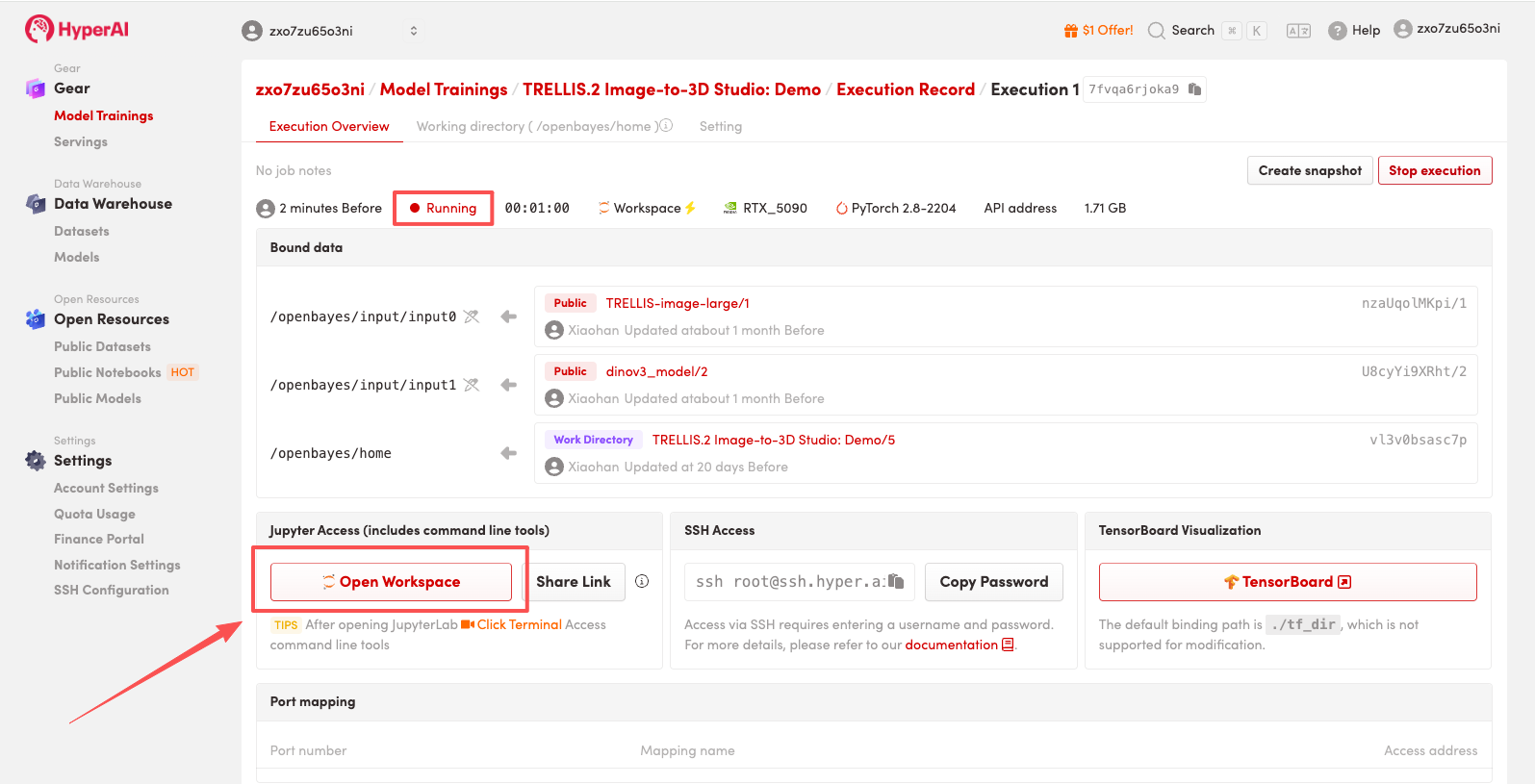
 4. Wait for resources to be allocated. Once the status changes to "Running", click "Open Workspace" to enter the Jupyter Workspace.
 Effect Demonstration
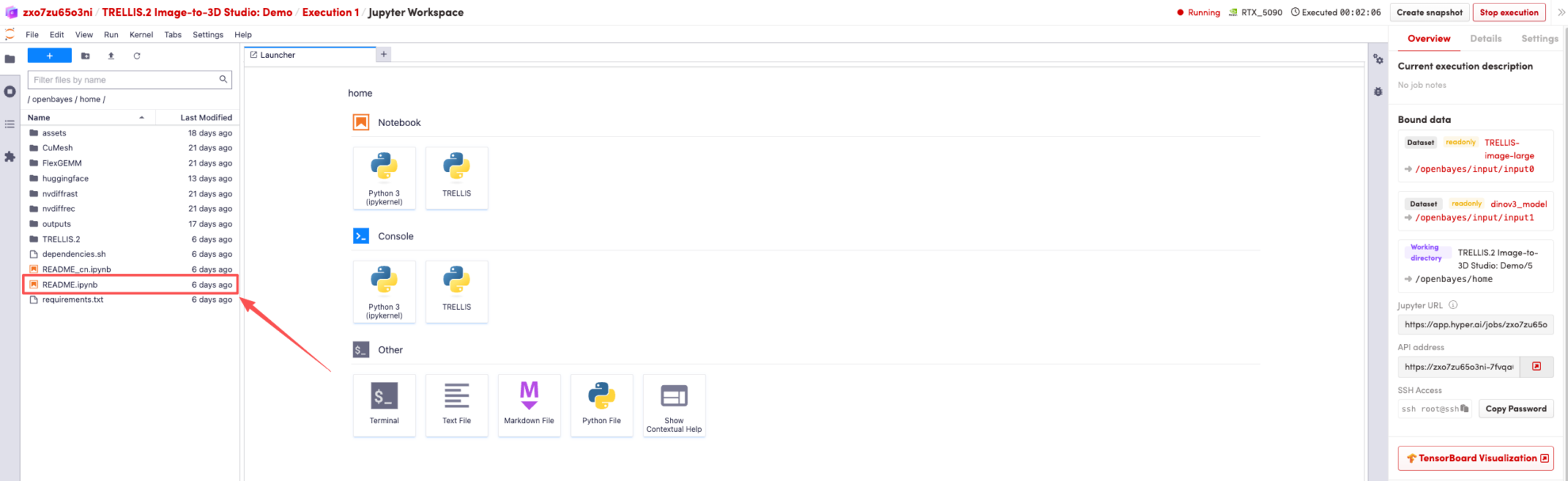
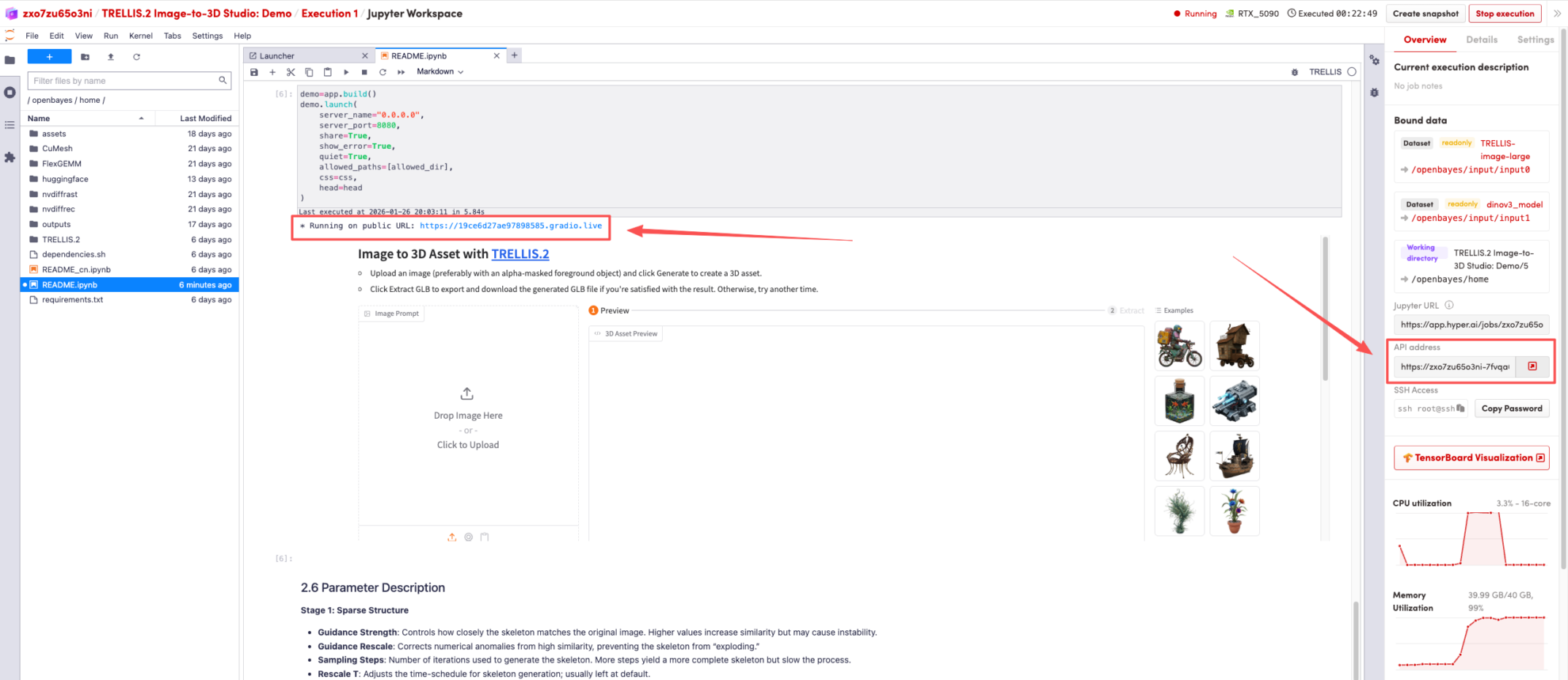
After the page redirects, click on the README page on the left, and then click Run at the top.
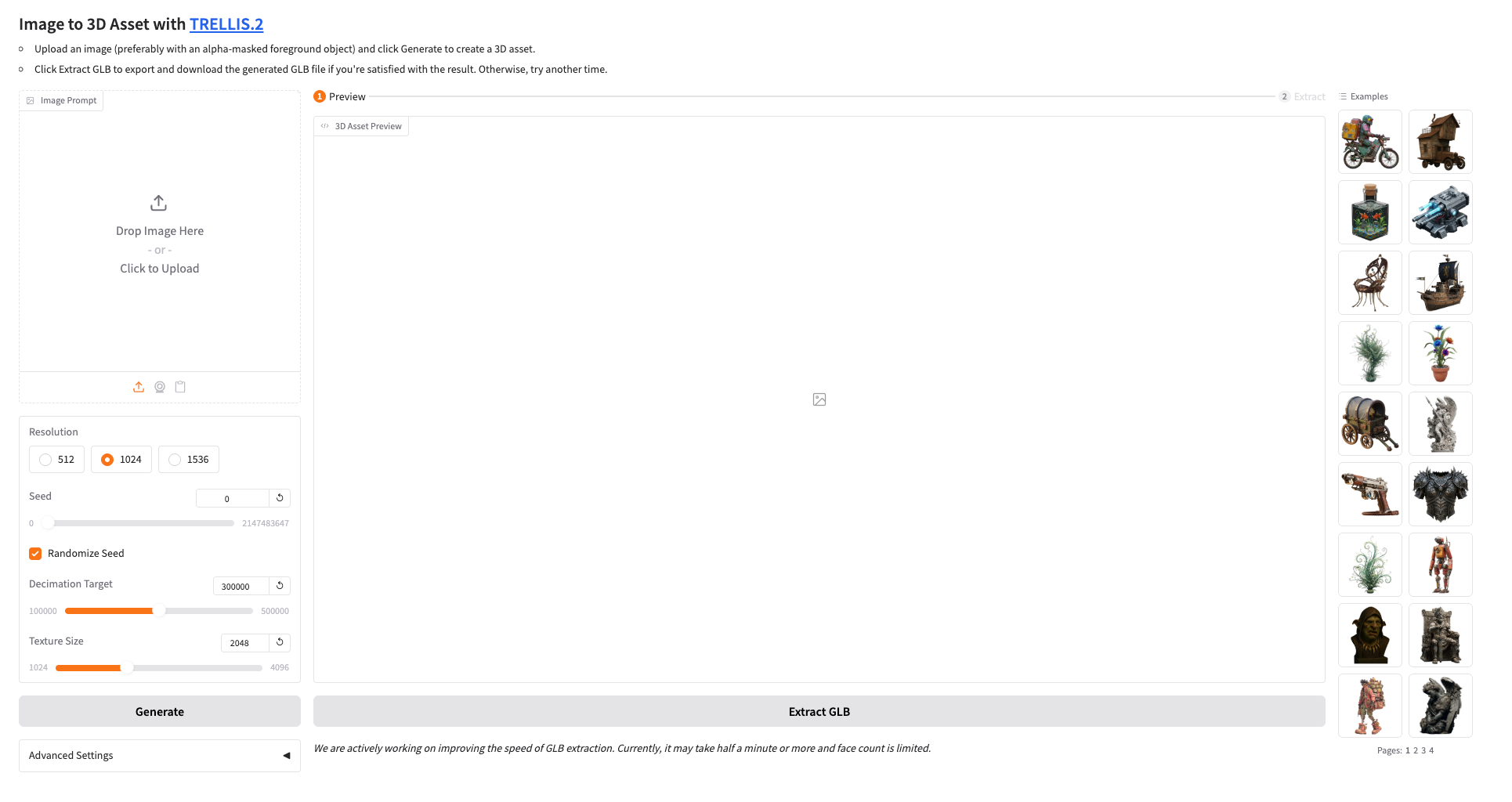
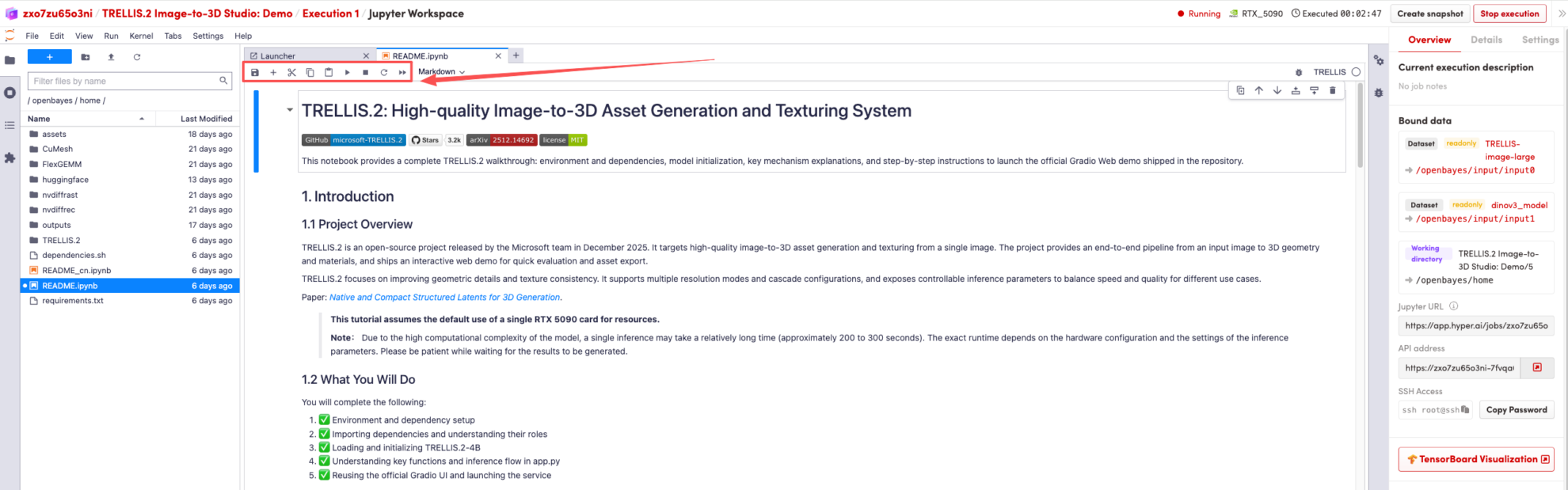 Once the process is complete, click the API address on the right to go to the demo page.
 The above is the tutorial recommended by HyperAI this time. Everyone is welcome to come and experience it!
Tutorial Link:https://go.hyper.ai/1nofM