Command Palette
Search for a command to run...
Online Tutorial | Covers 40 Languages / Processes 1-Hour Recordings, NVIDIA Open-Sources Nemotron 3.5 Transcribe, Enabling Instruction-Controlled Speech Recognition, Translation, and Audio Question Answering

After a meeting recording is converted to text, several issues may still remain: How do you distinguish between multiple speakers? Are any technical terms misheard? If you also need subtitles or translation, can you get the desired results directly from the recording?
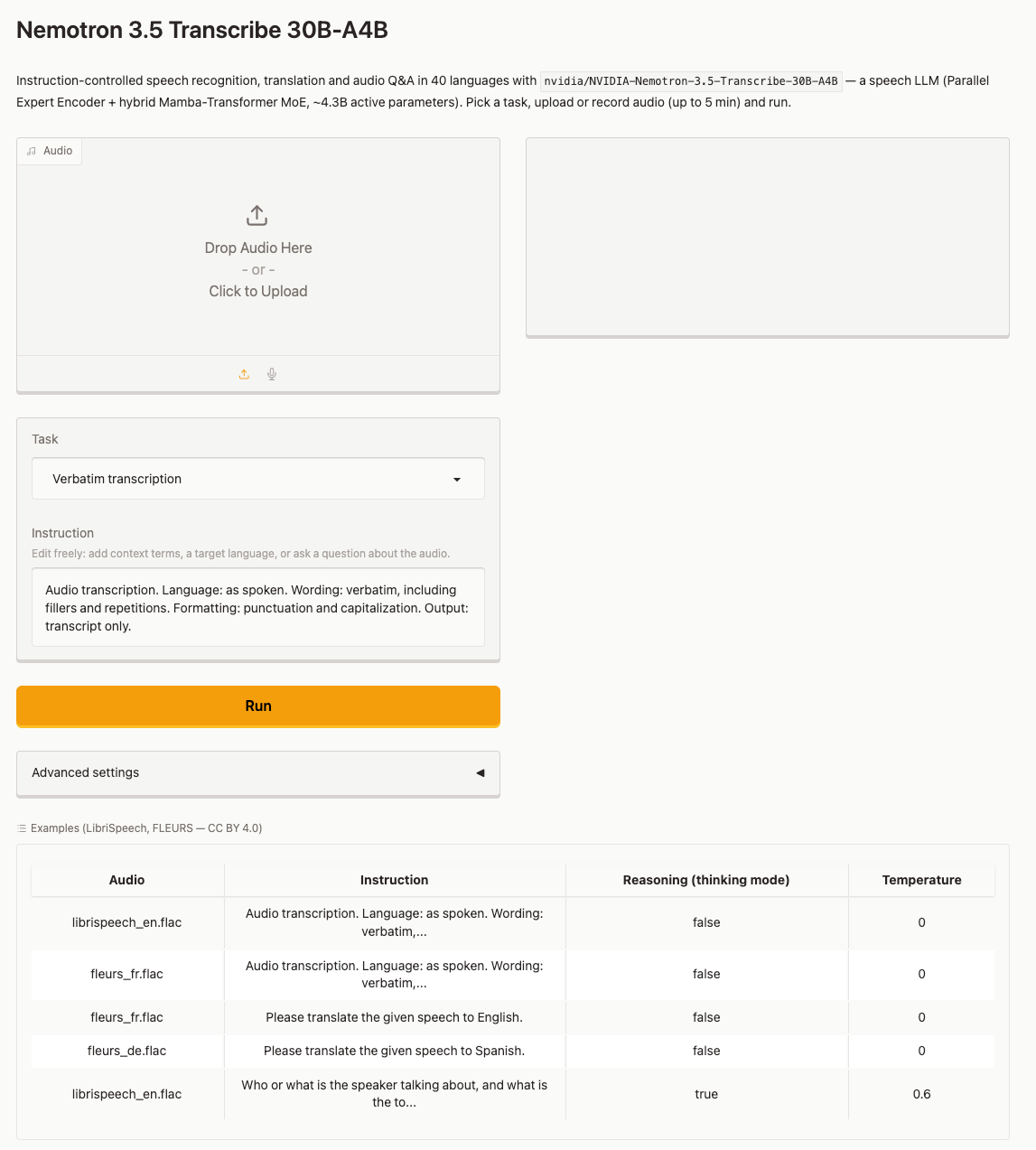
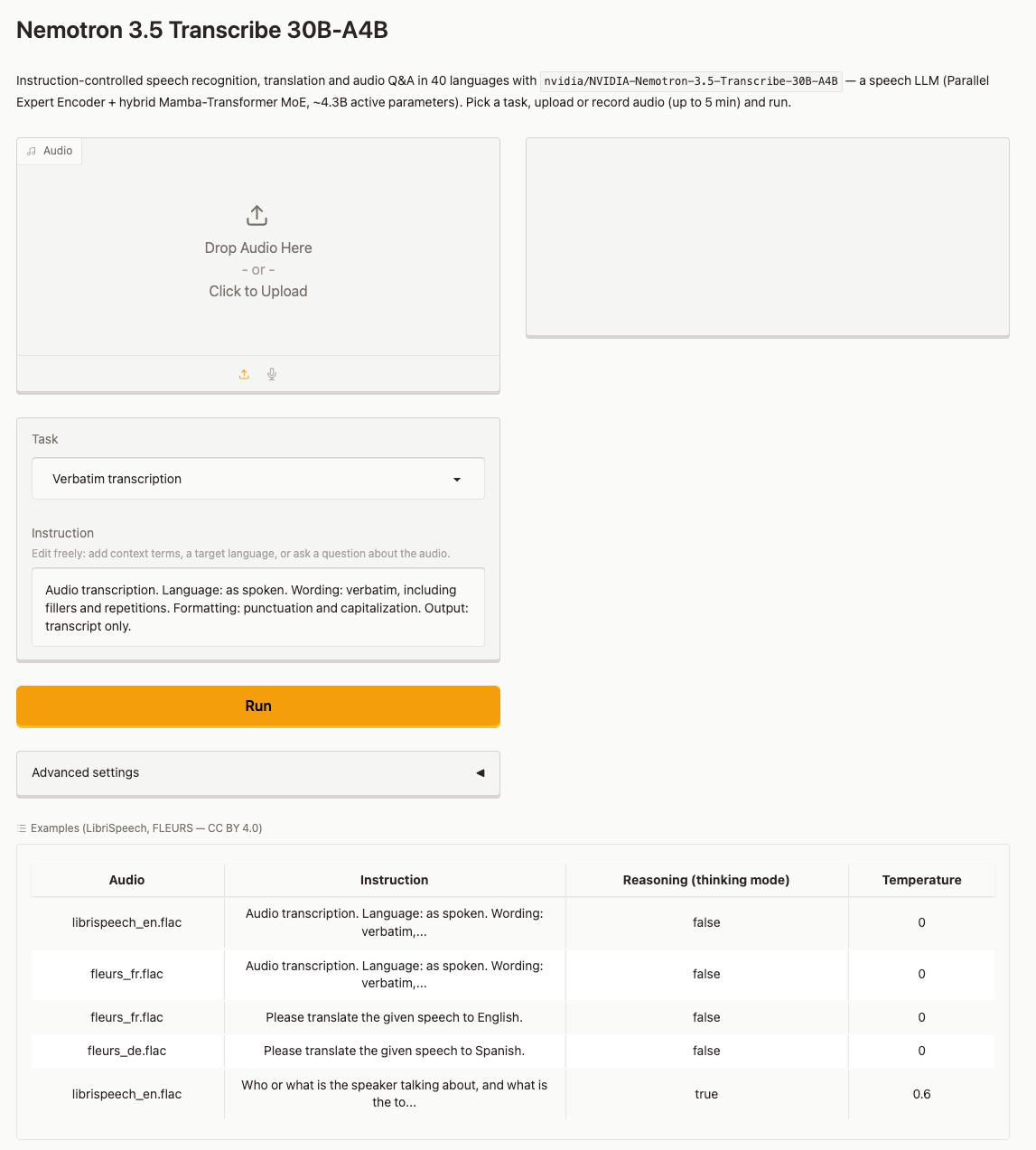
NVIDIA’s Nemotron 3.5 Transcribe attempts to address these different needs through instructions. Users can ask the model to preserve verbal fillers and repetitions and generate a verbatim transcript; they can also ask it to clean up the expression and output more readable text. The model also supports speaker annotation, speech translation, language identification, and audio question answering. According to the official model card, it covers 40 languages and can process recordings up to about 1 hour long; support for different languages and tasks varies.
Nemotron 3.5 Transcribe uses a hybrid MoE architecture combining Mamba-2 and Transformer, with about 34B total parameters and about 4.3B parameters activated per token, including an audio encoder. Benchmarks published by NVIDIA show that the model achieves competitive results on English, long-audio, and multilingual speech recognition benchmarks. It is designed for offline audio processing; its internal chunking mechanism should not cause it to be treated as a real-time streaming transcription model.
HyperAI has now made available “NVIDIA-Nemotron-3.5-Transcribe-30B-A4B: Instruction-Controlled Speech Recognition, Translation, and Audio Question Answering”, with the environment already configured, greatly lowering the deployment barrier ⬇️
Run online:
More online tutorials:
Running the Demo
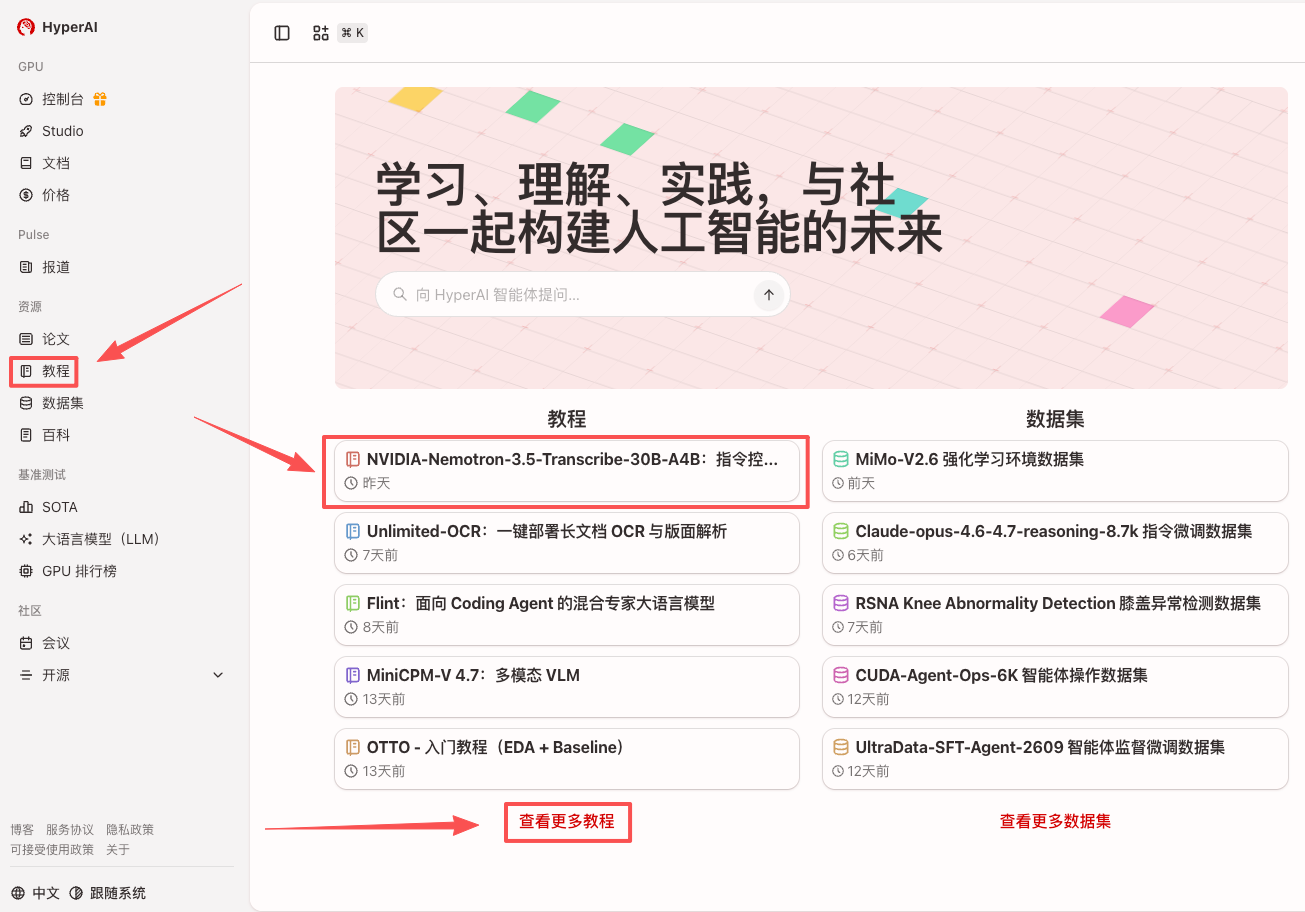
- After entering the hyper.ai homepage, select the “Tutorials” page, or click “View More Tutorials”, select “NVIDIA-Nemotron-3.5-Transcribe-30B-A4B: Instruction-Controlled Speech Recognition, Translation, and Audio Question Answering”, and click “Run This Tutorial”.
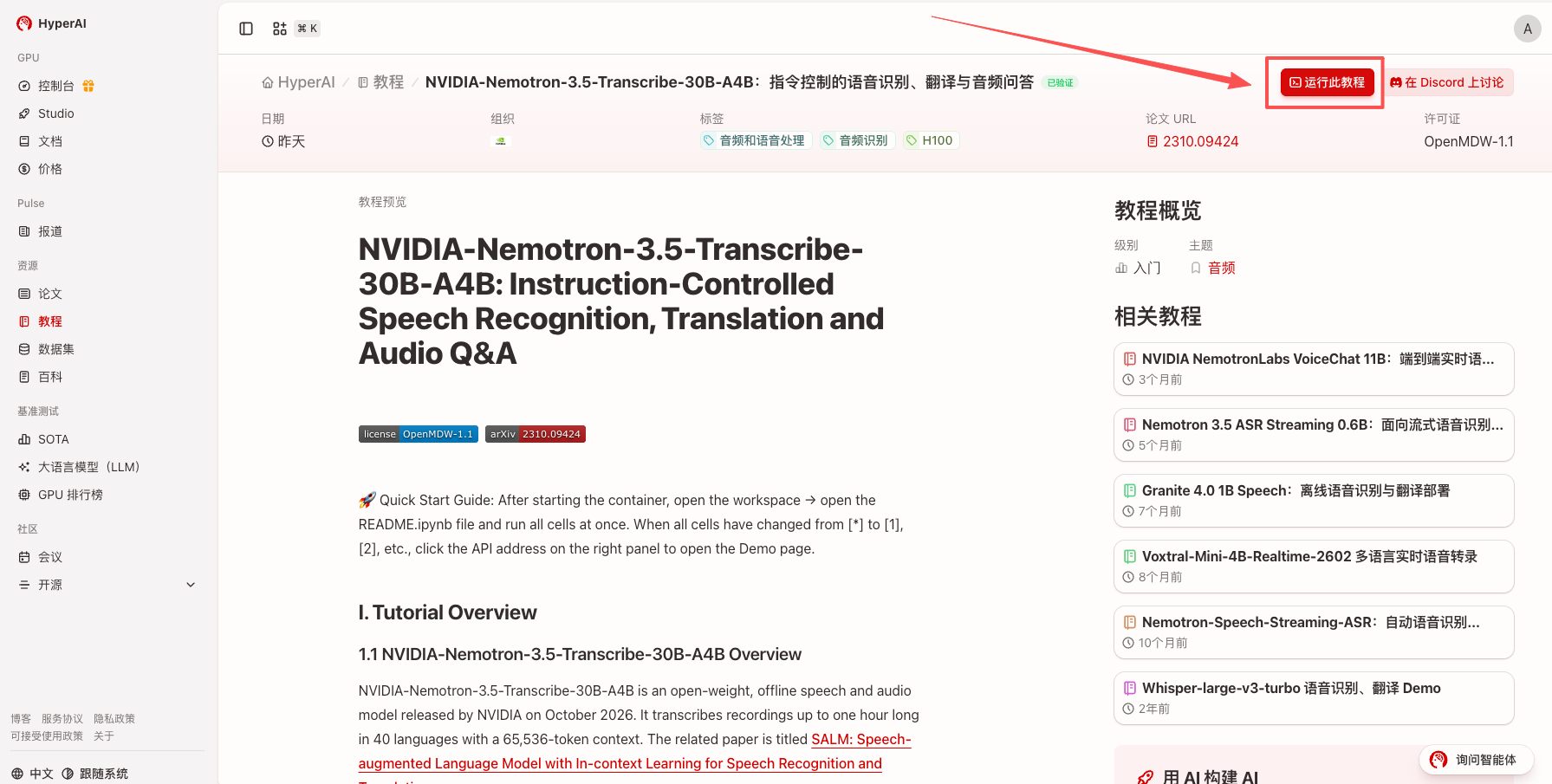
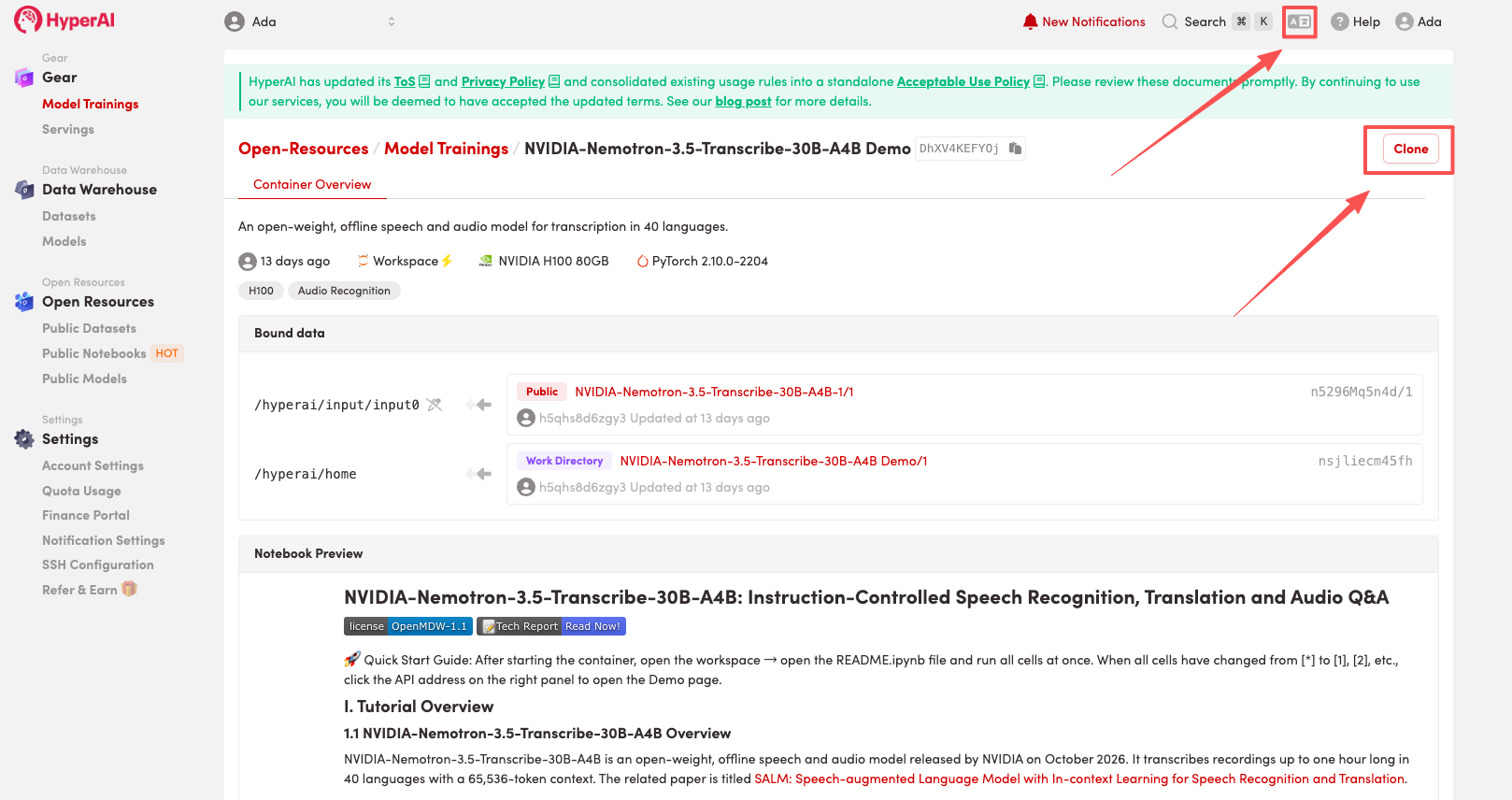
- After the page redirects, click “Clone” in the upper-right corner to clone the tutorial into your own container.
Note: The upper-right corner of the page supports language switching. Currently, Chinese and English are available. This tutorial article uses English as an example for the steps.
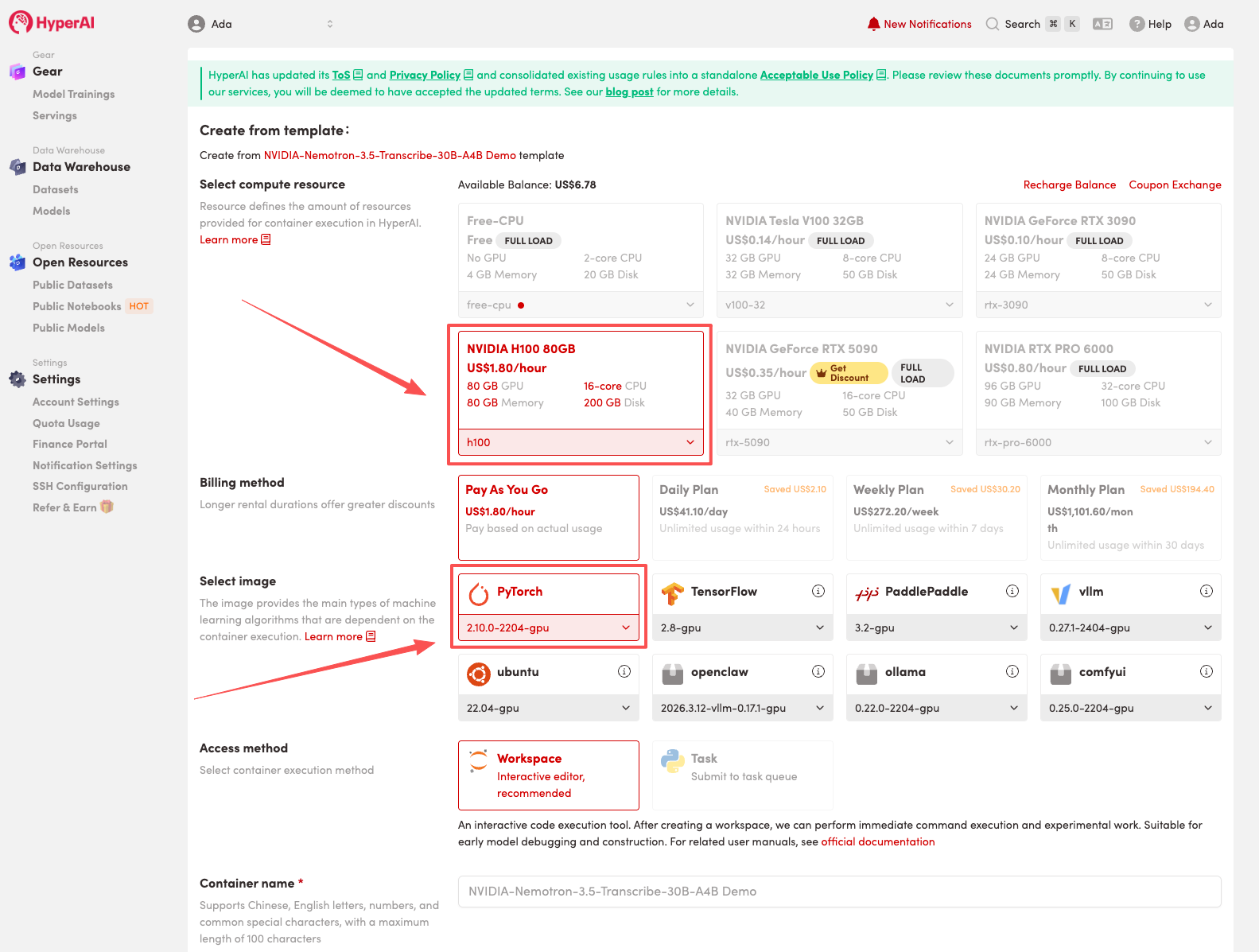
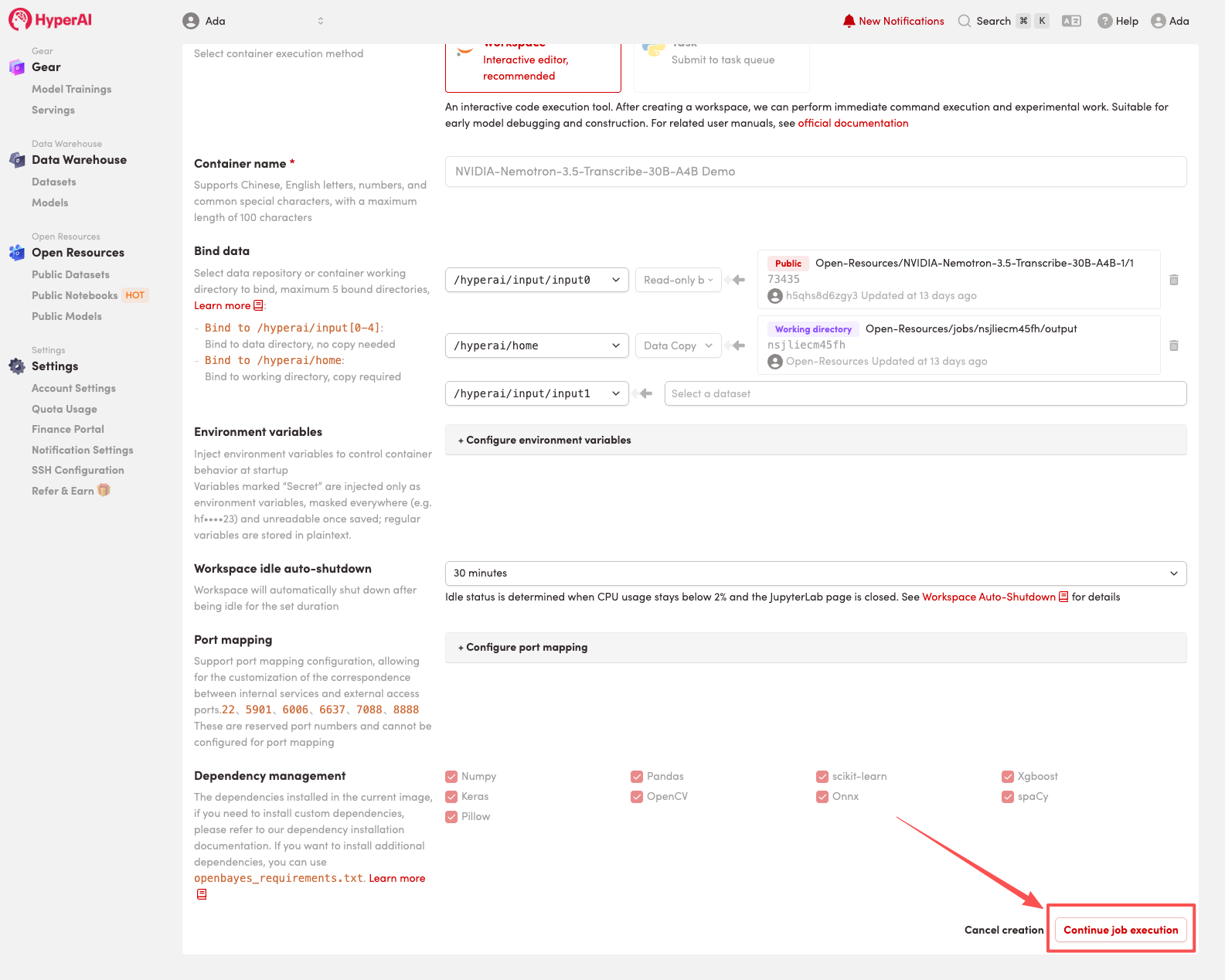
- Select “NVIDIA H100” and the corresponding image, then click “Continue job execution”.
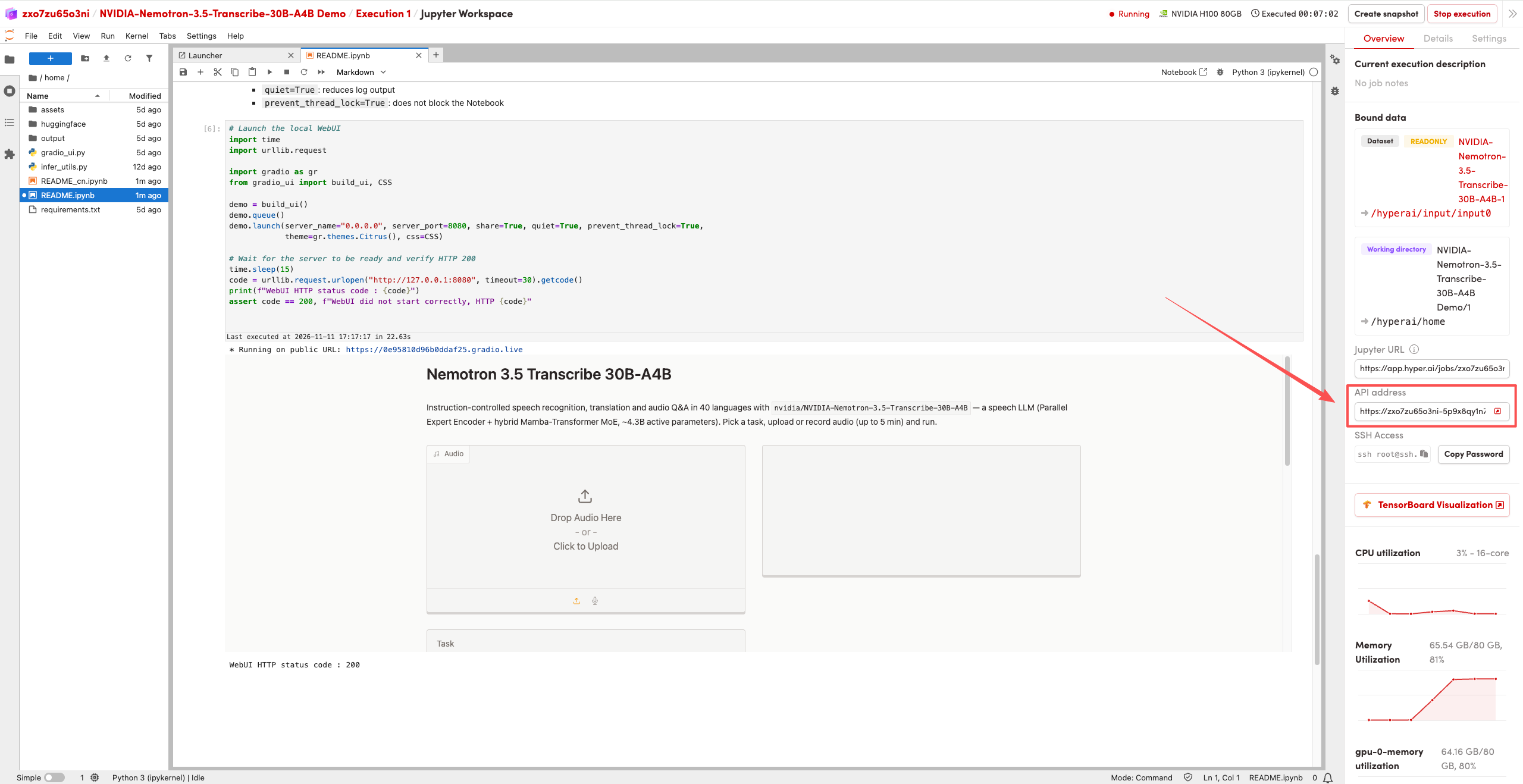
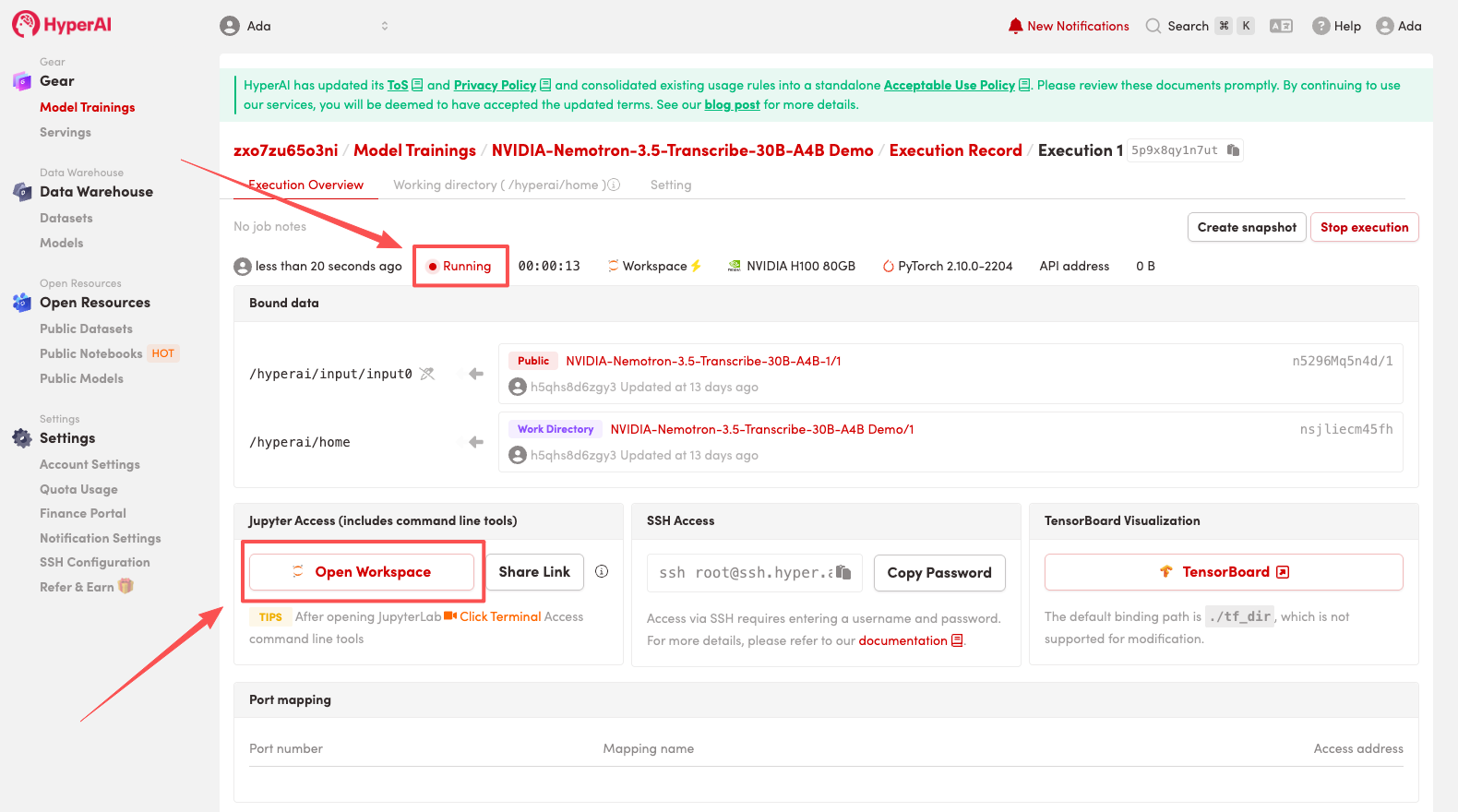
- Wait for resources to be allocated. When the status changes to “Running”, click “Open Workspace” to enter the Jupyter Workspace.
Results Showcase
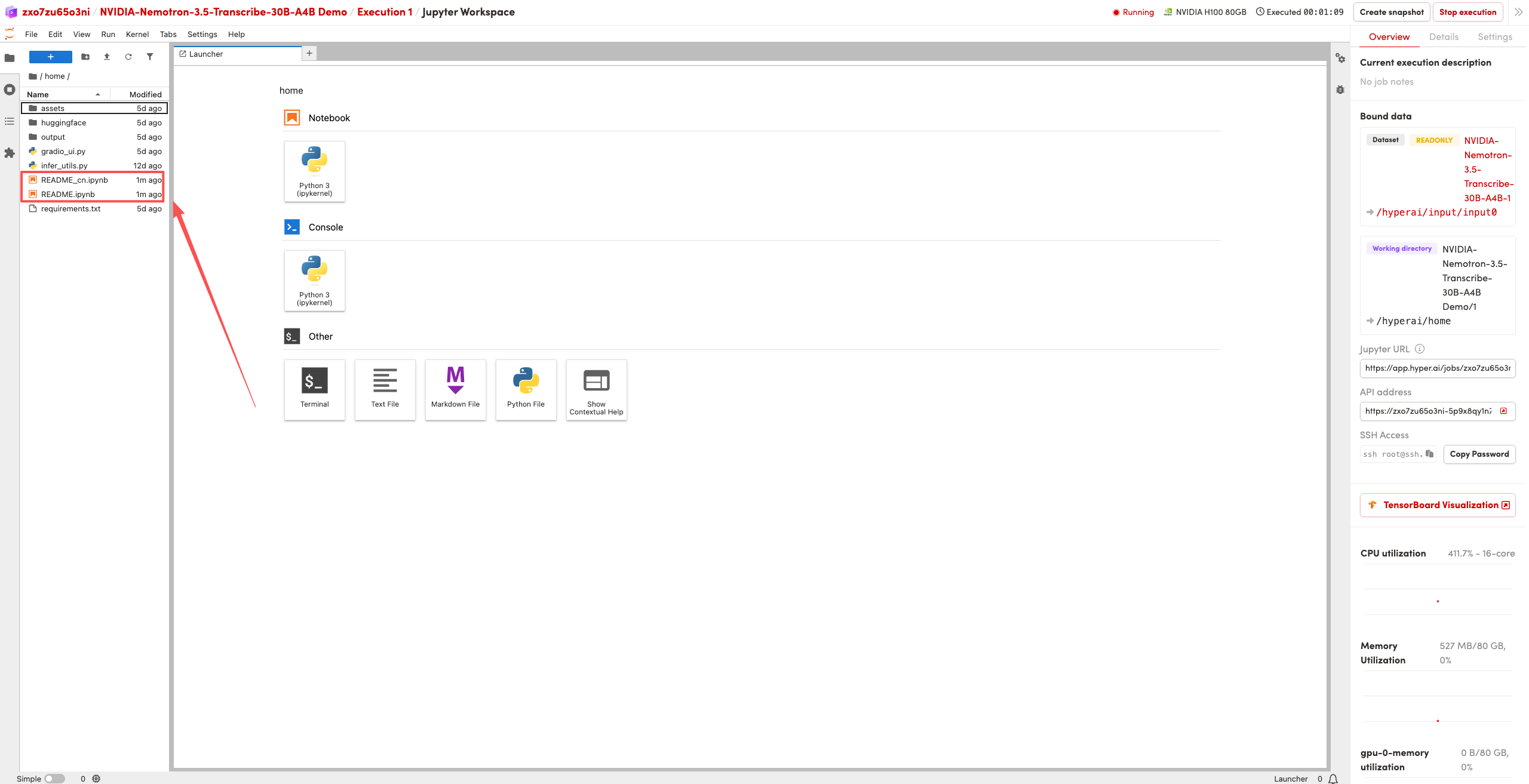
- After the page redirects, click the README file on the left, then click Run at the top.
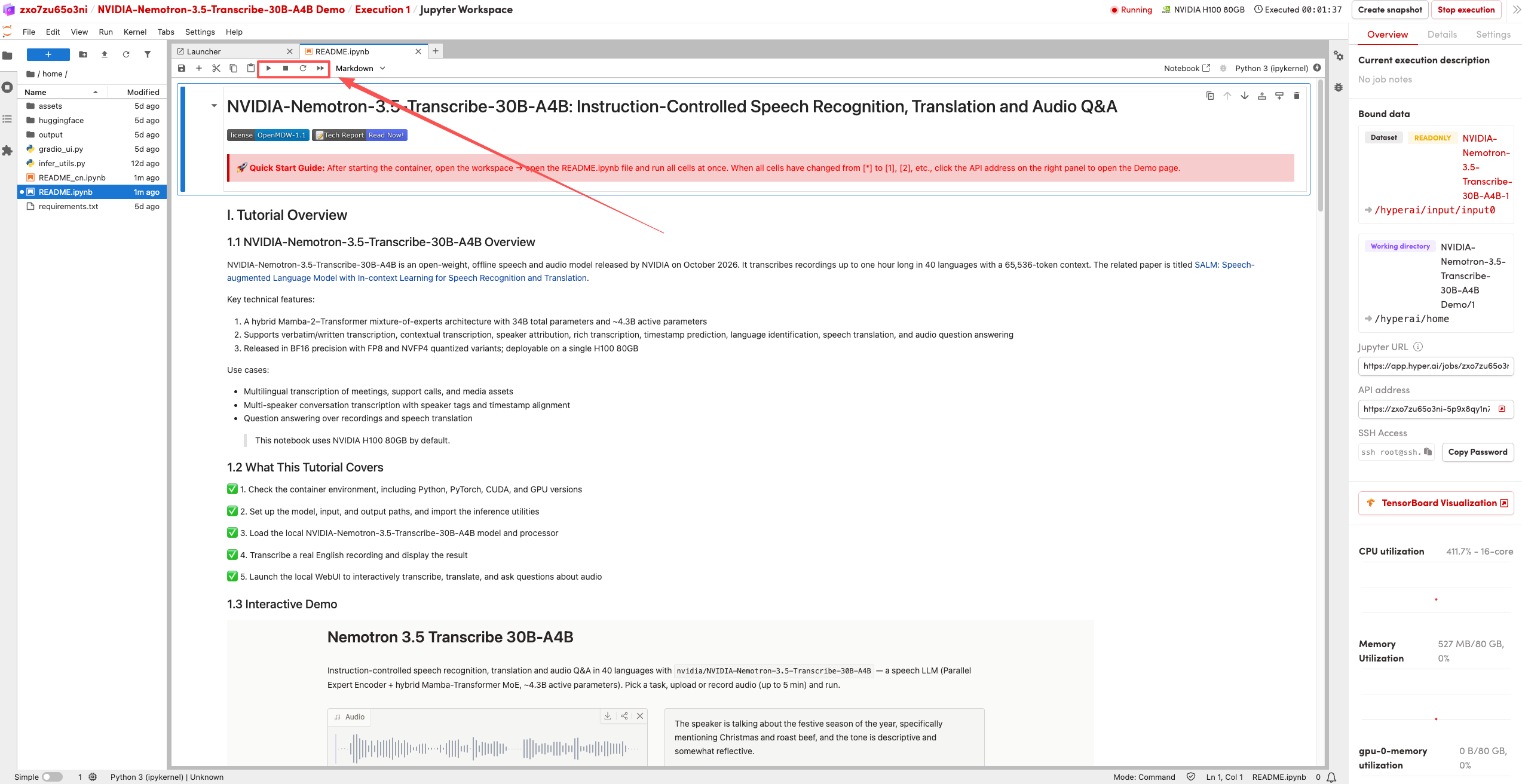
- After the run completes, click the API address on the right to access the demo page.