Command Palette
Search for a command to run...
Online Tutorial | Generate a Complete Song in One Sentence: MiniMax Music 3 Handles Composition, Arrangement, and vocals.
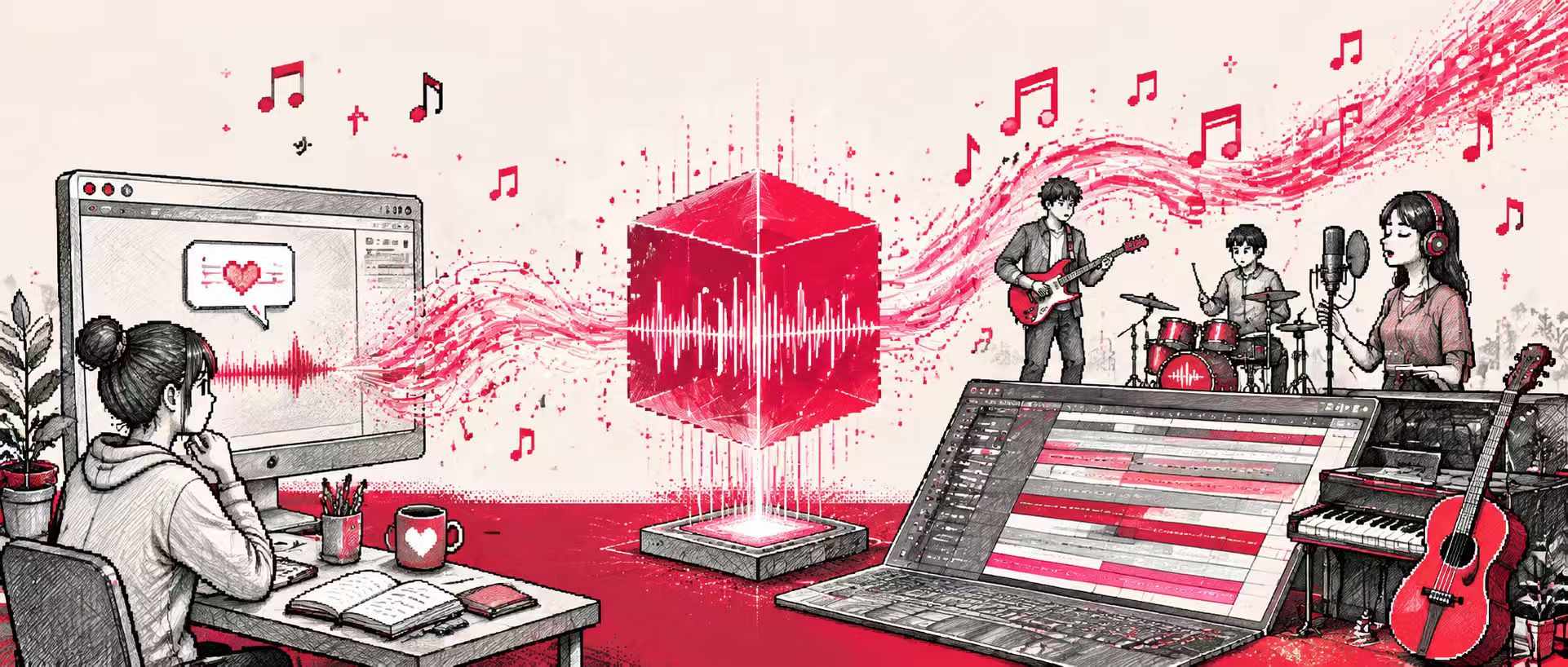
From a single text description to a complete song, MiniMax Music 3 is driving AI music creation into a new, more efficient and open phase.
**MiniMax Music 3, open-sourced by the MiniMax team in August 2026, is a generative model based on lyrics and music descriptions.**Based on creative descriptions and optional lyrics, it can complete the composition, arrangement, singing/playing, and full song production in a single generation, supporting the generation of music up to 5 minutes long. The model focuses on improving the understanding and long-term consistency of the creator's expressive intent, enhancing the clarity and realism of instrument timbre, and the naturalness of vocal performance.
**Technically,**MiniMax Music 3 redesigns the entire generation process from music description and language modeling to audio rendering, introducing technologies such as fine-grained temporal description, Global–Local Hybrid-LM, multi-layer residual vector quantization (RVQ), hidden state fusion, flow matching, and flow-VAE to jointly model the long-range structure and acoustic details of songs, thereby achieving more accurate expression of creative intent, more complete and diverse arrangements, and clearer and more natural audio generation effects.
**Functionally,**MiniMax Music 3 covers the entire music generation process, supporting not only the generation of music matching the style based on text descriptions, but also the automatic creation of melodies and rhythms from lyrics to generate complete songs. The model supports various music styles including pop, classical, electronic, jazz, and folk, and can generate works with complete structures such as intro, verse, chorus, interlude, and outro. Simultaneously, the model features high-quality vocal synthesis, capable of generating male and female vocals as well as multi-part harmonic effects, making AI-generated music closer to the real-world production process.
at present,**MiniMax Music 3 can be applied to various fields such as music creators quickly creating demos, generating background music for short videos, prototyping game and film scores, as well as music education and generative AI research.**Provide music production tools with lower barriers to entry for different types of creators.
**The HyperAI tutorial section is now online.MiniMax Music 3: A Music Generation Model Based on Lyrics and Musical Description”,**Start creating your own music now!
Run online:
More online tutorials:
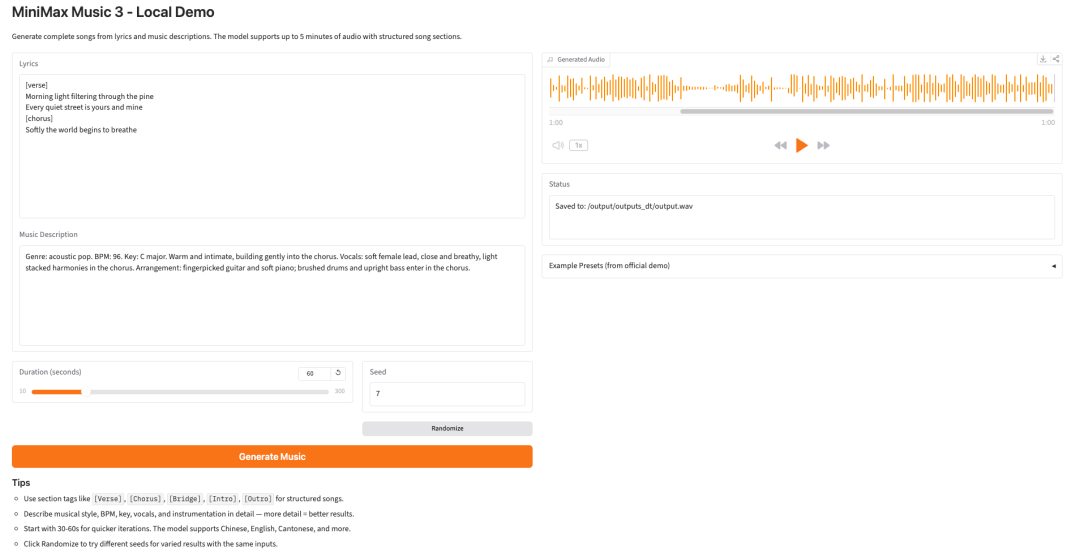
Demo Run
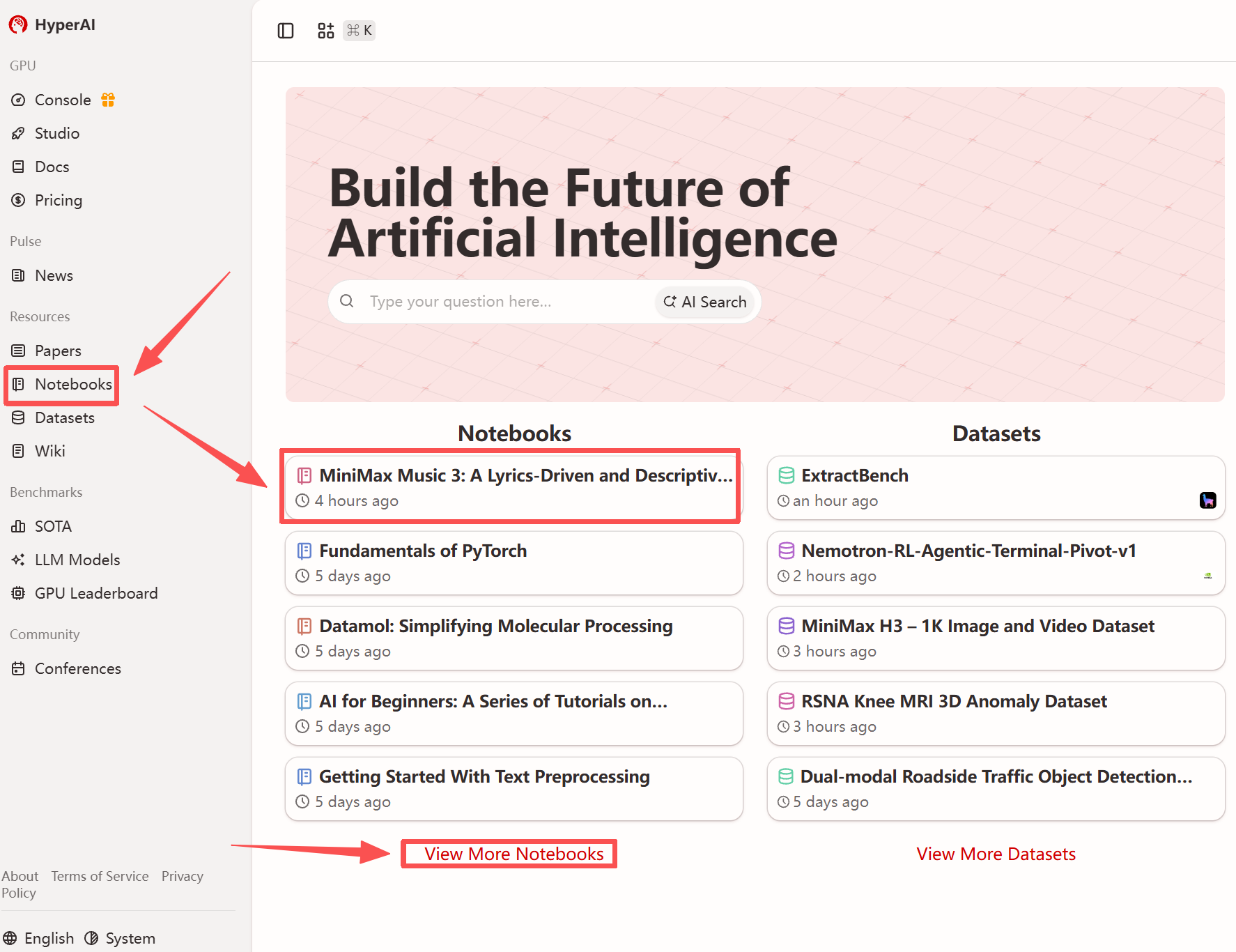
1. After entering the hyper.ai homepage, select the "Tutorials" page, or click "View More Tutorials", select "MiniMax Music 3: Music Generation Model Based on Lyrics and Music Description", and click "Run this tutorial".
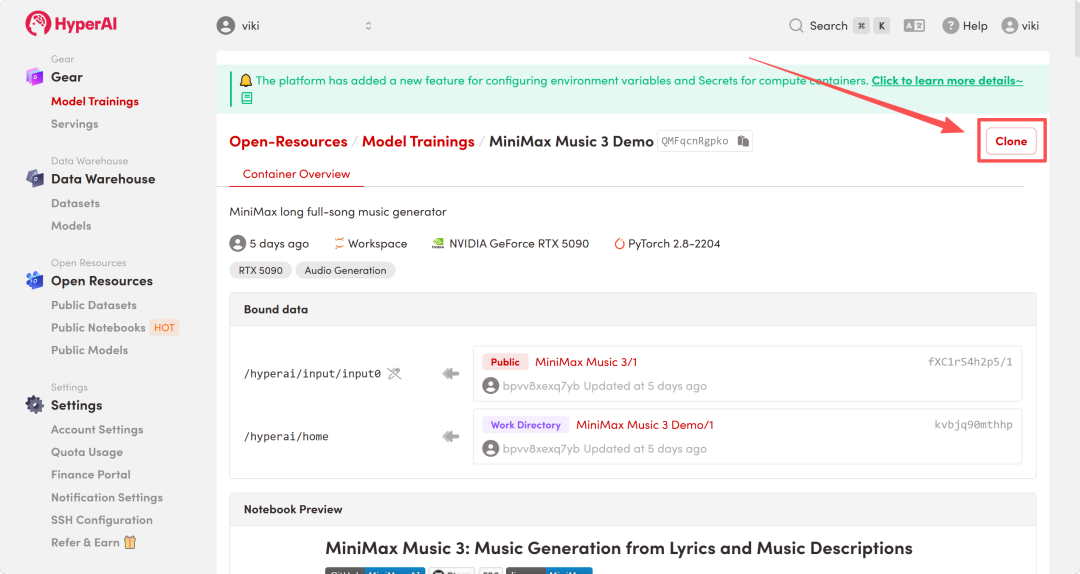
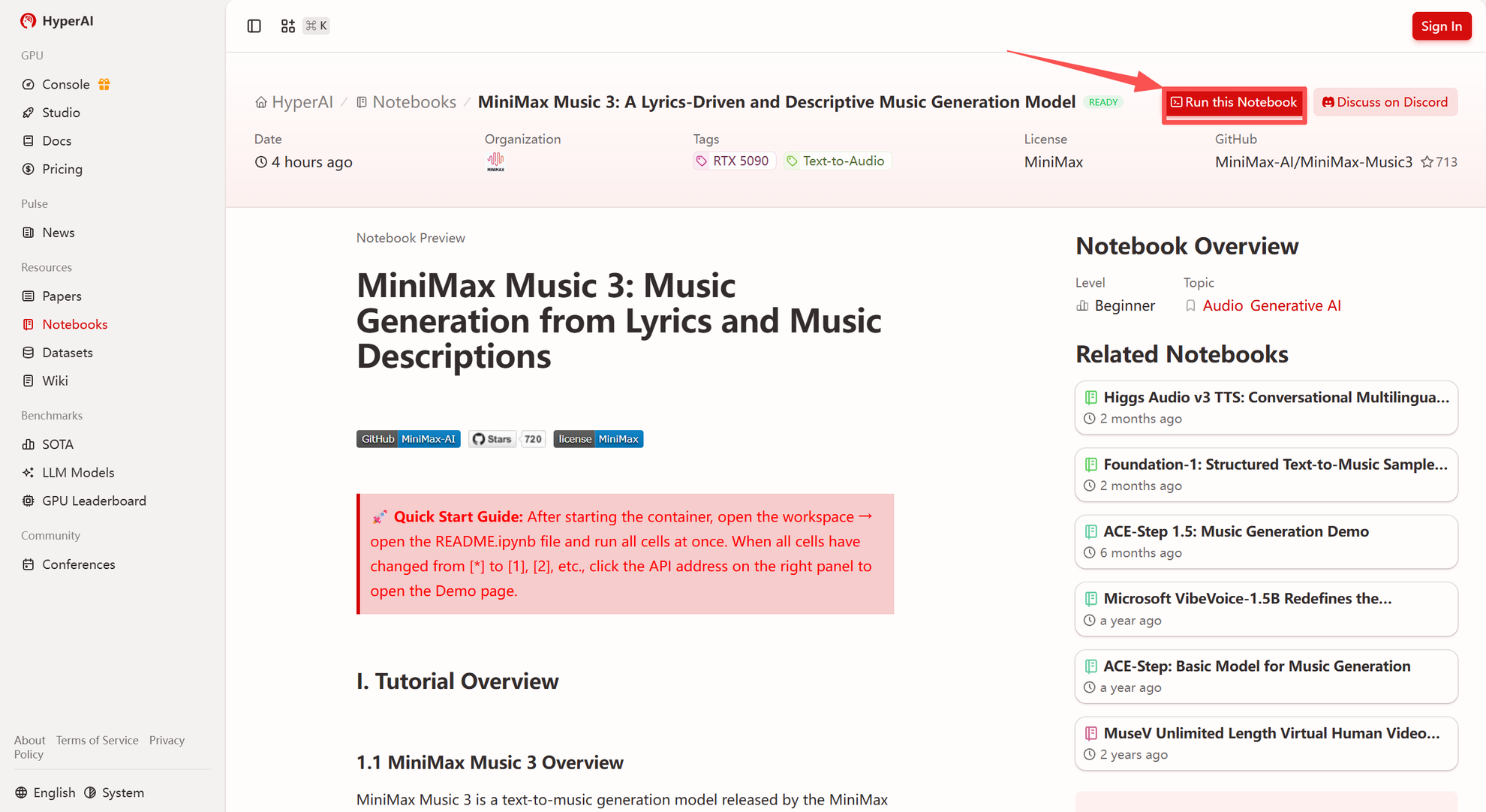 2. After the page redirects, click "Clone" in the upper right corner to clone the tutorial into your own container.
Note: You can switch languages in the upper right corner of the page. Currently, Chinese and English are available. This tutorial will show the steps in English.
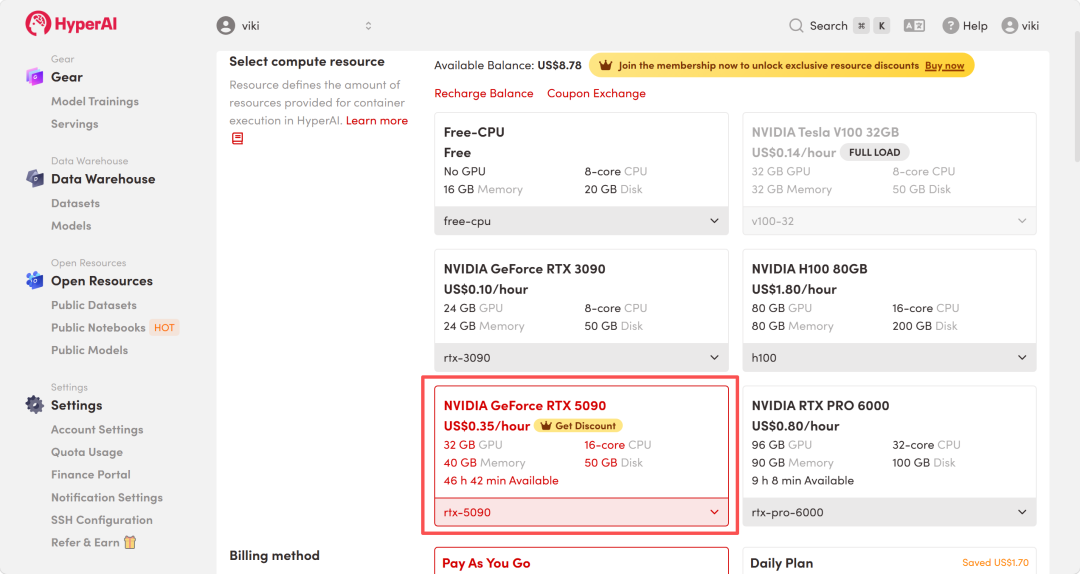
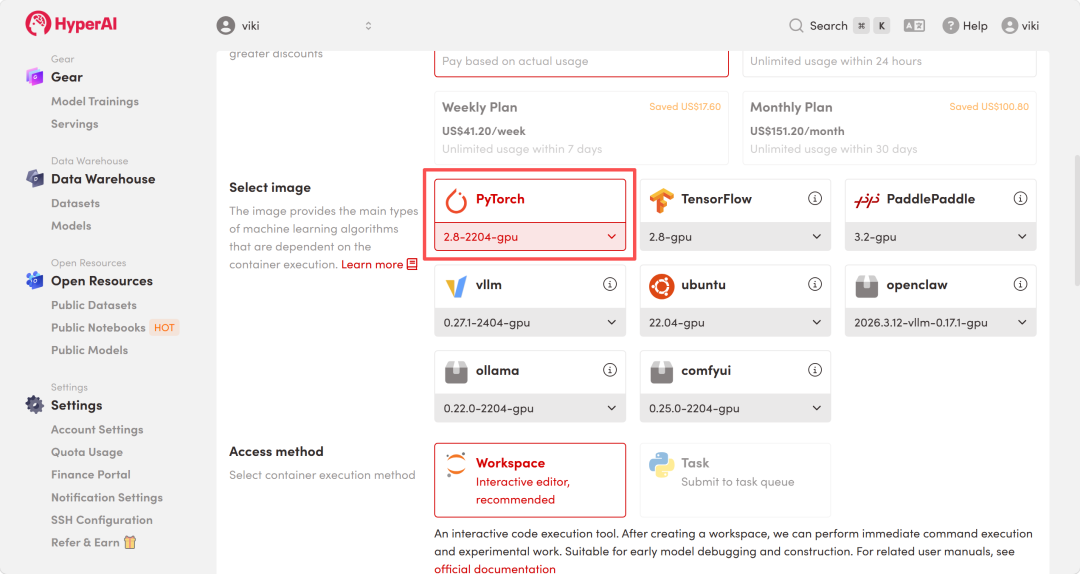
 3. Select the "NVIDIA RTX 5090" and "PyTorch" images, and click "Continue job execution".
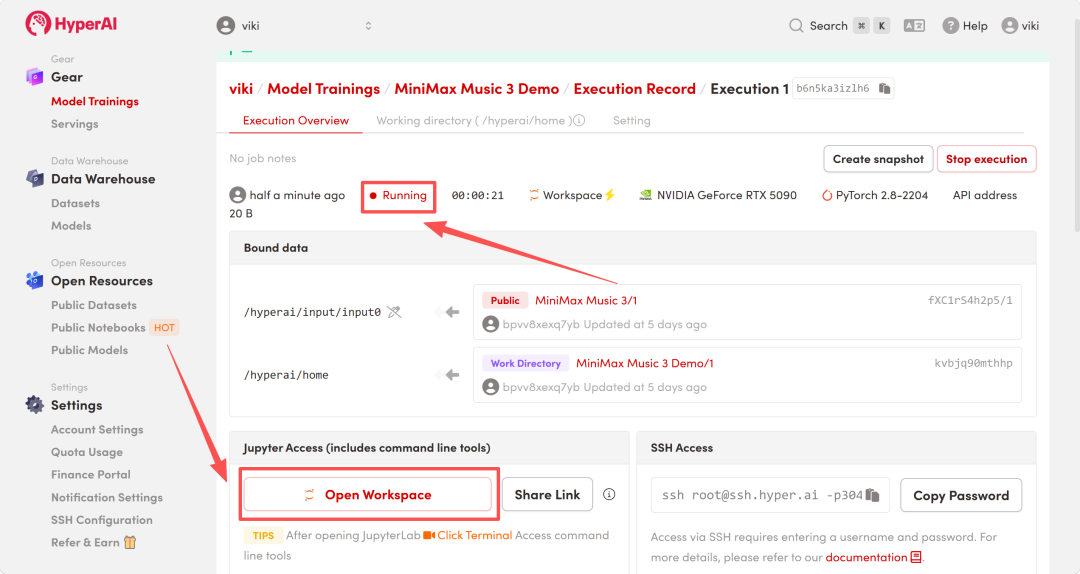
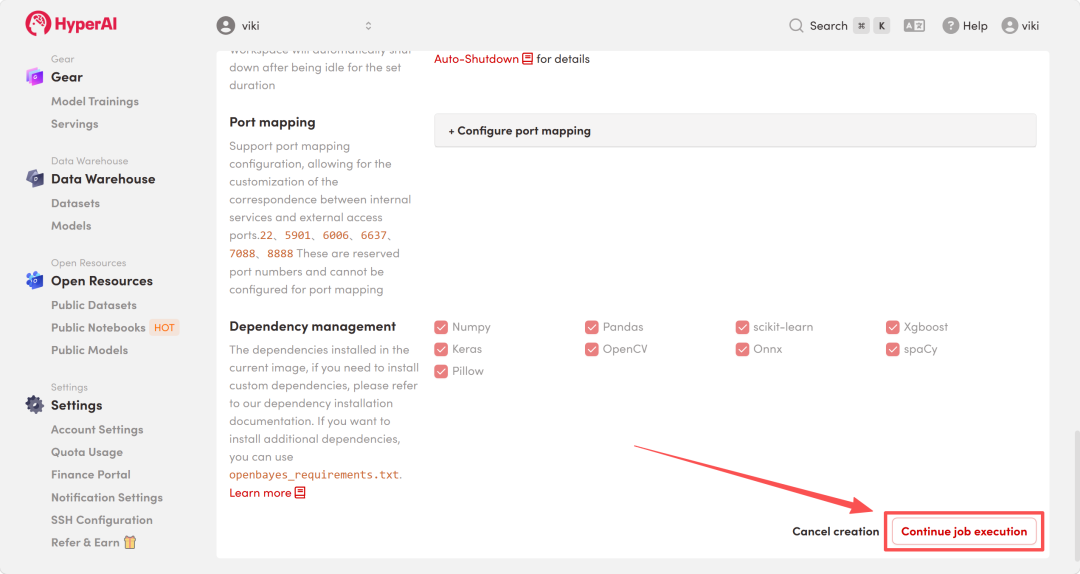 4. Wait for resources to be allocated. Once the status changes to "Running", click "Open Workspace" to enter the Jupyter Workspace.
Effect display
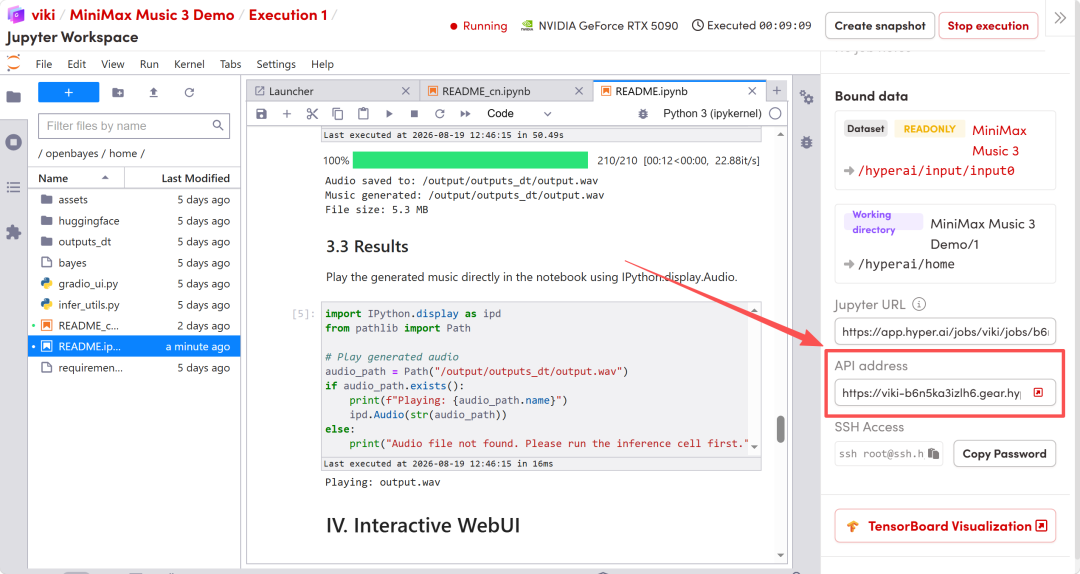
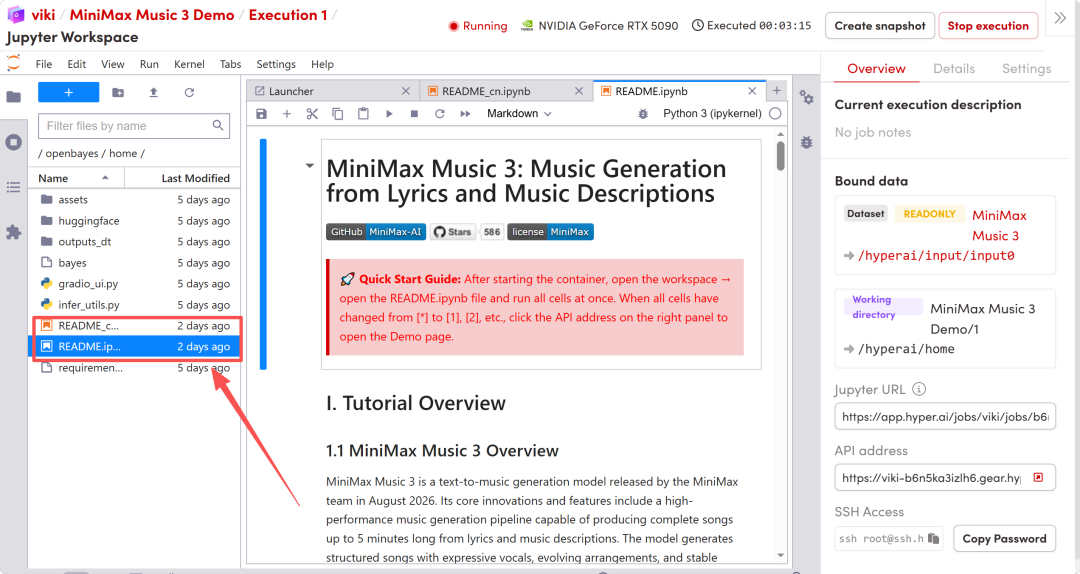
1. After the page redirects, click on the README file on the left, and then click on Run at the top.
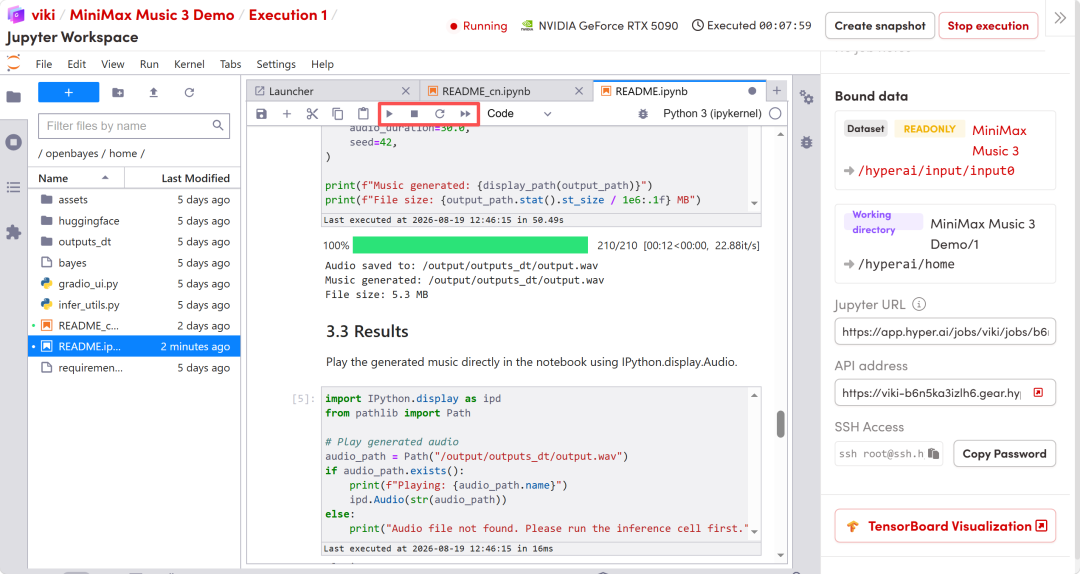 2. After the process is complete, click the API address on the right to access the demo interface in your browser.