Command Palette
Search for a command to run...
Online Tutorial | Customize Diverse 3D Christmas Trees Using AI Gesture Recognition and Only CPU

Decorating a Christmas tree has become an indispensable part of almost every family's celebration of the holidays. Colorful lights are wrapped around the branches, ornaments and photos are slowly filled in the gaps, and the moment the lights are turned on, the festive atmosphere is in place.
With Christmas approaching, HyperAI has prepared a "cyber Christmas tree" for everyone. The 3D Christmas Tree is an open-source web application based on React, Three.js (R3F), and AI gesture recognition, created by moleculemmeng020425.
**Based on AI gesture recognition, users can easily control the shape of the Christmas tree (converging and scattering) and freely rotate the viewpoint using gestures.**What's even more interesting is that this is not just an ordinary Christmas tree. By uploading personalized and meaningful pictures, users can also decorate it into an interactive art gallery full of memories.
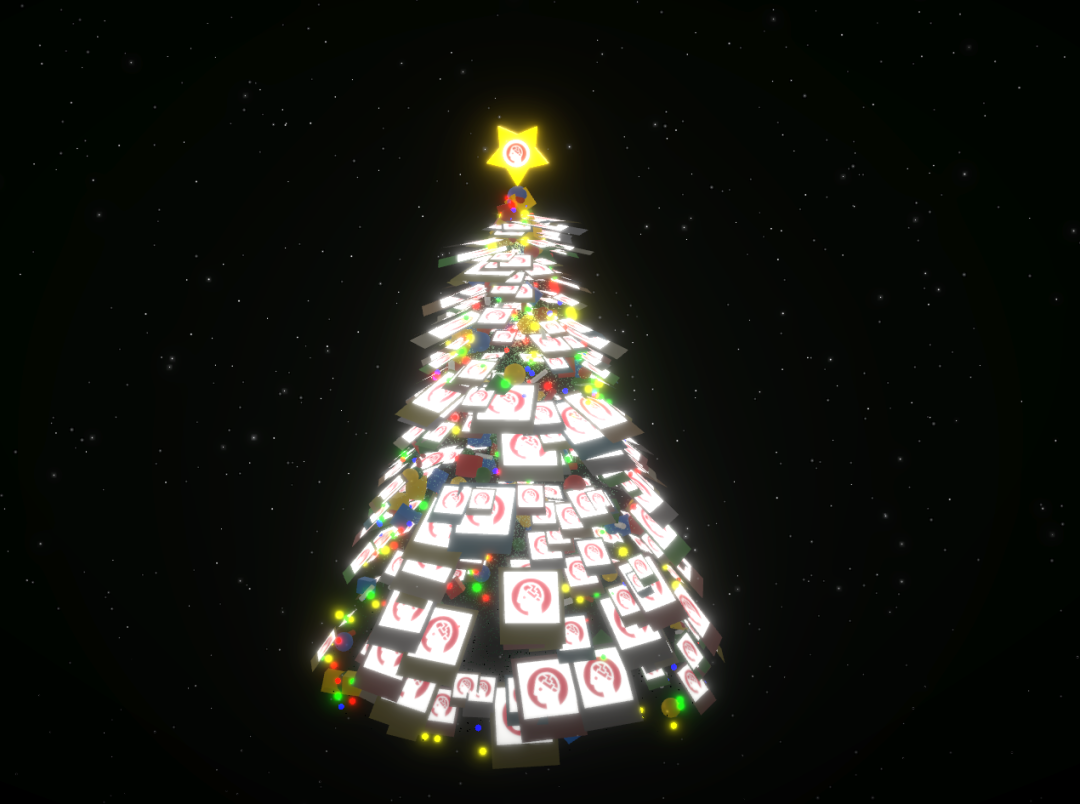
Thousands of exquisite particle effects, a dazzling light show, and suspended precious Polaroid photos intertwine to create a luxurious and vibrant virtual Christmas tree. Currently,**The "3D Christmas Tree Based on Gesture Recognition" tutorial is now available on the HyperAI website (hyper.ai).**This article uses HyperAI's iconic logo as an example, and interested readers are welcome to customize their own Christmas tree through the one-click deployment tutorial.
Tutorial Link:
It's worth mentioning that this tutorial can be experienced online using only CPU, and HyperAI's computing platform provides users with permanently free CPU usage time. Click to learn more ⬇️
https://hyper.ai/docs/membership
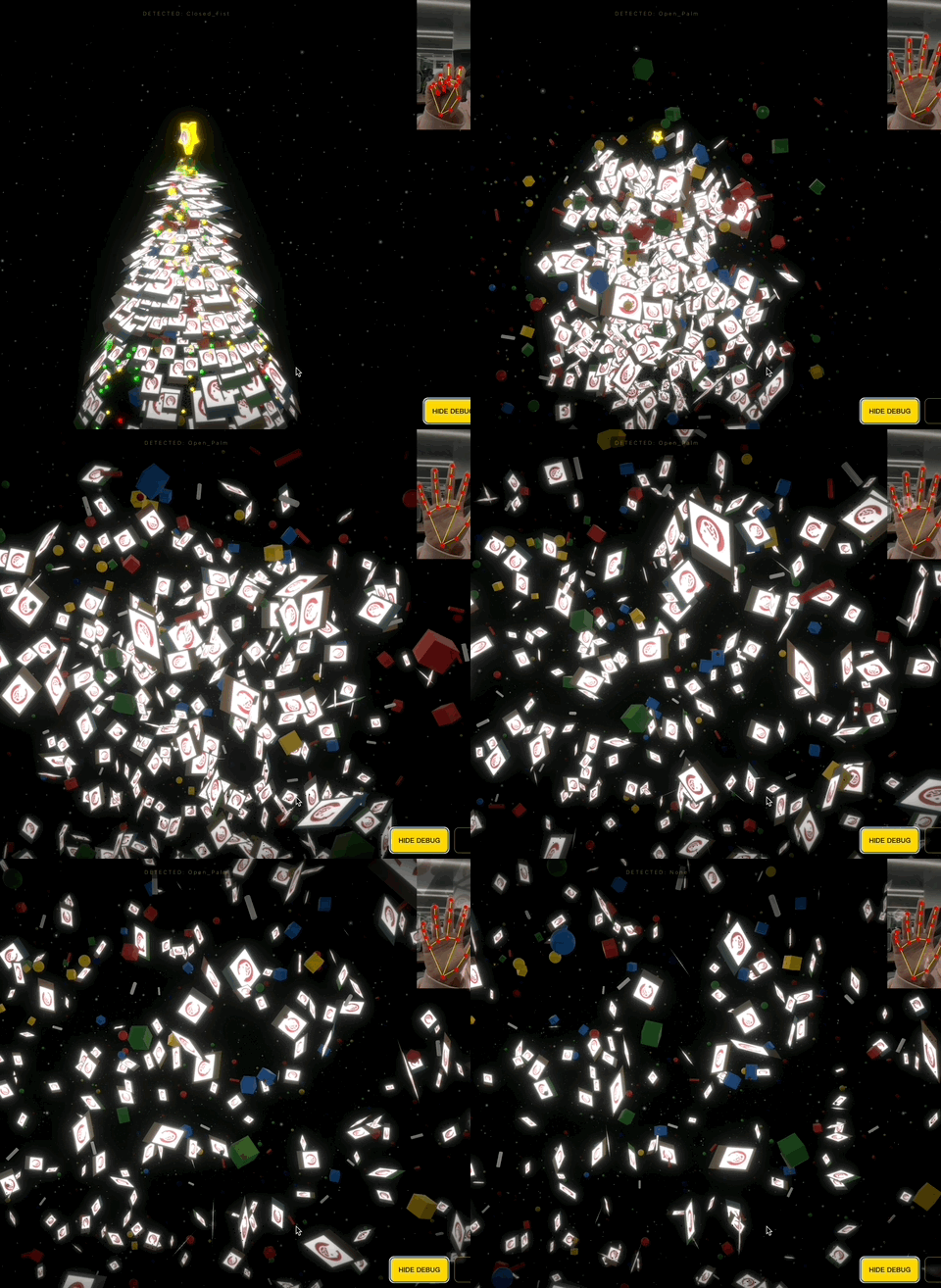
The tutorial example is shown in the image below. You can adjust the shape of the Christmas tree using gestures (top right of the image):
Demo Run
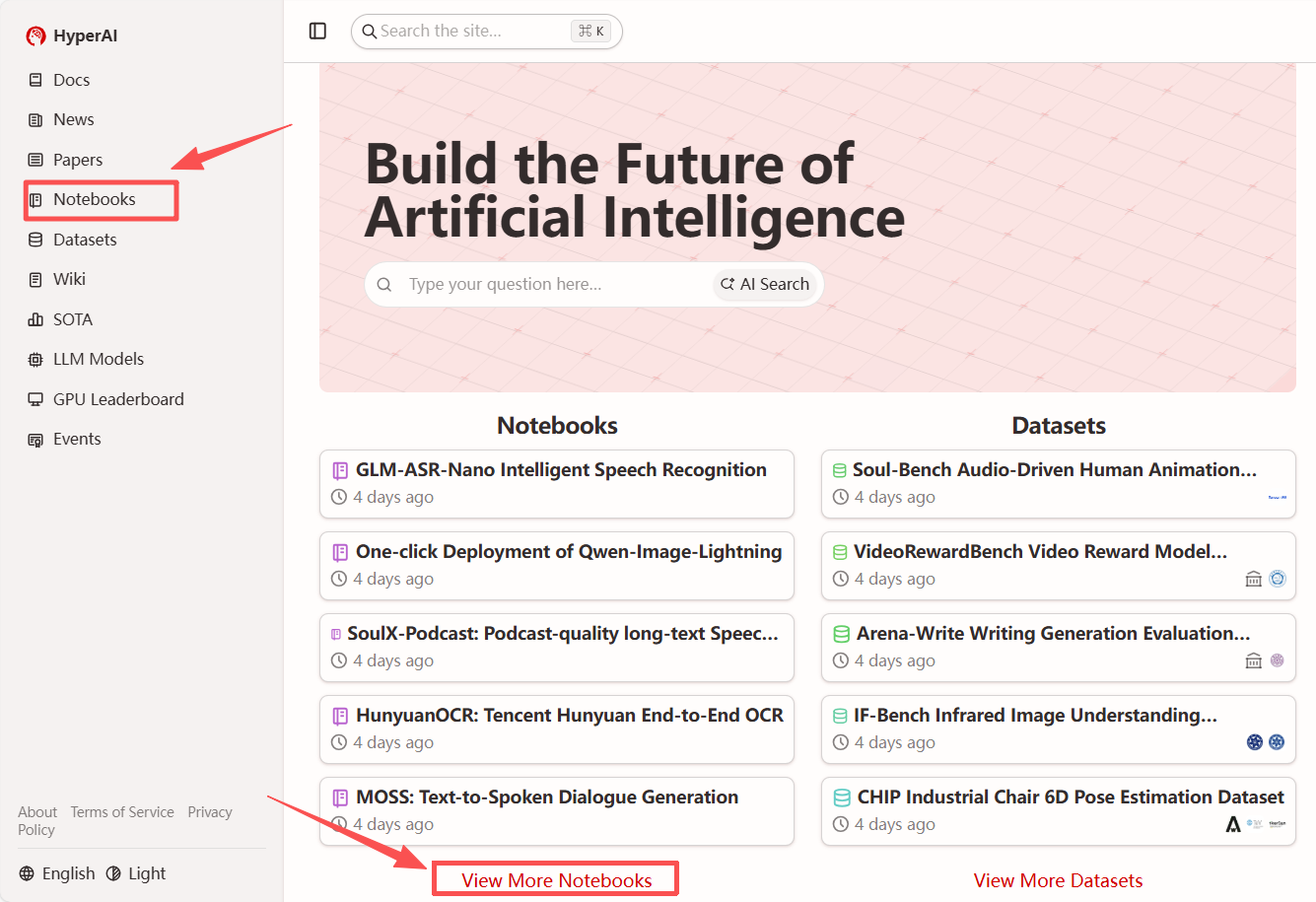
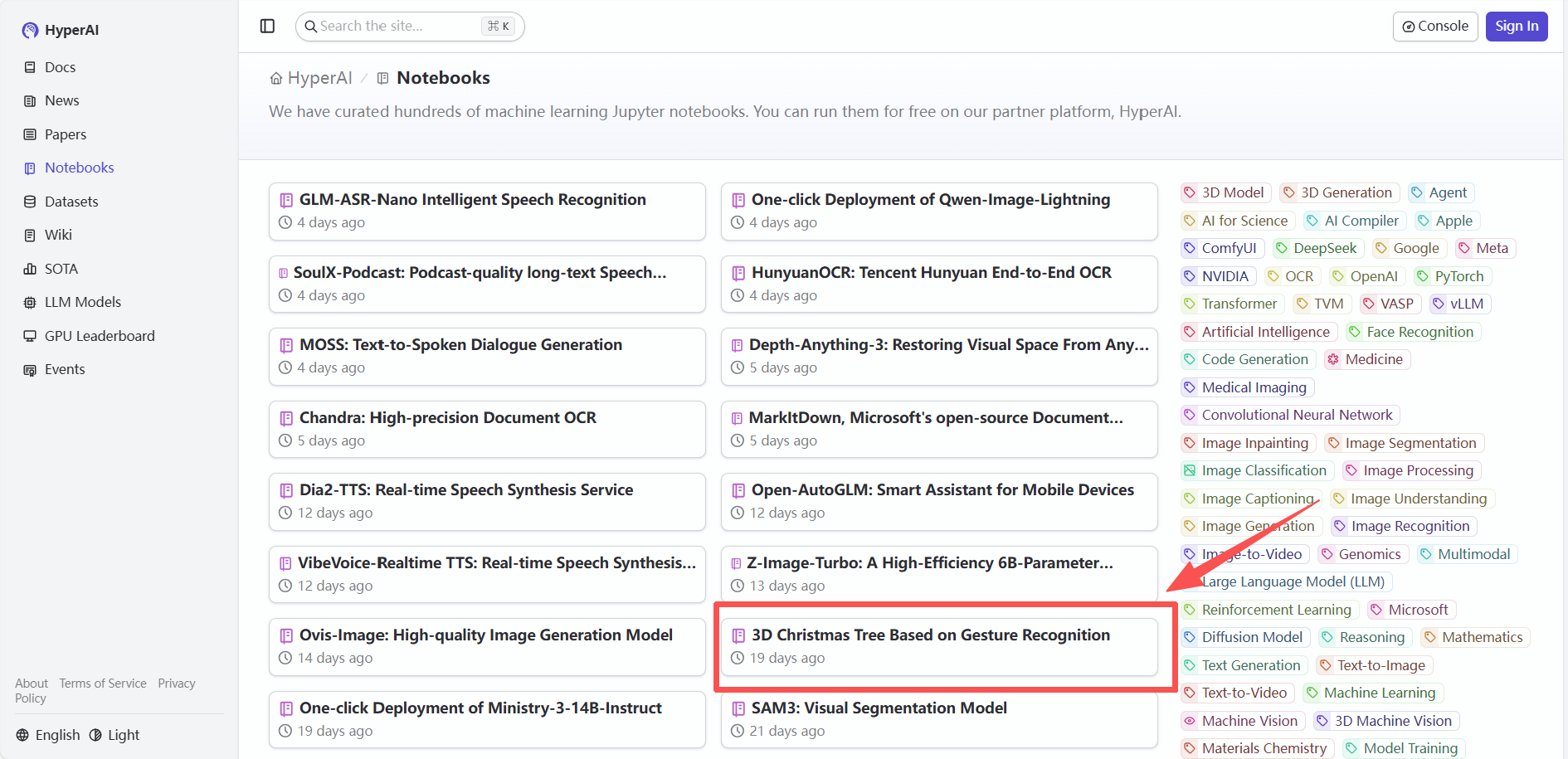
1. After entering the hyper.ai homepage, select "3D Christmas Tree Based on Gesture Recognition" or go to the "Tutorials" page to select it. Then click "Run this tutorial online".
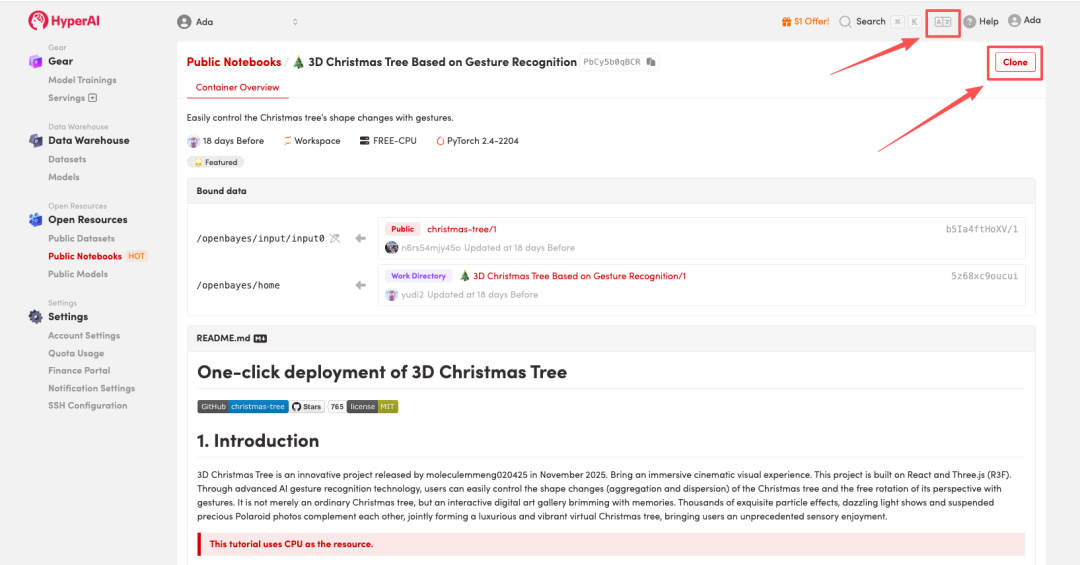
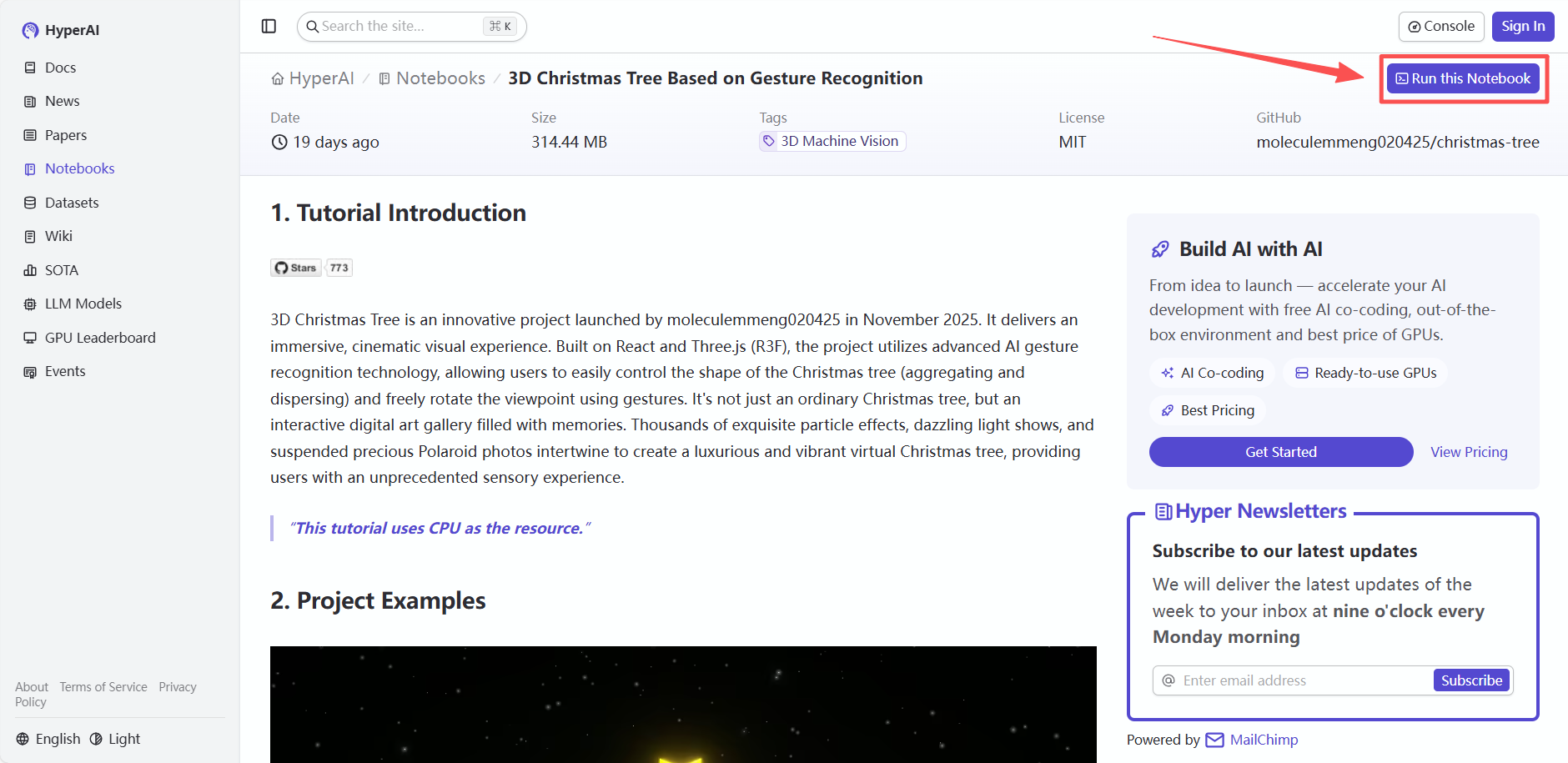 2. After the page redirects, click "Clone" in the upper right corner to clone the tutorial into your own container.
Note: You can switch languages in the upper right corner of the page. Currently, Chinese and English are available. This tutorial will show the steps in English.
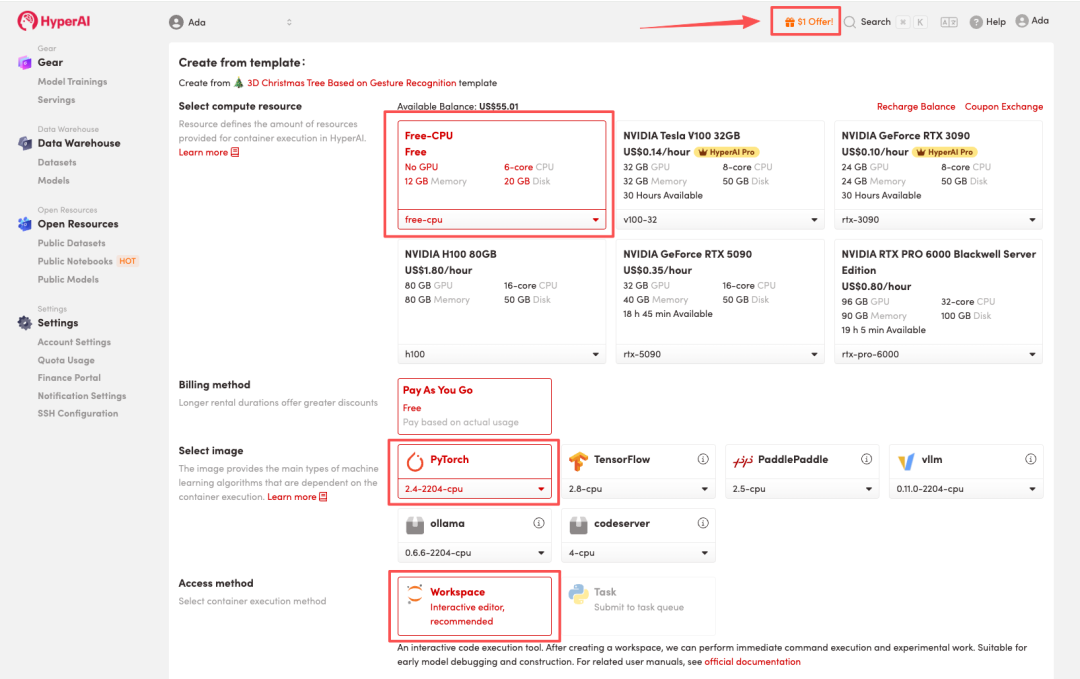
 3. Select "Free CPU" and "PyTorch" image, select "Pay As You Go", and click "Continue job execution".
HyperAI is offering a registration bonus for new users: for just 1,youcanget5hoursofRTX5090computingpower(originallypricedat7), and the resources are valid indefinitely.
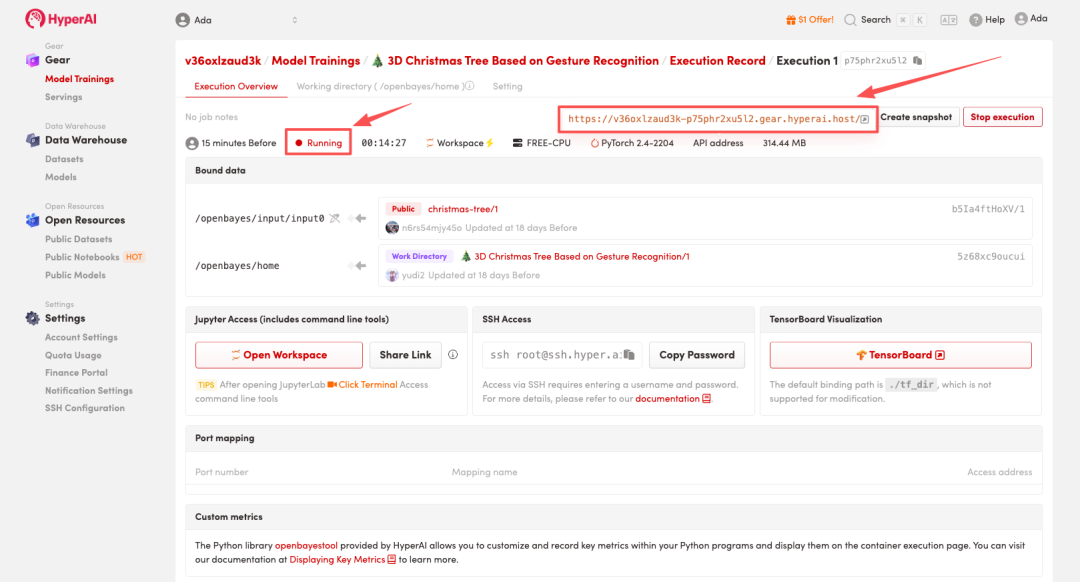
 4. Wait for resource allocation. The first clone will take approximately 3 minutes. Once the status changes to "Running", click the jump arrow next to "API address" to go to the Demo page.
Effect Demonstration
1. Prepare photos
Locate the folder `/openbayes/home/christmas-tree/public/photos/` in the project directory. For the top/cover image: name it `top.jpg` (it will appear on the 3D five-pointed star at the top of the tree). For the tree trunk photos: name them 1.jpg, 2.jpg, 3.jpg, and so on. Recommendation: Use square or 4:3 aspect ratio images, and keep file sizes low (ideally under 500kb per image to ensure smooth playback).
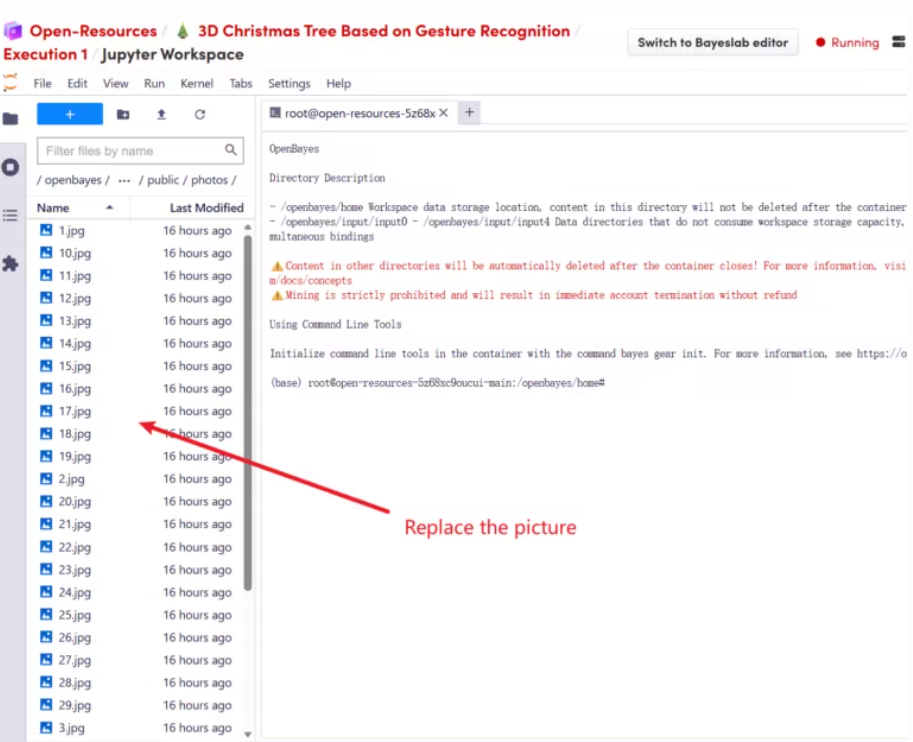
2. Replace the photo
Simply copy your own photos to the /openbayes/home/christmas-tree/public/photos folder, overwriting the existing images. Please keep the filename format unchanged (1.jpg, 2.jpg, etc.).
 3. Adjust the number of photos (increase or decrease)
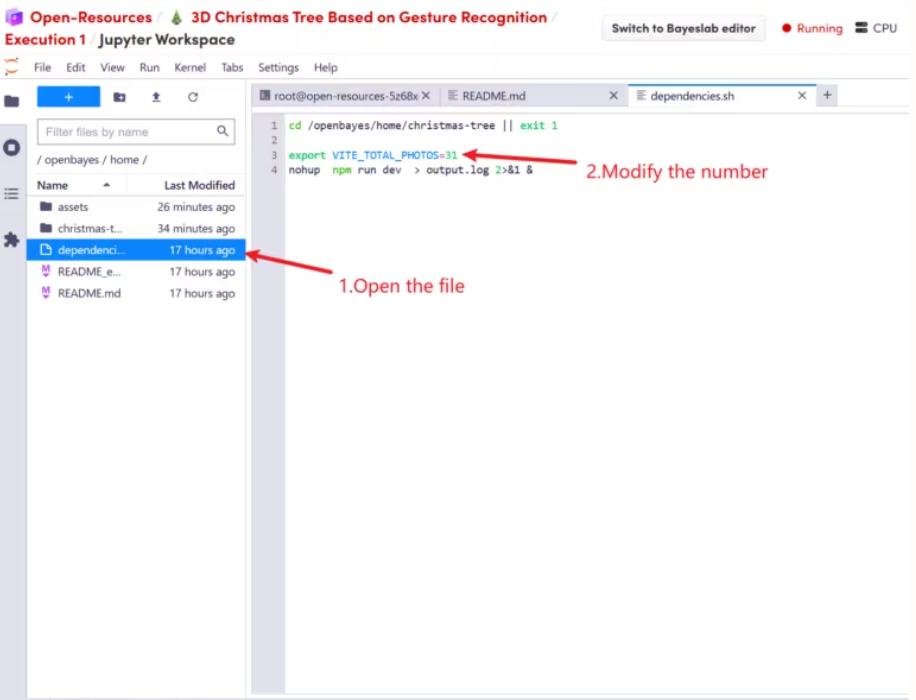
If you add more photos (for example, increasing from the default 31 to 100), you need to open the file: dependencies.sh. You will see: export VITE_TOTAL_PHOTOS=31. Modify the number "31" to the actual number of images, then close the container and start it again.
 4. Gesture Control Instructions
This project has a built-in AI gesture recognition system. Please stand in front of the camera to operate (there is a DEBUG button in the lower right corner of the screen to view the camera feed):
🖐 Open Palm Disperse: The Christmas tree explodes into a shower of particles and photos.
✊ Clench your fist (Closed Fist) and Assemble. All elements instantly combine into a perfect Christmas tree.
👋 Move your palm left and right to rotate the view. Move your hand to the left and the tree will turn to the left; move your hand to the right and the tree will turn to the right.
The following is a demonstration of the effect:
 The above is the tutorial recommended by HyperAI this time. Everyone is welcome to come and experience it!
Tutorial Link: