Command Palette
Search for a command to run...
Online Tutorial | Supports 600+ Languages, Xiaomi Open Sources OmniVoice: Achieve Voice Cloning With Just 3-10 Seconds of Reference Audio

With the rapid development of AI voice technology, text-to-speech (TTS) models are moving from "being able to speak" to "communicating naturally like a real person." However, existing systems still generally face problems such as complex generation links, high training costs, and limited cross-language generalization ability in terms of multilingual coverage, zero-sample speech cloning, and support for complex accents and dialects.
Against this backdrop, the release of OmniVoice represents a new breakthrough in multilingual speech generation. Developed by Xiaomi AI Lab's Next-gen Kaldi team, this model supports over 600 languages and features Voice Clone, Voice Design, and Auto Voice capabilities. Compared to the traditional two-stage generation process of "text → semantics → acoustics" commonly used in TTS models, OmniVoice employs a discrete non-autoregressive (NAR) architecture similar to a diffusion language model, directly mapping text to multi-codebook acoustic tokens, significantly simplifying the speech generation process.
This architectural change not only reduces the performance bottleneck of traditional discrete NAR models in complex processes, but also enables OmniVoice to achieve better performance in speech naturalness, intelligibility, and cross-language consistency. At the same time, the model also introduces a full-codebook random mask training strategy and is initialized based on a pre-trained large language model, which improves training efficiency and further enhances the quality of speech generation.
More importantly, OmniVoice is not just a "multilingual" TTS model. It covers not only mainstream languages such as Chinese, English, Japanese, and Korean, but also Chinese dialects like Henan dialect, Sichuan dialect, and Northeastern dialect, as well as various English variants such as American, British, Australian, and Indian accents. Combined with its zero-sample speech cloning capability, which requires only a few seconds of reference audio, it demonstrates immense application potential in scenarios such as AI voice-over, digital humans, cross-language content generation, and global voice interaction.
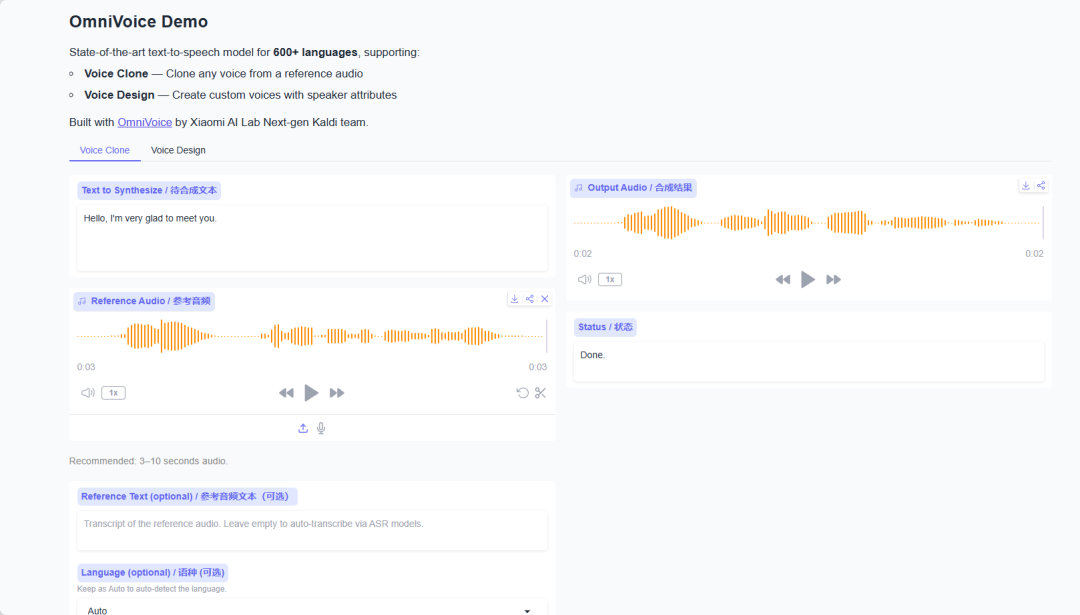
Currently, the tutorial section of HyperAI's official website (hyper.ai) has launched "OmniVoice: High-quality TTS supporting 600+ languages", which can be started with one click and deployed with low barriers to entry.
Run online:
Welcome to visit our official website for more information:
Demo Run
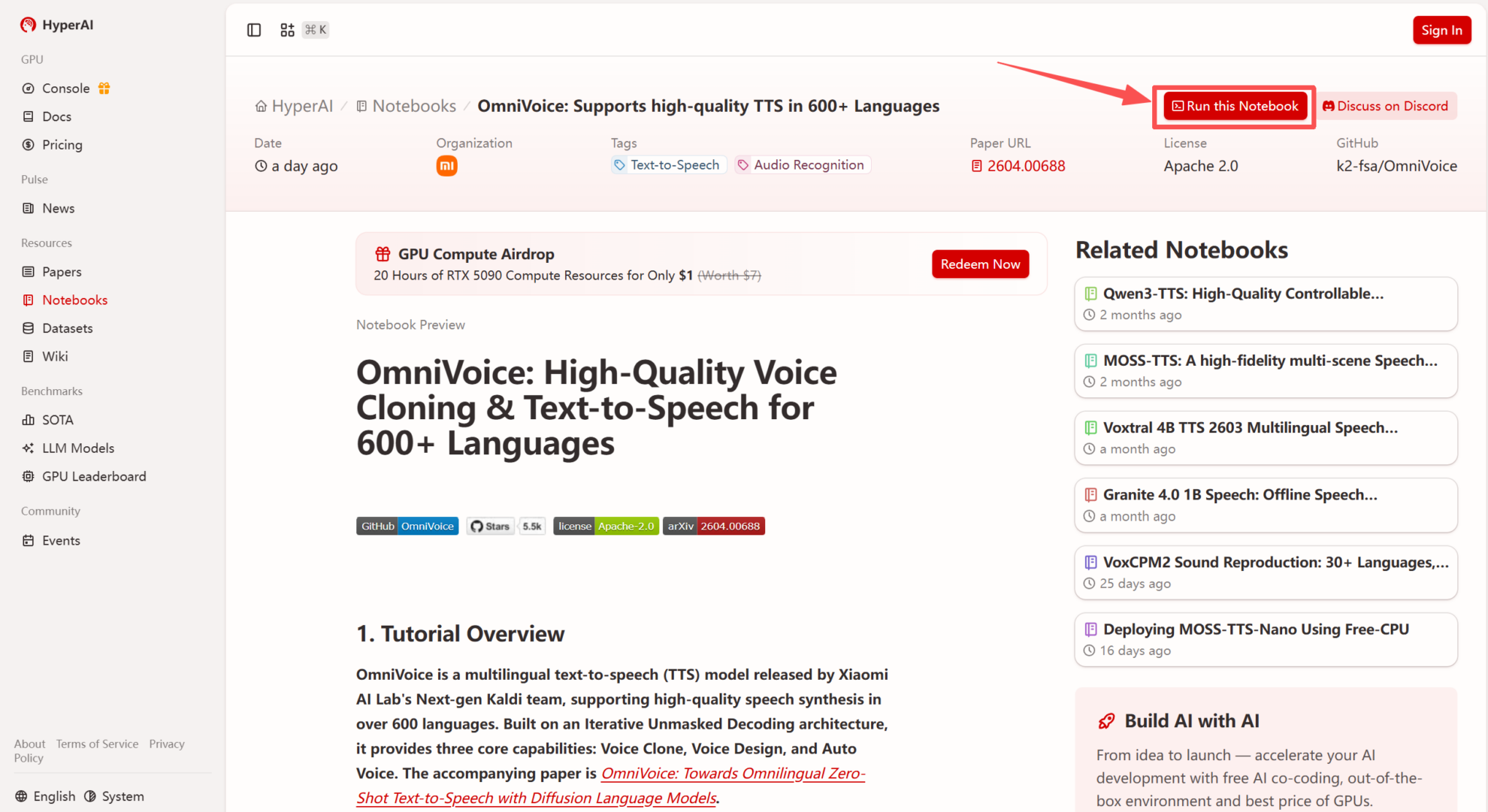
1. After entering the hyper.ai homepage, select the "Tutorials" page, or click "View More Tutorials", select "OmniVoice: High-Quality TTS Supporting 600+ Languages", and click "Run this tutorial".

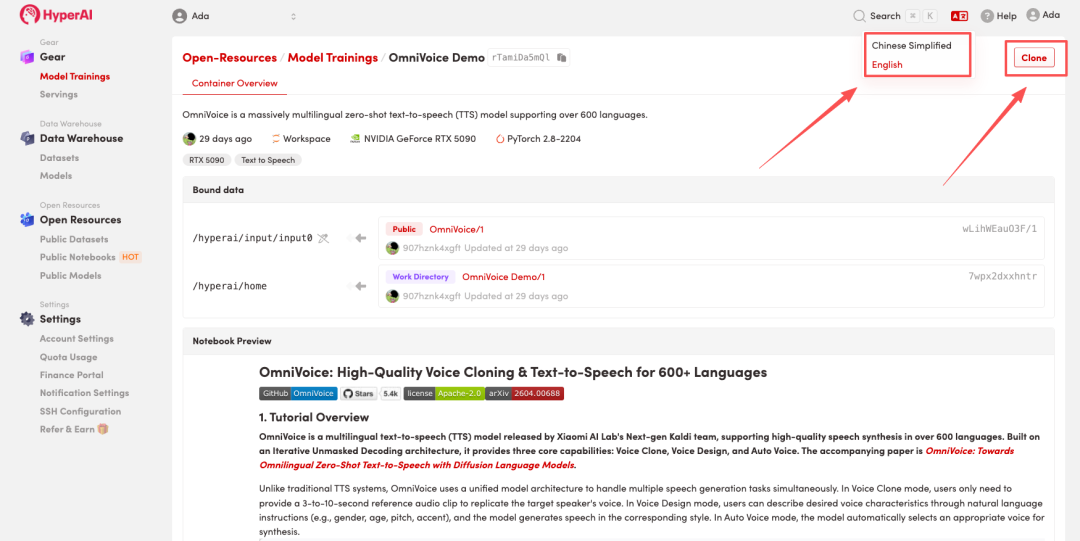
 2. After the page redirects, click "Clone" in the upper right corner to clone the tutorial into your own container.
Note: You can switch languages in the upper right corner of the page. Currently, Chinese and English are available. This tutorial will show the steps in English.
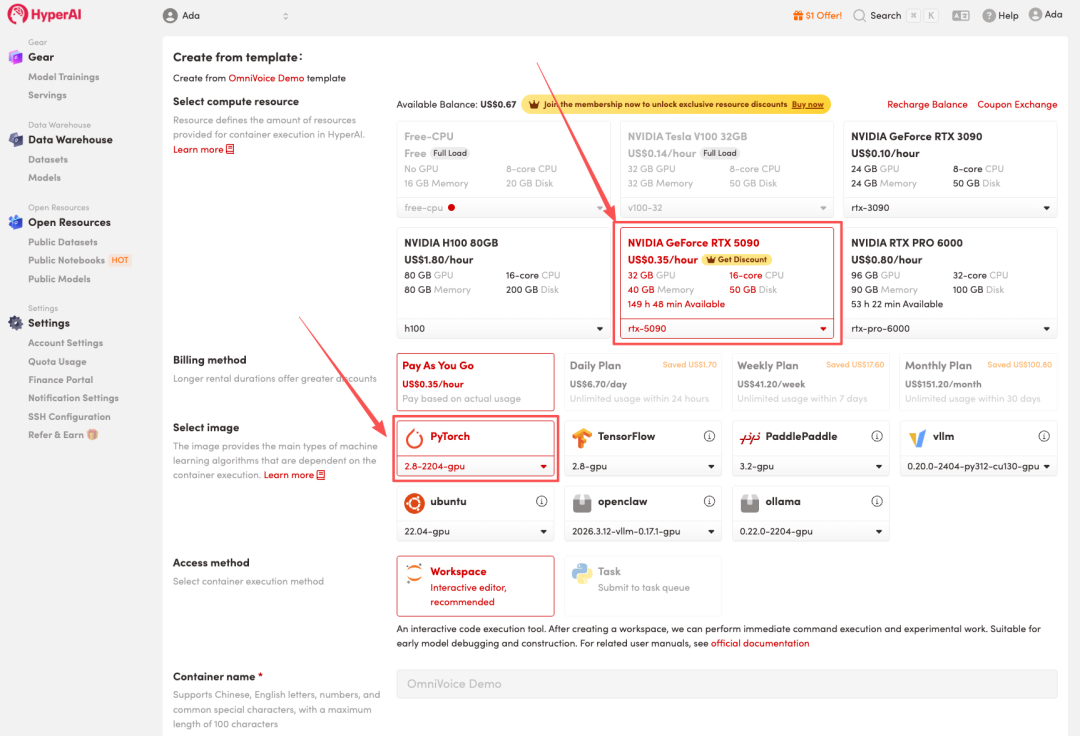
 3. Select the "NVIDIA RTX 5090" and "PyTorch" images, and click "Continue job execution".
HyperAI is offering a registration bonus for new users: for just 1,youcanget20hoursofRTX5090computingpower(originallypricedat7), and the resources are valid indefinitely.
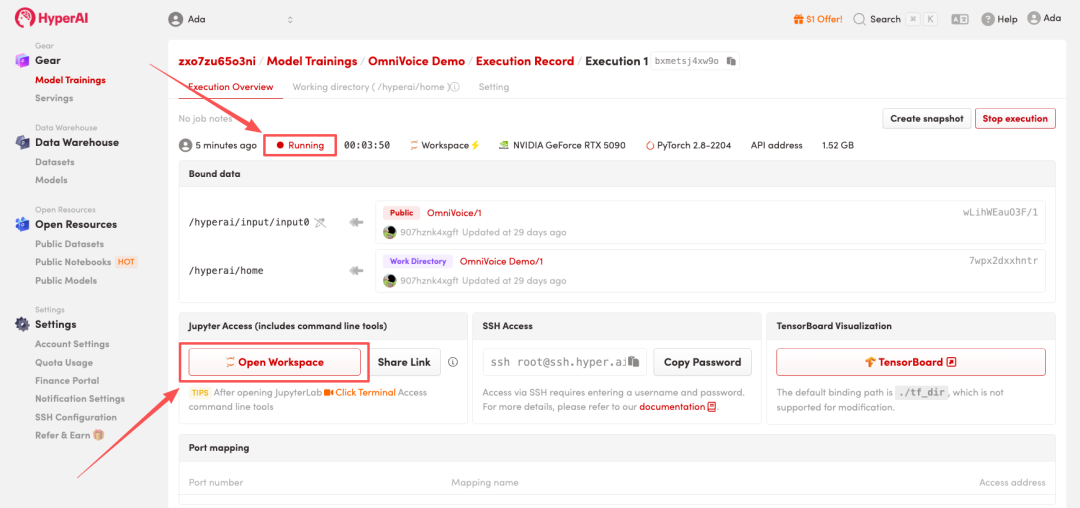
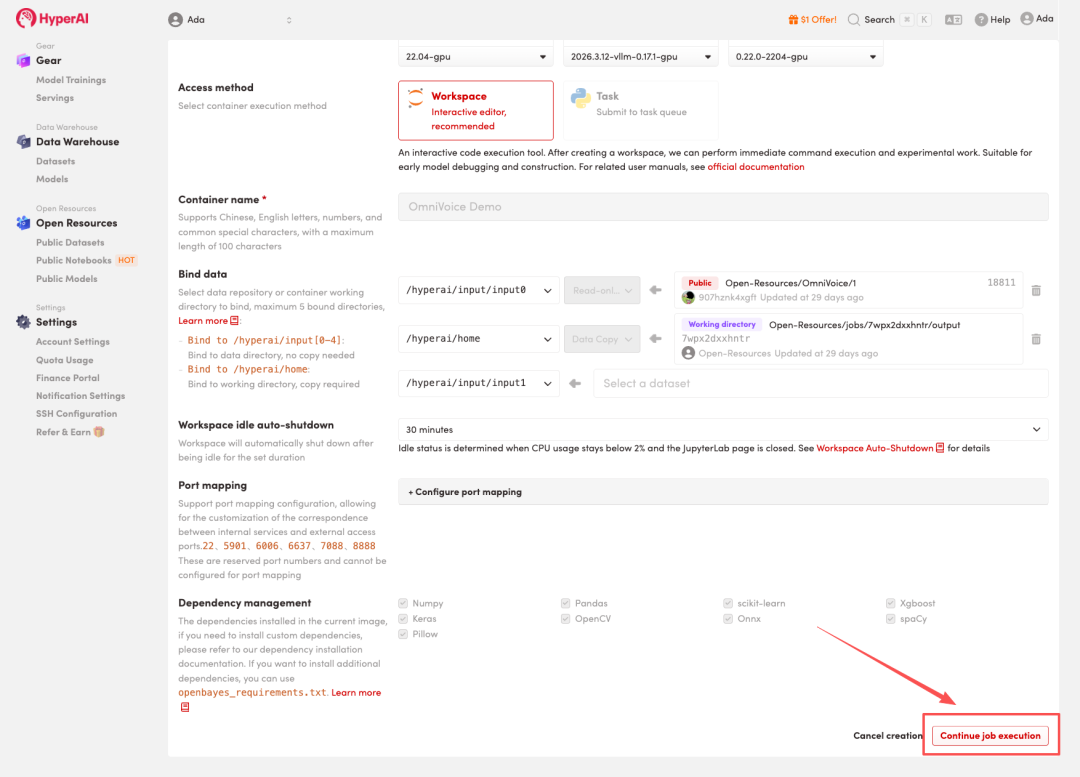 4. Wait for resources to be allocated. Once the status changes to "Running", click "Open Workspace" to enter the Jupyter Workspace.
Effect display
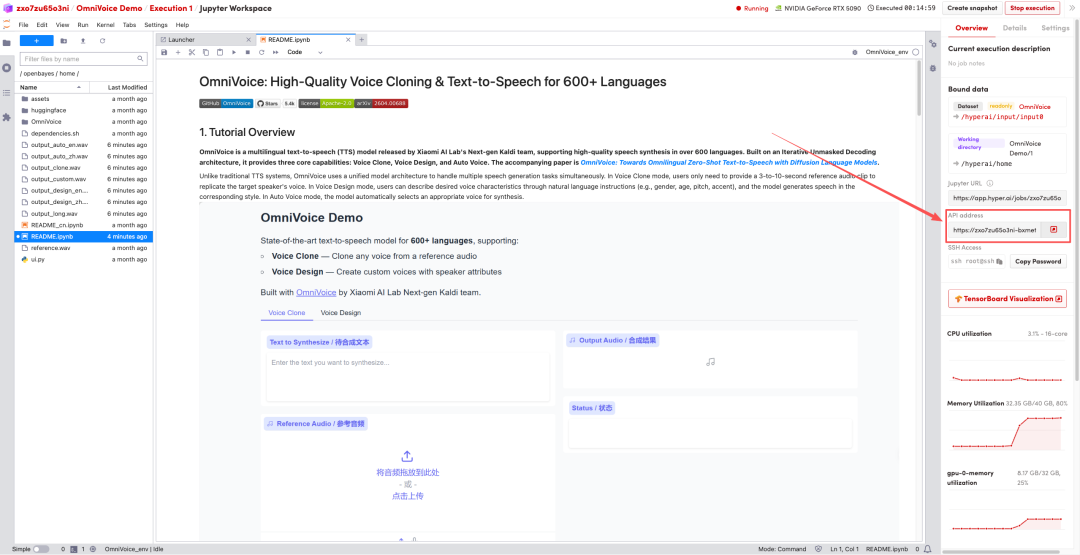
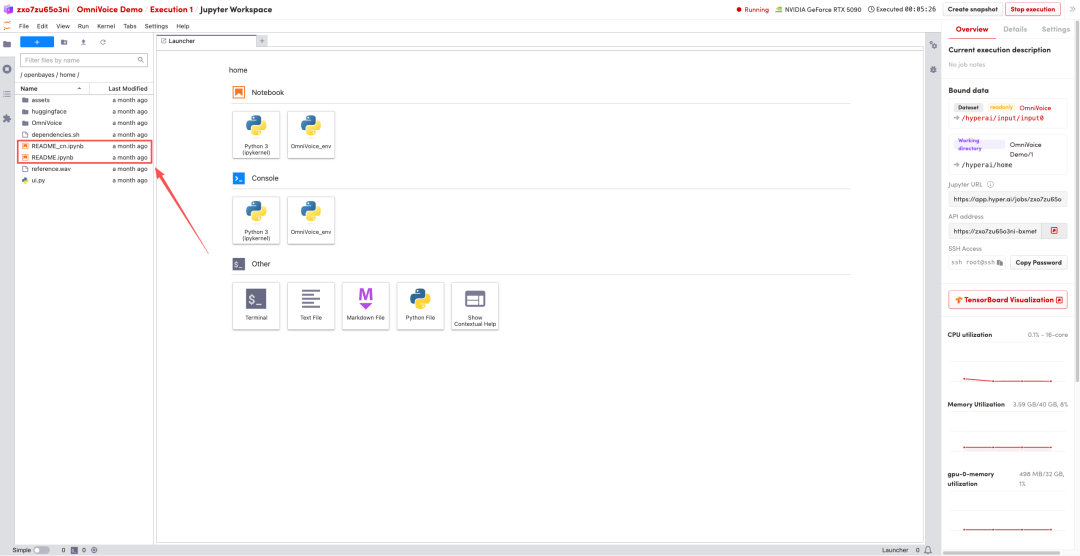
1. After the page redirects, click on the README file on the left, and then click on Run at the top.
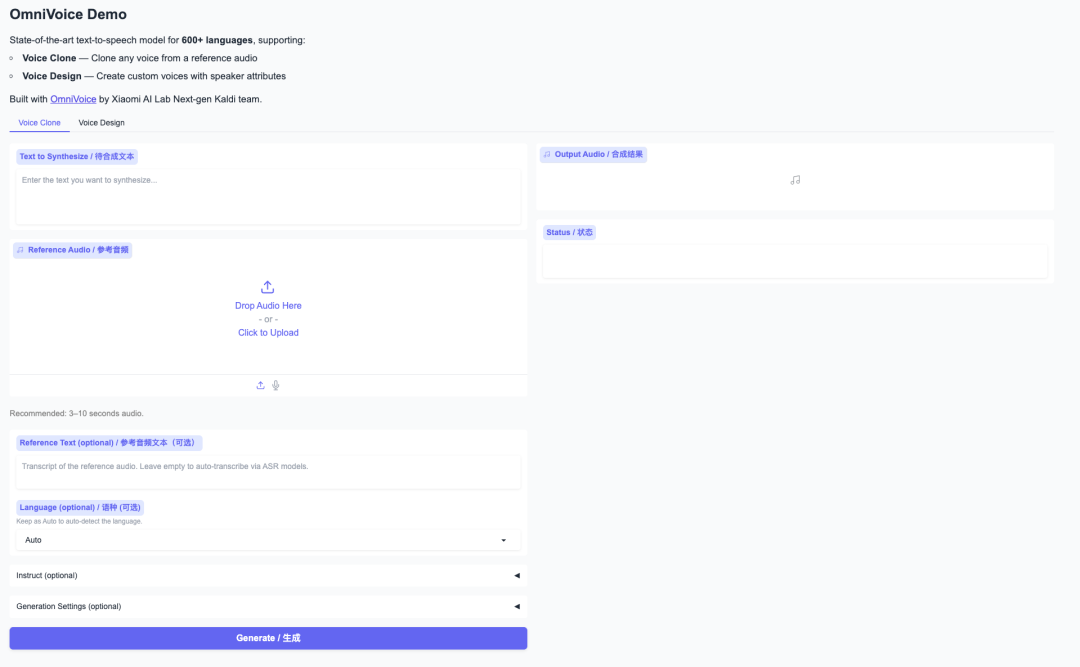
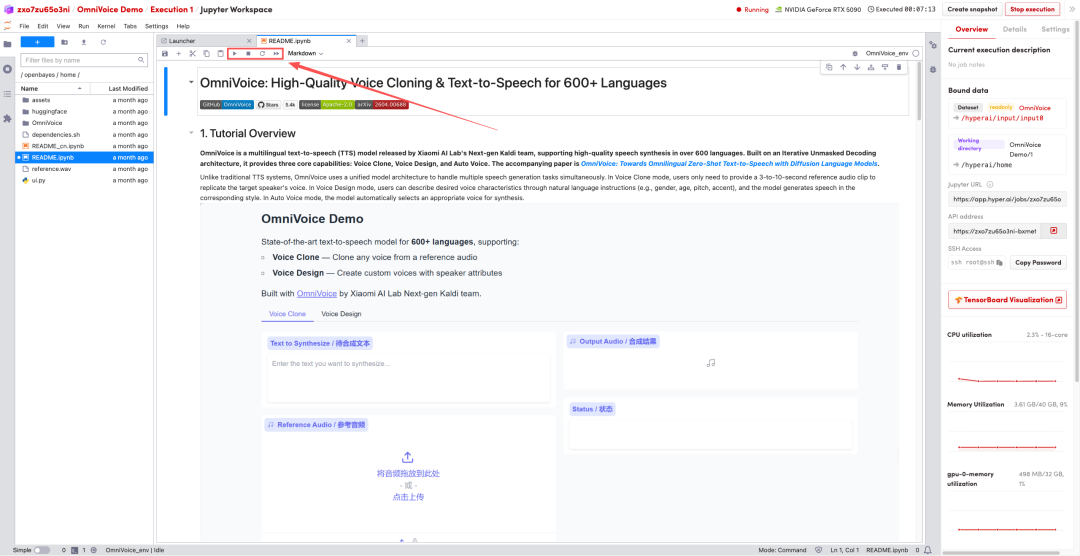 2. Once the process is complete, click the API address on the right to jump to the demo page.