Command Palette
Search for a command to run...
DiagGym Diagnostic Agent


1. Tutorial Introduction

DiagAgent is a diagnostic agent (7B, 8B, 14B) released on August 14, 2025 by the AI4Med team of Shanghai Jiao Tong University and Shanghai Artificial Intelligence Laboratory. It can proactively manage the diagnostic trajectory: select the most informative examinations, decide when to stop the examinations, and provide an accurate final diagnosis.
Unlike traditional large medical models that provide only a one-time answer, DiagAgent can recommend relevant tests and adaptively update the diagnosis in multiple rounds of dialogue, giving a final diagnosis only when sufficient information is obtained.
DiagAgent is optimized within the DiagGym environment using end-to-end multi-round reinforcement learning (GRPO). In each interaction, the agent starts with an initial consultation, interacts with DiagGym by recommending examinations and receiving simulated results, and decides when to make a final diagnosis. The relevant research paper is as follows: Evolving Diagnostic Agents in a Virtual Clinical Environment .
This tutorial supports the following models and functions:
3 model checkpoints:
- DiagAgent-7B
- DiagAgent-8B
- DiagAgent-14B (default)
Core functions:
- Supports multi-round diagnostic assessment: Given a patient's condition, the model makes a single decision (recommending tests or providing a diagnosis).
This tutorial uses a single RTX 5090 card as the resource.
2. Project Examples
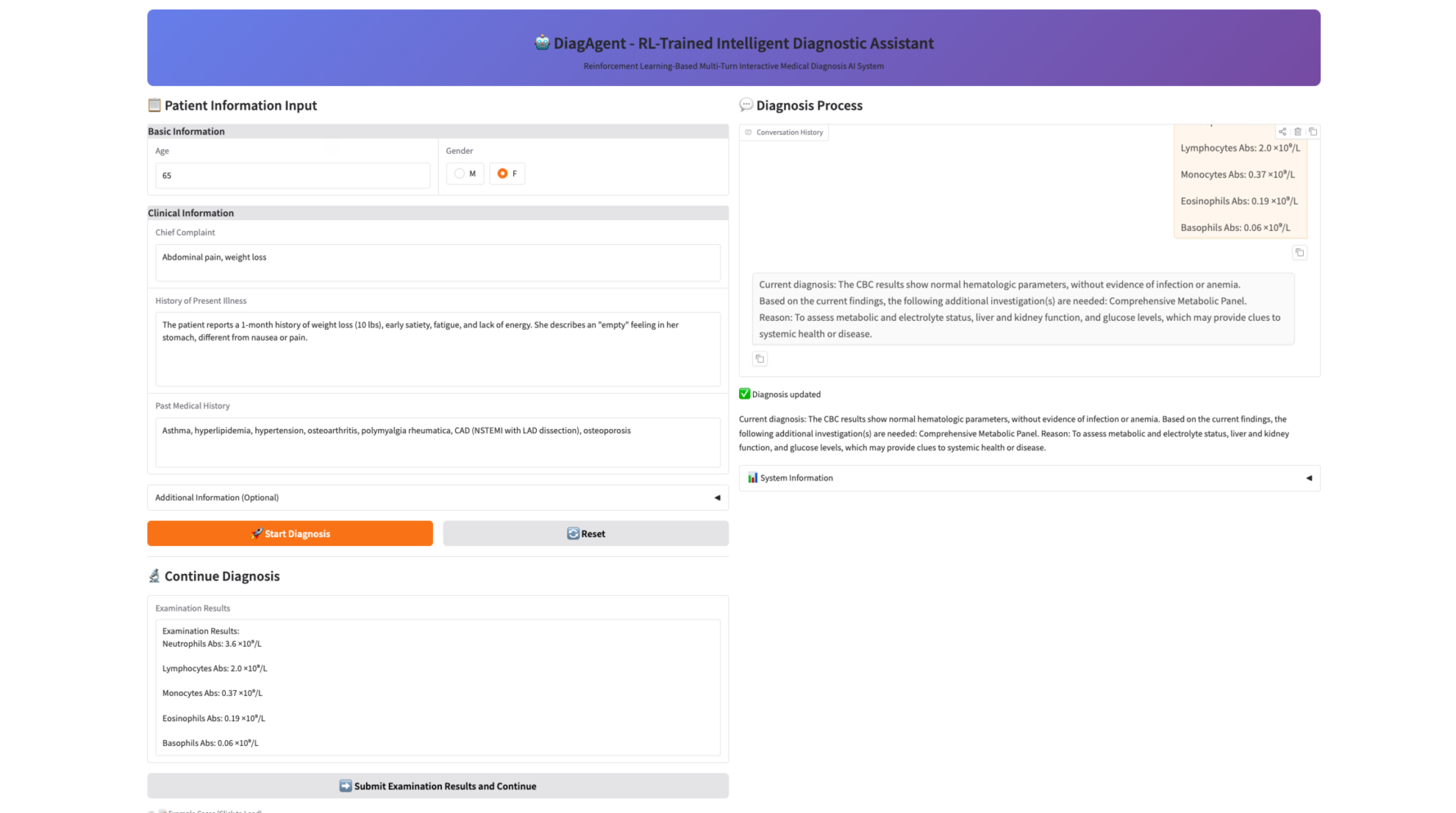
3. Operation steps
If "Bad Gateway" is displayed, it means that the model is initializing. Since the model is large, please wait about 9 minutes and then refresh the page.
When using the Safari browser, the audio may not be played directly and needs to be downloaded before playing.
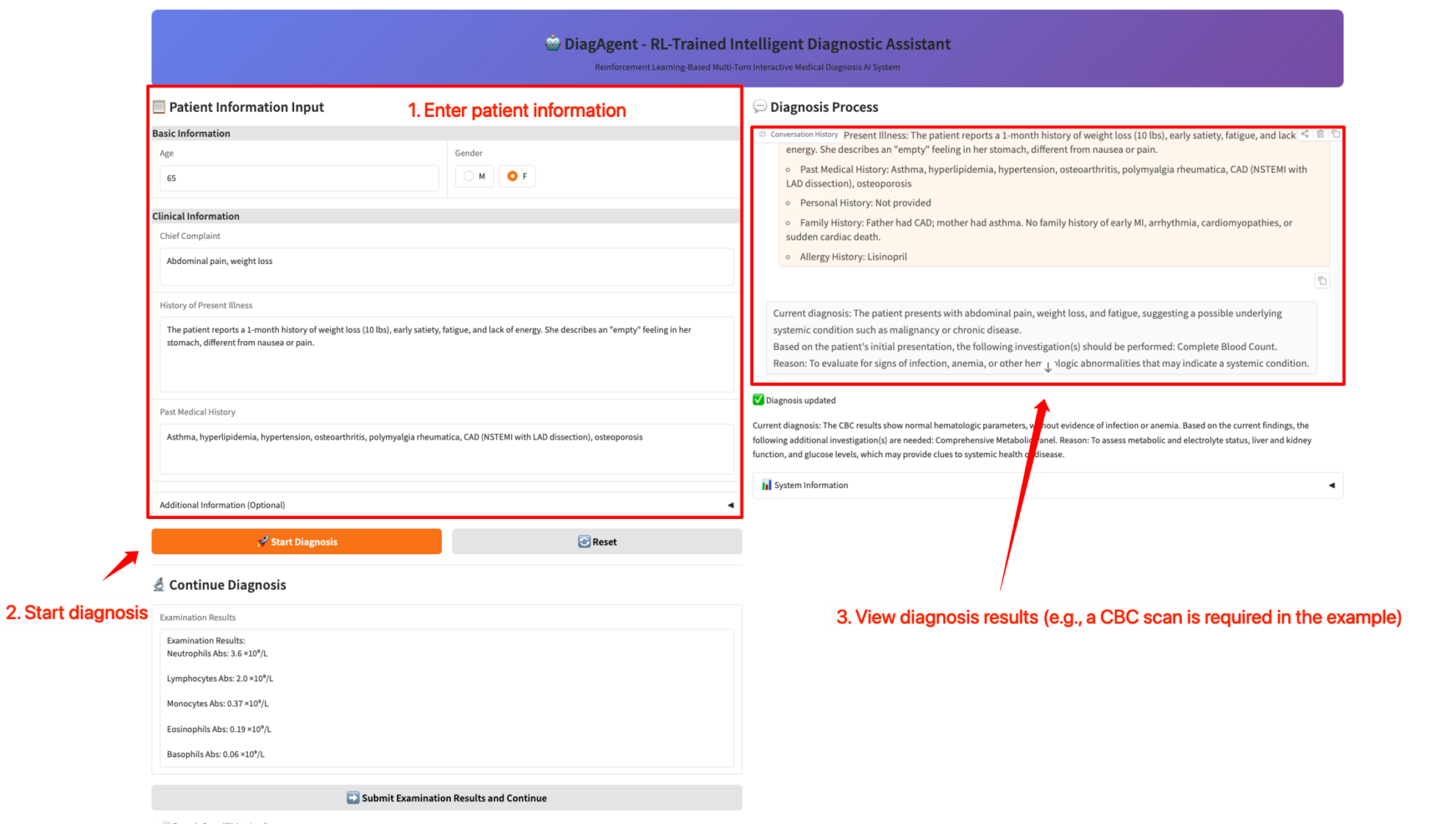
1. Fill in patient information and make a diagnosis.
In a single assessment, DiagAgent makes a single decision based on the patient's condition: recommend the next test or provide a final diagnosis.
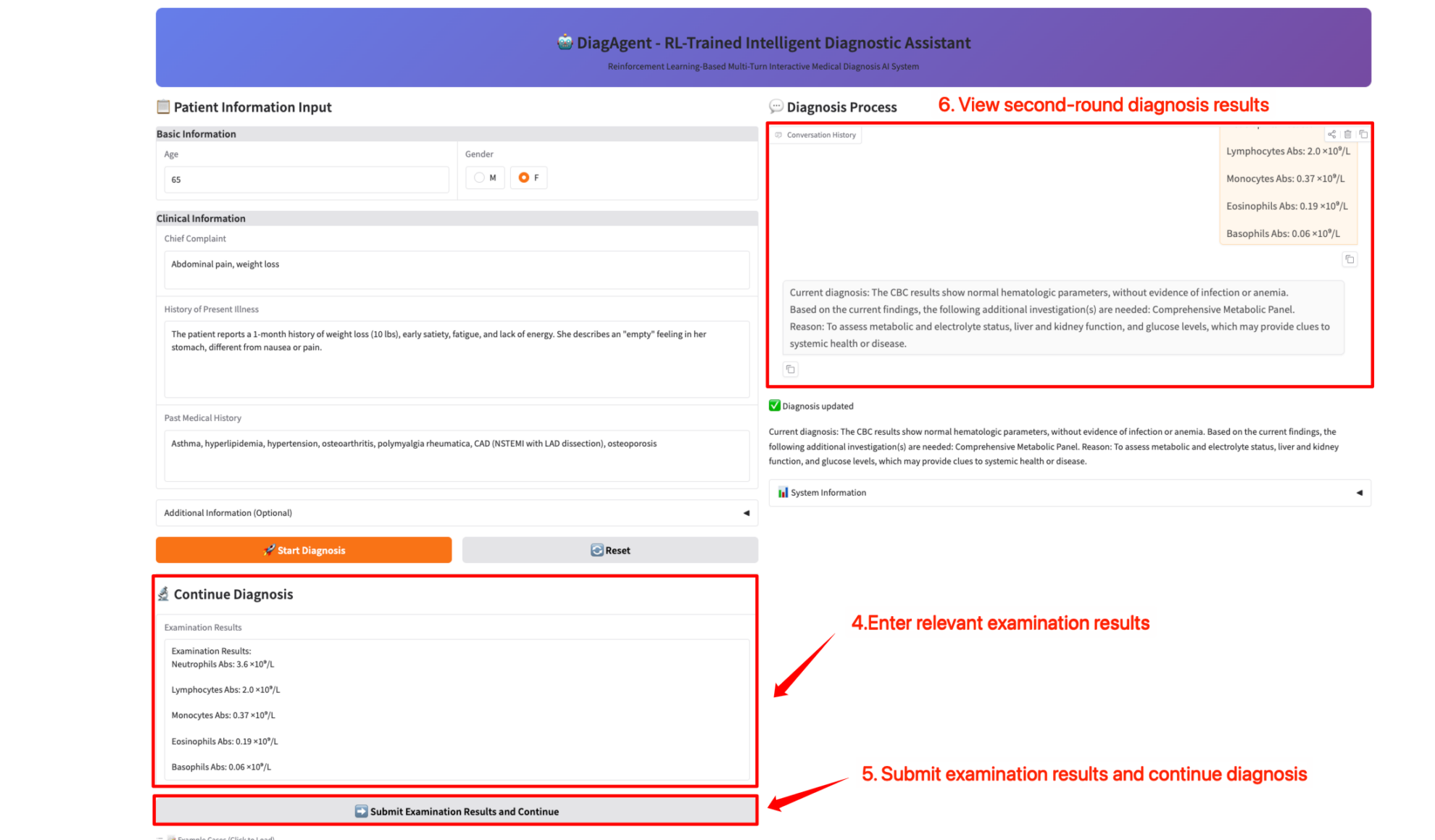
2. Submit the examination report and continue the diagnosis.
By submitting the results of the previous round of required examinations, the next examination can be recommended or a final diagnosis can be provided.
Citation Information
@misc{qiu2025evolvingdiagnosticagentsvirtual,
      title={Evolving Diagnostic Agents in a Virtual Clinical Environment},
      author={Pengcheng Qiu and Chaoyi Wu and Junwei Liu and Qiaoyu Zheng and Yusheng Liao and Haowen Wang and Yun Yue and Qianrui Fan and Shuai Zhen and Jian Wang and Jinjie Gu and Yanfeng Wang and Ya Zhang and Weidi Xie},
      year={2025},
      eprint={2510.24654},
      archivePrefix={arXiv},
      primaryClass={cs.CL},
      url={https://arxiv.org/abs/2510.24654},
}
Notebook Overview
Level
Build AI with AI
From idea to launch — accelerate your AI development with free AI co-coding, out-of-the-box environment and best price of GPUs.