Command Palette
Search for a command to run...
SoulX-Podcast: Podcast-quality long-text Speech Generation for Multiple dialects.
1. Tutorial Introduction

SoulX-Podcast is a model designed for podcast-style, multi-turn, multi-speaker conversational speech generation, while also performing well in traditional monologue TTS tasks.
To meet the higher naturalness requirements of multi-turn dialogue speech generation, SoulX-Podcast integrates a series of secondary language controls, supporting Mandarin Chinese, English, and multiple Chinese dialects, including Sichuanese, Henan dialect, and Cantonese, making podcast-style speech generation more personalized. Related technical details can be found in the paper. SoulX-Podcast: Multi-Speaker, Multi-Dialect Long-Form Podcast Speech Generation.
This tutorial uses a single RTX 5090 graphics card as the default resource.
2. Project Examples
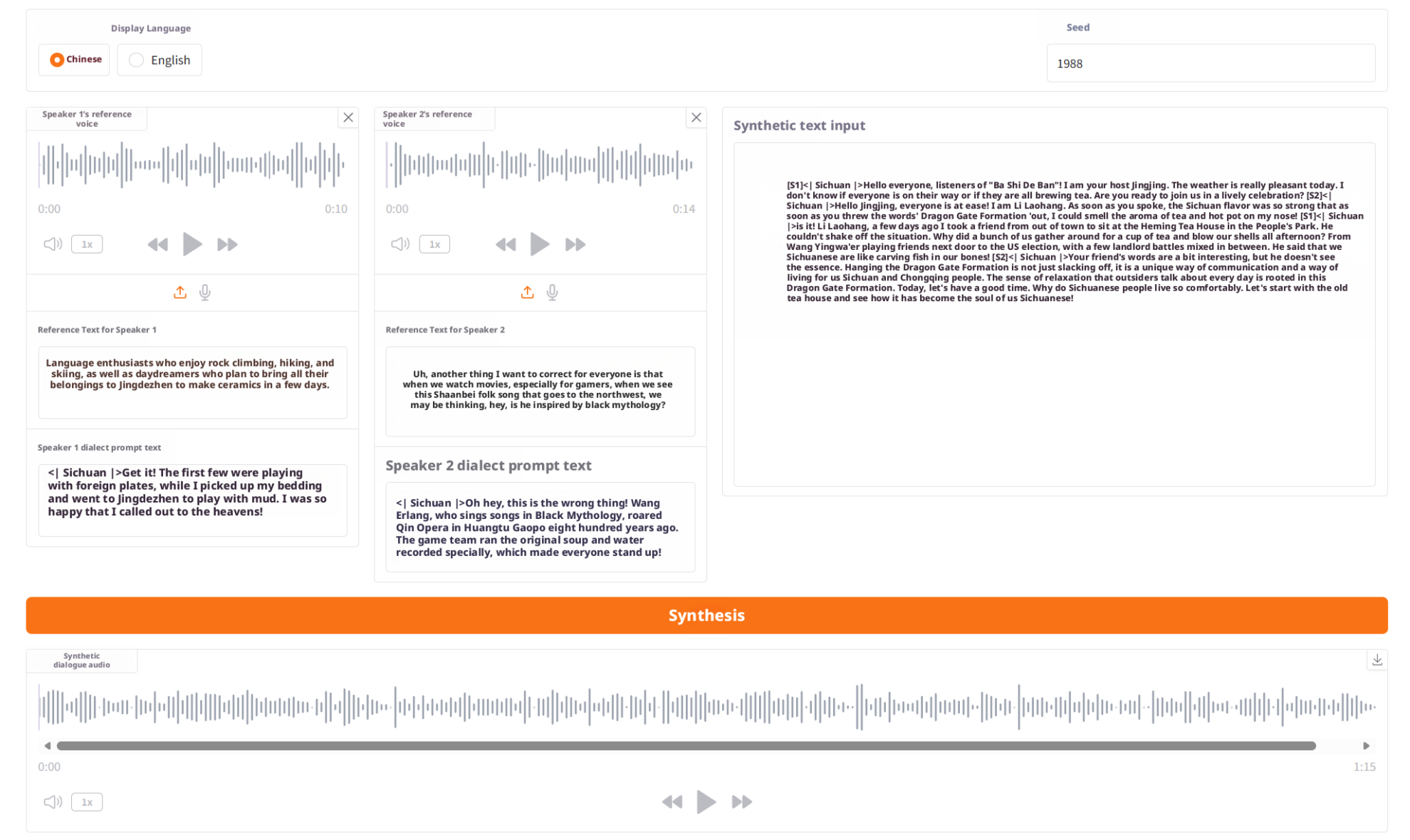
The following screenshots show the actual interface of the SoulX-Podcast WebUI running on the OpenBayes platform, helping you quickly understand the entire process.
Dialect demonstration example
3. Operation steps
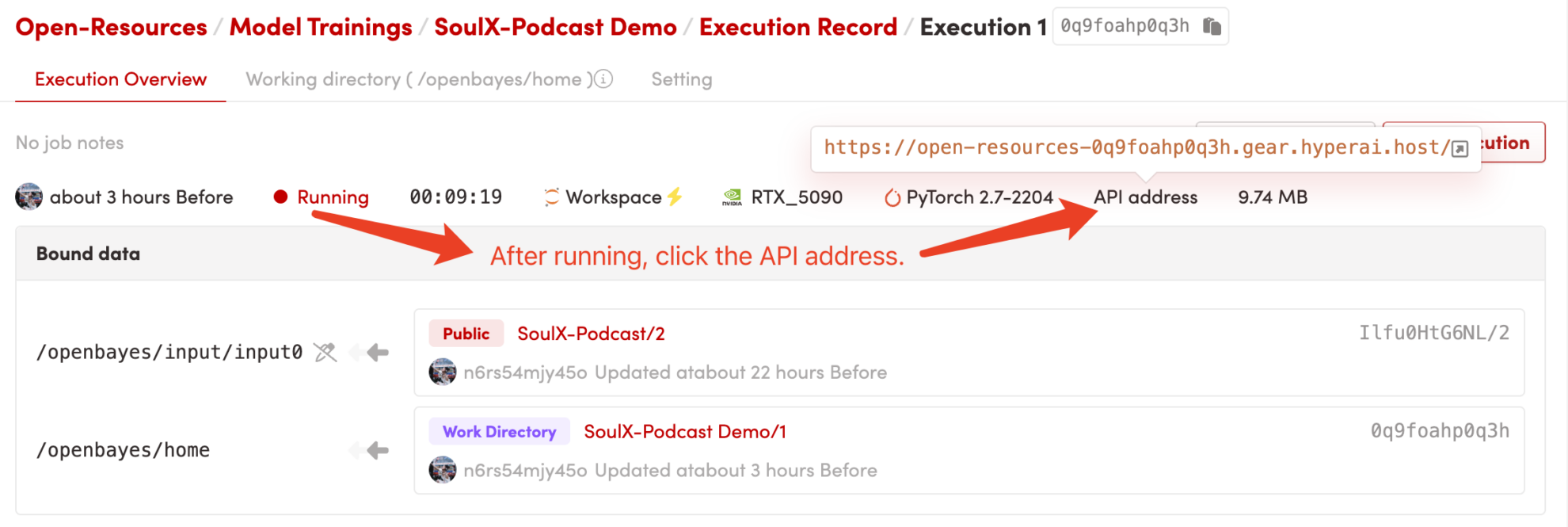
1. After starting the container, click the API address to enter the Web interface
2. Usage steps
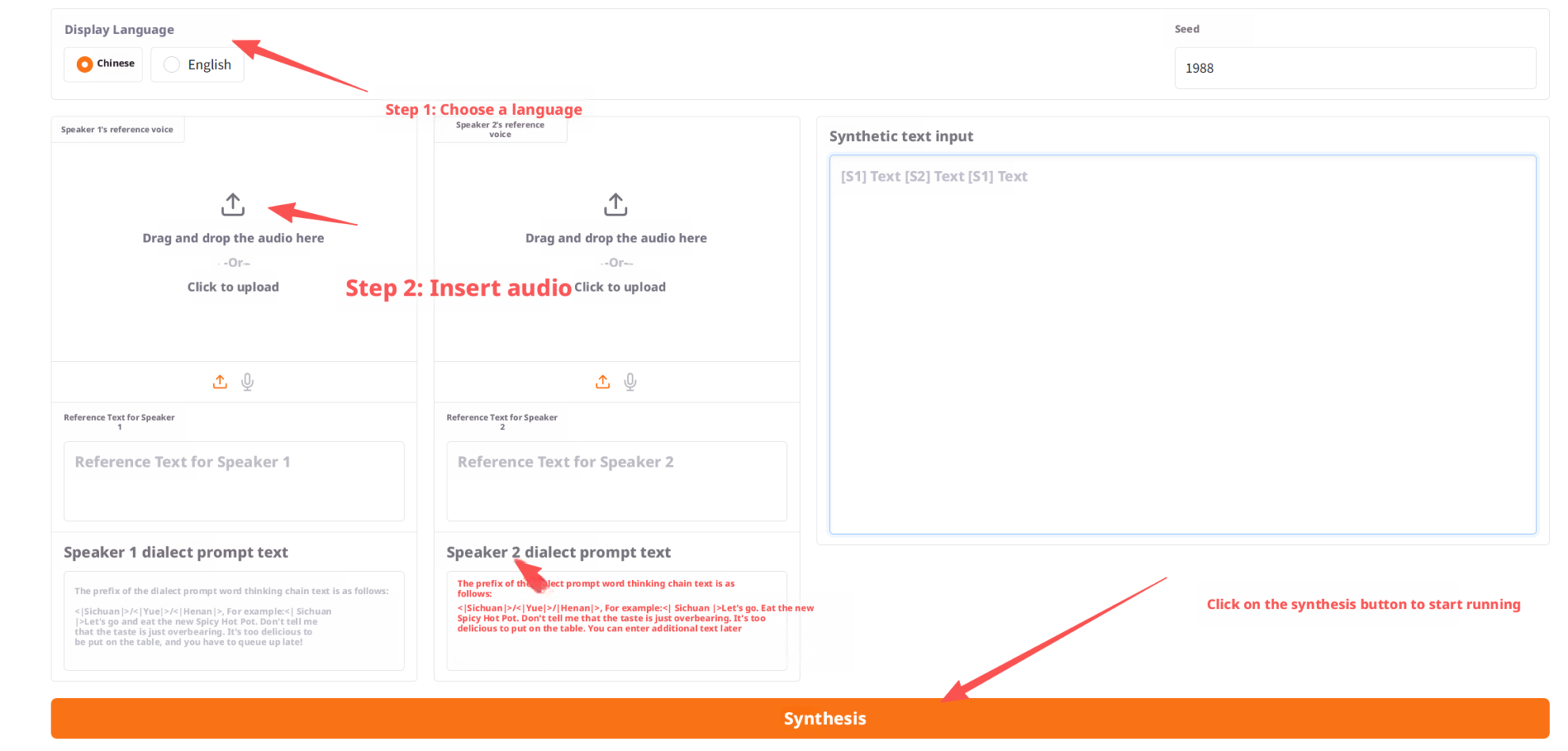
Once you enter the WebUI, you can:
- Upload reference audio of two speakers
- Enter reference text (dialect hints optional)
- Enter the complete podcast dialogue script
- Click the "Generate" button
- View and play the final generated podcast audio.
Example operation screenshots are as follows:
3. Steps for using dialect prompt text
By providing the model with additional dialect example texts, the dialect naturalness of the generated speech can be significantly improved.
The process consists of 4 simple steps and is easy to use.
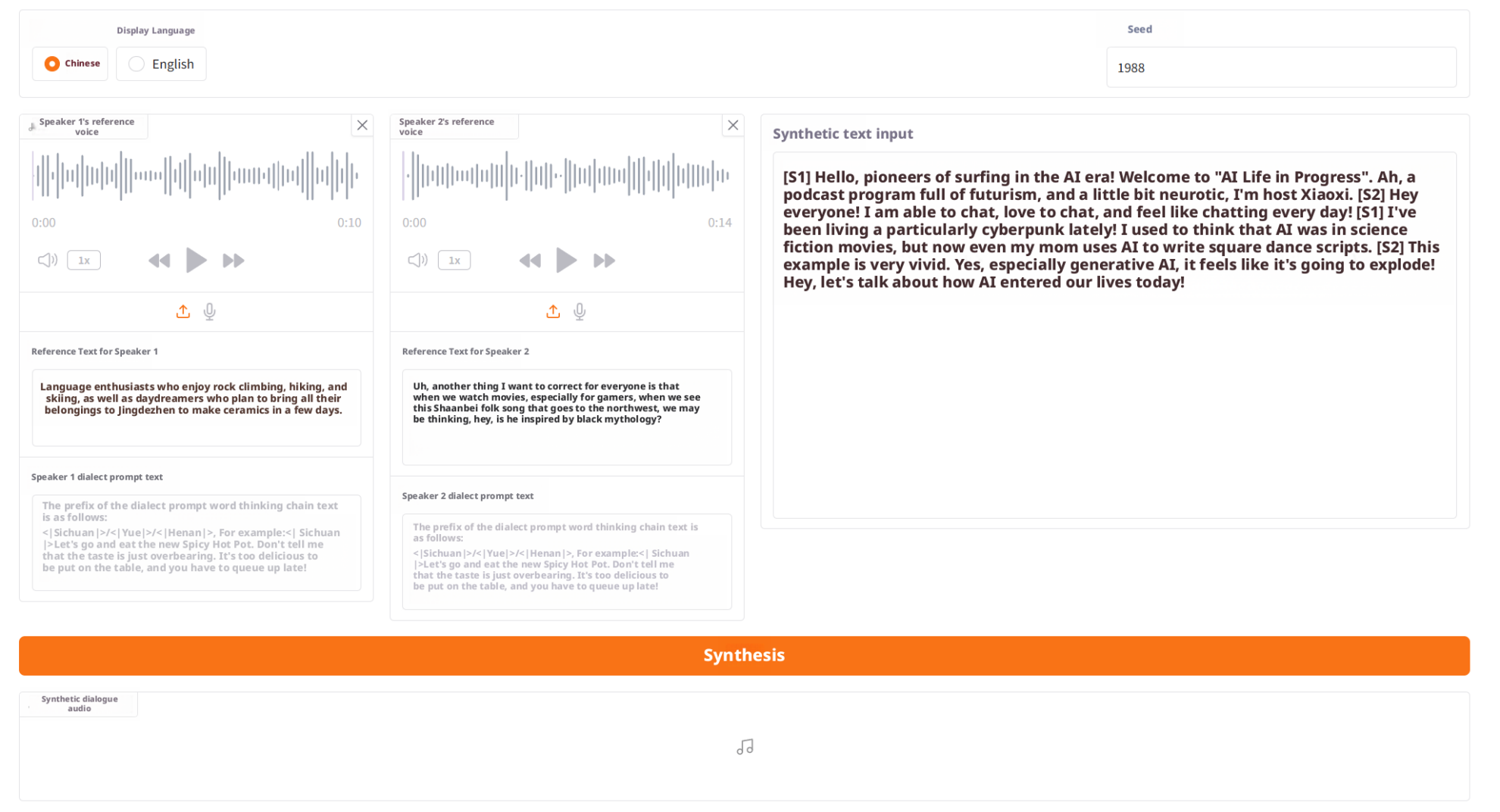
Step 1: Complete the basic prompt input
Upload or fill in the information for S1 and S2 respectively:
- Reference audio (Prompt Audio)
- The Prompt Text step is used to determine the speaker's timbre, tone, and role characteristics, before dialect enhancement is enabled.
Step 2: Select Dialect
Expand the dialect prompt text selector and choose the dialect type you wish to enhance.
After selection, the system will automatically load typical example sentences for that dialect.

Step 3: Select a dialect example
Choose one example sentence for S1 and S2 respectively.
After clicking on an example, the corresponding dialect prompt text will be automatically filled into the input box. These examples will serve as dialect style prompts, making the generated speech more authentic and natural.
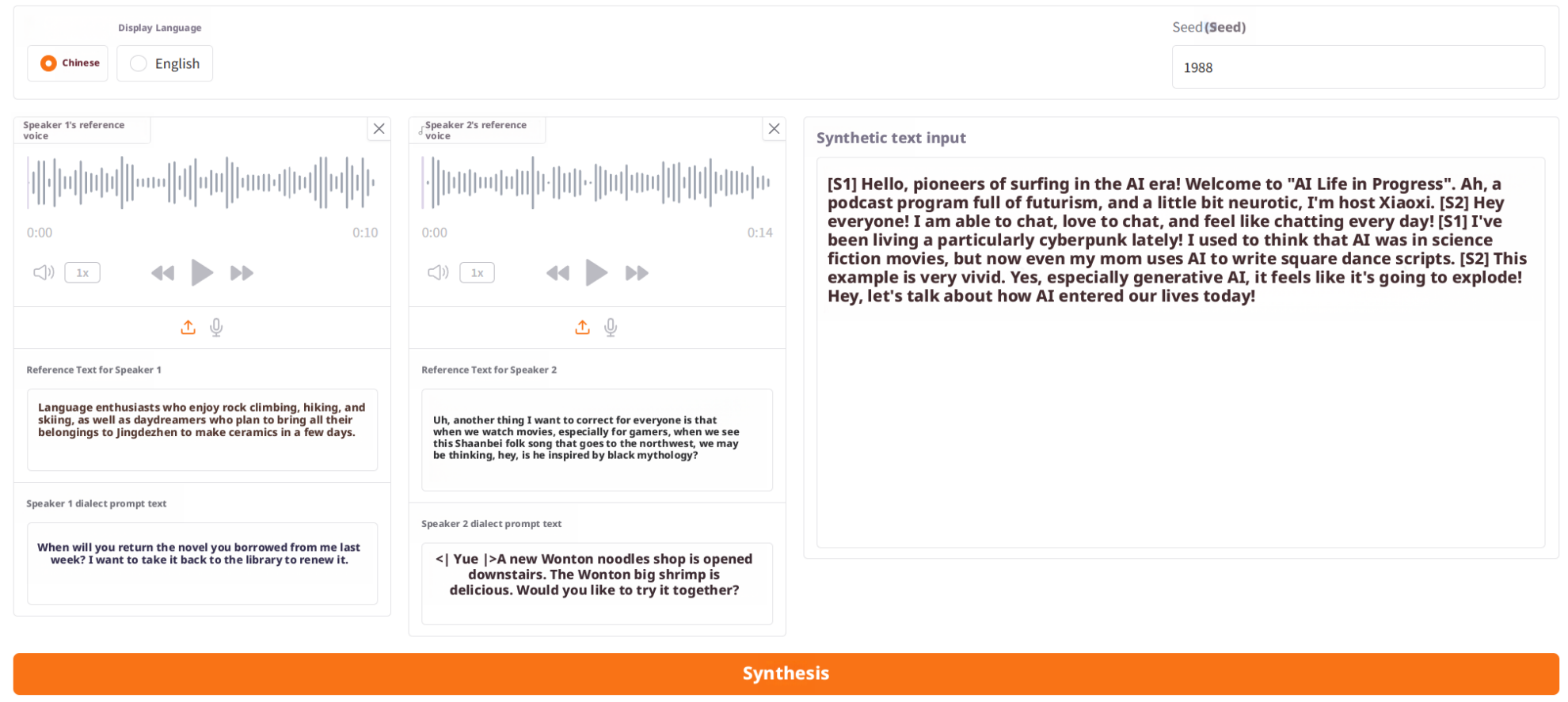
Step 4: Input the synthesized text and generate
4. Discussion
🖌️ If you see a high-quality project, please leave a message in the background to recommend it! In addition, we have also established a tutorial exchange group. Welcome friends to scan the QR code and remark [SD Tutorial] to join the group to discuss various technical issues and share application effects↓

Project Support
@misc{SoulXPodcast,

title = {SoulX-Podcast: Towards Realistic Long-form Podcasts with Dialectal and Paralinguistic Diversity},
author = {Hanke Xie and Haopeng Lin and Wenxiao Cao and Dake Guo and Wenjie Tian and Jun Wu and Hanlin Wen and Ruixuan Shang and Hongmei Liu and Zhiqi Jiang and Yuepeng Jiang and Wenxi Chen and Ruiqi Yan and Jiale Qian and Yichao Yan and Shunshun Yin and Ming Tao and Xie Chen and Lei Xie and Xinsheng Wang},
year = {2025},
archivePrefix={arXiv},
url = {https://arxiv.org/abs/2510.23541}
}
Notebook Overview
Level
Topic
Build AI with AI
From idea to launch — accelerate your AI development with free AI co-coding, out-of-the-box environment and best price of GPUs.