Command Palette
Search for a command to run...
One-click Deployment of Qwen-Image-Lightning
Date
Organization

License
Apache 2.0
GitHub
1. Tutorial Introduction

Qwen-Image-Lightning is a series of high-efficiency image generation and editing models launched by the Qwen team starting in August 2025. Through advanced distillation technology, it achieves high-quality image generation with a minimal number of inference steps. While inheriting Qwen's powerful visual generation capabilities, this series significantly optimizes inference speed and resource efficiency.
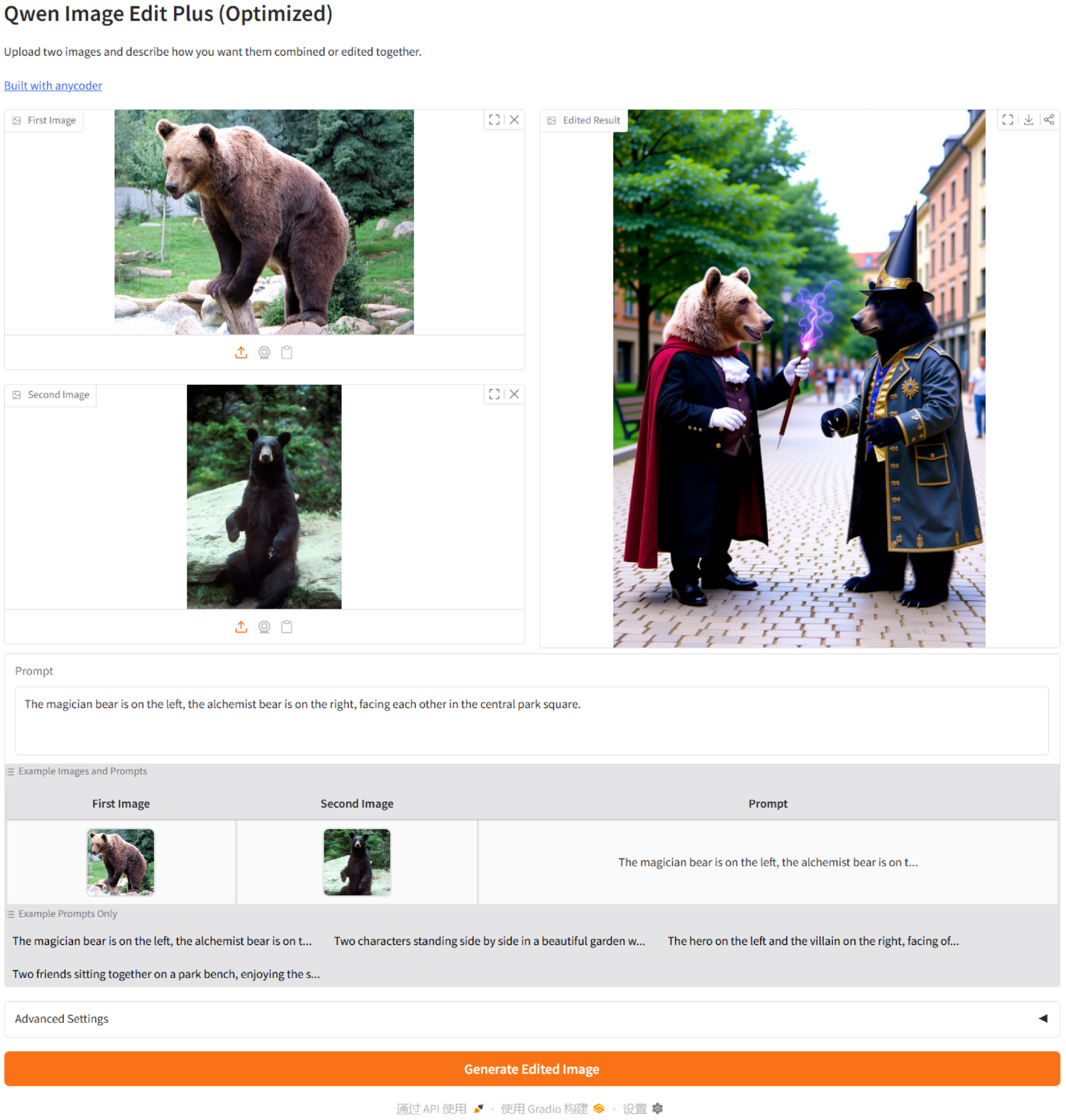
This deployment utilizes the latest optimized Qwen-Image-Lightning model to build a highly flexible visual content generation system. The system fully supports three modes: single-image guided editing, dual-image fusion generation, and pure text creation, allowing users to freely choose input conditions according to their creative needs. Through an integrated and optimized generation workflow, this solution can generate semantically consistent, visually high-quality images in just four inference steps, effectively lowering the technical threshold for high-quality image synthesis and semantic editing. It is suitable for various creative scenarios requiring rapid visualization, such as content creation, advertising design, and interactive media.
To meet advanced creative needs, the system also provides advanced settings options, allowing for fine-grained control over the generation process by adjusting parameters such as random seed, inference steps, CFG ratio, guidance ratio, and negative prompts, thereby achieving the best balance between generation speed, image quality, and creative freedom.
This tutorial uses the [bf16 version] of [Qwen-Image-Lightning] as a demonstration, with computing power resources of "single RTX PRO 6000 card".
2. Operation steps
1. Start the container
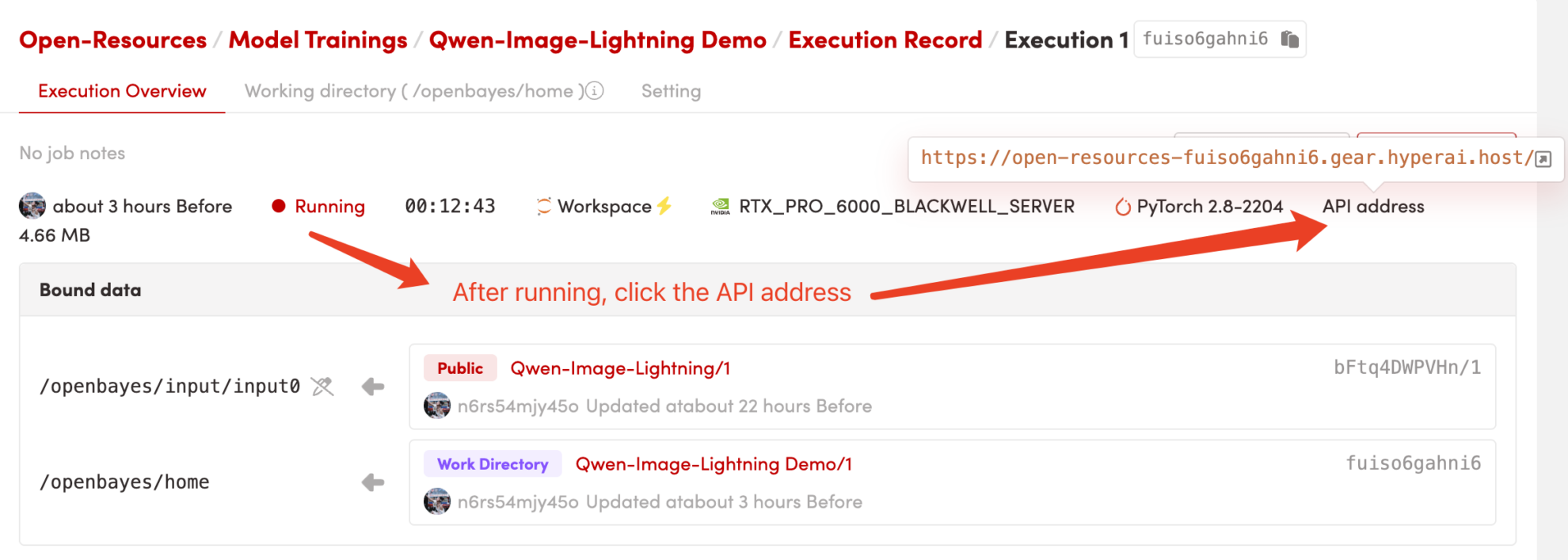
2. Usage Examples
Once you access the webpage, you can begin interacting with the model. If "Bad Gateway" is displayed, it means the model is initializing. Due to the large size of the model, please wait approximately 5 minutes and then refresh the page.
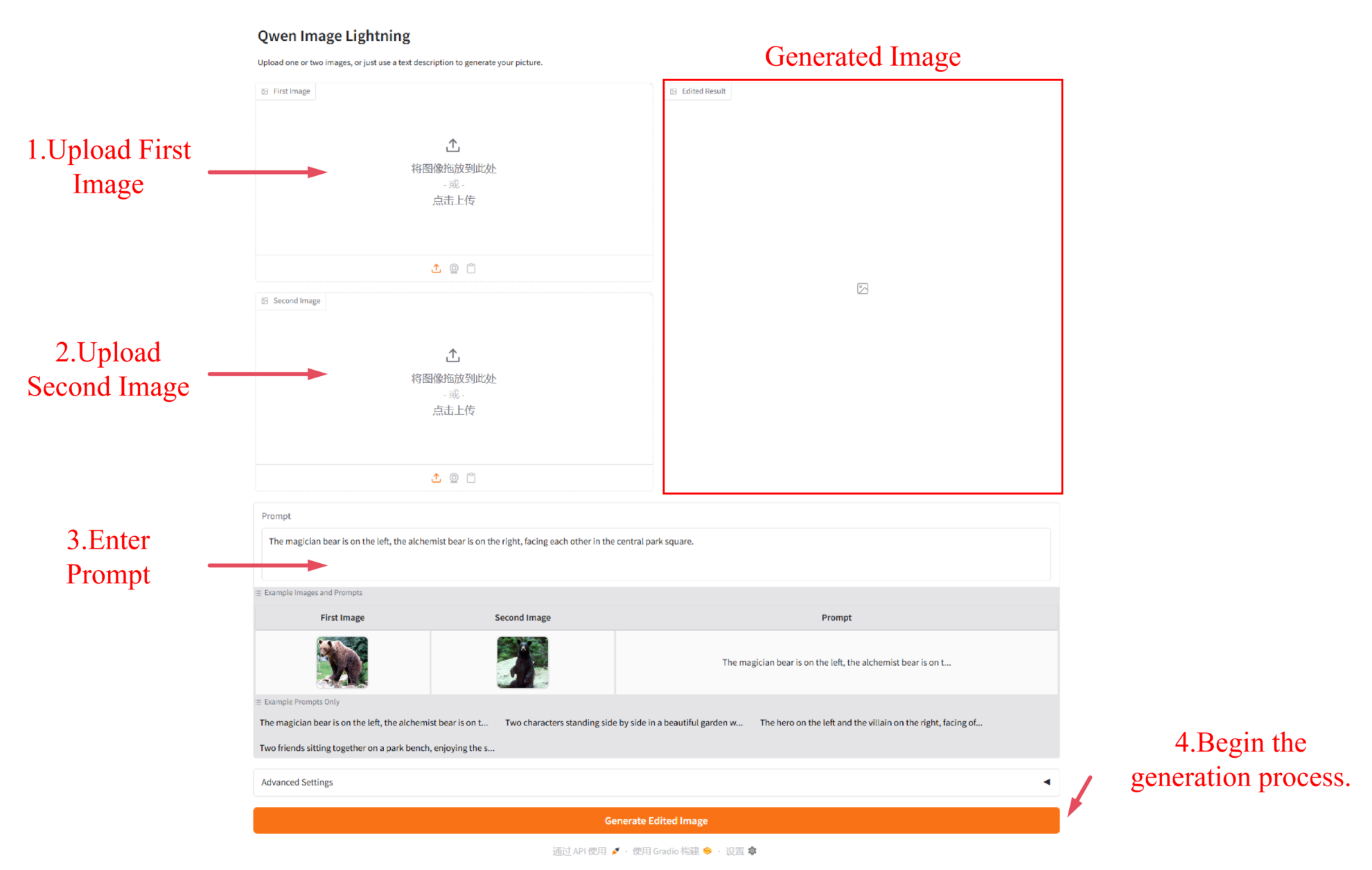
3. Result Generation
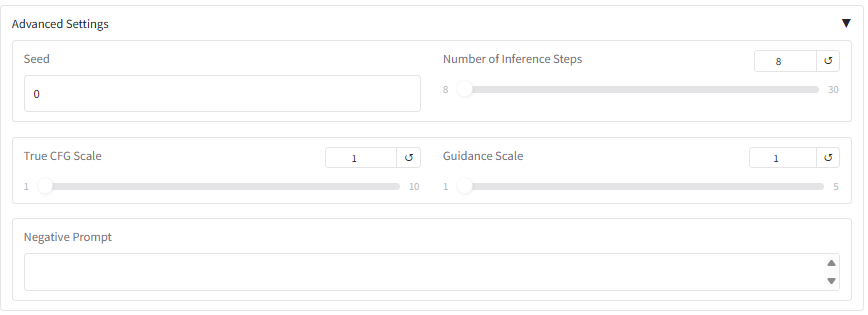
4. Advanced Settings
After expanding to advanced settings, you can fine-tune the generation process by adjusting the following core parameters:
- Random seed: Fixes the randomness of the generated results; the same seed can reproduce the output.
- Number of Inference Steps: Controls the number of generation iterations, affecting the richness of detail and generation time.
- CFG Scale: Adjusts the degree of adherence to the cue words; the higher the value, the more strictly the cue words are followed.
- Guidance Scale: Balances the weights of conditional generation and unconditional generation.
- Negative Prompt: Specifies the content elements that need to be excluded.
Notebook Overview
Level
Build AI with AI
From idea to launch — accelerate your AI development with free AI co-coding, out-of-the-box environment and best price of GPUs.