Command Palette
Search for a command to run...
Dia2-TTS: Real-time Speech Synthesis Service
1. Tutorial Introduction

Dia2-TTS is a real-time speech synthesis service built on the Dia2 large-scale speech generation model (Dia2-2B) released by the nari-labs team in November 2025. It supports multi-turn dialogue script input, dual-role voice prompts (Prefix Voice), and multi-parameter controllable sampling. It provides a complete web-based interactive interface through Grado for high-quality conversational speech synthesis. Dia2-TTS can directly input continuous multi-turn dialogue scripts to generate natural, coherent, and consistent high-quality speech, suitable for applications such as virtual customer service, voice assistants, AI dubbing, and short drama generation.
Core features:
- Multi-turn dialogue speech synthesisSupports continuous multi-turn dialogues between two characters in S1/S2.
- Voice prefix-driven timbreControlling the consistency of a character's voice through Prefix Voice
- Dual sampling systemText and audio sampling parameters are independently controllable.
- Controllable generation of CFGSupports CFG Scale adjustment of overall generation intensity.
- Timestamp Aligned OutputWord-level timestamps facilitate post-production subtitles and editing.
- Web-based interactionOne-click online inference based on Grado.
This tutorial uses Grado to deploy the Dia2-TTS real-time speech synthesis service. The computing resources used are "RTX_5090", which can smoothly run multi-turn dialogue-level speech generation tasks. Currently, it can only generate English dialogues.
2. Effect display
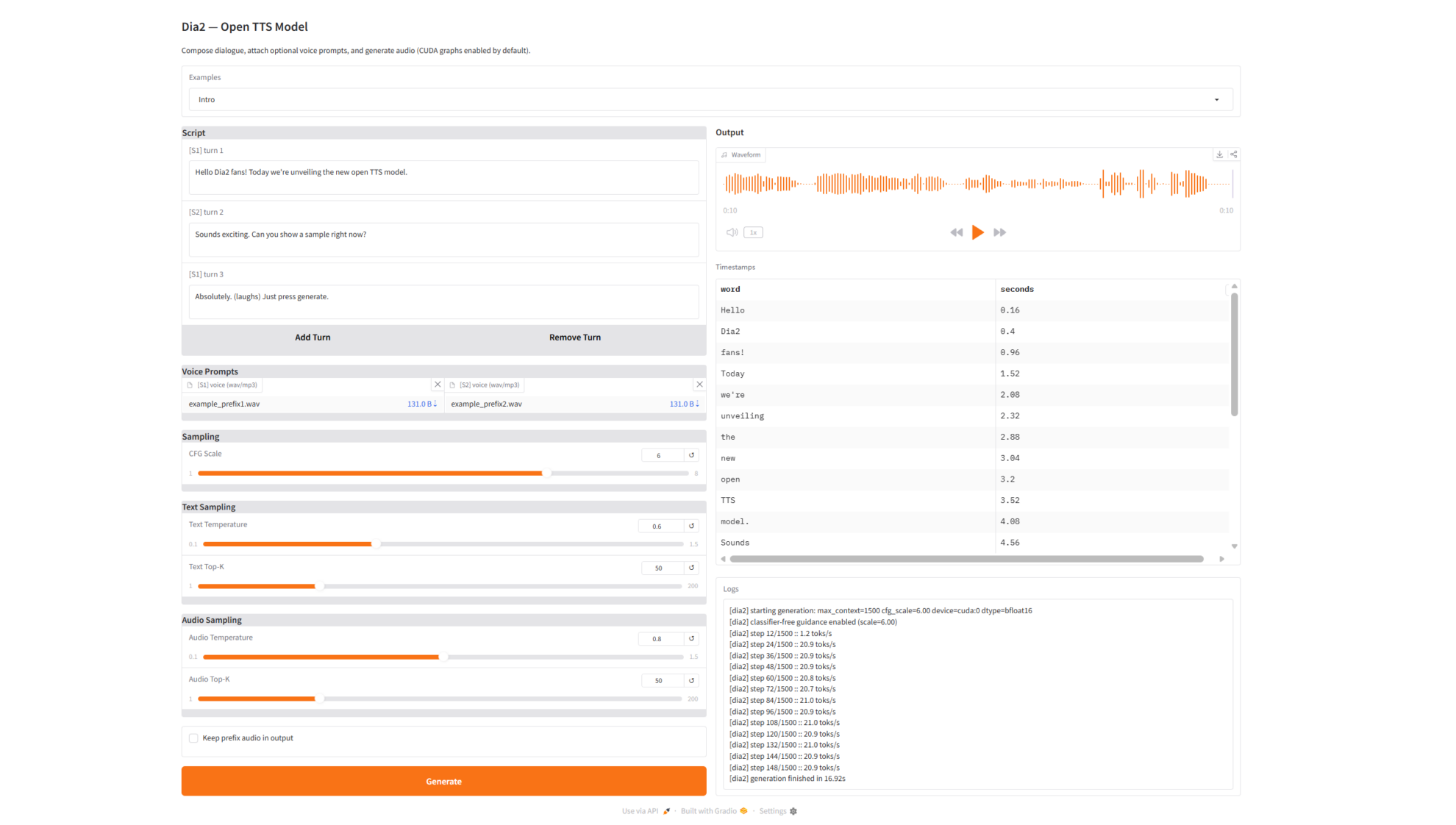
Dia2-TTS can achieve the following in practical applications:
- Multi-turn dialogue speech synthesisSupports the generation of continuous multi-turn natural dialogues.
- Highly natural voice outputSmooth speech, natural pauses, and stable emotions.
- Character voice retentionMaintaining consistent voice timbre based on voice prefixes
- Voice timestamp outputIt can be used for subtitle generation, lip-syncing animation, and secondary editing.
- Log visualization output: Fully demonstrate the reasoning process and generation state
3. Operation steps
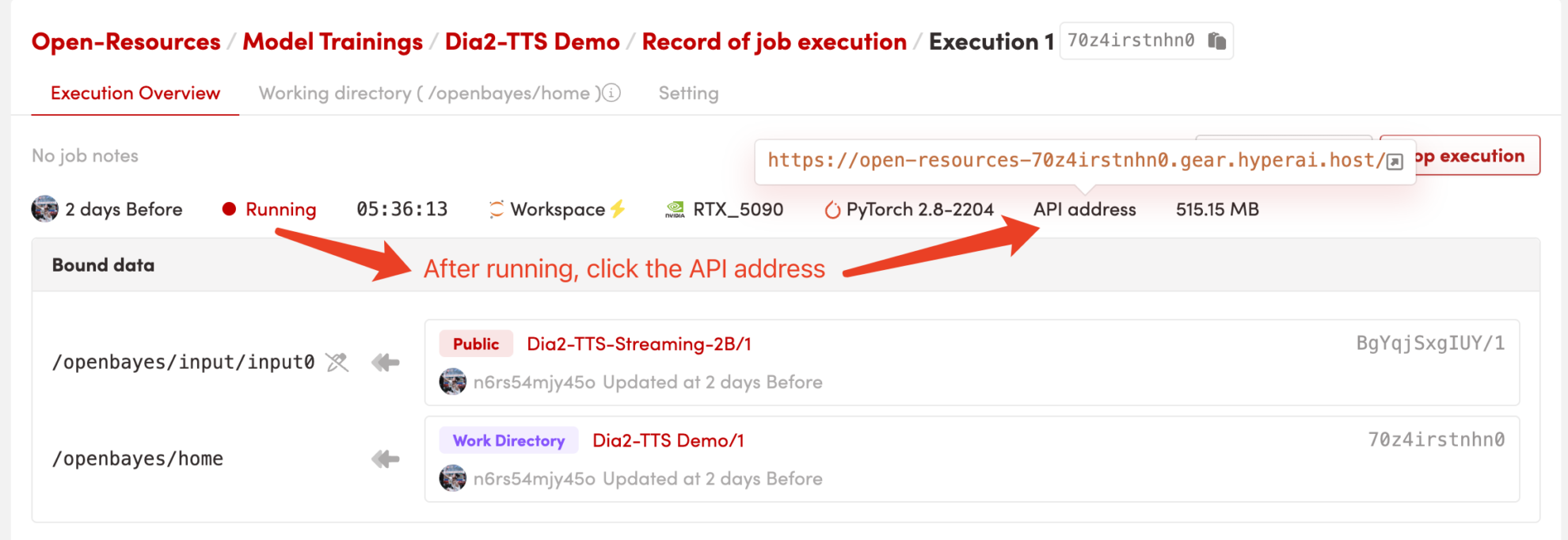
1. Start the container
After starting the container, click the API address to enter the Web interface
2. Getting Started
If "Bad Gateway" is displayed, it means the model is initializing. Please wait 1-2 minutes and refresh the page.
When using the Safari browser, the audio may not be played directly and needs to be downloaded before playing.
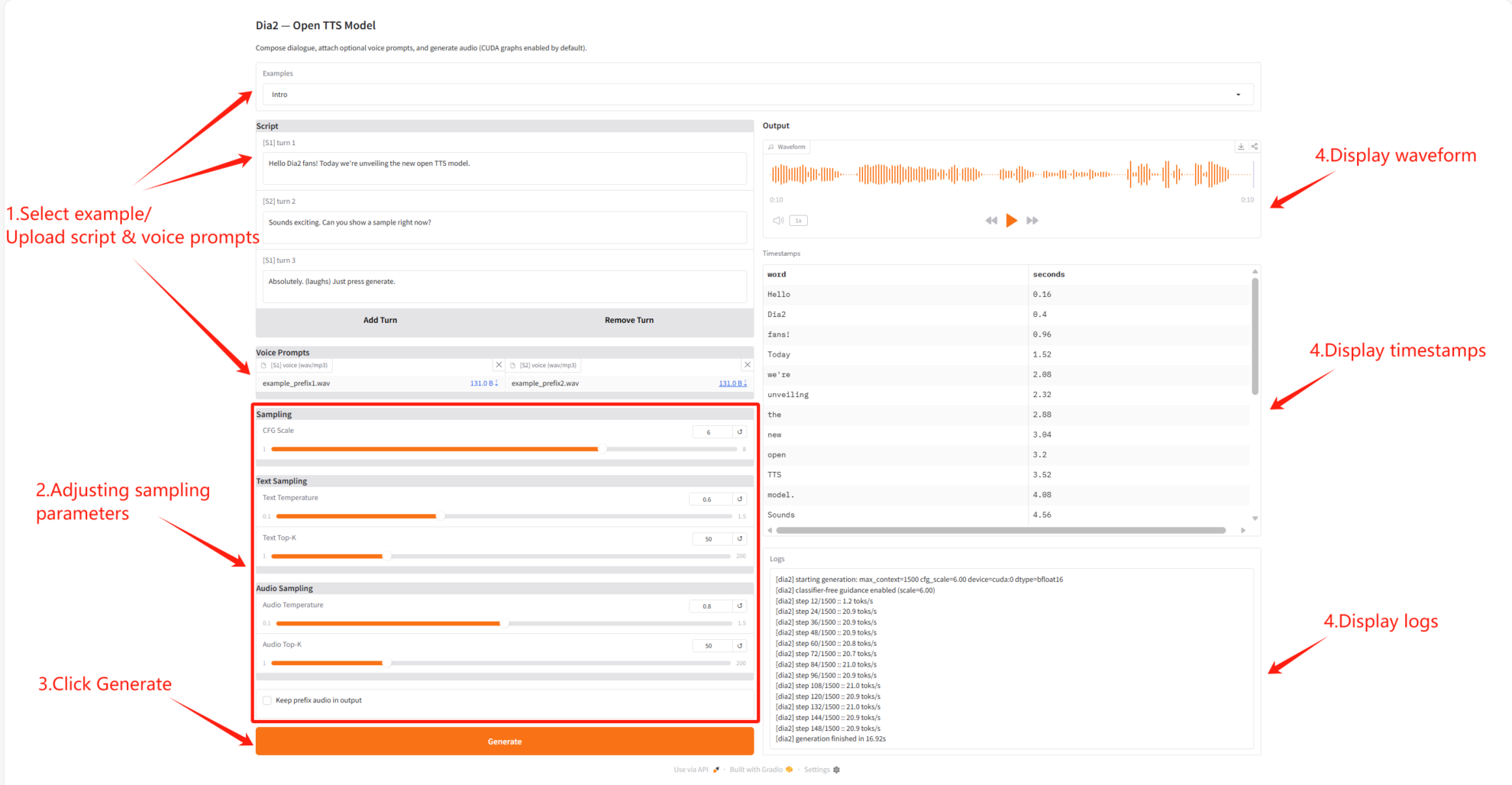
Parameter Description
- Overall voice control
- CFG Scale: Controls the overall guiding strength of text and speech generation.
- Text sampling settings
- Text Temperature: Controls the randomness of text generation.
- Text Top-K: Controlling the range of text sampling candidates
- Audio sampling settings
- Audio Temperature: Controls the randomness of audio generation.
- Audio Top-K: Controls the candidate range of audio samples
- Voice prefix control
- Keep Prefix: Whether to retain the prefixed pronunciation in the final output.
Notebook Overview
Level
Topic
Build AI with AI
From idea to launch — accelerate your AI development with free AI co-coding, out-of-the-box environment and best price of GPUs.