Command Palette
Search for a command to run...
Online Tutorial | Qwen 3.5 27B Distillation of Claude 4.6 Opus Inference Capabilities, Balancing High-Quality Output and Low-Barrier Deployment

In recent years, large-scale models have continuously evolved towards stronger reasoning capabilities and higher reasoning efficiency. How to improve the quality of solving complex problems while maintaining the model's expressive power has become a core focus of the industry. Under this trend, a new generation of models that integrate high-quality reasoning distillation with structured thinking optimization is gradually becoming the mainstream research path.
March 2026,**Jackrong has open-sourced a high-performance inference model, Qwen3.5-27B-Claude-4.6-Opus-Reasoning-Distilled.**Built on the Qwen3.5-27B infrastructure, it integrates advanced reasoning capabilities distilled from Claude-4.6 and Opus, significantly enhancing complex problem-solving and multi-turn dialogue interaction performance while maintaining its original strong language understanding and expression capabilities.
At the core competency levelThis model achieves a comprehensive upgrade in reasoning capabilities by introducing high-quality thought chain distillation technology, making it particularly outstanding in scenarios such as mathematical derivation, logical analysis, planning and decision-making, and multi-step task decomposition. Compared with traditional models, this system can not only generate answers, but also analyze problems step by step in a structured manner, breaking down complex tasks into clear and executable logical steps, thereby improving the overall stability of reasoning and the reliability of results.
**In terms of interactive experience,**The model supports a token-based streaming dialogue generation mechanism, enabling near real-time word-by-word output for a more natural and fluent dialogue experience. Simultaneously, the system provides flexible parameter control capabilities, including key configuration items such as temperature, top-p, and maximum output length, allowing developers to fine-tune the generation style and output strategy according to different application scenarios.
**In terms of engineering implementation,**This model achieves a good balance between performance and efficiency with 27 billion parameters, ensuring both high-quality output and deployment feasibility. Furthermore, the model supports custom system prompts, allowing users to define roles and interaction styles according to their needs, thus achieving a highly personalized application experience. Simultaneously, the system possesses comprehensive session management capabilities, automatically maintaining context continuity and supporting conversation clearing and restarting, improving stability in long-conversation scenarios.
**In practical applications,**This model can provide powerful intelligent dialogue support in multiple fields. For example, it has excellent logical analysis capabilities in complex reasoning tasks; it can be used for paper interpretation and experimental design in scientific research; it supports code generation and debugging suggestions in programming; and it can be used for deep question answering and knowledge explanation in educational scenarios.
at present,**The tutorial section on the HyperAI website (hyper.ai) now features "One-click deployment of Qwen 3.5-27B-Claude-4.6-Opus-Reasoning-Distilled".**Come and experience our high-performance inference model!
Run online:
Demo Run
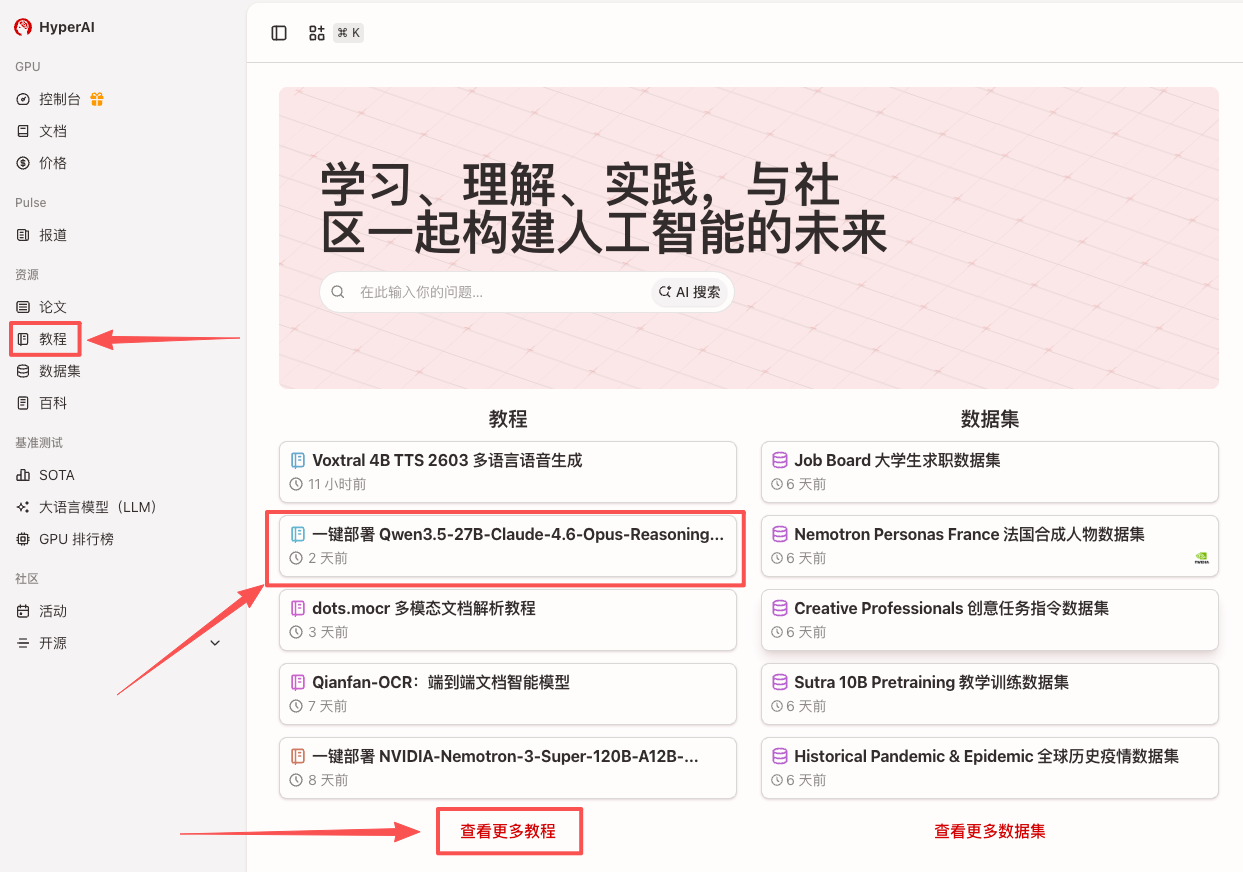
1. After entering the hyper.ai homepage, select the "Tutorials" page, or click "View More Tutorials", select "One-click Deployment of Qwen3.5-27B-Claude-4.6-Opus-Reasoning-Distilled", and click "Run this tutorial online".
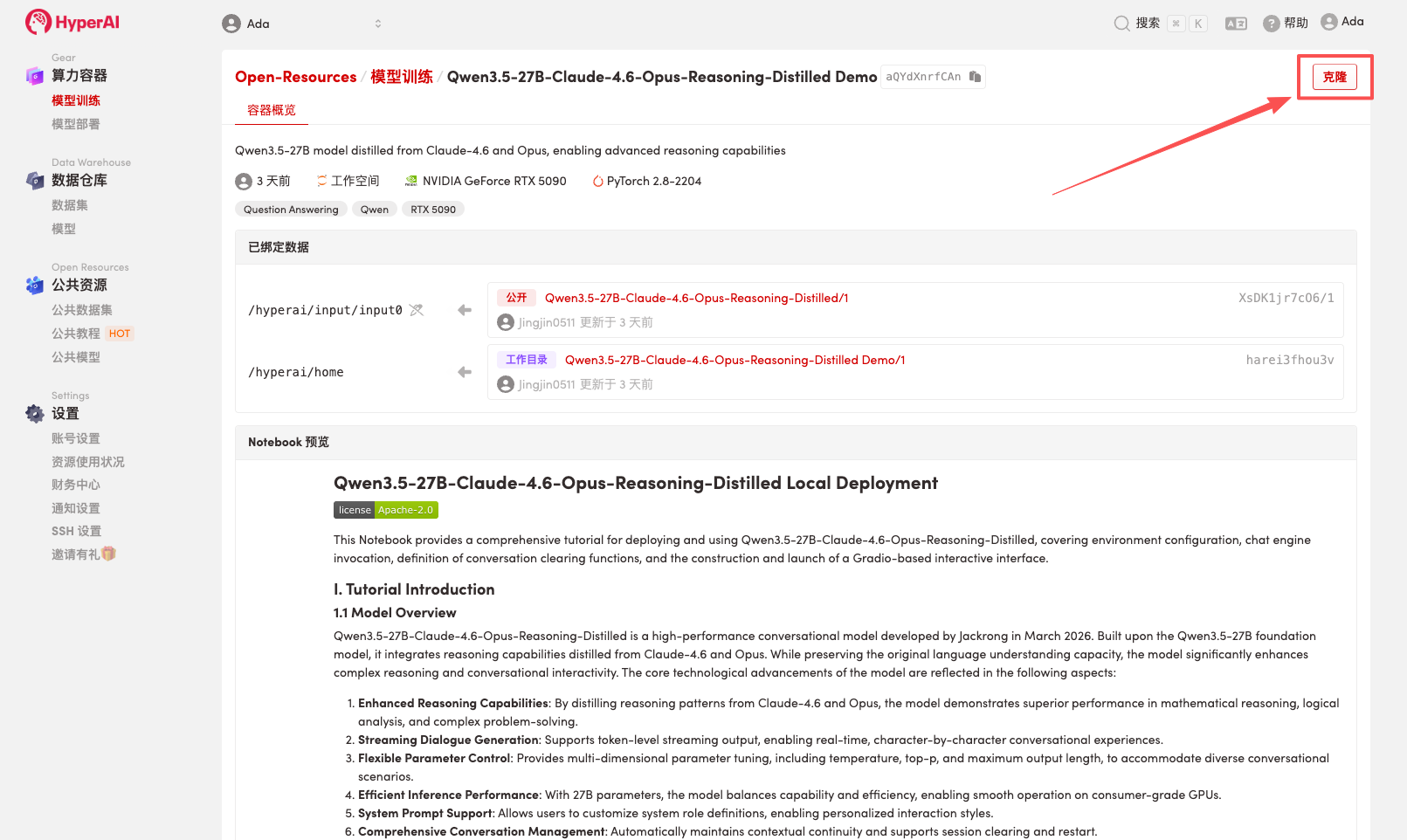
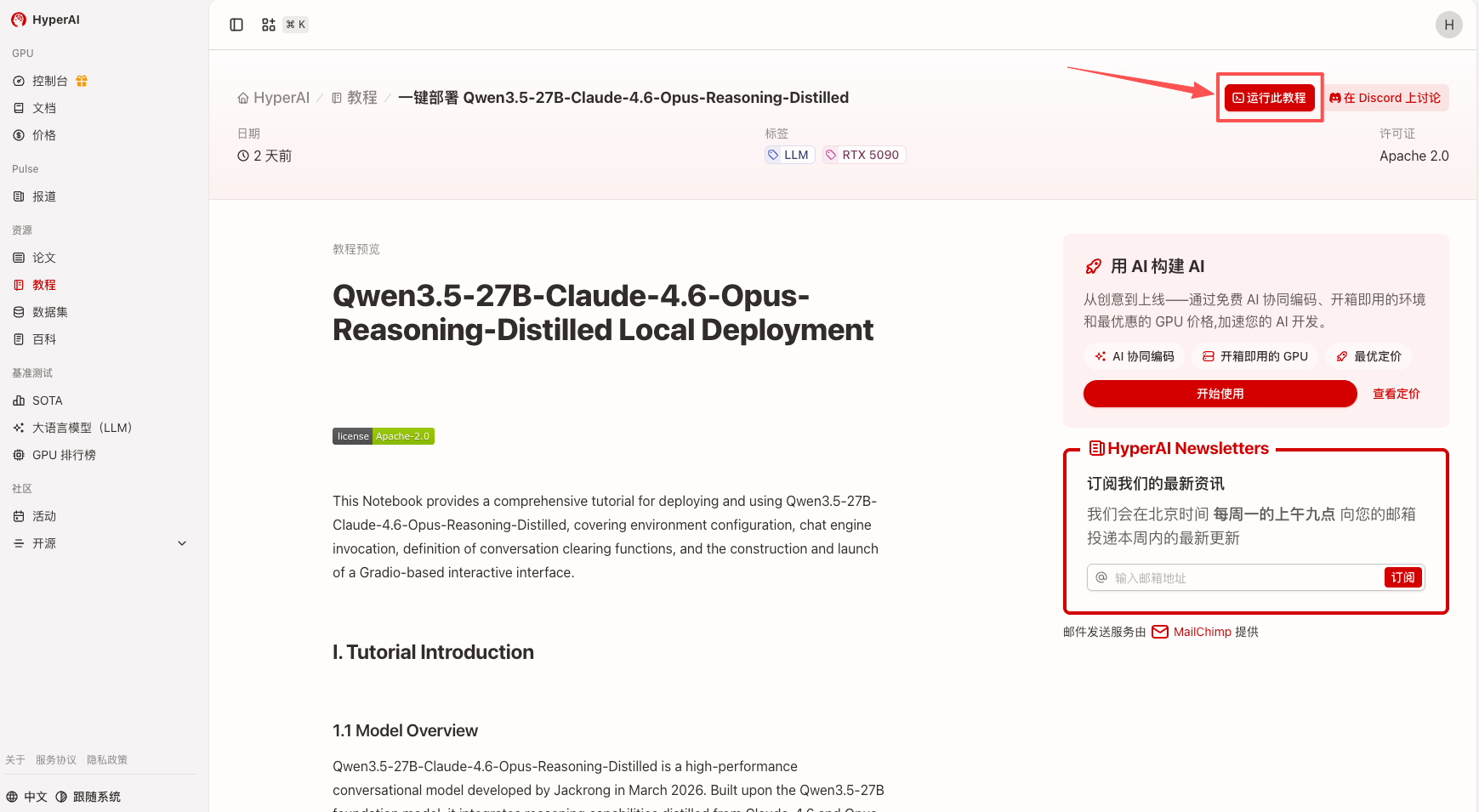 2. After the page redirects, click "Clone" in the upper right corner to clone the tutorial into your own container.
Note: You can switch languages in the upper right corner of the page. Currently, Chinese and English are available. This tutorial will show the steps in English.
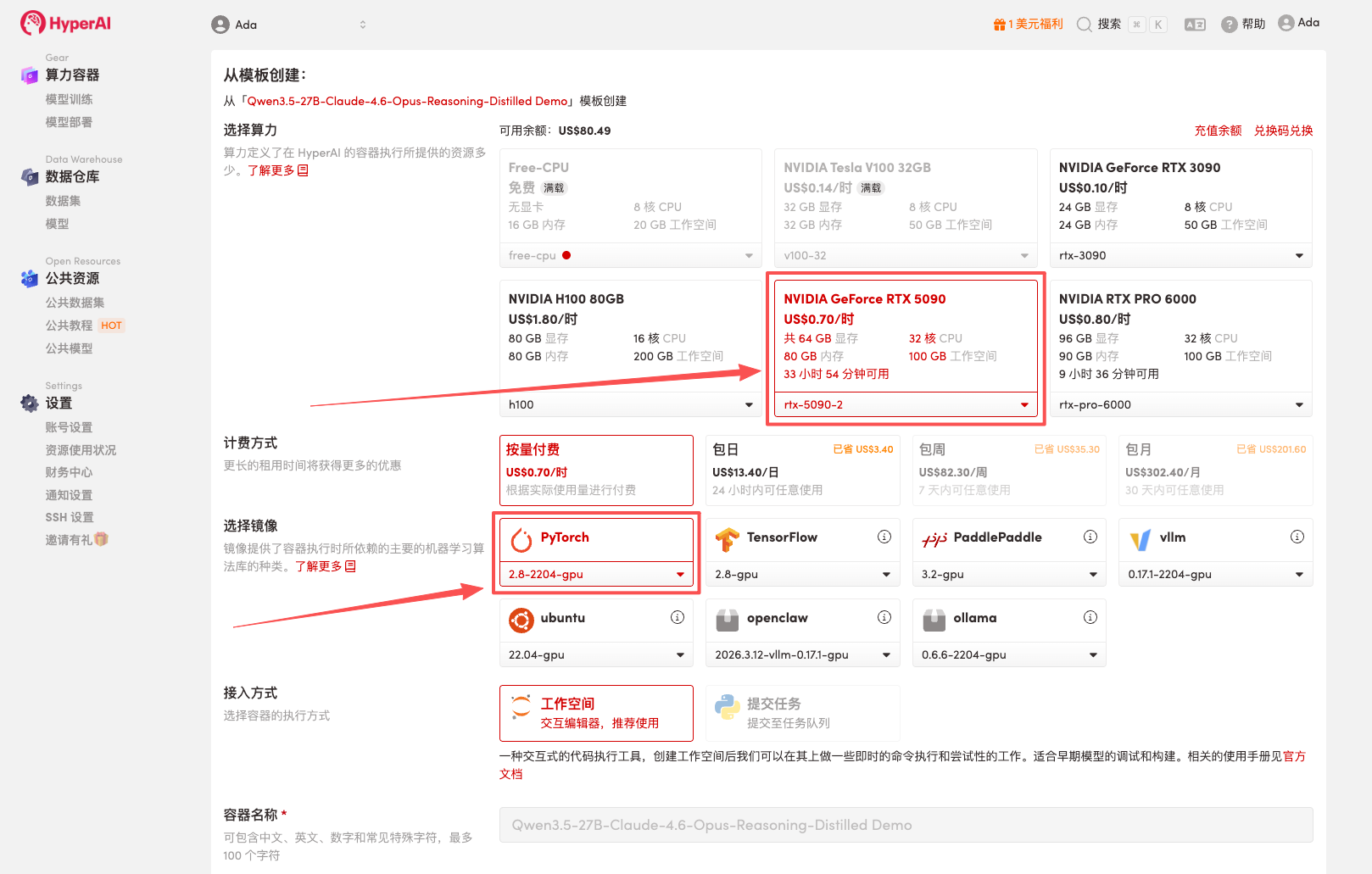
 3. Select the "NVIDIA RTX 5090" and "PyTorch" images, and click "Continue job execution".
HyperAI is offering a registration bonus for new users: for just 1,youcanget20hoursofRTX5090computingpower(originallypricedat7), and the resources are valid indefinitely.
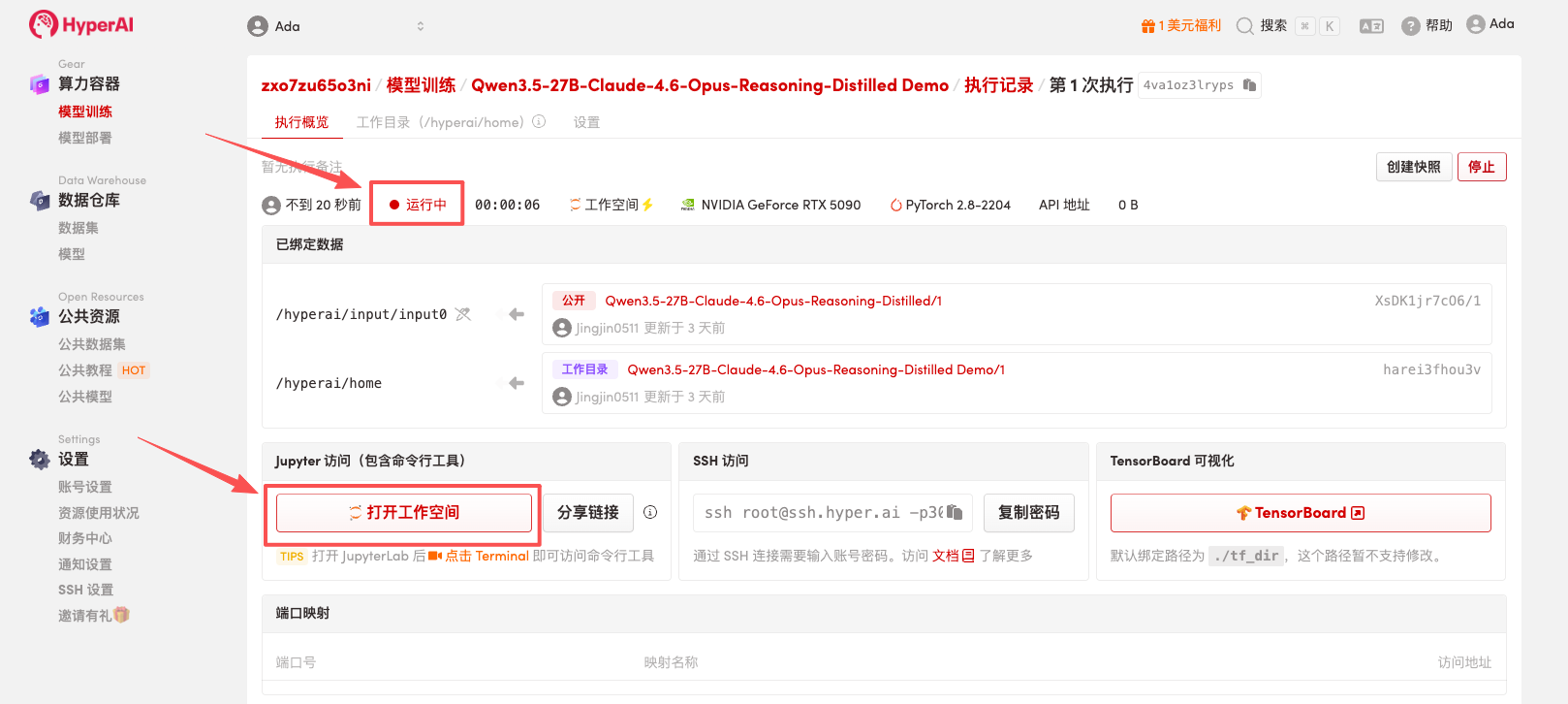
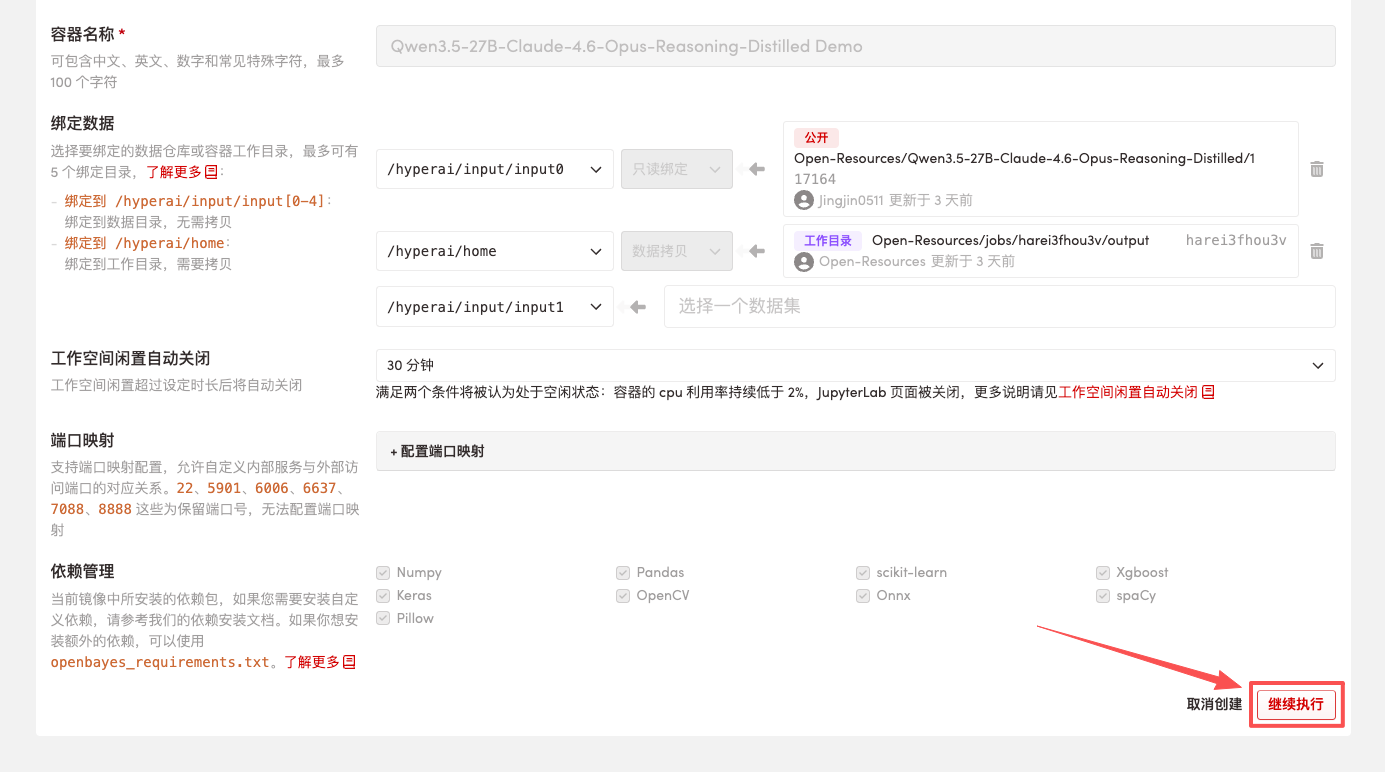 4. Wait for resources to be allocated. Once the status changes to "Running", click "Open Workspace" to enter the Jupyter Workspace.
 Effect display
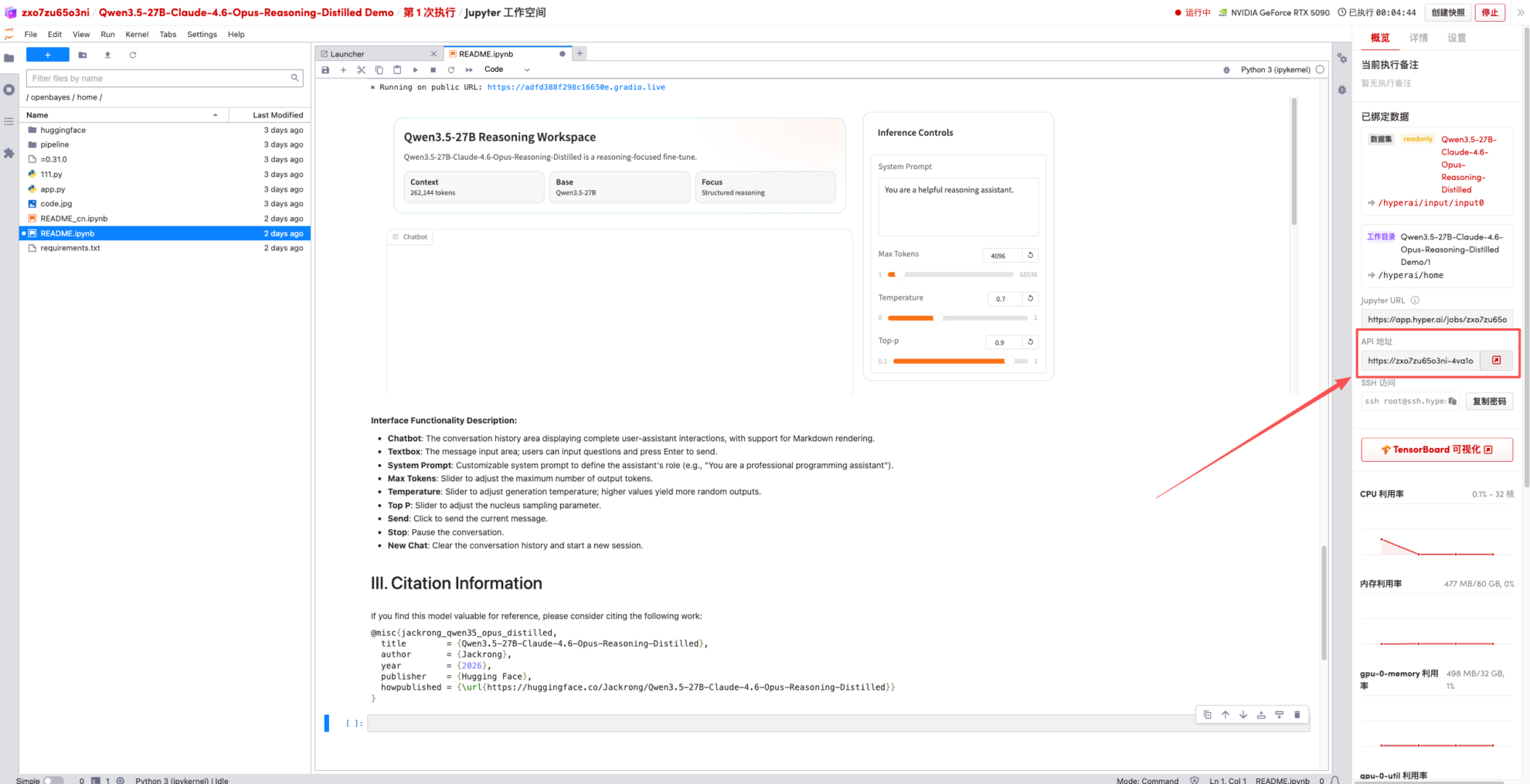
1. After the page redirects, click on the README page on the left, and then click Run at the top.
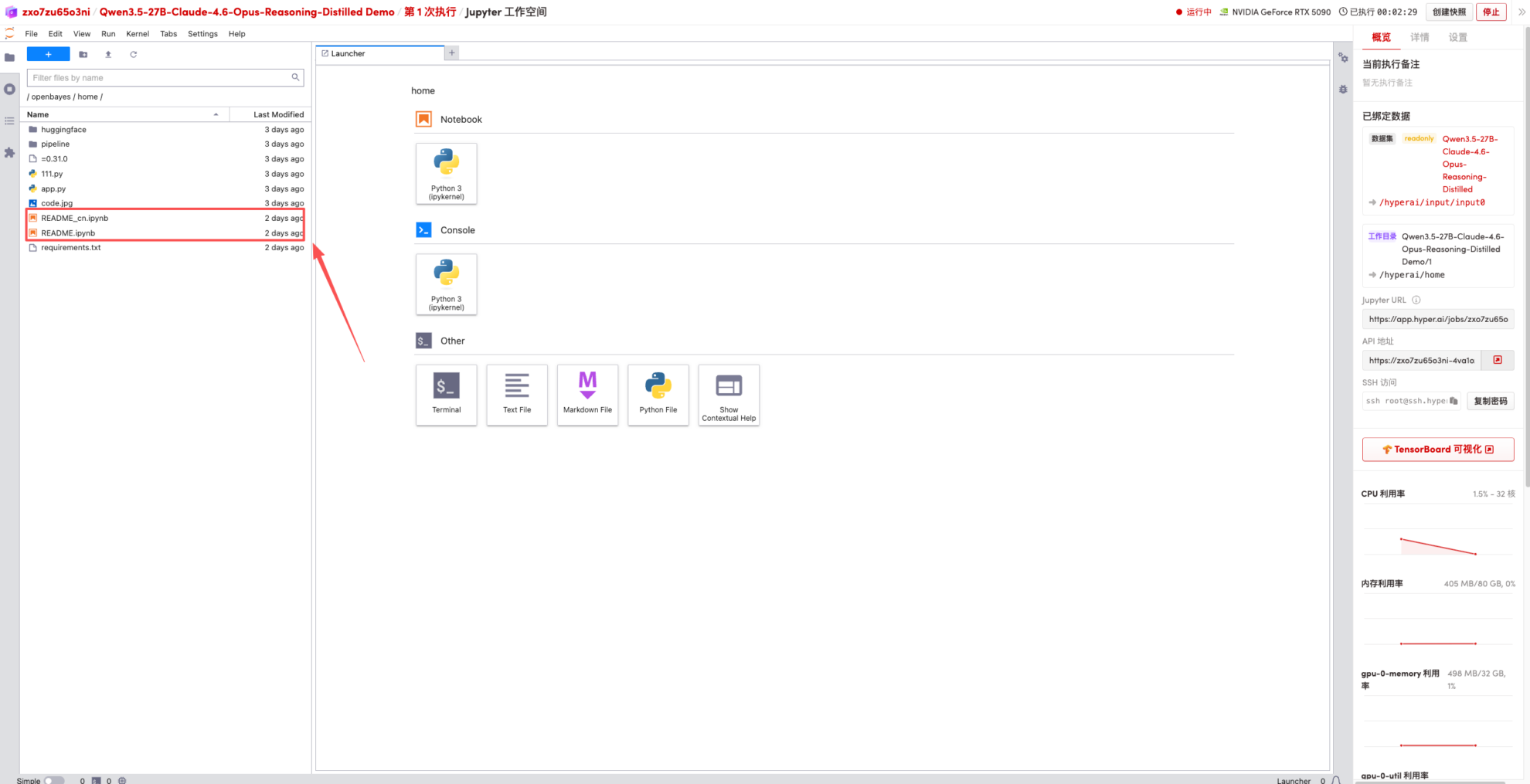
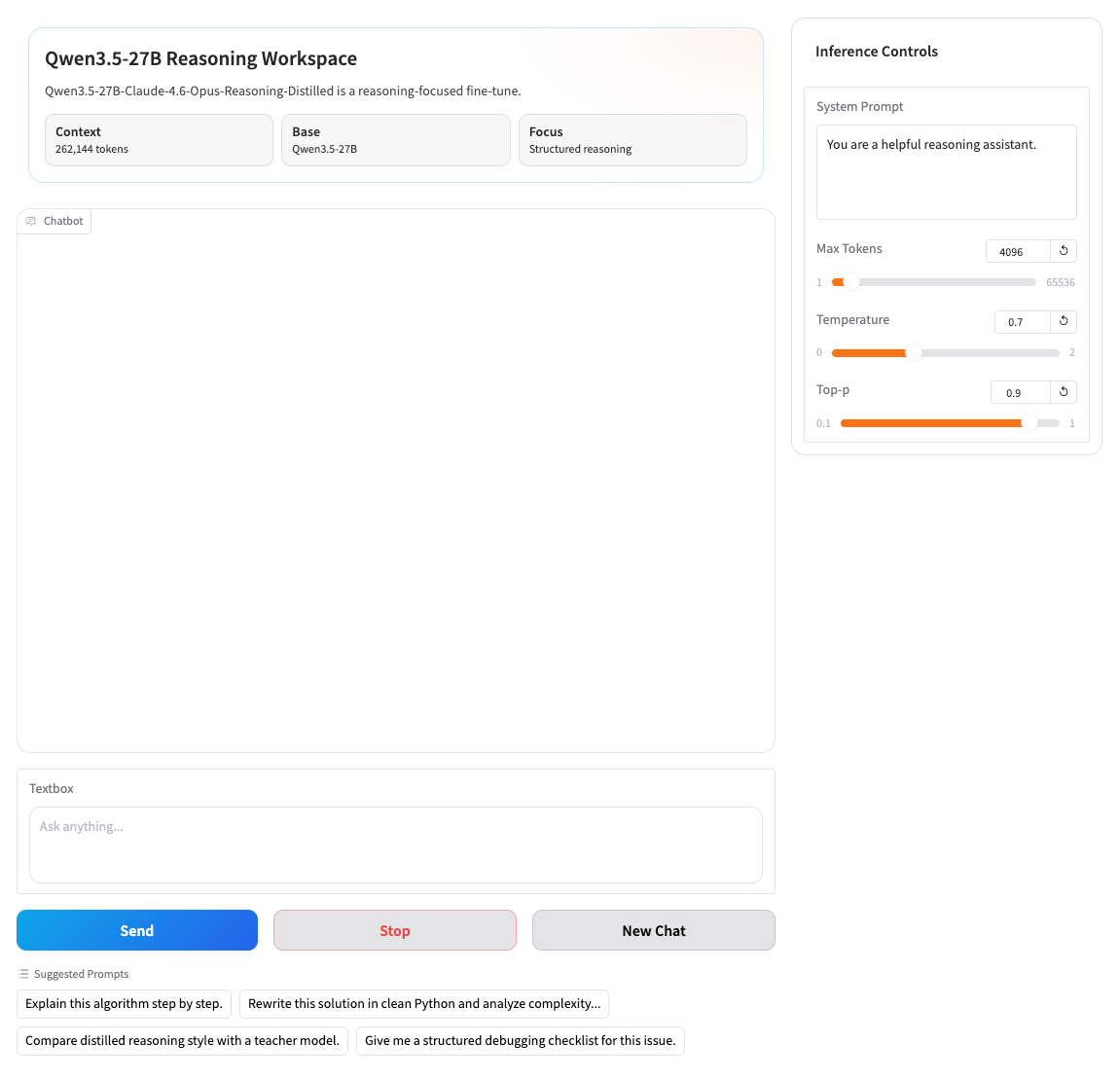
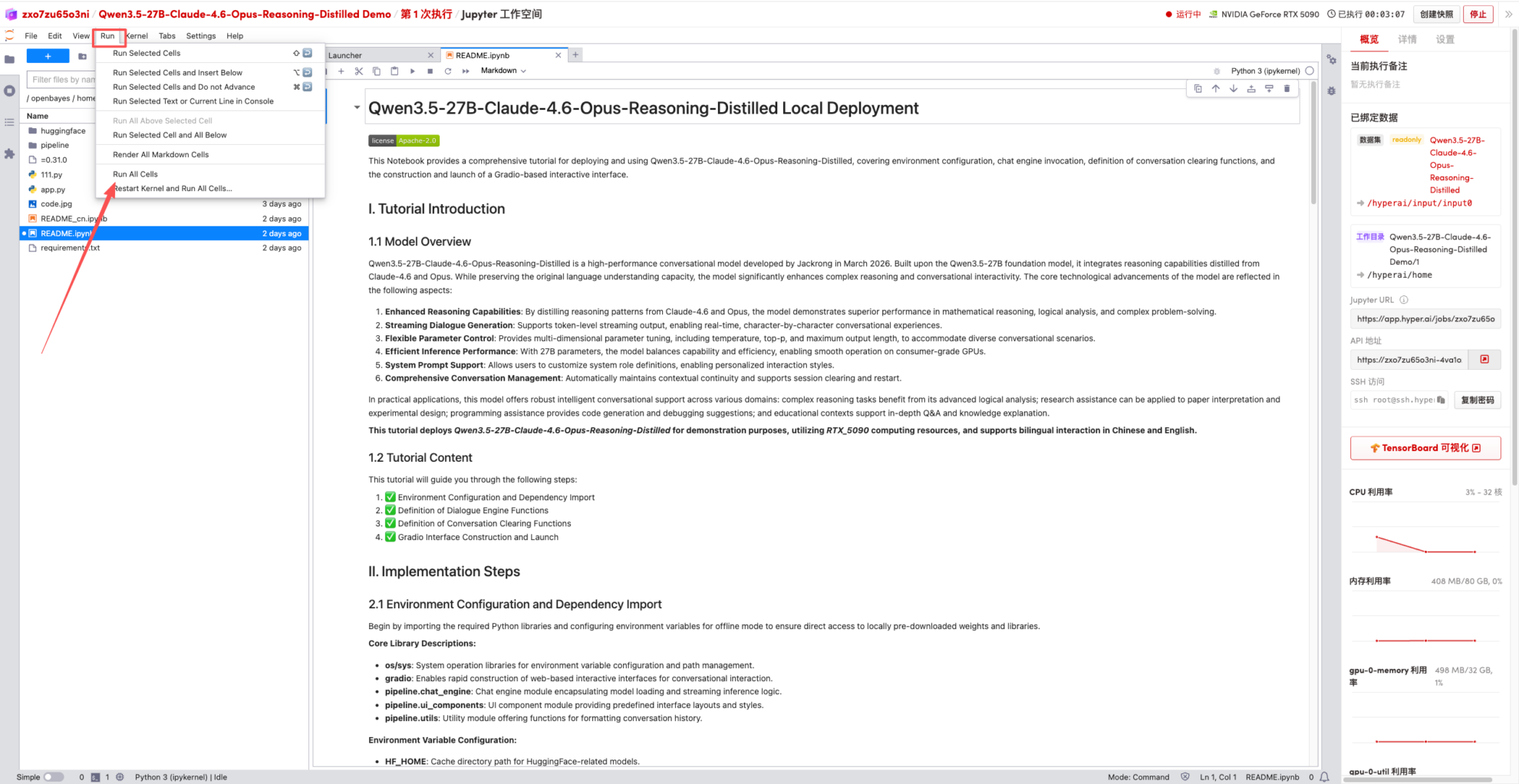 2. Once the process is complete, click the API address on the right to jump to the demo page.