Command Palette
Search for a command to run...
Chandra: High-precision Document OCR
1. Tutorial Introduction


Chandra is a high-precision document OCR (Optical Character Recognition) system developed by the Datalab-to team in October 2025, focusing on document layout awareness and text extraction. Chandra can directly process PDF and image files, generating structured text, Markdown, and HTML outputs, while providing visual layout diagrams for easy inspection of OCR results.
Core features:
- High-precision OCROptimized for document, table, and multi-column layouts, supporting complex page layouts.
- Layout awarenessGenerates visual layout diagrams, marking text blocks, tables, and image areas.
- Multi-format outputSupports downloading Markdown, HTML, and plain text.
- Simple deploymentBased on the Streamlit interface, it allows for quick interaction in the browser.
- Lightweight model: You can directly load the model using Transformers without needing to add a dependency on vLLM.
This tutorial uses Streamlit to deploy the Chandra OCR core model, with "RTX_5090" computing resources, enabling fast document inference and layout visualization.
2. Effect display
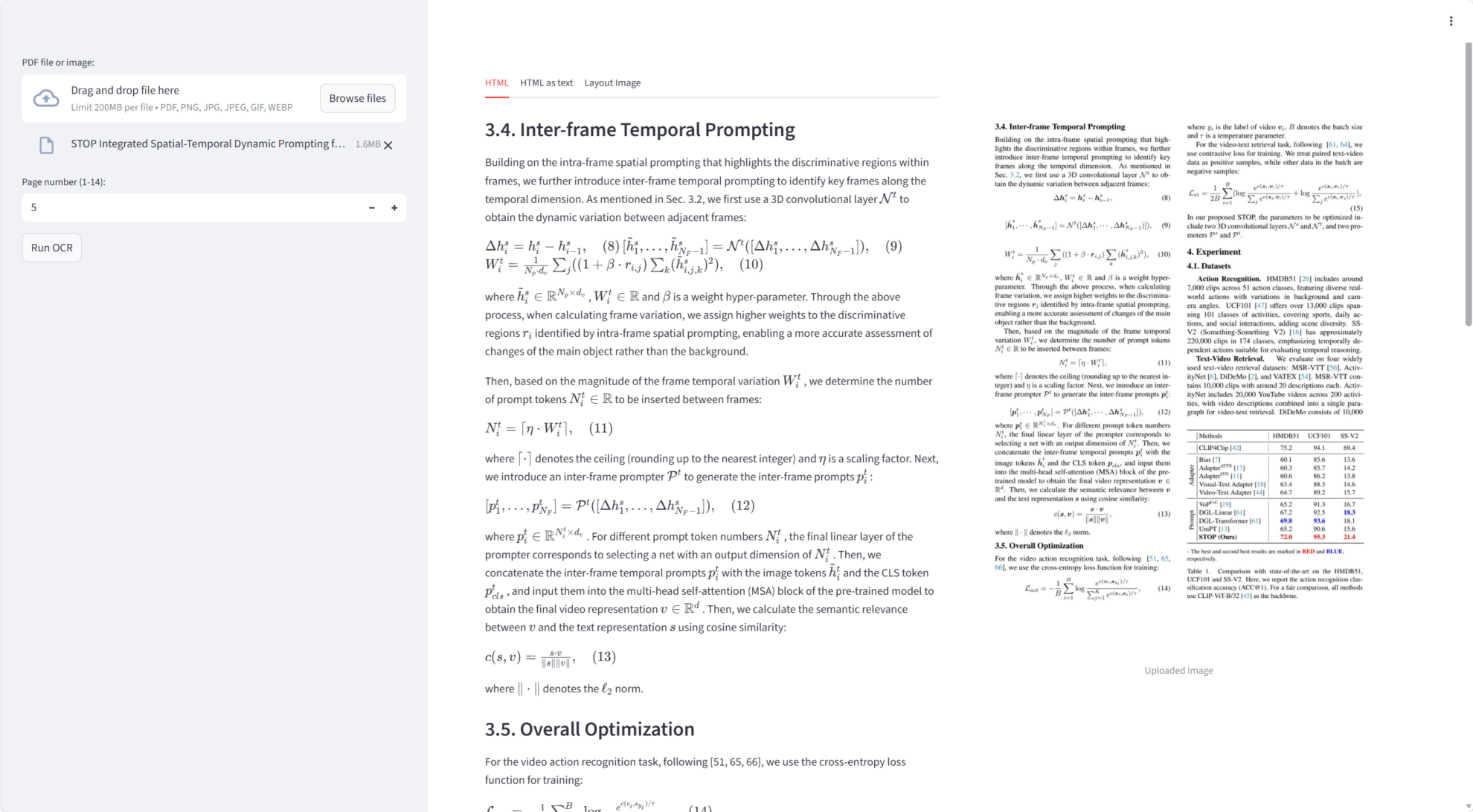
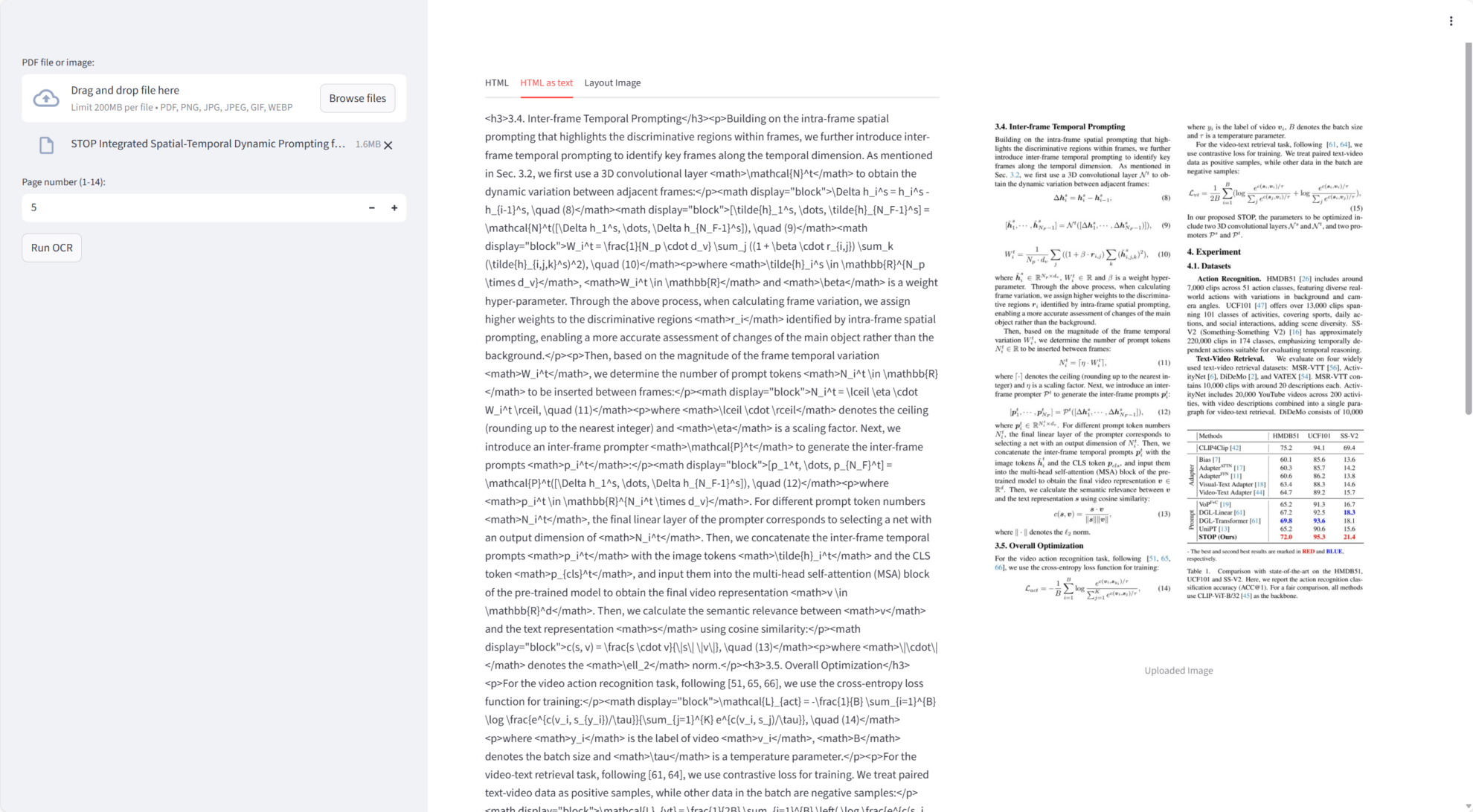
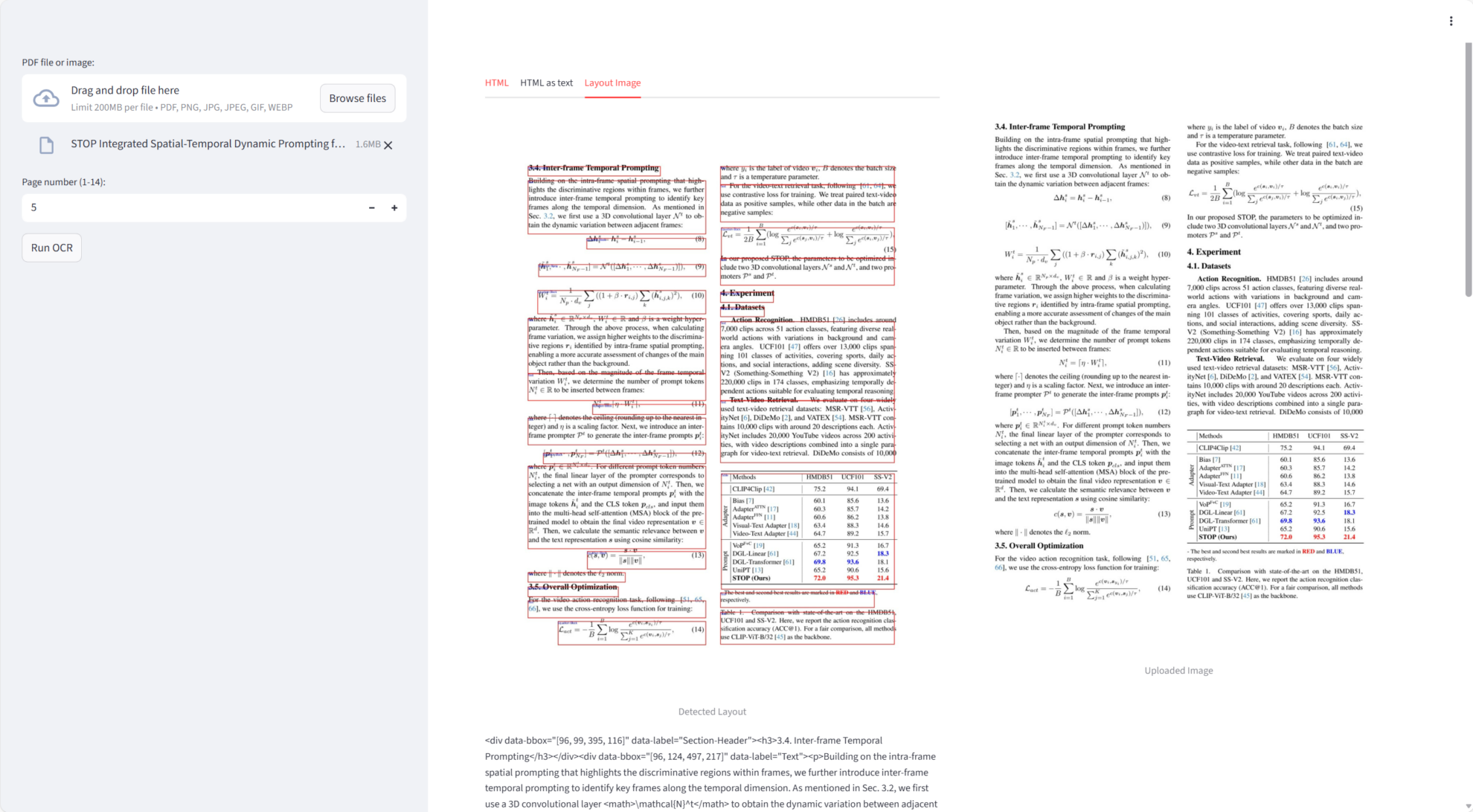
Chandra performed exceptionally well on the core mission:
- Single-page document OCRGenerate high-precision text and Markdown from PDFs or images.
- Layout detectionIt accurately identifies areas such as text blocks, tables, and images, and supports layout visualization.
- Multi-page document supportIt can process PDF files in pages, with page numbers starting from 1 to prevent out-of-bounds errors.
- Markdown and HTML outputAutomatically embeds OCR results into Markdown or HTML, and supports downloading.
- Visual layout diagramGenerate PIL images of annotated text areas for easy verification of OCR accuracy.
3. Operation steps
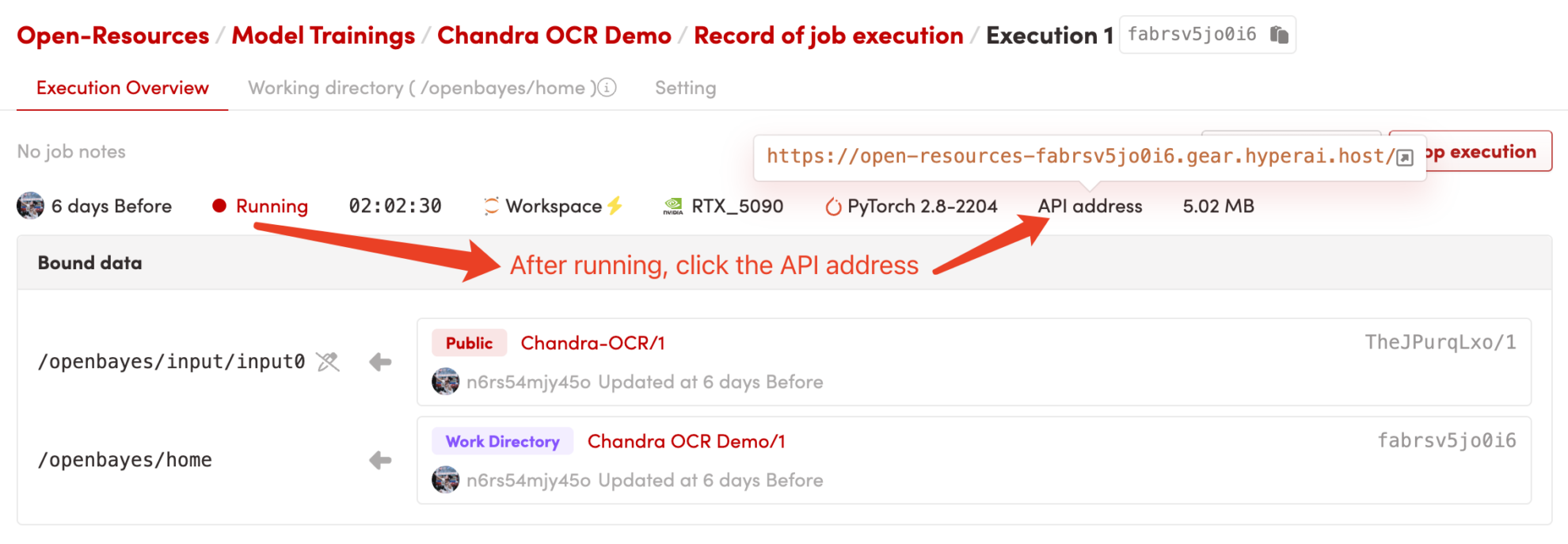
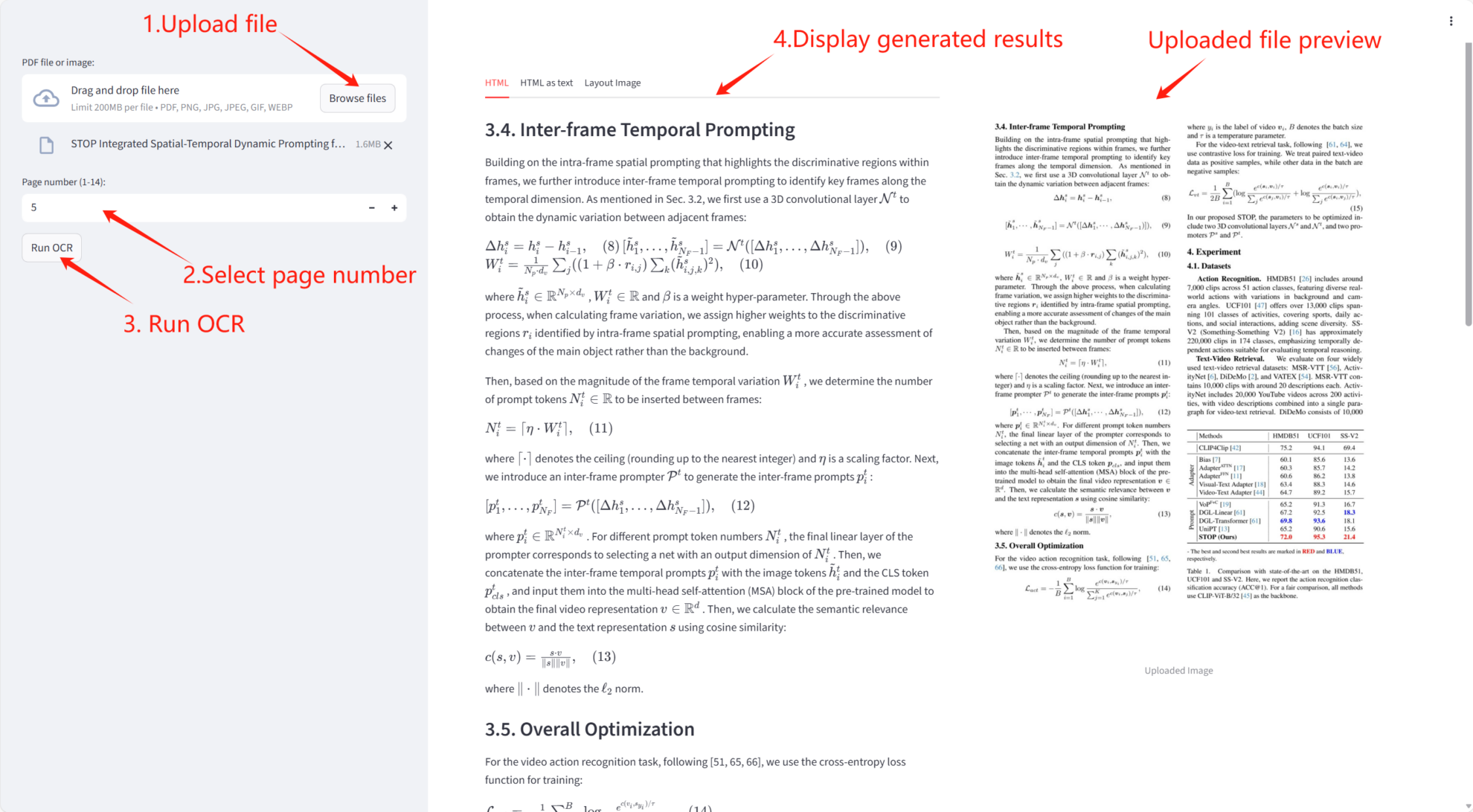
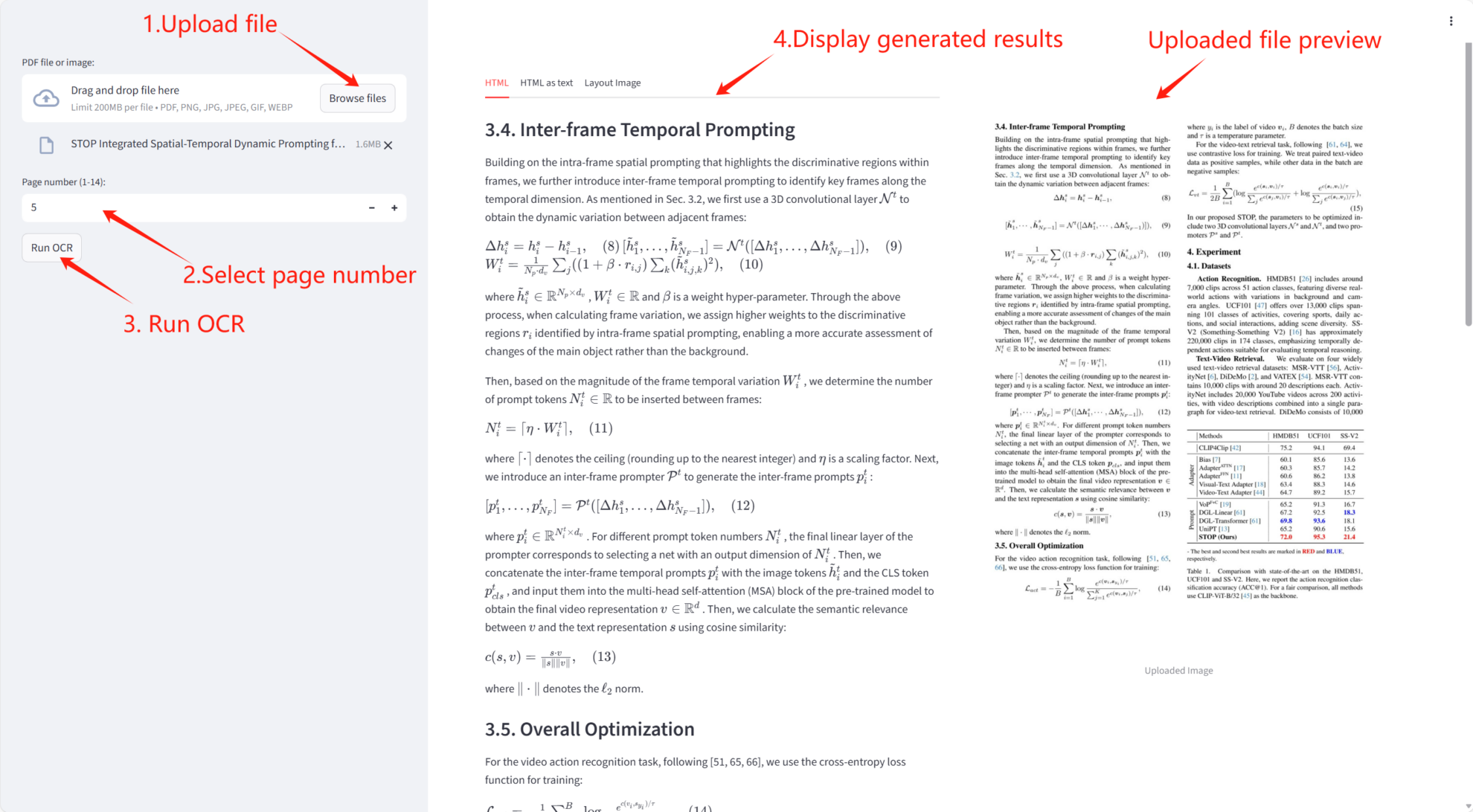
1. Start the container or run it locally.
After starting the container, click the API address to access the web interface:
2. User Guide
If "Bad Gateway" is displayed, it means the model is initializing. Please wait 1-2 minutes and refresh the page.
hintIf the page displays "Running load_model()", it means the model is being initialized. Please wait 1-2 minutes and then refresh the page.
Notebook Overview
Level
Build AI with AI
From idea to launch — accelerate your AI development with free AI co-coding, out-of-the-box environment and best price of GPUs.